Pixlr

Pixlr

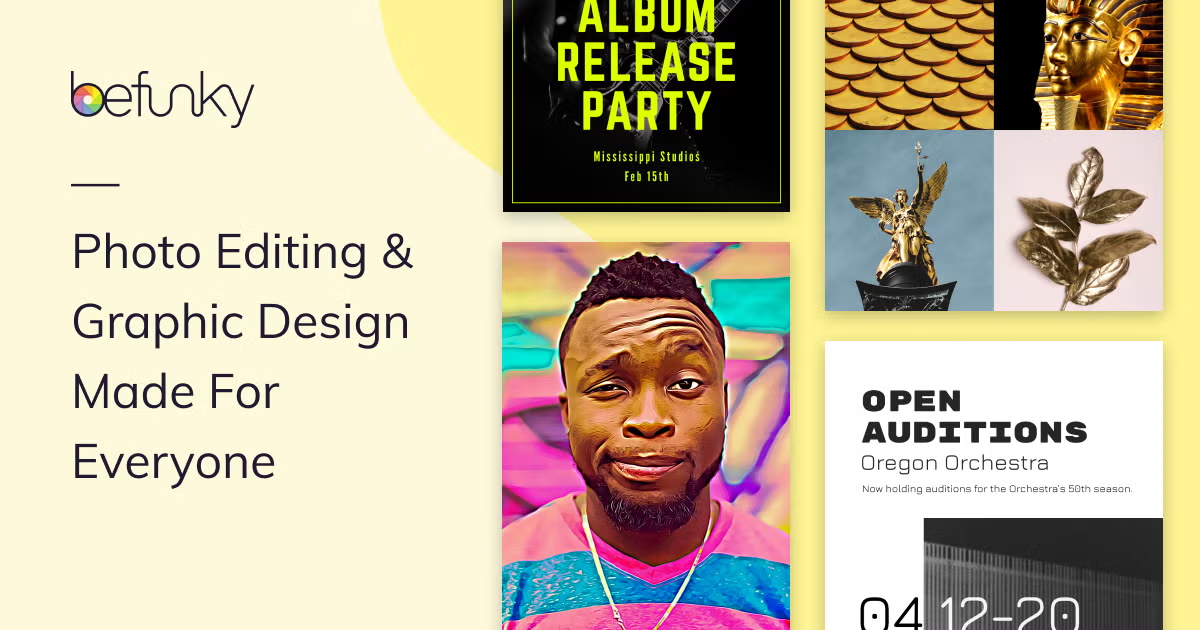
Pixlr is a browser-based, AI-powered creative suite for editing, generating, and designing images, videos, and audio. It integrates leading generative AI models (Flux, Kling, Recraft, Veo, etc.) into a single platform, offering tools like text-to-image generation, generative fill, background removal, object erasing, face swapping, and video/audio synthesis. Targeted at creators, marketers, small businesses, and social media managers, it provides a free, accessible alternative to desktop software like Photoshop with a heavy focus on AI automation.

Image Generation
Visit website
Added on
Sep 21, 2026
AI Photo EditorAI Image GeneratorAI Video GeneratorAI Face SwapBackground RemoverGenerative FillBrowser-BasedMobile AppsCredit System
Product information

Everything worth knowing about Pixlr

The complete picture — from everyday features to the technical detail builders and IT folks dig for.

Core features

What it actually does

AI Image Generator
Create high-quality images from text prompts using models like Flux, Recraft, and Stable Diffusion.
AI Photo Editor
Edit, enhance, and transform photos with tools like generative fill, object removal, and AI upscaling.
AI Video Generator
Generate and animate video clips from text descriptions or images using models like Kling AI and Google Veo.
AI Face Swap
Swap faces in photos and videos with AI precision.
Technical capabilities
Multi-Model Orchestration
Access to a curated suite of leading third-party AI models (Flux, Kling, Recraft V4, Google Veo, Stable Diffusion, etc.) for different media types.
Generative AI Tools Suite
Comprehensive suite including generative fill, expand, transform, background removal, and object removal.
Must watch videos
From Static to Animated: Bring Your Collage to Life with AI  🎬✨
3:18
Tutorial3:18
From Static to Animated: Bring Your Collage to Life with AI 🎬✨
Turn a static collage poster into dynamic, animated content using Pixlr Express and Pixlr’s AI Video Generator. In this tutorial, we’ll show you how to build your collage, create your start and end frames, and use AI to bring the whole composition to life with smooth movement. Learn how to: ✨ Build a dynamic collage composition ✂️ Remove backgrounds with the Cutout tool 🖼️ Create your start and end frames 🎬 Animate your design with AI Video Generator 📱 Create scroll-stopping content for social media, campaigns, and ads Design your poster. Describe the movement. Let AI handle the animation. Try Pixlr Now: https://bit.ly/4gRykd1 👀 Tune in now and get creative! ✨ #Pixlr #AIVideo #AIVideoGenerator #AIEditing #AIPrompts #CollageDesign #AnimatedCollage #MotionDesign #SocialMediaContent #CreativeEditing #MadeWithPixlr
Seedance 2.5 on Pixlr: Better Motion, Longer Clips
0:15
Comparison0:15
Seedance 2.5 on Pixlr: Better Motion, Longer Clips
It's officially here! 🎬✨ Seedance 2.5 is now live on Pixlr! Create videos with smoother motion, seamless transitions, richer visual and audio quality, and stronger continuity from the first frame to the last. More time. More control. More room to tell your story. 👉 Try it now on Pixlr! #Pixlr #Seedance25 #VideoGeneration #CreativeTools #MadeWithPixlr #ContentCreation #AIVideo
One idea. 40+ AI models. BIG creative possibilities.
0:49
Tutorial0:49
One idea. 40+ AI models. BIG creative possibilities.
Pixlr helps you turn a first spark into posts, ads, campaign visuals, product shots, and more, all in one creative workspace. Built for ideas to grow. Try Pixlr now: https://bit.ly/4vAor9u #Pixlr #BuiltForIdeasToGrow #AICreativity #AIModels #CreativeTools #MadeWithPixlr

Who uses it

Real use cases, no hype
Social Media Content Creation
Rapidly generate and edit eye-catching posts, stories, and ads from text prompts.
Product Photography Enhancement
Remove backgrounds, retouch items, and use generative fill for marketing visuals.
Quick Prototyping & Concept Art
Use the AI image generator to create draft visuals and iterate with text-to-image editing.
Video Content Production
Generate short video clips from text or images for reels, ads, and presentations.
Personal Photo Restoration & Enhancement
Upscale old photos, colorize, remove noise, and enhance portraits with AI.
Educational & Presentation Graphics
Create custom diagrams, illustrations, and visual aids for teaching or business.
What's great
  • Massive suite of integrated AI tools (generation, editing, video, audio)
  • Truly free tier with core editing features, no account required
  • User-friendly, browser-based interface with a gentle learning curve
  • Consolidates image, video, and audio generation into one platform
Technical strengths
  • Integrates multiple cutting-edge AI models (Flux, Kling, Recraft, Veo)
  • Supports up to 25-megapixel AI upscaling (Super Scale)
  • Generative AI tools for outpainting, fill, and transform are robust
Where it falls short
  • Advanced AI models and higher concurrency require a paid subscription
  • Monthly AI credit system can be confusing and limiting for heavy users
  • Free tier includes advertisements and has lower credit limits
  • No native desktop application; relies on browser or PWA
Technical limitations
  • Some complex tasks may still require a desktop app like Photoshop
  • Web-based performance can depend on browser and internet speed
For technical folks

The deep-dive specs

FAQ

Includes technical Q&A
Pixlr is a free, browser-based photo editor with a powerful suite of integrated AI tools for generation, editing, and media creation. It's designed for ease of use and accessibility, making it a more approachable and affordable alternative to Photoshop for most users, especially for quick edits and AI-powered tasks.

Traffic Insights

Monthly Visits

—

October 2026

Growth Rate

0%

vs last month

Dominance

0%

in Image Generation

Top Country

—

Top Countries Breakdown

—

Growth Trend

Stable

Traffic has remained stable.

Honest pricing

No sneaky tiers, no “contact sales”

Here's who each plan is actually for — and where the hidden charges might hit.

Plus
$2.49/mo

Individuals

  • Ad-Free
  • Unlimited saves
  • 1 concurrent AI generation
  • 80 monthly AI Credits
  • 960 AI Credits valid for the year
  • Credits valid for 1 month
  • All credits valid for 1 year
Premium
Most picked
$9.99/mo

Individuals

  • Everything in Plus
  • plus: Access to all image
  • video & audio models
  • 4 concurrent AI generations
  • 1000 monthly AI Credits
  • 12
Ultra
$24.99/mo

Professionals

  • Everything from Premium
  • plus: Unlimited free "fast" image generations*
  • Access to all image
  • video & audio models
  • 8 concurrent AI generations
  • Up to 10
  • 000 monthly AI Credits
Ultra MAX
$49.99/mo

Professionals

  • Double the credits with Max
  • get 10
  • 000 instead of 5
  • 000 monthly! (Included in Ultra plan)
View Full Plans & Pricing on Pixlr

Official pricing, checkout, and plan upgrades are handled directly on pixlr.com.

Reviews

What the internet actually thinks

Data refreshed weekly. No paid placements.

Trustpilot
Not reviewed yet
G2
G2
Not reviewed yet
C
Capterra
Not reviewed yet
Product Hunt
Not reviewed yet
COMMUNITY COMMENTS

Leave a Comment

Help others make informed decisions. Your honest feedback shapes the community's understanding of this tool.

Tips for commenting

  • •Be specific about features you used
  • •Share real use cases and results
  • •Mention both pros and cons
  • •Keep it honest and constructive
to leave a comment

Your comment is published immediately.

Filter:
Sort:

No comments yet

Be the first to share your experience with this tool.

Alternatives

Not quite the right fit?

Here's what else is out there.