FigureLabs

FigureLabs

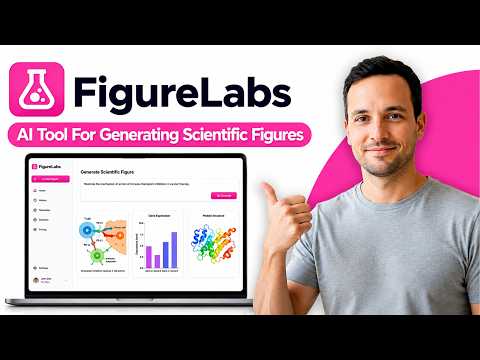
FigureLabs turns text, PDFs, sketches, lab photos, or raw CSV/Excel data into publication-ready scientific illustrations, flowcharts, and plots. It routes prompts across 10+ image models — GPT Image 2/2.5, Nano Banana 2/Pro, SeeDream 4.5, Flux.2 Max — then lets you refine via chat or an infinite canvas with region redraw, text editing, recolor, and background removal. The real hook is export: clean layered SVG and editable PPTX that survive journal review, PNG/JPG up to 8K (~1200 DPI), and reproducible Python code for plots. Style locking keeps icons, arrows, and fonts consistent across every figure in a paper. Built for researchers, not designers. The free tier is non-commercial only; paid plans start at $9/mo. API and MCP access are included for agent workflows.

Image Generation
Visit website
Added on
Nov 4, 2026
Text-to-figureEditable SVG/PPTX8K export10 AI modelsAPI & MCPFlowchartsData plotsFree tier
Product information

Everything worth knowing about FigureLabs

The complete picture — from everyday features to the technical detail builders and IT folks dig for.

Core features

What it actually does

AI Illustration Generator
Turn a text prompt, methods-section paragraph, PDF, DOCX, hand-drawn sketch, lab photo, or reference figure into a polished scientific illustration in roughly 30 seconds. Covers graphical abstracts, signaling pathways, mechanism diagrams, and PRISMA charts.
Flowchart & Plot Generators
Generate fully editable vector flowcharts from text or sketches, and publication-ready charts from CSV/Excel/pasted data. Plots ship with downloadable Python code so you can reproduce or tweak them outside the platform.
Publication-Grade Export
Export as layered SVG, editable PPTX, PDF, or raster PNG/JPG upscaled to 8K (~1200 DPI) for strict journal submission systems. Clean SVGs open directly in Adobe Illustrator, BioRender, or PowerPoint for final layout work.
Built-in Infinite Canvas & Collaboration
Every figure lands on an infinite canvas with editable layers, text editing, AI region redraw, recolor, background removal, and upscaling. Invite collaborators to comment and suggest in real time, or share a link.
Technical capabilities
Multi-Model Access (10 models)
Switch between GPT Image 2, GPT Image 1.5, GPT Image 2.5 Sunburst, GPT Image 2.5 Flare, Nano Banana / Nano Banana 2 / Nano Banana Pro (Gemini 3 Pro Image), Seedream 4.5, Seedream 5.0 Lite, and Flux.2 Max. Free tier is locked to 2 models; paid tiers unlock 7-10 depending on plan.
Vectorization & Layer Pipeline
Figures are vectorized into 100% clean, layered SVGs rather than flat raster AI output — the reason journal systems accept them. Vector export costs 150 credits; 2K/4K/8K upscales cost 10/20/40 credits respectively.
Developer API & MCP Server
Programmatic access via a documented REST API plus an MCP server that plugs FigureLabs into ChatGPT, Claude, and Codex agents. Also supports Visual Consistency locking (upload a figure to freeze icons, arrows, and fonts) and 20+ color presets with custom palette extraction from a reference image.
Must watch videos
FigureLabs AI Tool For Generating Scientific Figures for Research Papers and Research Diagrams
3:08
Tutorial3:08
FigureLabs AI Tool For Generating Scientific Figures for Research Papers and Research Diagrams
In today's video, we cover, FigureLabs AI Tool For Generating Scientific Figures for Research Papers and Research Diagrams.
AI Tool For Generating Scientific Figures for Research Papers (FigureLabs). Research Diagrams
2:03
Tutorial2:03
AI Tool For Generating Scientific Figures for Research Papers (FigureLabs). Research Diagrams
Best AI tool that generates publication quality scientific figures and illustrations using text prompt and rough sketches. AI tools for generating scientific images, graphical abstract, poster, presentation, journal cover. Generate research diagrams Tool's Link: https://figurelabs.ai/?via=xplore FigureLabs (Detailed Tutorial): https://youtu.be/VP2bmH4ZSHs Join this channel to get access to perks: https://www.youtube.com/channel/UCjUZyveMN14k1zAsvwuQ4DA/join
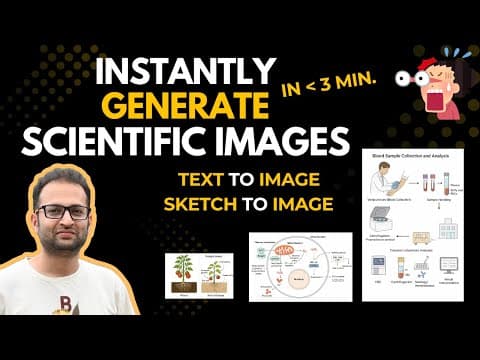
Easily Generate Scientific Images in Minutes- FigureLabs (Detailed Tutorial)
9:38
Tutorial9:38
Easily Generate Scientific Images in Minutes- FigureLabs (Detailed Tutorial)
📎 Try FigureLabs here: https://figurelabs.ai/?utm_source=youtube_K In this video, I will show you a powerful AI tool FigureLabs that generates publication-quality scientific images directly from text or sketches in just a few minutes. So, if you are struggling with generating scientific images then this AI tool will help you instantly generate scientific figures. So, you do not have to insert each component to generate complex scientific illustration, this AI tool will add all the components, icons, illustrations, text at once. Just keep the prompt as detailed as possible. This AI tool also converts hand drawn sketches to perfect publication quality images. FigureLabs is specially trained on millions of scientific articles and figures, making it far more accurate than general tools like Midjourney or ChatGPT. Whether you’re a researcher, scientist, or student, this tool can save hours of effort while maintaining high precision and scientific clarity. Learn how to generate science figures easily in this video. 💡 In this detailed tutorial, you’ll learn: ✅ How to generate figures from text prompts ✅ How to convert hand-drawn sketches into high-quality diagrams ✅ How to refine and edit images for publication or presentation ✅ Real examples: blood analysis, ROS pathway, plant drought study, and more 🎥 Watch next: How to find free scientific graphics for publication: https://youtube.com/shorts/fb7rE1DGmlo?si=rekq5zfmUxe3ch2u #AIforResearch #FigureLabs #ScientificIllustration #ResearchTools #aitools Join this channel to get access to perks: https://www.youtube.com/channel/UCjUZyveMN14k1zAsvwuQ4DA/join

Who uses it

Real use cases, no hype
Graphical Abstracts
Turn methods sections and key findings into publication-ready graphical abstracts.
Signaling Pathways
Generate annotated cell signaling and biological pathway diagrams from text.
Study Flowcharts
Build editable PRISMA, clinical trial, and experimental workflow flowcharts.
Data Plots
Convert CSV or Excel data into journal-styled bar, line, and scatter plots.
Figure Refinement
Redraw regions, edit text, recolor, and remove backgrounds with AI tools.
Journal Submission Prep
Export 8K PNGs or clean layered SVGs that meet journal DPI requirements.
Team Collaboration
Comment and co-edit figures in real time on an infinite canvas.
What's great
  • Publication-ready SVG and editable PPTX exports
  • Access to top models like GPT Image, Nano Banana, and Flux
  • Free tier with 150 one-time credits
  • Affordable paid plans starting at $9/mo
Technical strengths
  • 8K upscale (~1200 DPI) meets strict journal specs
  • Visual consistency locking for icons, fonts, and arrows
  • API and MCP integration for agent workflows
Where it falls short
  • Credits burn fast on vector exports (150 per export)
  • Best models locked behind Plus and Pro tiers
  • Free plan is non-commercial use only
  • Precise journal-grade figures still need manual cleanup
Technical limitations
  • Vector export costs 150 credits regardless of plan tier
  • No native BioRender integration—manual SVG/PPTX handoff required
For technical folks

The deep-dive specs

Image Models
GPT Image 2, GPT Image 1.5, GPT Image 2.5 Sunburst, GPT Image 2.5 Flare, Nano Banana, Nano Banana 2, Nano Banana Pro (Gemini 3 Pro Image), Seedream 4.5, Seedream 5.0 Lite, Flux.2 Max
Export Formats
PNG, JPG, PDF, SVG (layered vector), PPTX
Max Export Resolution
8K (≈1200 DPI) on Plus and above; 4K on Starter; 1K on Free
Input Formats
Text prompt, PDF, DOCX, TXT, CSV, Excel, sketch/lab photo, reference image
Integrations
Developer REST API, MCP server (ChatGPT, Claude, Codex), GitHub AGENTS.md plugin
Style Presets
Flat, 2.5D, 3D
Credit Costs
Image 1K / region redraw / regenerate / white BG: 50 credits; text edit: 60; upscale 2K/4K/8K: 10/20/40; SVG or PPTX vector export: 150
Credit Rollover
Up to 20% of unused monthly credits on Team and Business plans only
Storage
1GB (Free) to 300GB (Pro); 60GB per Team plan

FAQ

Includes technical Q&A

Traffic Insights

Monthly Visits

—

November 2026

Growth Rate

0%

vs last month

Dominance

0%

in Image Generation

Top Country

—

Top Countries Breakdown

—

Growth Trend

Stable

Traffic has remained stable.

Honest pricing

No sneaky tiers, no “contact sales”

Here's who each plan is actually for — and where the hidden charges might hit.

Free
Free

Individuals exploring the tool

  • 150 credits (one-time); 50 free credits reset daily; 1GB storage; 1K HD image export; Flowchart (SVG); Plot; Access to 2 models (Nano Banana Pro
  • GPT Image 2); Non-commercial use only
Starter
$10/mo

Students & casual researchers

  • 1000 credits/month; 100 free credits reset daily; 10GB storage; 4K HD image export; Vector Export (SVG); Flowchart (SVG); Plot; Editable PPTX; Built-in Canvas; Publication Authorization; Access to 7 models
Plus
Most picked
$35/mo

Active researchers & labs

  • 5000 credits/month; 100 free credits reset daily; 50GB storage; 8K HD image export; Vector Export (SVG); Flowchart (SVG); Plot; Editable PPTX; Built-in Canvas; Publication Authorization; Access to 10 models
Pro
$99/mo

Heavy users & research groups

  • 20000 credits/month; 100 free credits reset daily; 300GB storage; 8K HD image export; Vector Export (SVG); Flowchart (SVG); Plot; Editable PPTX; Built-in Canvas; Publication Authorization; Access to 10 models
Team
$26 / seat

Teams & institutions

  • 5000 credits per seat/month; 100 free credits reset daily; Credit rollover up to 20%; 60GB storage; 8K HD image export; Flowchart (SVG); Plot; Vector (SVG) & PPTX; Built-in Canvas; Publication Authorization; Full model access
View Full Plans & Pricing on FigureLabs

Official pricing, checkout, and plan upgrades are handled directly on figurelabs.ai.

Reviews

What the internet actually thinks

Data refreshed weekly. No paid placements.

Trustpilot
Not reviewed yet
G2
G2
Not reviewed yet
C
Capterra
Not reviewed yet
Product Hunt
Not reviewed yet
COMMUNITY COMMENTS

Leave a Comment

Help others make informed decisions. Your honest feedback shapes the community's understanding of this tool.

Tips for commenting

  • •Be specific about features you used
  • •Share real use cases and results
  • •Mention both pros and cons
  • •Keep it honest and constructive
to leave a comment

Your comment is published immediately.

Filter:
Sort:

No comments yet

Be the first to share your experience with this tool.

Alternatives

Not quite the right fit?

Here's what else is out there.