BeFunky

BeFunky

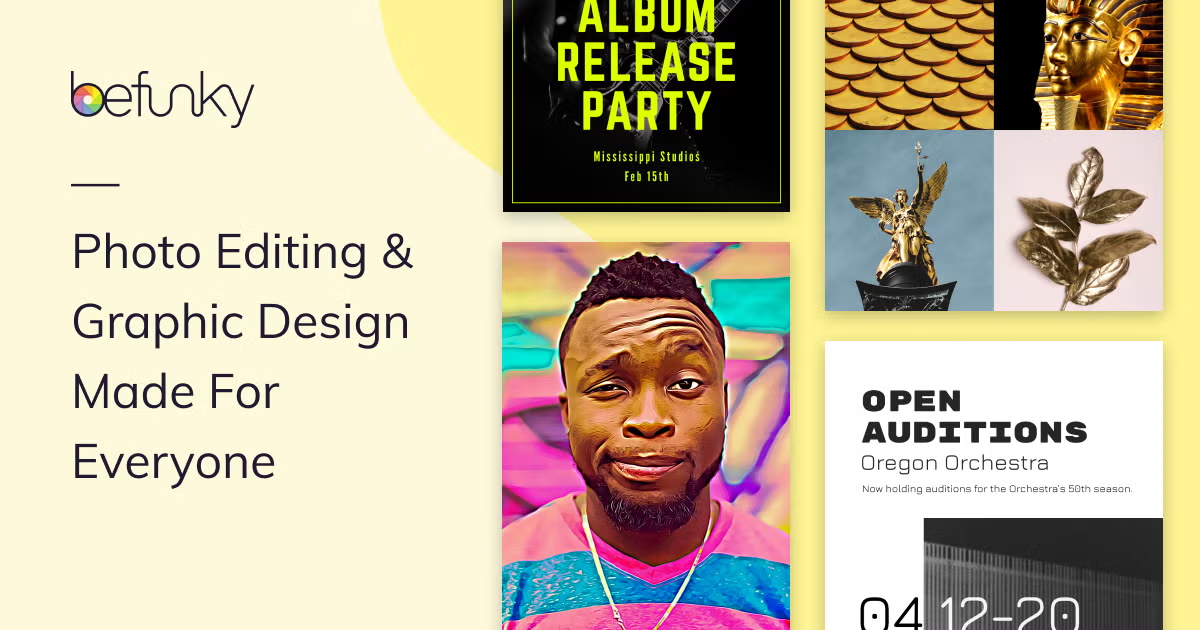
BeFunky is a web-based creative platform that combines a photo editor, collage maker, and graphic designer into a single, accessible tool. It provides a range of features from basic adjustments like cropping and resizing to AI-powered tools such as background removal, object erasing, and photo enhancement. The platform is designed for ease of use with drag-and-drop simplicity, making it suitable for quick edits and creating social media graphics. Target users include casual creators, social media managers, small business owners, and marketers who need to produce visual content without advanced design skills. Key capabilities include batch processing for editing multiple images at once, a library of customizable templates and vector graphics, and specialized tools like portrait retouching and artistic filters. The service operates on a freemium model with a free tier for basic use and paid plans unlocking advanced features and higher processing limits.

Image Generation
Visit website
Added on
Sep 21, 2026
Photo EditorCollage MakerGraphic DesignerAI Background RemoverBatch ProcessingStock ImagesMobile App
Product information

Everything worth knowing about BeFunky

The complete picture — from everyday features to the technical detail builders and IT folks dig for.

Core features

What it actually does

Photo Editing & Effects
Comprehensive tools for cropping, resizing, exposure adjustment, and applying hundreds of filters, including Artsy effects like Cartoonizer and Pop Art.
AI Background Remover
One-click removal of image backgrounds using AI, creating transparent or solid-colored backgrounds for portraits and products.
Collage Maker with Wizard
Create custom collages or use the Collage Wizard for automatic layout generation from uploaded photos, with templates for social media.
Graphic Design Templates
Drag-and-drop design creation using pre-made templates for banners, flyers, cards, and social media posts.
Integrated Stock Library
Access to over a million free stock images from Pixabay and Pexels, plus thousands of vector graphics and icons directly within the app.
Technical capabilities
Batch Image Processing
Crop, resize, and apply effects to multiple images simultaneously. Pro plan includes AI-powered batch editing.
Must watch videos
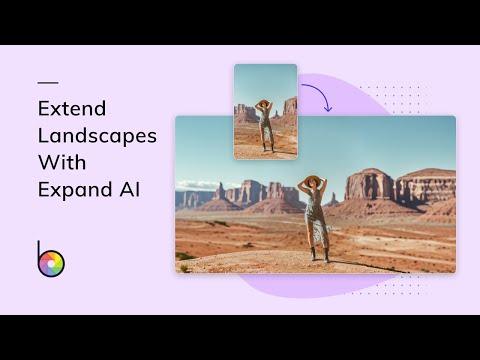
How to Expand a Landscape Photo with AI
1:02
Tutorial1:02
How to Expand a Landscape Photo with AI
Didn’t capture the whole scene? BeFunky’s Expand AI tool makes it easy to extend the edges of your landscape photos – no cloning or guesswork required. Just upload your photo, let AI do the magic, and watch your image grow beyond its original crop. It’s perfect for creating wider vistas, dramatic backgrounds, or print-ready compositions. ✨ Powered by AI. Designed for creativity. 🖌 Try it now: https://www.befunky.com/create/expand/ 📌 Follow along: https://www.befunky.com/learn/extend-your-landscapes-with-expand-ai/ 📸 Learn more about expansion: https://www.befunky.com/features/ai-image-extender/ #PhotoEditing #ExpandAI #BeFunky #LandscapePhotography #AItools #PhotoTips
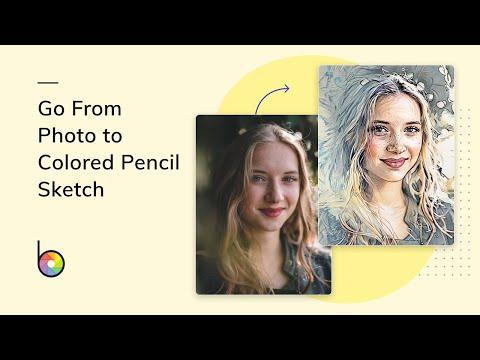
Turn Any Photo Into a Colored Pencil Drawing
1:20
Tutorial1:20
Turn Any Photo Into a Colored Pencil Drawing
Give your photos an artistic upgrade with BeFunky’s Colored Pencil filter! In this quick tutorial, you’ll see how easy it is to transform any image into a vibrant, hand-drawn masterpiece – no drawing skills required. Whether you’re designing a custom portrait, creating unique social media content, or just having fun with photo edits, the Colored Pencil effect adds the perfect creative twist. 🎨 What You’ll Learn: Where to find the Colored Pencil filter in BeFunky How to adjust the effect for the perfect sketched look Creative ideas for using your new artwork 🖌 Try it now: https://www.befunky.com/create/photo-to-sketch/ 📌 Follow along: https://www.befunky.com/learn/photo-to-colored-pencil-drawing/ 🖼️ Check out more photo to art effects: https://www.befunky.com/features/photo-to-art/ Don’t forget to like, subscribe, and tap the bell so you never miss more easy editing tips! #PhotoToDrawing #ColoredPencilEffect #BeFunkyTutorial #PhotoEditor #DigitalArt #SketchYourPhotos #CreativePhotoIdeas
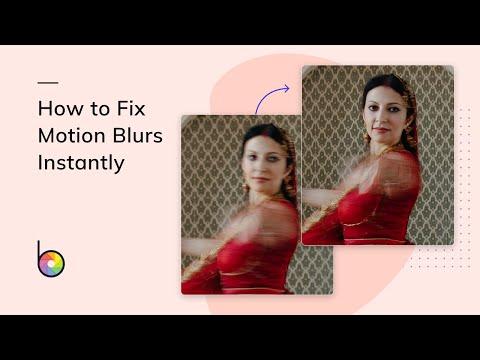
How to Instantly Fix Motion Blurs
1:05
Tutorial1:05
How to Instantly Fix Motion Blurs
Say goodbye to blurry photos! In this tutorial, we’ll show you how to quickly remove motion blur using BeFunky’s Deblur tool. Whether your subject moved mid-shot or your camera shook at the wrong moment, this AI-powered tool brings sharpness and clarity back to your images in just a few clicks. ✅ Perfect for action shots, group photos, low-light scenes, and more ✅ No photo editing experience needed 🖌 Try it now: https://www.befunky.com/create/unblur-image/ 📌 Follow along: https://www.befunky.com/learn/fix-motion-blurs-with-deblur/ 📸 Check out more Deblur features: https://www.befunky.com/features/deblur/ 📸 Ready to transform your blurry pics into crisp, eye-catching images? Watch the full video to see the Deblur tool in action! #MotionBlur #PhotoEditing #BeFunky #DeblurTool #FixBlurryPhotos #AIPhotoEditor #PhotographyTips #BeforeAfter

Who uses it

Real use cases, no hype
Quick Social Media Graphics
Create eye-catching posts, stories, and banners using customizable templates for Instagram, Facebook, and Pinterest.
Product Photography Editing
Use AI to remove backgrounds, enhance product details, and batch-process listings for e-commerce.
Personal Photo Enhancement
Easily touch up portraits, apply artistic filters, fix exposure, and create collages from family photos.
Small Business Branding
Design flyers, cards, and marketing materials with a unified look using brand fonts and colors.
Batch Image Processing
Resize, crop, and apply effects to hundreds of images simultaneously for efficient workflow.
Creative Art Projects
Transform photos into paintings, cartoons, or digital art with one-click Artsy effects.
Mobile Content Creation
Edit photos and create designs on-the-go from your smartphone or tablet with the mobile app.
What's great
  • Intuitive, browser-based editor with zero installation required.
  • All-in-one platform for photo editing, collages, and graphic design.
  • Massive library of free stock images, vectors, and templates.
  • AI-powered one-click tools for background removal and enhancement.
Technical strengths
  • Robust batch processing and AI editing for Pro subscribers.
  • Integrated vector graphics and advanced text tools for designers.
  • Credit-based system for scalable, metered AI processing workloads.
Where it falls short
  • Free tier is severely limited; core power requires a subscription.
  • AI batch tools are gated behind the more expensive Pro plan.
  • No raw file support or advanced color grading for pro photographers.
  • Web app performance can lag with very high-resolution images.
Technical limitations
  • Credit system for AI processing can be confusing and run out quickly.
  • Lacks granular layer control and PSD-like features for complex compositing.
  • Mobile app is a separate download and may have feature parity gaps.
For technical folks

The deep-dive specs

FAQ

Includes technical Q&A
No, you can use the basic tools without an account, but you'll need to create one to save projects or access your subscription features.

Traffic Insights

Monthly Visits

—

October 2026

Growth Rate

0%

vs last month

Dominance

0%

in Image Generation

Top Country

—

Top Countries Breakdown

—

Growth Trend

Stable

Traffic has remained stable.

Honest pricing

No sneaky tiers, no “contact sales”

Here's who each plan is actually for — and where the hidden charges might hit.

BeFunky Free
Free

Individuals

  • Basic photo editing tools
  • Limited templates and assets
  • Export edits with no subscription
BeFunky Plus
Most picked
$6.99/mo

Individuals

  • Full access to premium editing and design tools
  • Advanced AI editing controls
  • Premium Artsy effects
  • High-quality templates and assets
  • Collage Wizard and custom layouts
  • Basic bulk editing
BeFunky Pro
$12.49/mo

Businesses

  • Batch AI tools for hundreds of images
  • Batch Background Remover
  • Batch AI Editor for enhance/upscale/restore
  • AI-powered Artsy effects
  • Advanced AI models
  • 5000 Batch AI credits monthly
  • Priority image processing
View Full Plans & Pricing on BeFunky

Official pricing, checkout, and plan upgrades are handled directly on befunky.com.

Reviews

What the internet actually thinks

Data refreshed weekly. No paid placements.

Trustpilot
Not reviewed yet
G2
G2
Not reviewed yet
C
Capterra
Not reviewed yet
Product Hunt
Not reviewed yet
COMMUNITY COMMENTS

Leave a Comment

Help others make informed decisions. Your honest feedback shapes the community's understanding of this tool.

Tips for commenting

  • •Be specific about features you used
  • •Share real use cases and results
  • •Mention both pros and cons
  • •Keep it honest and constructive
to leave a comment

Your comment is published immediately.

Filter by rating:
Sort by:

No comments yet

Be the first to share your experience with this tool.

Alternatives

Not quite the right fit?

Here's what else is out there.