Picsart

Picsart

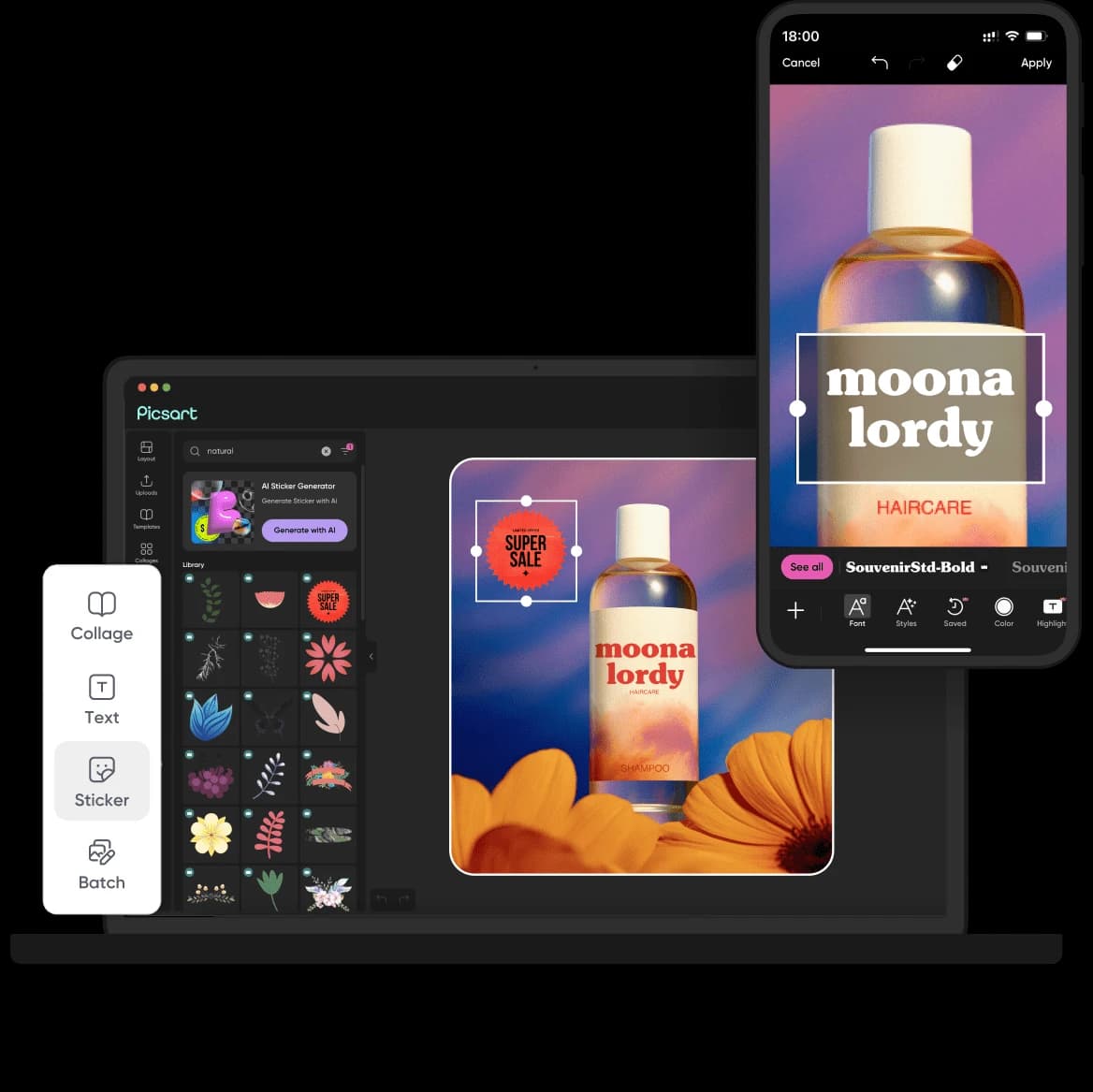
Picsart is a comprehensive AI-powered creative platform that enables users to generate videos, images, and audio using over 175 state-of-the-art AI models, including Seedance 2.5 for high-quality video generation. Key capabilities include AI-driven editing tools, background removal, image enhancement, video animation, and integration of specialized AI agents for automating content creation tasks like branding, localization, and workflow execution. Designed for content creators, marketers, small business owners, and designers who need efficient, professional-grade creative assets without extensive technical skills.

Design & Creative
Visit website
Added on
Sep 16, 2026
AI Video Models175+ ModelsCreative AgentsCLI ToolMCP IntegrationCloud StorageBulk EditingBackground Removal
Product information

Everything worth knowing about Picsart

The complete picture — from everyday features to the technical detail builders and IT folks dig for.

Core features

What it actually does

AI Video Generation
Generate videos from text or images using models like Seedance 2.5 and Kling 3.0.
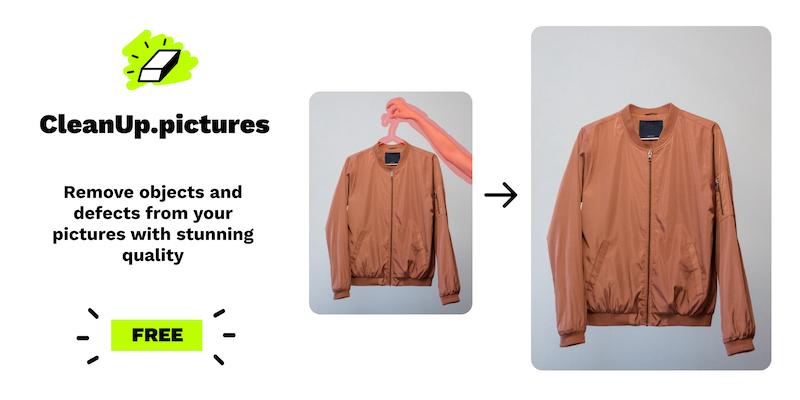
Background Removal
Remove backgrounds and objects from photos and videos with one step.
AI Agents
Access to 15+ specialized creative agents for tasks like video reels and brand building.
Cloud Storage
Store designs and assets in the cloud with 100 GB for Pro or 300 GB per seat for Ultra.
Bulk Editing
Batch edit multiple images at once, up to 50 for Pro and 100 for Ultra.
Technical capabilities
MCP Integration
Integrate Picsart with AI coding tools like Claude Code and Cursor via Model Context Protocol.
CLI Tool
Command-line interface for auto-generating content from terminal or agent.
Must watch videos
I Gave an AI Agent My Vacation Photos… Here’s What It Made
5:06
Tutorial5:06
I Gave an AI Agent My Vacation Photos… Here’s What It Made
👉 Use Picsart agents here: https://picsart.com/ai-agents/ 👉 Start using Picsart on Web here: https://picsart.onelink.me/Ifww/5sofd2ac 👉 Download the Picsart App here: https://picsart.onelink.me/Ifww/aed53tn8 🔥Subscribe to our channel for more tutorials and stay tuned for future videos! Don't forget to: 👍 Like this video if you found it helpful 💬 Comment below with your thoughts and questions 🔔 Hit the bell icon to get notified about our latest uploads Follow us on social media for more tips and inspo: 📸 Instagram: instagram.com/picsart/ ✨ Pinterest: pinterest.com/picsart/ 📹 TikTok: tiktok.com/@picsart 🐦 Twitter: twitter.com/piscart 📘 Facebook: facebook.com/picsart 🤔 LOOKING FOR SHORTER VIDEOS? CHECK THESE OUT: 📲 Picsart Shorts https://bit.ly/3FzhJbb
Start a Faceless ASMR Channel from Scratch (Step-by-Step AI Tutorial)
9:44
Tutorial9:44
Start a Faceless ASMR Channel from Scratch (Step-by-Step AI Tutorial)
👉 Start using Picsart AI Playground here: https://picsart.com/ai-playground 👉 Start using Picsart on Web here: https://picsart.onelink.me/Ifww/5sofd2ac 👉 Download the Picsart App here: https://picsart.onelink.me/Ifww/aed53tn8 🔥Subscribe to our channel for more tutorials and stay tuned for future videos! Don't forget to: 👍 Like this video if you found it helpful 💬 Comment below with your thoughts and questions 🔔 Hit the bell icon to get notified about our latest uploads Follow us on social media for more tips and inspo: 📸 Instagram: instagram.com/picsart/ ✨ Pinterest: pinterest.com/picsart/ 📹 TikTok: tiktok.com/@picsart 🐦 Twitter: twitter.com/piscart 📘 Facebook: facebook.com/picsart 🤔 LOOKING FOR SHORTER VIDEOS? CHECK THESE OUT: 📲 Picsart Shorts https://bit.ly/3FzhJbb
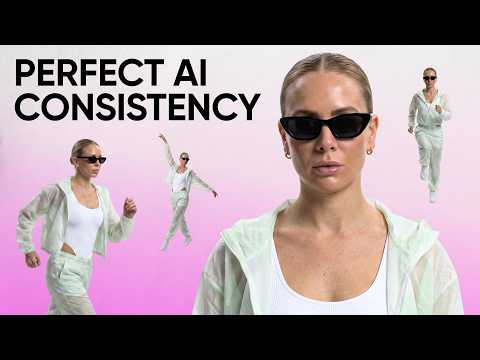
How to Keep Your AI Characters Consistent (Step-by-Step Tutorial)
6:19
Tutorial6:19
How to Keep Your AI Characters Consistent (Step-by-Step Tutorial)
👉 Use the exact workflow here: https://picsart.com/create/workflows/248af45720943ece947009785b39afc577c914905afc0fc73ca1e4a12c334d7d 👉 Start using Picsart on Web here: https://picsart.onelink.me/Ifww/5sofd2ac 👉 Download the Picsart App here: https://picsart.onelink.me/Ifww/aed53tn8 🔥Subscribe to our channel for more tutorials and stay tuned for future videos! Don't forget to: 👍 Like this video if you found it helpful 💬 Comment below with your thoughts and questions 🔔 Hit the bell icon to get notified about our latest uploads Follow us on social media for more tips and inspo: 📸 Instagram: instagram.com/picsart/ ✨ Pinterest: pinterest.com/picsart/ 📹 TikTok: tiktok.com/@picsart 🐦 Twitter: twitter.com/piscart 📘 Facebook: facebook.com/picsart 🤔 LOOKING FOR SHORTER VIDEOS? CHECK THESE OUT: 📲 Picsart Shorts https://bit.ly/3FzhJbb

Who uses it

Real use cases, no hype
AI Video Production
Generate cinematic videos from text prompts using models like Seedance 2.5.
Image Enhancement
Remove backgrounds, enhance quality, and edit photos with AI tools.
Brand Asset Creation
Design logos, style guides, and marketing materials with consistency.
Social Media Content
Create viral posts, reels, and ads for platforms like Instagram and TikTok.
E-commerce Mockups
Generate product packaging, ads, and promotional visuals for selling.
Creative Prototyping
Rapidly visualize ideas with AI-generated content for pitching or testing.
Automated Workflows
Use AI agents to plan and execute tasks like localization and content repurposing.
What's great
  • Access to 175+ AI models for video, image, and audio.
  • AI agents automate creative workflows like video direction and branding.
  • Bulk editing up to 100 images at once for efficiency.
  • Generous cloud storage (100-300 GB) for asset management.
Technical strengths
  • Parallel video generation with top models like Seedance 2.5 and Kling 3.0.
  • MCP integration for embedding in coding tools like Claude Code and Cursor.
  • Flexible credit system allows scalable AI usage with add-on options.
Where it falls short
  • Credit-based system limits free usage quickly.
  • Full features require a paid subscription.
  • Always online dependency for all AI operations.
  • Advanced features locked behind higher-tier plans.
Technical limitations
  • Credit consumption varies significantly by AI model.
  • Potential latency in generations with complex models like Seedance 2.5.
For technical folks

The deep-dive specs

AI Models Supported
175+ models including Seedance 2.5, Veo 3.1, Kling 3.0 Pro, Runway Gen 4.5, Flux 2 Pro, Nano Banana Pro, Sora 2 Pro, and more.
AI Generation Limits
Credit-based system with monthly allocations for video, image, and audio generation. Specific limits vary by plan (e.g., Pro: ~100 Nano Banana Pro generations/month).
Integration Methods
CLI (Command Line Interface), MCP (Model Context Protocol) for integration into Claude Code, Cursor, ChatGPT.
Cloud Storage
100 GB (Pro plan), 300 GB per seat (Ultra plan).

FAQ

Includes technical Q&A
Credits are used for AI generations; different models consume varying amounts, with free trial credits available on sign-up.

Traffic Insights

Monthly Visits

—

October 2026

Growth Rate

0%

vs last month

Dominance

0%

in Design & Creative

Top Country

—

Top Countries Breakdown

—

Growth Trend

Stable

Traffic has remained stable.

Honest pricing

No sneaky tiers, no “contact sales”

Here's who each plan is actually for — and where the hidden charges might hit.

Pro
Most picked
$15/mo

Individuals

  • Access to all photo & video editing features
  • Advanced background & object removal
  • Parallel video generations with the world's most powerful AI video models
  • Unlimited image generations with Flex.2 Klein
  • 1-tap image enhancer
  • Millions of stock photos & Getty video clips
  • Selection of trendy fonts
Ultra
$75/mo

Creators & Teams

  • 5x more usage than Pro
  • 140+ leading AI video
  • image
  • and audio models
  • Parallel video generations with the world's most powerful AI video models
  • Early access to advanced AI features
  • Unlimited image generations with Flex.2 Klein
View Full Plans & Pricing on Picsart

Official pricing, checkout, and plan upgrades are handled directly on picsart.com.

Reviews

What the internet actually thinks

Data refreshed weekly. No paid placements.

Trustpilot
Not reviewed yet
G2
G2
Not reviewed yet
C
Capterra
Not reviewed yet
Product Hunt
Not reviewed yet
COMMUNITY COMMENTS

Leave a Comment

Help others make informed decisions. Your honest feedback shapes the community's understanding of this tool.

Tips for commenting

  • •Be specific about features you used
  • •Share real use cases and results
  • •Mention both pros and cons
  • •Keep it honest and constructive
to leave a comment

Your comment is published immediately.

Filter by rating:
Sort by:

No comments yet

Be the first to share your experience with this tool.

Alternatives

Not quite the right fit?

Here's what else is out there.