Higgsfield

Higgsfield

Higgsfield is an AI-powered creative platform that enables users to generate images, videos, and audio using state-of-the-art models like Seedance 2.5 and GPT Image 2.5. It offers a unified API with access to over 50 GenAI models at competitive pricing, making it ideal for developers and creative professionals. Key capabilities include real-time video effects, motion design integration with After Effects via plugins, a supercomputer agent for complex tasks, and tools like Cinema Studio and Marketing Studio for cinematic and marketing content creation. The platform targets content creators, video editors, graphic designers, and marketing teams seeking to accelerate their creative workflows with AI.

Design & Creative
Visit website
Added on
Sep 17, 2026
AI APIGenjutsuMotion DesignVideo EffectsImage GenMCPCinema StudioGPT-6SeedanceNano Banana
Product information

Everything worth knowing about Higgsfield

The complete picture — from everyday features to the technical detail builders and IT folks dig for.

Core features

What it actually does

Unified AI API
Access to over 50 generative AI models with competitive pricing through a single API endpoint.
Genjutsu Video Manipulation
Upload a video to generate multiple new versions or manipulate elements while preserving motion.
AI Motion Designer
Integrates ChatGPT with After Effects for AI-assisted motion design projects.
Viral Video Effects
Provides pre-made viral video effect presets accessible via ChatGPT, including free initial generations.
Advanced Image Generation
Utilizes GPT Image 2.5 model for high-quality image edits with realistic lighting and texture.
Cinema Studio
AI-powered tool for creating cinematic scenes with ease.
Technical capabilities
MCP & CLI Integration
Enables Claude AI to be used as a creative engine through Model Context Protocol and command-line interface.
Must watch videos
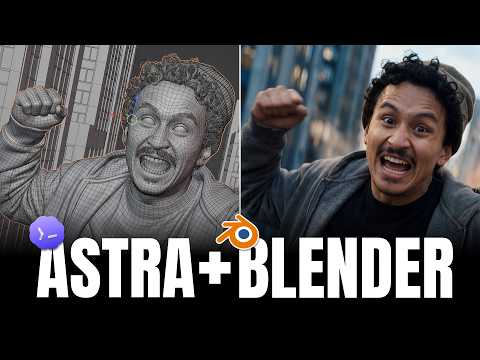
GPT Astra 6 + Blender + Higgsfield Builds The Craziest Cinematic Scenes!
15:36
Tutorial15:36
GPT Astra 6 + Blender + Higgsfield Builds The Craziest Cinematic Scenes!
🧩 Skills & Prompts: https://higgsfield.ai/s/blender-higgsfieldai-Viyiew 👉 Install the Plugin: https://higgsfield.ai/s/blender-higgsfieldai-zHuqyR I let Astra build the 3D setups, then used Higgsfield to turn them into five cinematic scenes. Plan the camera and timing first—spend fewer AI credits on endless rerolls. In this tutorial, I direct Astra from one chat while it builds the blocking in Blender, creates character and location references, and generates finished videos through Higgsfield MCP with Seedance 2.5. I also try 3D Jutsu to build and adjust a scene entirely in the browser. We build five scenes: an infinite zoom-out loop, an impossible shot through a mirror, a continuous journey from the street into a casino, a concert with 66 dancers, and a one-take vacuum commercial starring a tiny version of me. You’ll see the requests, revisions, rough 3D blocking, and final results side by side. No advanced Blender skills required—just a clear idea and a camera move you can review before generating. ⏱️ TIMESTAMPS 00:00 Intro 00:37 The infinite loop — preview and concept 01:40 Connect Astra, Blender & Higgsfield 02:09 Building and refining the infinite loop 05:39 The impossible mirror shot 07:48 3D Jutsu — four locations, one continuous shot 10:39 Concert — one singer, 66 dancers 12:54 The one-take vacuum commercial 15:05 Recap and outro Grab the skills, prompts, and project files, try the scenes yourself, and share your results in Discord. What should I ask Astra to build next? 💬 Discord: https://discord.gg/higgsfield 🐦 Twitter / X: https://x.com/higgsfield 📸 Instagram: https://www.instagram.com/higgsfield.ai
GPT-6 Astra + Higgsfield MCP Made This ENTIRE Video in One Chat
11:06
Tutorial11:06
GPT-6 Astra + Higgsfield MCP Made This ENTIRE Video in One Chat
🔗 Higgsfield MCP connection guide: https://higgsfield.ai/s/astra-6-higgsfieldai-SkClBI GPT-6 Astra and Higgsfield MCP made this entire YouTube video in one chat—from the script and AI talking head to motion graphics and the final edit. In this step-by-step AI video creation tutorial, I show you how I used my own face and voice as a reference, generated presenter footage with Higgsfield, animated existing templates in Adobe After Effects, and assembled the finished video in DaVinci Resolve. Follow the complete workflow: connect the tools, write a production brief, build the script, generate and review the talking head, add visual demonstrations, sync motion graphics to narration, and finish with music, sound design, and an editable project. You’ll also see the revisions and quality checks that turn generated clips into a video ready for YouTube. The presenter and comedy clips are AI-generated using my own face and voice as references. CHAPTERS 00:00 This entire video was made in one chat 00:58 Connect GPT-6 Astra and Higgsfield MCP 02:03 Write the production brief 03:21 Build the script and plan your takes 04:24 Generate an AI talking head from your own video 05:29 Check facial consistency, voice, and lip sync 06:32 Add visual demonstrations and screen recordings 07:32 Animate motion graphics in After Effects 08:11 Assemble the video in DaVinci Resolve 08:52 Audio levels, music, and sound design 09:36 Final quality checks and export 10:18 The complete AI video workflow What would you create in one chat? Let me know in the comments, and subscribe for more AI filmmaking tutorials. Links 💬 Discord: https://discord.gg/higgsfield 🐦 Twitter / X: https://x.com/higgsfield 📸 Instagram: https://www.instagram.com/higgsfield.ai
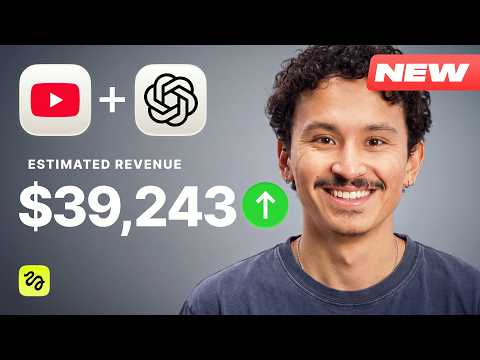
GPT-6 Astra + Higgsfield AI: Build a $39K/Month Faceless Channel
7:27
Tutorial7:27
GPT-6 Astra + Higgsfield AI: Build a $39K/Month Faceless Channel
A full faceless YouTube video, start to finish, in 3 steps — no camera, no editing software. 🧩Skills + Prompts + Thumbnail Guide: https://higgsfield.ai/s/faceless-channel-using-gpt-6-higgsfieldai-sPQEqd 👉Install Higgsfield MCP in ChatGPT: https://higgsfield.ai/s/faceless-channel-using-gpt-6-higgsfieldai-PUrlDd A full faceless YouTube tutorial using GPT-6 and the Higgsfield MCP — from picking a monetizable niche to a finished, packaged video. You'll learn which niches actually pay (and the RPM metric that decides it), how to research a channel's format and write an original script in one prompt, how MCP generates every visual, the voiceover, the music and the edit with no editing software, and why YouTube monetizes AI content like this while killing lazy template channels. Then we scale it: thumbnails for A/B testing, titles, descriptions, two more videos, and the whole workflow saved as a single Claude skill you run with one command. Free in the description: my high-CTR thumbnail guide and three ready-made script skills for the top faceless niches. ⏱️ TIMESTAMPS 00:00 Intro 00:45 Setup (two minutes, once) 01:13 Picking the niche — and RPM 03:03 Generating the video 03:45 Will YouTube demonetize this? 04:37 Watching The result 05:16 The full YouTube package + free thumbnail guide 06:20 The money math Links 💬 Discord: https://discord.gg/higgsfield 🐦 Twitter / X: https://x.com/higgsfield 📸 Instagram: https://www.instagram.com/higgsfield.ai

Who uses it

Real use cases, no hype
Viral Video Creation
Generate trending effects like Floating Fall or Burning Man for social media content.
AI Image Generation
Create or edit images using models like GPT Image 2.5 Sunburst for graphics.
Motion Graphics Automation
Integrate with After Effects via ChatGPT to automate motion design tasks.
Marketing Content Production
Utilize Marketing Studio for promotional videos and campaign visuals.
3D Scene Design
Build immersive 3D experiences with Higgsfield 3D Jutsu for interactive content.
Programmatic Content Generation
Access AI models via API for scalable and automated content workflows.
Community-Driven Projects
Explore and remix projects shared by the Higgsfield creator community for inspiration.
What's great
  • Extensive library of viral video effects presets
  • User-friendly interface for quick AI generations
  • Free generations available for basic effects
Technical strengths
  • Unified API with 50+ generative models
  • Advanced motion transfer via proprietary Genjutsu
  • MCP support for Claude-based creative workflows
Where it falls short
  • Pricing can escalate with heavy usage
  • Requires stable internet for cloud processing
  • Steeper learning curve for advanced features
Technical limitations
  • API rate limits may restrict batch processing volume
  • Proprietary models limit open-source customization
  • Potential latency in real-time video generation
For technical folks

The deep-dive specs

FAQ

Includes technical Q&A
Higgsfield AI is a generative AI platform for creating videos, images, and audio using advanced models like Seedance 2.5 and Genjutsu.

Traffic Insights

Monthly Visits

—

October 2026

Growth Rate

0%

vs last month

Dominance

0%

in Design & Creative

Top Country

—

Top Countries Breakdown

—

Growth Trend

Stable

Traffic has remained stable.

Honest pricing

No sneaky tiers, no “contact sales”

Here's who each plan is actually for — and where the hidden charges might hit.

Free
Free

Users

    Basic
    $9/mo

    Users

      Starter
      $15/mo

      Users

        Plus
        $49/mo

        Users

          Ultra
          $129/mo

          Users

            View Full Plans & Pricing on Higgsfield

            Official pricing, checkout, and plan upgrades are handled directly on higgsfield.ai.

            Reviews

            What the internet actually thinks

            Data refreshed weekly. No paid placements.

            Trustpilot
            Not reviewed yet
            G2
            G2
            Not reviewed yet
            C
            Capterra
            Not reviewed yet
            Product Hunt
            Not reviewed yet
            COMMUNITY COMMENTS

            Leave a Comment

            Help others make informed decisions. Your honest feedback shapes the community's understanding of this tool.

            Tips for commenting

            • •Be specific about features you used
            • •Share real use cases and results
            • •Mention both pros and cons
            • •Keep it honest and constructive
            to leave a comment

            Your comment is published immediately.

            Filter by rating:
            Sort by:

            No comments yet

            Be the first to share your experience with this tool.

            Alternatives

            Not quite the right fit?

            Here's what else is out there.