Fotor

Fotor

Fotor is a comprehensive online photo editor and AI design suite. It combines traditional photo editing tools with powerful generative AI for image and video creation. Core features include an AI image generator supporting models like Flux AI and GPT Image 2, AI video generation with models like Google Veo 3, background/object removal, photo enhancement, and graphic design templates. Targeted at content creators, marketers, entrepreneurs, and casual users, it offers a simpler alternative to complex software like Photoshop. It provides bulk editing, text-to-image/video, style transfer effects (anime, cartoon), and e-commerce tools for product visuals.

Design & Creative
Visit website
Added on
Sep 16, 2026
Monthly Visits
9.6M
AI Photo EditorAI Image GenAI Video GenBackground RemoverObject RemoverMulti-Model HubCollage MakerLogo MakerBatch Editing
Product information

Everything worth knowing about Fotor

The complete picture — from everyday features to the technical detail builders and IT folks dig for.

Core features

What it actually does

AI Photo Enhancer
Automatically improve image quality, resolution, and details in one click. Unblurs, sharpens, and adjusts lighting.
AI Background Remover
Instantly remove or replace image backgrounds. Creates transparent PNGs or swaps backgrounds with new ones.
AI Image Generator
Create images from text prompts using multiple top-tier models. Supports realistic photos, logos, and digital art.
AI Video Tools
Generate videos from text or images, enhance quality, remove backgrounds, and edit objects within video clips.
Technical capabilities
Multi-Model AI Hub
Access to a suite of proprietary and third-party AI models (Flux AI, Gemini AI, Nano Banana, Seedream, GPT Image, etc.) for specialized generation tasks.
Must watch videos
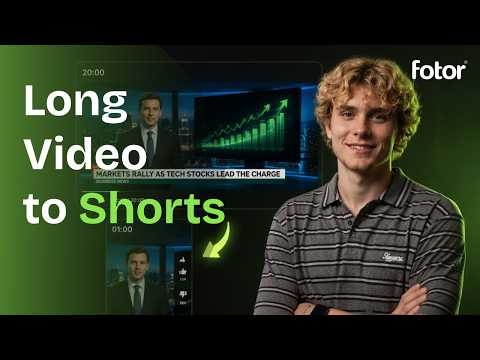
How to Turn Long Video to Shorts with AI | News Highlights with Fotor Agent
3:26
Tutorial3:26
How to Turn Long Video to Shorts with AI | News Highlights with Fotor Agent
Long video to shorts with AI — turn live news and long-form streams into engaging news highlights and stream clips with Fotor Agent. In this tutorial, learn how to use Fotor Agent to transform a long news video into short-form content. Agent can analyze your video, identify key moments, and create engaging news highlights, stream highlights, and short clips automatically. Try Fotor Agent: https://www.fotor.com/agent/?utm_source=youtube&utm_medium=video&utm_term=shorts_0914&utm_content=general&utm_campaign=sns You’ll learn how to: * Turn long video to shorts with AI * Create AI news highlights from long-form videos * Extract engaging stream clips and stream highlights * Find key moments from live news videos * Automatically edit captions, visuals, music, and transitions * Customize your Shorts directly in Fotor Agent Whether you're repurposing live news, livestreams, interviews, or other long-form content, Fotor Agent helps you turn long videos into engaging Shorts faster. Timestamp: 00:00 Intro 00:20 Upload your long video 00:49 News highlights script and generation 01:14 Add subtitles 01:50 Reshape your video 03:02 Final preview --------------------------------------------- 🔔 Follow Us Now: Instagram: https://www.instagram.com/fotor_app/ Facebook: https://www.facebook.com/fotorapp Twitter: https://twitter.com/fotor_com Discord: https://discord.gg/tjs4nnEHhM TikTok: https://www.tiktok.com/@fotor_ai Pinterest: https://www.pinterest.com/fotor2012/
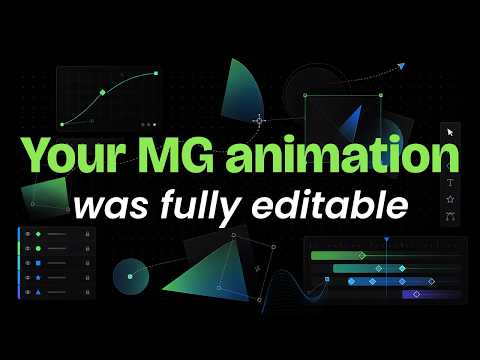
What if your AI-generated motion graphics were fully editable?
0:43
Tutorial0:43
What if your AI-generated motion graphics were fully editable?
What if your AI-generated motion graphics were fully editable? With Fotor Agent, you can create an MG animation and keep editing it directly on the canvas. Change the font. Rewrite the text. Move graphics and text. Resize any element. Change colors. Fine-tune every detail. Generate with AI. Edit with control. Your MG animation doesn't have to be a finished output. It can be your editable canvas. #Fotor #FotorAgent #MotionGraphics #MGAnimation #AIVideo #AIAnimation --------------------------------------------- 🔔 Follow Us Now: Instagram: https://www.instagram.com/fotor_app/ Facebook: https://www.facebook.com/fotorapp Twitter: https://twitter.com/fotor_com Discord: https://discord.gg/tjs4nnEHhM TikTok: https://www.tiktok.com/@fotor_ai Pinterest: https://www.pinterest.com/fotor2012/
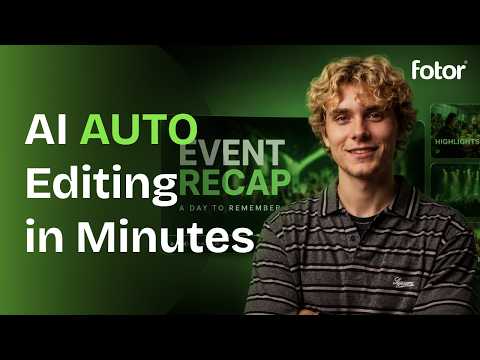
How to Make an Event Recap Video with AI | Fotor Agent
3:16
Tutorial3:16
How to Make an Event Recap Video with AI | Fotor Agent
Learn how to make an event recap video with AI using Fotor Agent. In this tutorial, you’ll see how Fotor Agent can turn your event photos and video clips into a polished event recap video. Just provide your footage and a detailed prompt, and Fotor Agent can help structure your story, arrange your visuals, add music, subtitles, motion graphics, and more. Try Fotor Agent: https://www.fotor.com/video/ Whether you’re creating a conference recap, event highlight video, brand event video, or social media recap, Fotor Agent helps simplify the entire video creation process. In this video, you’ll learn how to: Create an event recap video with AI Turn event photos and footage into a complete video Use Fotor Agent to plan and edit your video Automatically arrange clips, music, subtitles, and motion graphics Refine your AI-generated event video --------------------------------------------- 🔔 Follow Us Now: Instagram: https://www.instagram.com/fotor_app/ Facebook: https://www.facebook.com/fotorapp Twitter: https://twitter.com/fotor_com Discord: https://discord.gg/tjs4nnEHhM TikTok: https://www.tiktok.com/@fotor_ai Pinterest: https://www.pinterest.com/fotor2012/

Who uses it

Real use cases, no hype
E-commerce Product Visuals
Batch remove backgrounds, apply ghost mannequin effects, and generate AI product photoshoots for listings.
Social Media Content
Quickly create posters, UGC-style video ads, and eye-catching graphics from templates or AI generation.
Personal Photo Enhancement
One-click unblur, colorize, restore old photos, and generate AI avatars or headshots for profiles.
Marketing & Ad Creative
Use the Vibe Marketing tool to turn ideas into visuals, or convert product links into high-converting video ads.
Artistic Style Transfer
Transform photos into anime, sketches, watercolors, or Ghibli-style art using dedicated AI effect models.
Quick Video Enhancement
Upscale videos to 4K, remove watermarks or objects, and generate simple videos from text or images.
What's great
  • Massive all-in-one suite: Photo, video, design, and AI generation in one platform.
  • Generous free tier for basic editing without watermarks.
  • Intuitive, browser-based interface for rapid, simple edits.
  • Specialized tools for e-commerce (Ghost Mannequin, AI Listing, Batch Edit).
  • Cross-platform sync (web, desktop, mobile) for editing on the go.
Technical strengths
  • Powerful AI tools for background removal, object erasure, and enhancement.
  • Access to multiple premium AI models (Flux, GPT Image, Gemini) under one subscription.
Where it falls short
  • Advanced AI features and higher credit tiers are locked behind a paywall.
  • Free plan has limited credits and 1 concurrent generation, restricting workflow.
  • Core editing (brightness, contrast) is less nuanced than dedicated desktop software.
  • Credit-based model for AI generation can become expensive for heavy users.
Technical limitations
  • No official API for direct integration into custom dev pipelines.
  • Limited control over underlying AI model parameters (e.g., CFG scale, steps).
  • Cloud-dependent; requires internet for most features and for accessing saved work.
For technical folks

The deep-dive specs

AI Model Suite
Proprietary (Nano Banana, Seedream) and licensed (Gemini AI, GPT Image, Flux AI, Midjourney) models for image & video generation.
Video Generation
Integration with Google Veo 3, Kling AI, Hailuo AI, and Seedance models for video creation and enhancement.
Platform
Web, iOS, Android, Windows, Mac applications with cross-device sync and cloud storage.
Core Tech
Cloud-based AI processing for tasks like background removal (3 seconds), image upscaling (4x), and style transfer.

FAQ

Includes technical Q&A
Yes, Fotor offers a free plan allowing unlimited basic editing and exports without watermarks. Advanced AI tools, premium templates, and higher-resolution exports require a Pro subscription.

Traffic Insights

Monthly Visits

9.6M

October 2026

Growth Rate

0%

vs last month

Dominance

0%

in Design & Creative

Top Country

United States

18% of traffic

Top Countries Breakdown

United States
18%
India
10%
Bangladesh
7%
Russia
6%
Indonesia
5%

Growth Trend

Stable

Traffic has remained stable.

Honest pricing

No sneaky tiers, no “contact sales”

Here's who each plan is actually for — and where the hidden charges might hit.

Basic
Free

Individuals

  • Limited Free credits
  • 1 concurrent generation
  • 50 chats with AI Agent
  • Basic editing tools
  • Watermarked exports.
Pro
Most picked
$8.99/mo

Individuals

  • 100 credits/month
  • 10 concurrent generations
  • 2000 AI Agent chats
  • 100+ editing tools
  • Exclusive AI model access
  • HD & watermark-free exports
Pro+
$19.99/mo

Teams

  • 300 credits/month
  • 30 concurrent generations
  • 4000 AI Agent chats
  • AI Batch Edit
  • Multiple Brand Kits
  • AI slides generation
View Full Plans & Pricing on Fotor

Official pricing, checkout, and plan upgrades are handled directly on fotor.com.

Reviews

What the internet actually thinks

Data refreshed weekly. No paid placements.

Trustpilot
Not reviewed yet
G2
G2
Not reviewed yet
C
Capterra
Not reviewed yet
Product Hunt
Not reviewed yet
COMMUNITY COMMENTS

Leave a Comment

Help others make informed decisions. Your honest feedback shapes the community's understanding of this tool.

Tips for commenting

  • •Be specific about features you used
  • •Share real use cases and results
  • •Mention both pros and cons
  • •Keep it honest and constructive
to leave a comment

Your comment is published immediately.

Filter:
Sort:

No comments yet

Be the first to share your experience with this tool.

Alternatives

Not quite the right fit?

Here's what else is out there.