Magic Studio

Magic Studio

Magic Studio is a browser-based AI photo editor whose flagship tool, Magic Eraser, removes objects, people, text and logos from images in seconds. Upload, paint over the area with a brush, hit erase, download — no signup, no layers, no Photoshop knowledge required. It handles JPG, PNG, AVIF, WEBP, HEIC and TIFF with no resolution cap, and bulk mode lets you clean up to 50 images at once. The wider suite covers background removal, background blur, AI image generation, 4K upscaling, AI headshots and HEIC/WEBP conversion — all under one account across web, iOS and Android. The free tier is real but gimped: watermark, low-res downloads, one image at a time and a 40-generation cap. PRO unlocks high-res output, watermark removal, unlimited generations and bulk editing. Built for people who need a clean photo fast and don't want a subscription to Adobe: e-commerce sellers cleaning product shots, real estate agents de-cluttering listings, social media managers, photographers and indie founde

Design & Creative
Visit website
Added on
Nov 4, 2026
Object removalBulk edit 50Background removerAI image gen4K upscaleriOS & AndroidFree tierNo signup
Product information

Everything worth knowing about Magic Studio

The complete picture — from everyday features to the technical detail builders and IT folks dig for.

Core features

What it actually does

Magic Eraser
Brush over any object, person, or text and the AI fills the gap with matching background. Upload, select, erase, download — no layers, no masks, no learning curve.
Bulk Edit — 50 images at once
Clean up unwanted objects across multiple photos in a single pass instead of opening them one by one.
Format flexibility
Upload JPG, JPEG, PNG, AVIF, WEBP, HEIC or TIFF with no resolution limit on the source image, and download in the format that fits your workflow.
Free tier, no signup
Start erasing immediately without creating an account. The free tier is ad-supported, watermarked, low-resolution, and limited to 40 AI generations and one image at a time.
AI Headshot generator
Turn casual selfies into professional headshots aimed at LinkedIn, portfolios, and recruiter-facing profiles.
Technical capabilities
AI inpainting engine
Your brushed selection is passed to an AI model that reconstructs the erased region from surrounding pixel context — which is why re-erasing the same area often yields a cleaner result than undoing.
Brush-size and zoom precision controls
Adjustable brush radius plus zoom lets you mask thin, long, or edge-heavy objects accurately before the erase call fires.
Must watch videos
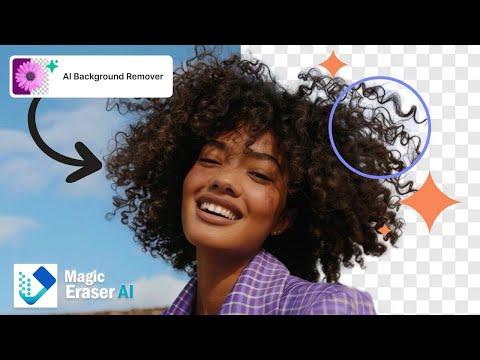
Magic Eraser – Free AI Tool to Remove Objects, People & Watermarks in 1 Click!
4:06
Tutorial4:06
Magic Eraser – Free AI Tool to Remove Objects, People & Watermarks in 1 Click!
🔗 Try Magic Eraser here: https://magiceraser.org/ Have you ever clicked a perfect photo only to find unwanted objects, random people, or watermarks ruining it? With Magic Eraser, you can remove them instantly with just one click. In this video, I’ll show you how to use: ✅ Object Remover – Cleanly remove any object from your photo ✅ Text Remover – Erase unwanted text naturally ✅ Person Remover – Delete a specific person from a group photo ✅ Watermark Remover – Get rid of annoying watermarks (Auto & Manual) ✅ Background People Remover – Make your photo background distraction-free ✅ Video Watermark Remover – Clean watermarks from videos instantly The best part? It’s completely free and doesn’t even require sign-up! 👉 Watch till the end to see real before & after results that look 100% natural. 📌 Don’t forget to like, share, and subscribe for more AI tool tutorials! -------------------------------------------------------------------------------------- We'd love to hear from you if you have any questions or collaboration proposals! 📧 Our Email: TechAiCenter@gmail.com
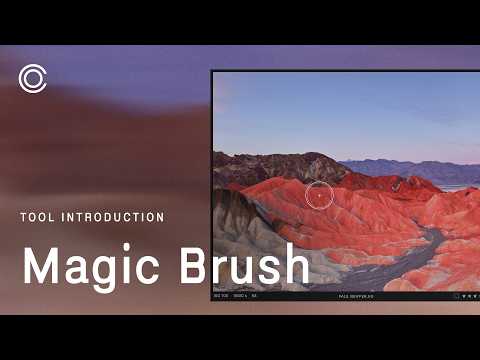
Capture One Tool Introduction | Magic Brush & Eraser
1:25
Tutorial1:25
Capture One Tool Introduction | Magic Brush & Eraser
Learn the basic functionality of the Magic Brush & Eraser Cursor Tools. Photographer credit: Gabija Morkūnaitė --- Get our free trial: https://link.captureone.com/yt-trial Learn more: https://link.captureone.com/yt-learn Check out our plans: https://link.captureone.com/yt-products   Follow us:  Instagram: https://instagram.com/captureone Facebook: https://facebook.com/captureonepro X: https://x.com/captureone
HUAWEI Nova 14 Pro – How to Use AI Magic Eraser
2:25
Tutorial2:25
HUAWEI Nova 14 Pro – How to Use AI Magic Eraser
Learn how to quickly remove unwanted objects from your photos using the AI Magic Eraser on the HUAWEI Nova 14 Pro. In this short, clear walkthrough we open a photo in the Gallery app, enter Edit, find the Remove tool, and use either Smart (tap to auto-detect) or Manual (zoom and draw) to erase items. You’ll also see tips for better results on larger objects and how to save your edit as a duplicate or replace the original image. This method works offline in the Gallery editor and is great for cleaning up backgrounds, removing small distractions, or preparing photos for sharing. How to use AI magic eraser on HUAWEI Nova 14 Pro? How to remove objects from photos on HUAWEI Nova 14 Pro? How to save edited photo as duplicate or replace original on HUAWEI Nova 14 Pro? 0:00 Intro – What we’ll show you 0:10 Open the Gallery and select a photo 0:31 Tap Edit and find the Remove option 0:45 Choose Smart (tap to auto-detect) or Manual (draw to erase) 0:58 How to zoom and draw for precise removal 1:18 Tips: limitations with large objects and touch-ups 1:51 Confirm edits with the check mark 2:03 Save as new or replace original — before & after #Huawei #Nova14Pro #MagicEraser #PhotoEdit Find out more: https://www.hardreset.info/devices/huawei/huawei-nova-14-pro/ Follow us on Instagram ► https://www.instagram.com/hardreset.info Like us on Facebook ► https://www.facebook.com/hardresetinfo/ Tweet us on Twitter ► https://twitter.com/HardResetI Support us on TikTok ► https://www.tiktok.com/@hardreset.info Use Reset Guides for many popular Apps ► https://www.hardreset.info/apps/apps/

Who uses it

Real use cases, no hype
Real Estate Photos
Wipe out trash cans, cars and clutter so listings look staged and clean.
e-Commerce Cleanup
Strip stray props, tags and hands from product shots without a reshoot.
Photo Retouching
Remove photobombers, wires and blemishes before delivering to clients.
Social Media Visuals
Kill distracting background junk in seconds instead of firing up Photoshop.
Auto Listings
Erase plates, lot clutter and dealership signage from vehicle photos.
AI Headshots
Turn a messy selfie into a clean professional headshot for LinkedIn.
Bulk Batch Edits
Process up to 50 images in one go for catalogue or gallery work.
What's great
  • Free core eraser with zero signup
  • Brush-and-erase UI a child could use
  • Bulk edit up to 50 photos at once
  • Suite of adjacent tools (bg remove, upscale, generate)
  • Native iOS and Android apps
Technical strengths
  • No upload resolution cap on source images
  • Export to JPG, PNG, WEBP, HEIC and TIFF
Where it falls short
  • Free tier stamps a watermark on downloads
  • Free plan caps you at 40 AI generations
  • Free tier limits you to one image at a time
  • Free tier is ad-supported
Technical limitations
  • Brush-only masking, no layers or pen-tool paths
  • Busy textures often need several erase passes
  • No public API or automation pipeline
For technical folks

The deep-dive specs

Supported upload formats
JPG, JPEG, PNG, HEIC, WEBP, TIFF (AVIF also listed on uploader)
Upload resolution limit
None — no resolution limit on uploaded images
Bulk edit capacity
Up to 50 pictures at once
Free tier AI generations
40
Platforms
Web, iOS, Android
Output formats
JPG, JPEG, PNG, HEIC, WEBP

FAQ

Includes technical Q&A
Yes — the core eraser is free with no signup. The catch: free downloads are low resolution, watermarked, ad-supported, and capped at 40 AI generations with one image at a time.

Traffic Insights

Monthly Visits

—

November 2026

Growth Rate

0%

vs last month

Dominance

0%

in Design & Creative

Top Country

—

Top Countries Breakdown

—

Growth Trend

Stable

Traffic has remained stable.

Honest pricing

No sneaky tiers, no “contact sales”

Here's who each plan is actually for — and where the hidden charges might hit.

FREE
Free

Individuals

  • "Basic Access across MagicStudio.com"
  • "Basic Access on iOS & Android Apps"
  • "40 AI Generations"
  • "LIMITED Resolution Downloads"
  • "Download with Watermark"
  • "1 image at a time only"
View Full Plans & Pricing on Magic Studio

Official pricing, checkout, and plan upgrades are handled directly on magicstudio.com.

Reviews

What the internet actually thinks

Data refreshed weekly. No paid placements.

Trustpilot
Not reviewed yet
G2
G2
Not reviewed yet
C
Capterra
Not reviewed yet
Product Hunt
Not reviewed yet
COMMUNITY COMMENTS

Leave a Comment

Help others make informed decisions. Your honest feedback shapes the community's understanding of this tool.

Tips for commenting

  • •Be specific about features you used
  • •Share real use cases and results
  • •Mention both pros and cons
  • •Keep it honest and constructive
to leave a comment

Your comment is published immediately.

Filter:
Sort:

No comments yet

Be the first to share your experience with this tool.

Alternatives

Not quite the right fit?

Here's what else is out there.