Visme

Visme

Visme is an AI-powered visual content platform for creating presentations, infographics, documents, charts, social media graphics, videos, and forms. It features an AI designer, brand controls, and a drag-and-drop editor to help users produce professional content without design experience. Key capabilities include brand management, team collaboration, analytics, and a massive library of templates and assets. It is used by marketers, educators, sales teams, and businesses of all sizes.

Design & Creative
Visit website
Added on
Sep 18, 2026
AI content generatorPresentation builderInfographics & chartsBrand kitTeam collaborationDownload to PPTX/HTML5
Product information

Everything worth knowing about Visme

The complete picture — from everyday features to the technical detail builders and IT folks dig for.

Core features

What it actually does

AI-Powered Content Generation
Generate presentations, documents, and visual content from text prompts using the AI Designer, AI Writer, and AI Resize tools.
Extensive Template Library
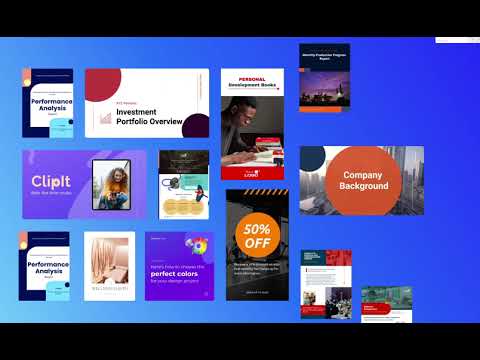
Access thousands of customizable templates for presentations, infographics, reports, social media graphics, and over 50 content types.
Brand Kit & Wizard
Maintain brand consistency by uploading fonts, colors, logos, and using the Brand Wizard to automatically apply brand guidelines to content.
Interactive Data Visualization
Create compelling charts, graphs, and data widgets from statistics and figures to engage audiences.
Team Collaboration & Workflows
Collaborate in real-time with comments, annotations, project permissions, approval workflows, and custom roles for team content.
Multiple Download Formats
Export projects as JPG, PNG, PDF, PPTX, HTML5, MP4, and GIF. Paid plans unlock advanced formats and SCORM/xAPI for e-learning.
Technical capabilities
AI Credit System
AI features like designer, writer, resize, and image generation consume a monthly allotment of credits, with limits varying by plan (10 to unlimited).
Must watch videos
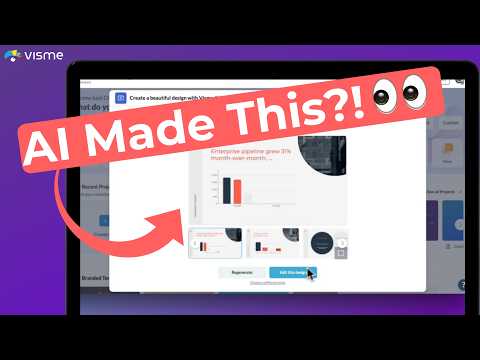
How to Generate Your Presentations with AI | Visme AI Designer
1:02
Tutorial1:02
How to Generate Your Presentations with AI | Visme AI Designer
Generate effortless designs in minutes with Visme's AI Design Generator. Generate customizable designs with help from text prompts. Simply choose one of the suggested styles and the AI Designer will generate a full design. You can share and download your design in a variety of formats; flipbook, PDF, JPG and PPTX. Learn more and start creating today at: https://www.visme.co/ai-design-generator/ #aidesign #presentationdesign #datavisualization #marketing #aitoolsforbusiness business #aitools
Introducing Visme AI Designer: Generate Professional Designs In Minutes
1:03
Tutorial1:03
Introducing Visme AI Designer: Generate Professional Designs In Minutes
Ever wished for a magic wand to instantly transform your ideas into stunning designs? Meet Visme AI Designer (Beta)! Whether you’re racing against the clock to create a captivating presentation, a professional document, or an eye-catching social media graphic, Visme AI Designer is here to revolutionize the way you create. In this video, we’re excited to introduce you to a game-changing feature that’s all about saving you time and boosting your creativity. With just a simple text prompt to our AI Designer Chatbot, you can kick back as it crafts your vision into reality. Choose a style, and voila, your unique design is ready in under two minutes! Supplement your AI generated design by editing it with the variety of AI features or standard design features. Say goodbye to design dilemmas and hello to endless creativity, effortlessly. Click play to embark on your design journey with Visme AI Designer today! :rainbow::sparkles:
Visme for AI Infographics & Presentations Honest Review - Watch Before Using
2:23
Review2:23
Visme for AI Infographics & Presentations Honest Review - Watch Before Using
This video is about: ▶Visme for AI Infographics & Presentations Honest Review - Watch Before Using Links to other usefull products: Shopify - https://shopify.pxf.io/y2dy6b VPN by SurfShark - https://surfshark.sjv.io/Y96LVr ESim by MayaMobile - https://mayamobile.pxf.io/VONQq6 Stock Vids&Photos by Envato - https://1.envato.market/MAXkqP Hope it was helpfull. Subscribe and Like!

Who uses it

Real use cases, no hype
Presentation Design
Craft interactive pitch decks, sales presentations, and business reports with templates and brand controls.
Marketing Collateral
Create social media graphics, infographics, brochures, and flyers from a single branded hub.
Data Visualization
Transform complex data into interactive charts, graphs, and dashboards for stakeholder reports.
Internal Communications
Design training manuals, onboarding materials, and company announcements with team collaboration.
Proposal & Document Creation
Build professional proposals, white papers, and eBooks with a document-focused editor.
Video & Animation
Produce simple animated videos, GIFs, and explainer content with the video maker and animation tools.
Brand Governance
Maintain brand consistency across teams with centralized brand kits, templates, and asset libraries.
What's great
  • All-in-one platform for presentations, docs, charts, and social graphics.
  • Strong brand kit and templating system for team consistency.
  • AI-powered design generation and content tools (AI Designer, AI Writer).
  • Extensive library of photos, icons, 3D characters, and animated assets.
  • Interactivity features (hotspots, hover effects) for engaging content.
  • Free plan with unlimited projects and core editor functionality.
Technical strengths
  • Supports SCORM/xAPI export for LMS in higher-tier plans.
  • Advanced data visualization with dynamic fields and 5+ million photo library.
  • Granular privacy controls, folder sharing, and project approval workflows.
Where it falls short
  • Free plan is heavily watermarked with Visme branding.
  • Premium templates and assets are locked behind paid plans.
  • AI credit system is limited per plan, not unlimited on most tiers.
  • Advanced features like Brand Kit and analytics require Pro or Enterprise.
  • Download formats like PPTX and HTML5 are not available on the free or Starter plan.
Technical limitations
  • PPTX import/export has slide limitations and is not fully editable.
  • Animation timeline and advanced interactivity are limited on lower tiers.
  • Offline editing is not supported; requires a constant internet connection.
For technical folks

The deep-dive specs

FAQ

Includes technical Q&A
Yes, Visme offers a free Basic plan with unlimited projects and access to most templates. However, it includes a Visme watermark, limits downloads to JPG/PNG/PDF, and restricts access to premium assets and AI tools.

Traffic Insights

Monthly Visits

—

October 2026

Growth Rate

0%

vs last month

Dominance

0%

in Design & Creative

Top Country

—

Top Countries Breakdown

—

Growth Trend

Stable

Traffic has remained stable.

Honest pricing

No sneaky tiers, no “contact sales”

Here's who each plan is actually for — and where the hidden charges might hit.

Basic
Free

Users

    Starter
    $12.25/mo

    Users

      Pro
      $24.75/mo

      Users

        View Full Plans & Pricing on Visme

        Official pricing, checkout, and plan upgrades are handled directly on visme.com.

        Reviews

        What the internet actually thinks

        Data refreshed weekly. No paid placements.

        Trustpilot
        Not reviewed yet
        G2
        G2
        Not reviewed yet
        C
        Capterra
        Not reviewed yet
        Product Hunt
        Not reviewed yet
        COMMUNITY COMMENTS

        Leave a Comment

        Help others make informed decisions. Your honest feedback shapes the community's understanding of this tool.

        Tips for commenting

        • •Be specific about features you used
        • •Share real use cases and results
        • •Mention both pros and cons
        • •Keep it honest and constructive
        to leave a comment

        Your comment is published immediately.

        Filter by rating:
        Sort by:

        No comments yet

        Be the first to share your experience with this tool.

        Alternatives

        Not quite the right fit?

        Here's what else is out there.