VEED

VEED

VEED is an online video editing and AI generation platform designed to create professional-looking videos for social media and marketing in minutes. It features a text-to-video AI generator, AI avatars, automatic subtitles, noise reduction, eye contact correction, and brand kit tools for consistent styling. The platform is built for non-video professionals like marketers, founders, and content creators who need to produce feed-ready content quickly without cameras or complex software. Core capabilities include AI video generation from prompts or images, AI-powered editing (like background removal and audio cleanup), and a collaborative, browser-based editor.

Video Generation
Visit website
Added on
Sep 16, 2026
Monthly Visits
15.3M
AI Video GeneratorAuto SubtitlesBrand KitText-to-VideoNoise ReductionEye Contact AIVideo API
Product information

Everything worth knowing about VEED

The complete picture — from everyday features to the technical detail builders and IT folks dig for.

Core features

What it actually does

AI Video Generation
Turn ideas, text, or images into social-ready videos using models like Fabric 1.0, Sora 2, and Veo 3.1. No camera required.
Automatic Subtitles & Translations
Generate and style high-quality subtitles designed for engagement. Translate your content into 100+ languages.
Brand Kit Integration
Apply your brand's colors, fonts, logos, and voice across all videos for consistent identity.
AI-Powered Video Editing
Edit videos with AI tools like noise reduction, eye contact correction, and background removal. One-click enhancements.
Real-time Collaboration & Sharing
Work on projects with teams and share videos instantly with public or private links.
Technical capabilities
Multi-Model Video Generation API
Access proprietary (Fabric 1.0) and state-of-the-art (Sora 2, Veo 3.1) video generation models via API for programmatic content creation.
Must watch videos
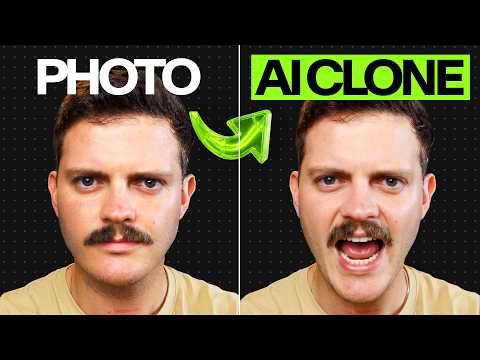
Make Social Content with Realistic AI Clones and Avatars using 1 Photo - Full Workflow
19:48
Tutorial19:48
Make Social Content with Realistic AI Clones and Avatars using 1 Photo - Full Workflow
Create your own AI avatar or clone yourself here 👉 https://www.veed.io/tools/ai-video?utm_source=youtube&utm_medium=veed_video&utm_campaign=studio&utm_term=how-to-make-video-content-with-realistic-ai-avatars-and-clones&utm_content=_author-josh_topic-ai-cloning_pos-description Most people who try to create a realistic AI clone or use AI avatars end up with something they couldn't post and a multi-tool nightmare just to get a rough cut. In this tutorial I show the full workflow for creating three real social media videos using an AI clone of myself and AI avatars: a how-to/tips video, a promo ad with product B-roll, and a thought leadership piece using an AI clone of myself dubbed into French and I do it all from one browser tab in VEED. Timestamps ⏰ 0:00 – Intro and overview of the three videos 0:41 – Creating a how-to tips video with VEED AI 1:44 – Choosing an avatar, subtitles, and settings 3:12 – Reviewing and editing the generated script 4:01 – Building a promo ad with a custom script 4:47 – Previewing the how-to video output 5:36 – Editing scenes, camera angles, and subtitles 8:29 – Adding B-roll using an image to video model 11:00 – Changing music and finalizing the promo ad 13:32 – Creating an AI clone for thought leadership content 15:08 – Recording a voice clone 17:10 – Dubbing the AI clone video into French 19:25 – Final results and wrap-up 🔔 STAY IN THE LOOP: 🖥 Subscribe on YouTube - @veedstudio 📸 Follow us on Instagram - /veedstudio 📘 Learn more on our blog - https://www.veed.io/learn/ #aiavatar #aiclone #aiavatargenerator
How to Edit Like a Pro: 7 Cinematic Cuts Explained
4:41
Tutorial4:41
How to Edit Like a Pro: 7 Cinematic Cuts Explained
Every video you stop scrolling for, someone made a deliberate cut to keep you there. Most creators only use two of these video editing cuts. There are seven, each pulled from classic feature films, and each one earns engagement in a different way. In this video, I break down all seven types of cuts in video editing: the jump cut, match cut, J cut, L cut, smash cut, cutaway, and cutting on action. For each one, you'll see where it comes from (Breathless, 2001: A Space Odyssey, The Social Network, Apocalypse Now) and exactly when to use it in your own videos, from compressing talking head footage to hiding edits with B-roll. Make your own text match cut in VEED 👉 https://bit.ly/4yvWBwA Timestamps 🎬 0:00 - Why the right cut keeps viewers watching 0:28 - Jump cut: compress time or create instability 0:51 - Match cut: transitions through visual similarity (plus the trending text match cut) 1:29 - J cut: audio leads the picture into the next scene 1:58 - L cut: audio lingers over new visuals 2:29 - Smash cut: abrupt scene rupture for shock or comedy 3:07 - Cutaway: add context and hide jump cuts with B-roll 3:39 - Cutting on action: invisible editing through movement 4:13 - All seven video editing cuts recapped 🧠 In this video you'll learn: The seven types of cuts in video editing and where each comes from How a jump cut compresses time and why a bad cut isn't a jump cut The difference between a J cut and an L cut and when to use each How a smash cut differs from a jump cut How to hide jump cuts in talking head footage with cutaways Why cutting on action makes your edits invisible Start making text match cuts in VEED 👉 https://bit.ly/4yvWBwA 🔔 STAY IN THE LOOP: 🖥 Subscribe on YouTube - @veedstudio 📸 Follow us on Instagram - / veedstudio 📘 Learn more on our blog - https://www.veed.io/learn/ #videoediting #veedio
How to Go Viral on TikTok, Reels, & Shorts (The Exact Metrics You Need)
5:12
Tutorial5:12
How to Go Viral on TikTok, Reels, & Shorts (The Exact Metrics You Need)
Most advice on how to go viral is "make something great and hope the algorithm notices." It won't. The algorithm only cares what the first 100 viewers do: finish it, reshare it, or swipe away. Fail those tests and you're stuck in view jail. In this video, I break down how to go viral in 2026 on TikTok, Instagram Reels, and YouTube Shorts: the 70% completion rate TikTok rewards, why saves and shares push your Reels past your followers, and the three-wave system Shorts runs every video through. Plus three scroll-stopping tactics, the loop trick that spikes completion past 100%, and the search SEO play that keeps views coming for months. Try AI video creation in VEED 👉 https://bit.ly/4yo1eZF Timestamps 🎬 0:00 - Why going viral is an algorithmic stress test, not luck 0:55 - TikTok algorithm 2026: 70% completion rate and reshares over likes 1:14 - The but/so story structure that fixes TikTok completion rate 1:33 - Instagram Reels algorithm: saves and shares beat likes 2:08 - YouTube Shorts three-wave system and the swipe-away rate 2:28 - The first frame thumbnail trick for YouTube Shorts 2:42 - How to stop the scroll in the first 3 seconds 3:26 - The seamless loop trick that pushes completion rate past 100% 3:57 - TikTok and YouTube search SEO: views for months, not 48 hours 4:35 - The group chat test every viral video passes 🧠 In this video you'll learn: Why the algorithm tests your video on a tiny audience before pushing it anywhere How to go viral on TikTok without followers, and why Reels makes cold starts harder The exact metrics TikTok, Instagram Reels, and YouTube Shorts measure in 2026 Why over 40% of short form video is watched without audio (and what to do about it) How to make a video go viral by planning shareability at the idea stage How TikTok and YouTube search SEO gives your videos a second life The one question that predicts whether your content will travel on social media Start shipping more videos with VEED 👉 https://bit.ly/4yo1eZF 🔔 STAY IN THE LOOP: 🖥 Subscribe on YouTube - @veedstudio 📸 Follow us on Instagram - / veedstudio 📘 Learn more on our blog - https://www.veed.io/learn/

Who uses it

Real use cases, no hype
Social Media Ad Production
Generate feed-ready UGC ads with AI avatars, auto-captions, and noise reduction for maximum engagement.
Corporate Training & Comms
Quickly create internal training videos using AI avatars and text-to-speech for consistent, scalable messaging.
Content Repurposing
Turn long-form videos into short, viral clips with the AI clip generator and auto-resize for different platforms.
Localization & Global Marketing
Dub videos into multiple languages instantly with AI voice dubbing and maintain perfect lip-sync.
Podcast Visual Creation
Transform audio-only podcasts into engaging videos with waveform visuals, speaker labels, and dynamic subtitles.
E-commerce Product Showcases
Use AI image-to-video and background removal to create professional product demos without a studio.
Developer API Integration
Embed automated video creation and editing capabilities into your own applications via the VEED API.
What's great
  • Blazingly fast video generation from text/image prompts
  • Best-in-class auto-subtitles and dynamic captioning
  • Comprehensive AI suite: avatars, dubbing, noise removal, eye contact
  • Intuitive, timeline-based editor requiring zero training
Technical strengths
  • Rapid brand kit application with custom fonts, colors, and logos
  • Cloud-based API for programmatic video generation and editing
Where it falls short
  • Free plan is severely limited (watermark, low res, short exports)
  • Advanced AI features (like Fabric 1.0) require premium credits
  • Can feel slow with very long or complex multi-track projects
Technical limitations
  • Export quality and features are gated by subscription tier
  • Limited offline functionality; requires constant internet connection
For technical folks

The deep-dive specs

AI Models
Fabric 1.0 (proprietary), Sora 2, Veo 3.1, Kling AI
Output Formats
MP4 (up to 4K), WebM
API Availability
Yes, for video generation, subtitles, background removal, lip sync
Supported Languages
100+ for subtitles and translations

FAQ

Includes technical Q&A
No, we don't offer a separate trial. However, the free plan lets you test core editing features. Upgrading gives you immediate access to all premium features, and you can cancel anytime.

Traffic Insights

Monthly Visits

15.3M

October 2026

Growth Rate

0%

vs last month

Dominance

0%

in Video Generation

Top Country

India

21% of traffic

Top Countries Breakdown

India
21%
Bangladesh
13%
United States
11%
Brazil
5%
Indonesia
4%

Growth Trend

Stable

Traffic has remained stable.

Honest pricing

No sneaky tiers, no “contact sales”

Here's who each plan is actually for — and where the hidden charges might hit.

Free
Free

Individuals

  • 10 mins export
  • 50 AI credits
  • 720p export
  • Watermark
  • Limited stock content
Pro
Most picked
$24/mo

Individuals

  • 120 mins export
  • 200 AI credits
  • 1080p export
  • No watermark
  • Unlimited stock content
  • Custom fonts
  • Eye contact AI
Business
$38/mo

Teams

  • 300 mins export
  • 400 AI credits
  • 4K export
  • Brand kit
  • Team collaboration
  • Priority support
Enterprise
Custom

Enterprise

  • Unlimited export
  • Custom AI credits
  • Advanced security
  • SSO
  • Dedicated account manager
  • Custom integrations
View Full Plans & Pricing on VEED

Official pricing, checkout, and plan upgrades are handled directly on veed.io.

Reviews

What the internet actually thinks

Data refreshed weekly. No paid placements.

Trustpilot
Not reviewed yet
G2
G2
Not reviewed yet
C
Capterra
Not reviewed yet
Product Hunt
Not reviewed yet
COMMUNITY COMMENTS

Leave a Comment

Help others make informed decisions. Your honest feedback shapes the community's understanding of this tool.

Tips for commenting

  • •Be specific about features you used
  • •Share real use cases and results
  • •Mention both pros and cons
  • •Keep it honest and constructive
to leave a comment

Your comment is published immediately.

Filter:
Sort:

No comments yet

Be the first to share your experience with this tool.

Alternatives

Not quite the right fit?

Here's what else is out there.