DaVinci Resolve

DaVinci Resolve

DaVinci Resolve is a comprehensive, all-in-one post-production suite combining professional video editing, color correction, visual effects, motion graphics, audio post-production, and photo editing. It features dedicated pages for each task—Cut, Edit, Fusion, Color, Fairlight, and Photo—offering a complete workflow from ingestion to final delivery. The software is renowned for its industry-leading color science, Emmy™ award-winning image processing, and advanced AI-powered tools. Target users include professional editors, colorists, VFX artists, audio engineers, and photographers working on everything from YouTube videos to Hollywood feature films. It supports multi-user collaboration via Blackmagic Cloud, allowing teams to work on the same project simultaneously. A powerful free version is available, with a paid Studio version ($295 one-time purchase) offering additional AI tools, effects, and formats.

Video Generation
Visit website
Added on
Sep 19, 2026
All-in-one NLENode-based colorFusion VFXFairlight DAWMulti-user collaborationAI neural engineHDR gradingPhoto editing
Product information

Everything worth knowing about DaVinci Resolve

The complete picture — from everyday features to the technical detail builders and IT folks dig for.

Core features

What it actually does

All-In-One Post Production
Combines professional editing (Cut/Edit pages), visual effects/motion graphics (Fusion), color correction (Color), audio post (Fairlight), and media management into a single application.
Hollywood-Grade Color Correction
Industry-standard color tools including HDR grading, PowerWindows, qualifiers, tracking, and a node-based workflow, used to finish major feature films and TV shows.
Multi-User Collaboration
Enables real-time collaboration on the same project among editors, colorists, VFX artists, and sound engineers, with features like clip locking, bin locking, and built-in chat, integrated with Blackmagic Cloud.
Integrated Photo Editing
A dedicated 'Photo' page brings professional color grading tools to still photography, supporting native RAW files from major camera brands with tethered capture and cloud collaboration.
Advanced Audio Post with Fairlight
A full digital audio workstation (DAW) built-in, capable of handling up to 2,000 tracks with real-time effects, AI tools like Voice Isolation, and support for stereo, 5.1, 7.1, and immersive 3D audio formats.
Technical capabilities
DaVinci AI Neural Engine
Leverages deep neural networks for tasks like facial recognition, object detection, smart reframing, speed warp retiming, super scale, and auto color matching.
Node-Based Compositing & Motion Graphics
The Fusion page provides a node-based workspace for complex visual effects and broadcast-quality motion graphics, including 2D/3D tools, camera tracking, rotoscoping, and keying.
Must watch videos
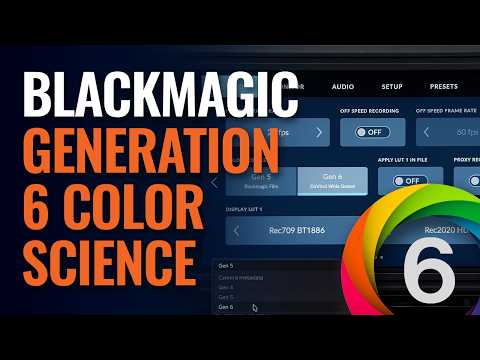
Blackmagic Generation 6 Color Science
4:48
Tutorial4:48
Blackmagic Generation 6 Color Science
Watch this video to learn how to access and use Blackmagic Generation 6 Color Science with Blackmagic URSA Cine 12K LF and DaVinci Resolve 21.1. Blackmagic Camera 10.3 and DaVinci Resolve 21.1 are available to download now from https://www.blackmagicdesign.com/support.
What's New in DaVinci Resolve 21.1
11:16
Tutorial11:16
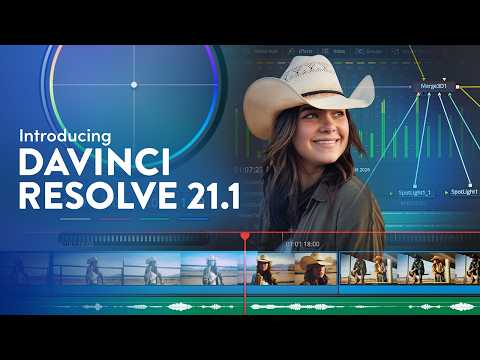
What's New in DaVinci Resolve 21.1
DaVinci Resolve 21.1 features more than 100 new tools and controls, allowing for more intuitive editing and color grading. There's expanded support for stills formats on the new photo page, as well as greater support for camera color spaces and color management solutions. And new AI integration lets you seamlessly connect to AI assistants, such as Claude and ChatGPT, to help you manage and review your projects and media more efficiently. DaVinci Resolve 21.1 is available now for free download from www.blackmagicdesign.com/support
Behind the Scenes with Blackmagic URSA Cine 12K LF and Austin Film Crew
2:35
Tutorial2:35
Behind the Scenes with Blackmagic URSA Cine 12K LF and Austin Film Crew
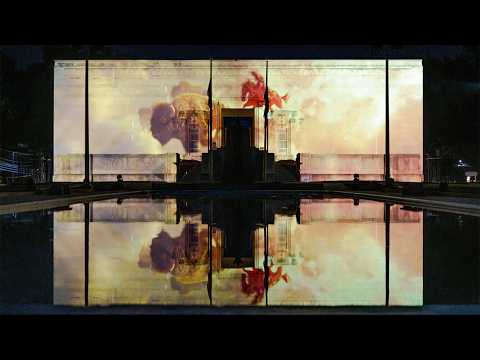
A new live action projection mapping film, ‘Texas Legacy in Lights’, was captured with Blackmagic URSA Cine 12K LF and Blackmagic PYXIS 6K digital film cameras. Director John Franklin Rinehart of Austin Film Crew created the project for the Gonzales Memorial Museum, producing a first of its kind narrative film that’s projected twice a day against the large exteriors of the museum. Rinehart collaborated closely with DP Alex Walker for the project. “When we first conceived ‘Texas Legacy in Lights,’ the world's first live action projection mapping film which covers the Texas Revolution of 1835, there were a lot of technical questions and challenges that came up right off the bat. Alex and I were pioneering something together, solving problems that didn’t yet have answers. There were moments on set where we’d look at the monitor and realize we were capturing something that had never existed before,” explained Rinehart. Read the full story at https://www.blackmagicdesign.com/media/release/20260723-01

Who uses it

Real use cases, no hype
Professional Film & TV Editing
Craft feature films, episodic TV, and streaming content with industry-standard tools.
Color Grading & Finishing
Perform Hollywood-level color correction and HDR grading for cinematic looks.
Visual Effects & Motion Graphics
Create cinematic VFX and broadcast graphics using the node-based Fusion page.
Audio Post Production
Mix and master up to 2000 tracks with Fairlight's integrated DAW tools.
Commercial & Promo Creation
Quickly cut and finish ads, trailers, and social media content.
Multicam & Live Broadcast Editing
Edit live events and multicam productions with real-time tools.
Still Photo Color Grading
Apply advanced color tools to raw photo files from major camera brands.
What's great
  • Hollywood-grade all-in-one post-production suite
  • Industry-leading color science and grading tools
  • Powerful free version with vast feature set
  • Integrated multi-user collaboration via Blackmagic Cloud
  • Comprehensive editing, VFX (Fusion), and audio (Fairlight) in single app
Technical strengths
  • Native support for Blackmagic RAW and wide camera format range
  • Node-based compositing and 3D workspace in Fusion page
  • Advanced AI tools like IntelliSearch, CineFocus, and facial refinement
Where it falls short
  • Steep learning curve for advanced features
  • High system requirements, especially for GPU/CPU
  • Studio version requires one-time $295 purchase for full features
  • Fusion and Fairlight pages have dedicated, complex interfaces
  • Performance can lag on lower-end hardware with complex timelines
Technical limitations
  • Some AI and collaboration features locked to Studio version or Blackmagic Cloud
  • Node-based workflow in Fusion can be less intuitive for layer-based users
  • Limited native motion graphics library compared to dedicated tools
For technical folks

The deep-dive specs

FAQ

Includes technical Q&A
The free version is a full-featured NLE with editing, color, VFX, and audio. Studio adds advanced AI tools, more Resolve FX, collaboration features, stereoscopic 3D, and higher performance on large projects.

Traffic Insights

Monthly Visits

—

October 2026

Growth Rate

0%

vs last month

Dominance

0%

in Video Generation

Top Country

—

Top Countries Breakdown

—

Growth Trend

Stable

Traffic has remained stable.

Honest pricing

No sneaky tiers, no “contact sales”

Here's who each plan is actually for — and where the hidden charges might hit.

DaVinci Resolve
Free

Users

    DaVinci Resolve Studio
    $295/mo

    Users

      View Full Plans & Pricing on DaVinci Resolve

      Official pricing, checkout, and plan upgrades are handled directly on blackmagicdesign.com.

      Reviews

      What the internet actually thinks

      Data refreshed weekly. No paid placements.

      Trustpilot
      Not reviewed yet
      G2
      G2
      Not reviewed yet
      C
      Capterra
      Not reviewed yet
      Product Hunt
      Not reviewed yet
      COMMUNITY COMMENTS

      Leave a Comment

      Help others make informed decisions. Your honest feedback shapes the community's understanding of this tool.

      Tips for commenting

      • •Be specific about features you used
      • •Share real use cases and results
      • •Mention both pros and cons
      • •Keep it honest and constructive
      to leave a comment

      Your comment is published immediately.

      Filter by rating:
      Sort by:

      No comments yet

      Be the first to share your experience with this tool.

      Alternatives

      Not quite the right fit?

      Here's what else is out there.