VanceAI

VanceAI

VanceAI is a comprehensive suite of AI tools for enhancing and transforming both videos and images. Its core capabilities include upscaling (up to 40x), sharpening, denoising, colorizing, background removal, and artistic style transfer (cartoon, sketch, anime). The platform offers a credit-based model for its web and desktop applications, with tools like AI Video Autopilot for automated multi-step processing. It targets creators, photographers, e-commerce sellers, and developers who need to improve media quality at scale. The service provides both a cloud workspace and a local desktop app for Windows, with an API and ComfyUI integration for developers.

Video Generation
Visit website
Added on
Sep 22, 2026
DCNN ModelsVideo UpscalingImage EnhancementDesktop ClientAPI AccessCredit System
Product information

Everything worth knowing about VanceAI

The complete picture — from everyday features to the technical detail builders and IT folks dig for.

Core features

What it actually does

AI Video & Image Enhancement Suite
A complete toolbox for enhancing video and images, including upscaling, sharpening, denoising, colorizing, background removal, and restoration.
AI Video Autopilot
An automated pipeline that applies a sequence of AI video enhancement tools (Denoiser, Upscaler, Smoother, HDR) in one workflow.
Desktop & Cloud Processing
Use the cloud-based web app or download the desktop client for local, private processing with unlimited usage.
Credit-Based Usage System
Processing consumes a specific number of credits based on the tool, input/output resolution, and video duration.
Privacy-First Processing
Web uploads are encrypted in transit and permanently deleted within 24 hours; local processing keeps all files on your own device.
Technical capabilities
API & Developer Integrations
Integrate VanceAI's processing capabilities into your own products via an authenticated HTTP API, as an AI Agent Skill, or as a ComfyUI Node.
Deep Convolutional Neural Networks (DCNN)
Proprietary models trained on millions of photos and videos, analyzing individual pixels and textures for precise, content-aware corrections.
Must watch videos
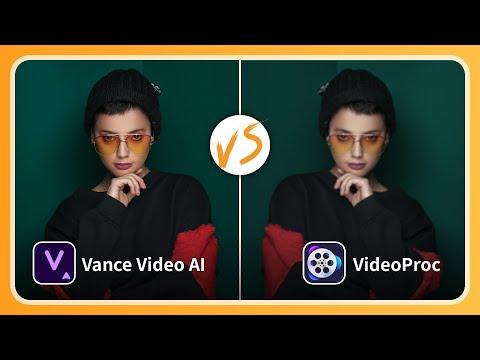
[2025] VideoAI VS VideoProc: Who Wins?
2:37
Comparison2:37
[2025] VideoAI VS VideoProc: Who Wins?
In this video, we put Vance Video AI and Videoporc into review. Which one should you choose? Join one of the Vance Video AI communities to get its free license: Reddit: https://www.reddit.com/r/Vance_AI/ Discord: https://discord.com/invite/H5nDt2vvv3 Follow us on: Reddit:https://www.reddit.com/r/Vance_AI/ X:https://www.youtube.com/@VanceAITech #videoenhancement #videoenhancer #videoproc #vanceai
Essential for AI Filmmakers! How to Upscale AI-Generated Videos to Stunning 8K HDR?
1:09
Tutorial1:09
Essential for AI Filmmakers! How to Upscale AI-Generated Videos to Stunning 8K HDR?
AI enthusiasts and film-makers rejoice! You can now produce AI-generated videos in lower quality and then seamlessly enhance them with Vance Video AI. Featured AI-generated clips by talented AI video creator: @WuxIA Rocks on X Special thanks to him for allowing the great masterpieces used in this video. Support Him by visiting his profiles: https://x.com/WuxiaRocks Want a VideoAI free license? We are now seeking early adopters! Join our community to grab it: Discord: https://discord.com/invite/24PadPV4Av Reddit: https://www.reddit.com/r/Vance_AI/ Follow Us: 🔹 website: https://vance.ai/ 🐦 Twitter: https://x.com/VanceAInew 📘 Facebook: https://www.facebook.com/vanceai/ #ai video #aigenerated #generativeai #aivideoproduction #aivideogenerator #aivideoenhancer #aivideoediting
Best Free Video Enhancer in 2025? The Truth About "Free" Software!
1:40
Tutorial1:40
Best Free Video Enhancer in 2025? The Truth About "Free" Software!
Looking for a 100% free video enhancer? Most so-called "free" tools are actually paid… 😩 But there is a way to upscale your videos for free! Watch until the end to see how. 🎬 🔹 Software: Vance Video AI 🔹 How to Use for Free? Free trial + watermark mode + early adopter program! 🔹 Features: AI upscaling, FPS boosting, noise reduction & more! 👇 Want to get a free license?👇 Join one of the Vance Video AI communities to get: Reddit: https://www.reddit.com/r/Vance_AI/ Discord: https://discord.com/invite/24PadPV4Av Join our community to grab it: Discord: https://discord.com/invite/24PadPV4Av Reddit: https://www.reddit.com/r/Vance_AI/ Follow Us: 🔹 website: https://vance.ai/ 🐦 Twitter: https://x.com/VanceAInew 📘 Facebook: https://www.facebook.com/vanceai/ #VideoEnhancer # #FreeSoftware #Upscale #AI

Who uses it

Real use cases, no hype
E-commerce Photo Enhancement
Upscale and sharpen product images for high-resolution listings and zoom features.
Old Photo Restoration
Repair scratches, faded colors, and damage in scanned family photos or archives.
Video Quality Upgrade
Upscale, denoise, and add HDR to legacy or user-generated video content.
Content Creator Workflow
Batch process thumbnails, social media graphics, and video frames for consistent quality.
AI Agent Integration
Embed VanceAI capabilities into custom AI agents for automated media processing.
ComfyUI Pipeline
Add professional-grade upscaling, denoising, and other effects to your node-based workflow.
Passport Photo Preparation
Automatically format, crop, and background-remove photos for ID documents.
What's great
  • Excellent AI upscaling and restoration quality
  • Comprehensive suite for images AND videos
  • User-friendly web interface and desktop app
  • Multiple integration paths (API, ComfyUI, Agent Skill)
  • Strong privacy with encryption and auto-deletion
Technical strengths
  • DCNN-based models for content-aware processing
  • Autopilot chains multiple video tools in a single workflow
Where it falls short
  • Credit-based system can be confusing to budget
  • Pay-as-you-go credits expire after one year
  • Web uploads limited to 10MB and 34MP
  • Desktop app is Windows-only (no Mac/Linux)
  • API credits are separate from web/app credits
Technical limitations
  • Video processing costs scale with resolution, framerate, and tool chain
  • API v1 lacks webhooks, requires polling for job status
For technical folks

The deep-dive specs

FAQ

Includes technical Q&A
Credits are deducted per operation. For images, simple tools like sharpening cost 1 credit. Upscaling costs 1-3 credits depending on scale (2x, 4x, 8x). More complex tools like colorization or restoration cost 4-8 credits. Video costs are based on duration, resolution, and frame rate.

Traffic Insights

Monthly Visits

—

November 2026

Growth Rate

0%

vs last month

Dominance

0%

in Video Generation

Top Country

—

Top Countries Breakdown

—

Growth Trend

Stable

Traffic has remained stable.

Honest pricing

No sneaky tiers, no “contact sales”

Here's who each plan is actually for — and where the hidden charges might hit.

Starter
$0.035 / credit

Individuals

  • 260 credits / mo
  • Image & video workspaces
  • Unused credits roll over
Popular
Most picked
$0.026 / credit

Individuals

  • 650 credits / mo
  • Image & video workspaces
  • Unused credits roll over
  • Priority technical support
Creator
$0.020 / credit

Individuals

  • 1300 credits / mo
  • Image & video workspaces
  • Unused credits roll over
  • Priority technical support
Studio
$0.016 / credit

Individuals

  • 2600 credits / mo
  • Image & video workspaces
  • Unused credits roll over
  • Priority technical support
  • Best value
View Full Plans & Pricing on VanceAI

Official pricing, checkout, and plan upgrades are handled directly on vanceai.com.

Reviews

What the internet actually thinks

Data refreshed weekly. No paid placements.

Trustpilot
Not reviewed yet
G2
G2
Not reviewed yet
C
Capterra
Not reviewed yet
Product Hunt
Not reviewed yet
COMMUNITY COMMENTS

Leave a Comment

Help others make informed decisions. Your honest feedback shapes the community's understanding of this tool.

Tips for commenting

  • •Be specific about features you used
  • •Share real use cases and results
  • •Mention both pros and cons
  • •Keep it honest and constructive
to leave a comment

Your comment is published immediately.

Filter:
Sort:

No comments yet

Be the first to share your experience with this tool.

Alternatives

Not quite the right fit?

Here's what else is out there.