SmartDraw

SmartDraw

SmartDraw is a diagramming and visualization platform for creating floor plans, flowcharts, org charts, and technical drawings. It offers extensive template libraries, data integration, and AI-powered diagram generation. Targeted at enterprises, IT professionals, construction teams, and educators needing precise technical visuals.

Design & Creative
Visit website
Added on
Sep 19, 2026
AI Diagram GenerationFloor PlanningReal-time CollaborationMicrosoft IntegrationGoogle WorkspaceCAD ImportTemplate Library
Product information

Everything worth knowing about SmartDraw

The complete picture — from everyday features to the technical detail builders and IT folks dig for.

Core features

What it actually does

AI-Powered Diagram Generation
Automatically create professional diagrams from text prompts or data inputs, reducing manual drawing time.
Extensive Template Library
Access thousands of pre-built, industry-specific templates for flowcharts, org charts, floor plans, and more.
Real-Time Collaboration
Work simultaneously with team members on the same diagram with live updates and commenting.
Deep Integration with Productivity Suites
Seamlessly integrates with Microsoft Office (Word, PowerPoint, Excel) and Google Workspace for embedding and editing.
Technical capabilities
Advanced Floor Planning & CAD
Features like auto-scaling, import of existing drawings (CAD, PDF), and extensive shape libraries for precise architectural layouts.
Data-Driven Diagrams
Connect diagrams to live data sources (like Excel) to automatically update shapes and visuals based on changing values.
Must watch videos
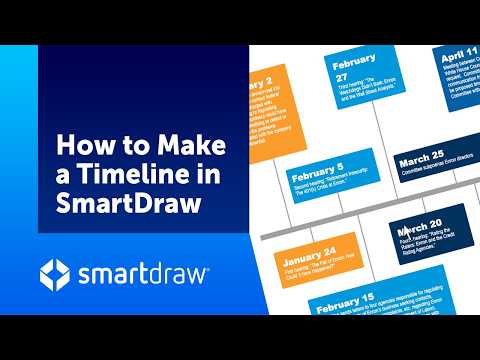
How to Make a Timeline in SmartDraw
3:44
Tutorial3:44
How to Make a Timeline in SmartDraw
With SmartDraw, it’s easy to create great looking timelines to illustrate everything from project schedules, historical periods and current events to legal proceedings and business plans. SmartDraw lets you build timelines a few ways. You can do it manually, build from imported data or build it using SmartDraw AI. To get started select New Document and then Project Planning. We’ll begin with the Manual Timeline. The timeline is started for you with some markers already in place. Just select a marker and type to add text. Click on a box in the timeline to add the year, month or whatever unit of time you want to use. Tab to the next box to continue adding dates.
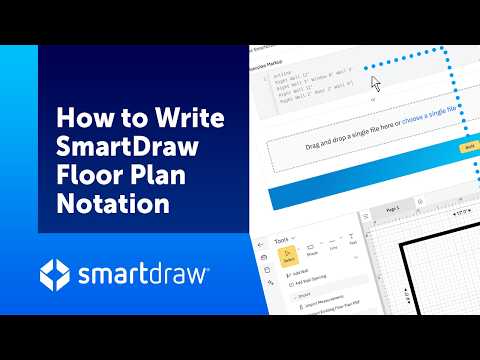
Floor Plan Notation - Generate a Floor Plan from Measurements
12:01
Tutorial12:01
Floor Plan Notation - Generate a Floor Plan from Measurements
SmartDraw Floor Plan Notation (FPN) is a simple, text-based way to describe a room as a series of walls, doors, and windows using their measurements. Multiple rooms can be connected to form a complete building using named connection points. Importing the notation directly into SmartDraw is the easiest and most reliable way of turning your measurements into an editable floor plan.
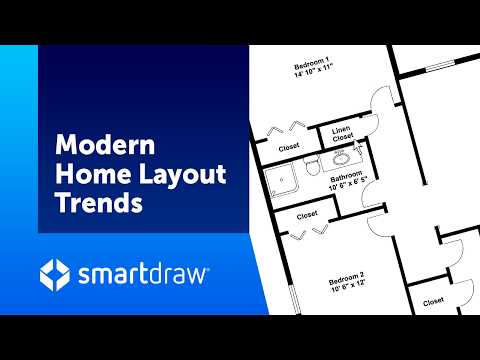
Modern Home Layout Trends
4:24
Tutorial4:24
Modern Home Layout Trends
Trends in home construction are constantly changing as the needs of families evolve over time. Today's families care about entertaining, working from home, supporting aging parents, and prioritizing flexibility. While open-concept living once dominated every home design, today's layouts are more nuanced, blending openness with function, privacy, and adaptability.

Who uses it

Real use cases, no hype
Commercial Floor Planning
Create scaled blueprints for offices, retail spaces, and construction sites.
Network & IT Diagramming
Map complex server racks, cloud infrastructure, and network topologies.
Business Process Modeling
Visualize workflows, org charts, and decision trees for management.
Technical Documentation
Generate software engineering diagrams, sequence charts, and system designs.
Public Safety Planning
Design evacuation routes, crime scene layouts, and fire pre-plans.
Event & Site Logistics
Plan seating charts, venue layouts, and landscaping projects.
Data Visualization
Build data-connected diagrams that pull from live sources.
What's great
  • Massive template library for diagrams & floor plans
  • Integrates directly with MS Office & Google Workspace
  • AI-assisted diagram generation from text prompts
Technical strengths
  • Offers on-premise deployment for enterprise data control
  • Includes specialized tools for forensics & engineering
  • Supports direct Visio & Lucidchart file import
Where it falls short
  • Steep learning curve vs. simpler tools like draw.io
  • No free tier; subscription required for core features
  • Desktop app can feel sluggish on complex diagrams
Technical limitations
  • Limited real-time collaboration compared to pure SaaS rivals
  • Auto-arrange logic sometimes produces awkward layouts
  • Web app requires constant internet connection
For technical folks

The deep-dive specs

FAQ

Includes technical Q&A
Yes, the desktop app works fully offline. The web version requires an internet connection.

Traffic Insights

Monthly Visits

—

October 2026

Growth Rate

0%

vs last month

Dominance

0%

in Design & Creative

Top Country

—

Top Countries Breakdown

—

Growth Trend

Stable

Traffic has remained stable.

Honest pricing

No sneaky tiers, no “contact sales”

Here's who each plan is actually for — and where the hidden charges might hit.

Individual
$9.95/mo

Users

    View Full Plans & Pricing on SmartDraw

    Official pricing, checkout, and plan upgrades are handled directly on smartdraw.com.

    Reviews

    What the internet actually thinks

    Data refreshed weekly. No paid placements.

    Trustpilot
    Not reviewed yet
    G2
    G2
    Not reviewed yet
    C
    Capterra
    Not reviewed yet
    Product Hunt
    Not reviewed yet
    COMMUNITY COMMENTS

    Leave a Comment

    Help others make informed decisions. Your honest feedback shapes the community's understanding of this tool.

    Tips for commenting

    • •Be specific about features you used
    • •Share real use cases and results
    • •Mention both pros and cons
    • •Keep it honest and constructive
    to leave a comment

    Your comment is published immediately.

    Filter:
    Sort:

    No comments yet

    Be the first to share your experience with this tool.

    Alternatives

    Not quite the right fit?

    Here's what else is out there.