Planner 5D

Planner 5D

Planner 5D is an all-in-one, AI-powered home design platform for creating detailed 2D floor plans and realistic 3D interior designs. Key capabilities include AI floor plan recognition, a vast library of over 10,000 furniture and decor items, high-quality 4K renders, 360° walkthroughs, and cross-platform access. It targets homeowners, DIY enthusiasts, interior designers, real estate professionals, and architecture firms looking for intuitive, visual planning and client presentation tools.

Design & Creative
Visit website
Added on
Sep 17, 2026
Monthly Visits
3.2M
3D Home DesignAI Floor Plan4K RenderingCross-Platform10K+ Furniture360° ToursCAD Export
Product information

Everything worth knowing about Planner 5D

The complete picture — from everyday features to the technical detail builders and IT folks dig for.

Core features

What it actually does

2D & 3D Floor Plan Creation
Draw floor plans from scratch or use AI to recognize and convert uploaded plans into editable 3D models.
Furniture & Decor Library
Access a catalog of over 10,000 items to furnish and decorate your designs in 2D and 3D.
Photorealistic 4K Renders
Generate high-quality, realistic renders of your projects with adjustable lighting, shadows, and colors.
Cross-Platform Sync
Create on web, desktop (Windows/macOS), and mobile (iOS/Android). Projects sync across all devices.
Technical capabilities
Import & Export Capabilities
Import custom 3D models (.obj, .fbx, .blend, .stl) and export projects to CAD formats for technical workflows.
360° Walkthrough & Panorama
Create immersive, interactive virtual tours and panoramic views for dynamic project presentations.
AI-Powered Features
Utilizes AI for floor plan recognition, automated furniture arrangement, and AI interior design assistance.
Must watch videos
5 AI tools for interior design | Planner 5D
5:30
Tutorial5:30
5 AI tools for interior design | Planner 5D
🏠 Design your dream home today! 🏠 ➡️ Join Planner 5D: http://p5d.io/4f89NA ⬅️ ✍ An advanced and easy-to-use 2D/3D home design tool ✍ ⏰Subscribe to Planner 5D on YouTube to see more interior design tips: http://p5d.io/gqObEM Unlock the potential of AI in interior design with our ultimate guide on 5 powerful AI tools 🤖 Transform your living spaces effortlessly without the need for a professional interior designer. In this video, we'll introduce you to Design Generator, AI Designer, Bernard Chat, Smart Wizard, and Upload a Plan – five revolutionary tools that make creating ready-to-use interior design projects a breeze. Whether you're a DIY enthusiast or a homeowner looking to revamp your space, these AI tools will help you bring your vision to life with ease. Watch now to discover how you can leverage these tools to create stunning designs from scratch, effortlessly and efficiently. Learn how to scan your room: https://www.youtube.com/watch?v=ap947LGcdCo #ai #planner5d #interiordesignapp Timecodes: 00:00 — How AI can help you in interior design 00:22 — Design Generator 01:02 — AI Designer 02:16 — Bernard for Windows 03:24 — Smart Wizard 04:22 — Upload a plan
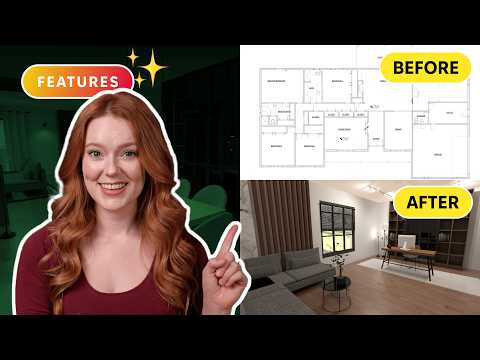
How to Use AI for Interior Design: 3 Easy Steps
4:30
Tutorial4:30
How to Use AI for Interior Design: 3 Easy Steps
🏠 Design your dream home today! 🏠 ➡️ Start your 7-days FREE trial: http://p5d.io/bKFIRb ⬅️ ✍ An advanced and easy-to-use 2D/3D home design tool ✍ ⏰Subscribe to Planner 5D on YouTube to see more interior design tips: http://p5d.io/gqObEM Get a fully ready interior design project in just 10 minutes, starting with a floor plan that has multiple rooms. Magic? No, it’s reality! With Planner 5D, the best interior design tool for your home, you can use powerful AI features that do most of the work for you. Follow these 3 easy steps to succeed: 1️⃣ Upload a plan 2️⃣ Let the AI Designer work its magic 3️⃣ Enjoy stunning 4K renders Whether you're a Planner 5D newbie or looking for Planner 5D ideas, this AI interior design tool makes the process effortless. Learn more with our Planner 5D tutorials and explore how to use this interior design software for your dream project How to create 4K renders: https://www.youtube.com/watch?v=omXJQVegt84 5 useful AI tools: https://www.youtube.com/watch?v=BlUQxWHZV4s #ai #planner5d #interiordesignapp Timecodes: 00:00 — From floorplan to renders 00:17 — What a task from the client looks like 01:05 — Convert printed floor plan to the digital 3D layout 02:20 — AI Designer: add any interior style easily 03:11 — Interior visualization with 4K renders
What Can AI Actually Do for Interior Design?
4:15
Tutorial4:15
What Can AI Actually Do for Interior Design?
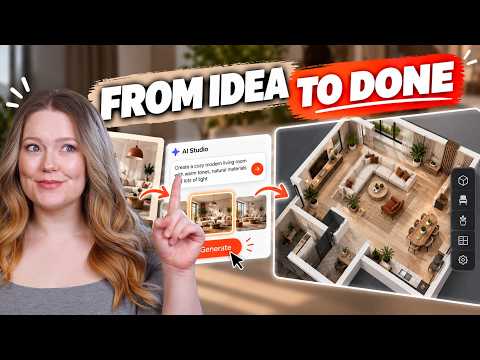
➡️ Start your 7-days FREE Pro trial: http://p5d.io/HHmMb3 ⬅️ ⏰Subscribe to Planner 5D on YouTube to see more interior design tips: http://p5d.io/gqObEM What can AI actually do for your interior design workflow? From brainstorming your first idea to creating an editable 3D project, it can do a lot more than generate pretty images. In this video, we explore the main AI features inside Planner 5D and show how they can help you work faster and explore more creative directions. See how to brainstorm and refine concepts with AI Studio, use AI Agents to review, organize, create variations, and prepare your ideas for presentation, then use AI Designer and Smart Wizard to quickly furnish your floor plan and create a customizable 3D starting point. Whether you're designing your own home or working on a client project, see how AI can help you spend less time starting from scratch and more time refining your ideas. Try the tools yourself with a FREE Planner 5D Pro trial, and subscribe for more interior design tips, AI tutorials, and Planner 5D updates. ⏱️ Timestamps 00:00 – What Can AI Actually Do for Interior Design? 00:59 – AI Studio: Your Creative Starting Point 01:52 – AI Agents: Meet Your AI Design Team 02:45 – AI Designer & Smart Wizard: Turn Ideas Into a 3D Project 03:50 – Which AI Feature Would You Use First? #AIInteriorDesign #Planner5D #InteriorDesign

Who uses it

Real use cases, no hype
Home Remodeling & Interior Design
Visualize full room or whole-home renovations with accurate dimensions and real product catalogs before purchasing.
Real Estate Virtual Staging
Create professional 3D renders and floor plans to market empty properties and attract buyers.
Commercial Space Planning
Design office layouts, retail stores, or commercial buildings with accurate measurements and flow.
DIY Furniture & Decoration
Experiment with furniture arrangements, color schemes, and decor styles in a risk-free virtual environment.
Architectural Concept Presentation
Use 360° walkthroughs and panoramas to present architectural concepts to clients immersively.
Educational Design Projects
Students and schools can learn interior design principles and architectural planning hands-on.
Product Visualization for Brands
Enterprises can use the 3D product configurator to let customers customize furniture with real-time pricing.
What's great
  • Massive furniture & decor library (10K+ premium items)
  • Cross-platform sync (Web, Windows, macOS, iOS, Android)
  • Realistic 4K rendering for client presentations
  • Built-in budgeting & cost estimation widget
Technical strengths
  • AI-powered floor plan recognition & 3D conversion
  • Import custom 3D models (.obj, .fbx, .blend)
  • Enterprise APIs for CRM/ERP & product configurator integration
Where it falls short
  • Free plan limits catalog to 50% of items
  • High-quality 4K renders require Professional subscription ($400/yr)
  • No native desktop app for Linux
  • Collaboration features are basic compared to dedicated tools
Technical limitations
  • 3D model import features locked behind top-tier plan
  • Advanced CAD export only available in Professional tier
For technical folks

The deep-dive specs

FAQ

Includes technical Q&A
Yes. The free plan allows unlimited projects and access to 50% of the furniture catalog, but limits features like 3D model imports and high-resolution renders.

Traffic Insights

Monthly Visits

3.2M

November 2026

Growth Rate

0%

vs last month

Dominance

0%

in Design & Creative

Top Country

United States

15% of traffic

Top Countries Breakdown

United States
15%
Bangladesh
10%
India
7%
Brazil
6%
Russia
4%

Growth Trend

Stable

Traffic has remained stable.

Honest pricing

No sneaky tiers, no “contact sales”

Here's who each plan is actually for — and where the hidden charges might hit.

Free
Free

Users

  • Unlimited projects
  • 5,000+ catalog items
Premium
Most picked
$19.99/mo

Users

  • 10,000+ catalog
  • Floor plan scanner
  • HD renders
Professional
$49.99/mo

Users

  • 4K renders
  • CAD exports
  • 360 walkthroughs
Enterprise
Custom

Users

  • White-label
  • API integrations
View Full Plans & Pricing on Planner 5D

Official pricing, checkout, and plan upgrades are handled directly on planner5d.com.

Reviews

What the internet actually thinks

Data refreshed weekly. No paid placements.

Trustpilot
Not reviewed yet
G2
G2
Not reviewed yet
C
Capterra
Not reviewed yet
Product Hunt
Not reviewed yet
COMMUNITY COMMENTS

Leave a Comment

Help others make informed decisions. Your honest feedback shapes the community's understanding of this tool.

Tips for commenting

  • •Be specific about features you used
  • •Share real use cases and results
  • •Mention both pros and cons
  • •Keep it honest and constructive
to leave a comment

Your comment is published immediately.

Filter:
Sort:

No comments yet

Be the first to share your experience with this tool.

Alternatives

Not quite the right fit?

Here's what else is out there.