Photo AI

Photo AI

Photo AI is an AI-powered platform that acts as your personal photographer. It trains a custom AI model of you from your uploaded photos, which can then generate endless, high-quality photos and avatars of you in various styles, poses, and settings—from dating profiles to professional headshots. It's designed to replace expensive photo shoots, offering over 120 avatar styles and photo packs for dating, fashion, social media, and more. The platform uses proprietary models like Nano Banana Pro and integrates new capabilities like Seedance 2.5 for video generation. Target users include individuals wanting unique profile pictures, influencers, content creators, and even e-commerce businesses needing virtual try-ons.

Image Generation
Visit website
Added on
Sep 21, 2026
Monthly Visits
153.7K
AI Photo GenerationAvatar CreatorModel TrainingVideo MakerImage Editing SuitePhoto Packs
Product information

Everything worth knowing about Photo AI

The complete picture — from everyday features to the technical detail builders and IT folks dig for.

Core features

What it actually does

120+ Avatar & Photo Styles
Generate photos in over 120 distinct styles, from professional headshots to fantasy avatars, dating profiles, and retro aesthetics.
Virtual Try-On & Photo Manipulation
Includes tools for virtual clothing try-on, background removal, image upscaling, restoration, and object removal.
Video Generation
Create short AI videos of yourself using integrated models like Seedance 2.5 (Unrestricted).
Multi-Tool Suite
Bundled with a suite of AI image editing tools like face swap, colorizer, cropper, and converter.
Technical capabilities
AI Model Training
Train a personalized AI model of yourself using your own photos. This is the core technical process that enables all subsequent photo generation.
Batch Processing
Supports batch image-to-image editing and batch clothing try-on for processing multiple photos at once.
Must watch videos
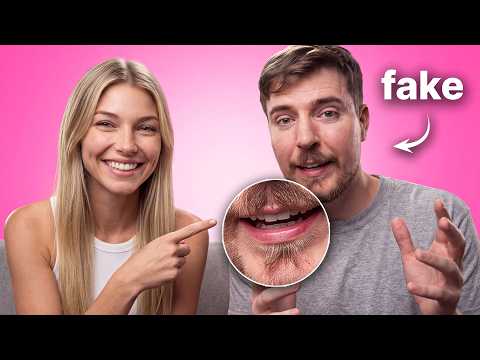
How I Create Realistic AI Avatars (Full Guide)
15:41
Tutorial15:41
How I Create Realistic AI Avatars (Full Guide)
Create Your Own AI Avatars with Higgsfield 👉 https://higgsfield.ai?fpr=ai&fp_sid=isa In this video, I show how to build a realistic AI avatar from scratch using character sheets, Elements, Seedance, custom AI voices, and 4K upscaling so the same character keeps her face, clothing, locations, and voice consistent across UGC videos, travel vlogs, and cinematic scenes. ✅ FREE Prompt Generator: https://www.videoprompt.studio/ Click here for the prompts: https://isa-does-ai.kit.com/967595e808 Join me on my mission to break down AI tools for us girlies by subscribing to my channel! ♡ This video is sponsored by Higgsfield. Links in this description are affiliate links — if you sign up through them, I may earn a commission at no extra cost to you. work with me: contact @ isadoesai.com
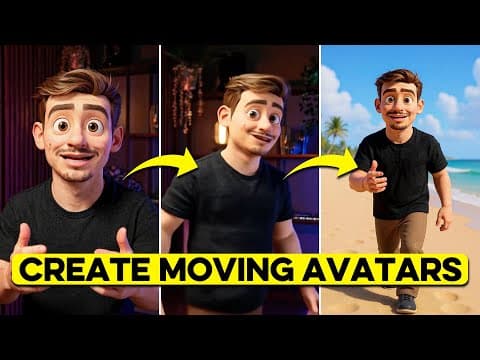
Create AI Animation Avatars That Can Talk & Walk (Step-by-Step)
11:37
Tutorial11:37
Create AI Animation Avatars That Can Talk & Walk (Step-by-Step)
Learn How to Create AI animated avatars that can Talk & walk Try out OpenArt 👉 https://openart.ai/home?ref=talkingavatar In this video I show you how to build your own AI animated Avatar that can talk and walk. This is perfect for building your own faceless youtube channel and you can easily tailor it to your liking. If you want to use my prompts make sure you sign up to my newsletter 👉My Prompts https://dk-avatar.carrd.co/ Tools Used OpenArt - https://openart.ai/home?ref=talkingavatar Elevenlabs - https://try.elevenlabs.io/swqj 📧 For business inquiries: business@dankieft.com Follow me on Instagram: https://www.instagram.com/dan.kieft/
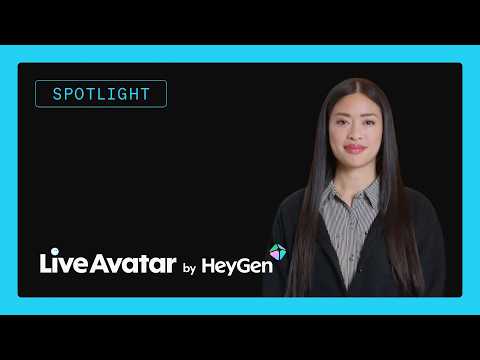
How to Build an AI Avatar Agent with HeyGen
5:14
Tutorial5:14
How to Build an AI Avatar Agent with HeyGen
Build a real-time avatar voice agent with LiveKit Agents and HeyGen LiveAvatar. In this tutorial, you will see how to add a synchronized face to a LiveKit voice agent, connect the first-party LiveAvatar plugin, and publish avatar video over WebRTC. Sign up for LiveKit Cloud: https://cloud.livekit.io/signup?utm_source=youtube&utm_medium=video&utm_campaign=devrel&utm_content=OTQh2gPAMOk This walkthrough covers the LiveKit avatar architecture, how LiveAvatar joins a LiveKit room as a participant, how the avatar consumes your agent's audio output, and how to start an `AvatarSession` before your `AgentSession`. You will also see how sandbox mode works, how to choose video quality, and how to use the same STT, LLM, and TTS pipeline you already have in LiveKit Agents. By the end, you will know how to build a voice agent avatar for product demos, customer support, tutoring, onboarding, and interactive AI experiences that need both voice and video. 📚 Resources 📚 LiveAvatar by HeyGen docs: https://docs.livekit.io/agents/models/avatar/plugins/liveavatar/?utm_source=youtube&utm_medium=video&utm_campaign=devrel&utm_content=OTQh2gPAMOk Agent docs: https://docs.livekit.io/agents/?utm_source=youtube&utm_medium=video&utm_campaign=devrel&utm_content=OTQh2gPAMOk 🤝 Join the Community: https://community.livekit.io/?utm_source=youtube&utm_medium=video&utm_campaign=devrel&utm_content=OTQh2gPAMOk #livekit #ai #voiceai

Who uses it

Real use cases, no hype
Social Media Profile Refresh
Generate a diverse set of professional, creative, or themed profile pictures for all your platforms.
Dating Profile Optimization
Create high-quality, attractive photos in various settings to boost your dating app appeal.
Professional Headshots
Produce corporate, lawyer, doctor, or real estate agent headshots without a studio.
Content Creator Assets
Generate consistent character imagery for YouTube thumbnails, blogs, or personal branding.
E-commerce Virtual Try-On
Show clothing on AI models for your Shopify store or fashion brand.
Creative Art & Avatars
Explore fantasy, retro, cyberpunk, or chibi styles for unique digital identities.
Event & Holiday Content
Quickly create themed photos for birthdays, holidays, or special occasions.
What's great
  • Massive library of 120+ pre-built photo styles and packs.
  • Easy to use; get decent results without complex prompting.
  • One-time training of your AI model for unlimited generations.
  • Includes practical editing tools (background remover, upscaler, etc).
  • Specialized packs for dating, professional headshots, and social media.
Technical strengths
  • Uses fine-tuned diffusion models trained on curated style datasets.
  • Generates consistent identity across varied scenes via model personalization.
  • Offers batch processing for clothes try-on and image editing.
Where it falls short
  • Results can be hit-or-miss; some styles yield unnatural outputs.
  • Subscription model can feel expensive for casual, one-off use.
  • Requires uploading your own photos; not a pure text-to-image tool.
  • Limited fine-grained control compared to prompt-driven tools like Midjourney.
  • Output resolution and detail may not match high-end professional photography.
Technical limitations
  • Training a new model can take time and requires decent source photos.
  • Faces can sometimes suffer from minor artifacts or inconsistencies.
For technical folks

The deep-dive specs

FAQ

Includes technical Q&A
Photo AI recommends uploading 10-20 clear, varied photos of yourself. Include different angles, expressions, and lighting for the best results.

Traffic Insights

Monthly Visits

153.7K

October 2026

Growth Rate

0%

vs last month

Dominance

0%

in Image Generation

Top Country

United States

9% of traffic

Top Countries Breakdown

United States
9%
Brazil
6%
Spain
4%
South Korea
4%
Mexico
4%

Growth Trend

Stable

Traffic has remained stable.

Honest pricing

No sneaky tiers, no “contact sales”

Here's who each plan is actually for — and where the hidden charges might hit.

Starter
$19/mo

Individuals

  • 50 AI Credits/month
  • Nano Banana Pro
  • Hyper Realism™
  • Low quality photos
  • Low likeness
  • Take 1 photo at a time
  • Slow processing
Pro
$49/mo

Individuals

  • 1000 AI Credits/month
  • Nano Banana Pro
  • Hyper Realism™
  • Medium quality photos
  • Medium likeness
  • Take up to 4 photos in parallel
Max
Most picked
$99/mo

Individuals

  • 3000 AI Credits/month
  • Nano Banana Pro
  • High quality photos
  • High likeness
  • Take up to 8 photos in parallel
  • Edit/crop/zoom out photos
Ultra
$199/mo

Individuals

  • 10000 AI Credits/month
  • Nano Banana Pro
  • Ultra quality photos
  • Ultra-high likeness
  • Take up to 16 photos in parallel
  • Unlimited photo storage
View Full Plans & Pricing on Photo AI

Official pricing, checkout, and plan upgrades are handled directly on photoai.com.

Reviews

What the internet actually thinks

Data refreshed weekly. No paid placements.

Trustpilot
Not reviewed yet
G2
G2
Not reviewed yet
C
Capterra
Not reviewed yet
Product Hunt
Not reviewed yet
COMMUNITY COMMENTS

Leave a Comment

Help others make informed decisions. Your honest feedback shapes the community's understanding of this tool.

Tips for commenting

  • •Be specific about features you used
  • •Share real use cases and results
  • •Mention both pros and cons
  • •Keep it honest and constructive
to leave a comment

Your comment is published immediately.

Filter:
Sort:

No comments yet

Be the first to share your experience with this tool.

Alternatives

Not quite the right fit?

Here's what else is out there.