Luma Dream Machine

Luma Dream Machine

Luma Dream Machine is an AI video generation tool that transforms text prompts or uploaded images into high-quality videos. It features fast processing under two minutes, realistic motion physics, character consistency, and cinematic camera movements with 4K output. Target users include social media managers, freelance editors, content creators, and marketing agencies looking to produce video content efficiently without extensive technical skills.

Video Generation
Visit website
Added on
Sep 17, 2026
Monthly Visits
2.3M
AI video generatorText-to-videoImage-to-video4K resolutionFast generationMotion physicsCharacter consistencyCinematic cameraGlobal accessibility
Product information

Everything worth knowing about Luma Dream Machine

The complete picture — from everyday features to the technical detail builders and IT folks dig for.

Core features

What it actually does

Lightning Fast Generation
Create stunning videos in under two minutes with optimized AI processing of 120 frames.
Realistic Motion Physics
Advanced spatiotemporal modeling ensures movements align with real-world physics for smooth, believable video content.
Characters Consistency
Maintains perfect character identity throughout videos by tracking and preserving facial features, clothing, and unique characteristics.
Cinematic Camera Work
Professional camera movements and transitions that match scene mood, from smooth pans to dramatic zooms.
4K Ultra HD Output
Create videos in stunning 4K resolution with exceptional clarity and detail for professional use and social media.
Global Accessibility
Access the platform worldwide with features and effects for global audiences.
Must watch videos
How To Use Luma Dream Machine | AI Creation = 10X EASIER!
10:07
Tutorial10:07
How To Use Luma Dream Machine | AI Creation = 10X EASIER!
Unlock the full potential of Luma Dream Machine in this hands-on tutorial! From creating stunning AI visuals to mastering features like image referencing and conversational prompts, I'll walk you through it all. Try dream machine: https://bit.ly/48fb9Gw *Promo code available for a limited time ⏲ Chapters: 0:00 Getting started with Dream Machine 0:44 Boards 1:36 Generating images with AI 2:48 Evolving ideas 3:12 Concept pills 4:07 Collaboration tools 4:42 Generate videos 6:37 How to use keyframes 7:16 Get consistent characters 8:26 Dream machine App 9:22 Use Dream Machine for FREE Disclaimer: Some links in the description are affiliate links. If you make a purchase through them, I may earn a small commission at no extra cost to you. Support me on Patreon: https://bit.ly/2MW56A1 🎵 Where I get my Music: https://bit.ly/3boTeyv 🎤 My Microphone: https://amzn.to/3kuHeki 🔈 Join my Discord server: https://bit.ly/3qixniz Join me! Instagram: https://www.instagram.com/JustMDMZ Tiktok: https://www.tiktok.com/@justmdmz Twitter: https://twitter.com/JustMDMZ Facebook: https://www.facebook.com/medmehrez.BSS/ Website: http://medmehrez.com/ #Ai #Creator #editing
Introducing Luma Dream Machine - Next Generation AI Video
0:33
Tutorial0:33
Introducing Luma Dream Machine - Next Generation AI Video
Introducing Dream Machine - a next generation video model for creating high quality, realistic shots from text instructions and images using AI. It’s available to everyone today! Try for free here https://lumalabs.ai/dream-machine #LumaDreamMachine
Getting Started With Dream Machine by Luma AI
3:49
Tutorial3:49
Getting Started With Dream Machine by Luma AI
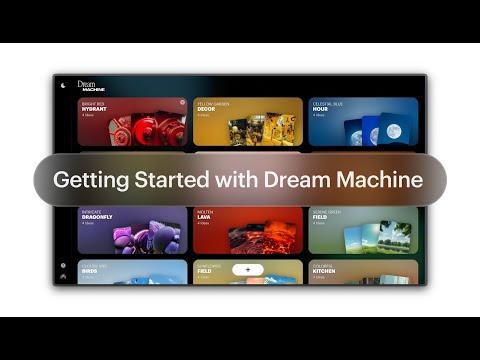
Bring your imagination to life in just minutes with Dream Machine by Luma AI. In this step-by-step tutorial, we walk you through everything you need to start generating cinematic visuals using our intuitive web platform. Whether you’re a creator, designer, or just curious about the future of visual storytelling, this guide covers all the core features—from image creation to video animation and advanced tools like keyframes and concept references. Start creating now: https://lumalabs.ai/dream-machine More Tutorials and How-to: https://lumalabs.ai/learning-hub What You’ll Learn - How to create visuals from scratch using text descriptions - How to animate your images into smooth, cinematic videos - How to refine and remix your creations with advanced tools - How to share your boards and collaborate with others Pro Tip Want even more control? Try features like keyframes, camera concepts, and visual references to guide your output with precision. Learn More: https://lumalabs.ai/learning-hub Chapters: 00:00 Intro – What is Dream Machine? 00:25 Setting Up Your Account & Boards 01:00 Creating in Dream Machine 01:45 Image Mode Features 02:30 Making Videos from Images 03:00 Adding Camera Motion, Sound & Sharing 03:35 Advanced Tools & Creative Features Follow & Connect with Luma AI: X: https://x.com/lumalabsai Instagram: https://instagram.com/lumalabsai LinkedIn: https://linkedin.com/company/lumalabsai TikTok: https://tiktok.com/@lumalabsai #aivideo #luma #lumaai #lumadreammachine #dreammachine #vfx #tutorial #ai #aiart #editing #howto #aivideogeneration #videogenerator

Who uses it

Real use cases, no hype
Cinematic Video Production
Create film-grade scenes with sweeping camera moves and golden-hour light.
Social Media Marketing
Generate punchy, scroll-stopping videos for TikTok, Reels, and Shorts.
Stylized Animation
Produce 2D and 3D animated content with playful characters and bold motion.
Product Showcases
Build dynamic product reveals with vibrant motion and neon backdrops.
Content Creation for Freelancers
Efficiently create client videos with consistent quality and quick turnaround.
Personal Projects
Turn imagination into professional videos without technical skills.
Educational Content
Generate instructional videos with clear visuals and natural motion.
What's great
  • Lightning-fast video generation under two minutes.
  • Produces stunning 4K Ultra HD videos.
  • No technical skills needed; user-friendly interface.
  • Maintains character consistency across frames.
  • Simulates natural cinematic camera movements.
Technical strengths
  • Employs advanced spatiotemporal modeling for realistic physics.
  • Supports both text and image prompt inputs for flexibility.
Where it falls short
  • Free tier includes permanent watermarks and no commercial rights.
  • Videos are typically short in duration.
  • Complex scenes with multiple characters can be inconsistent.
  • Output quality heavily depends on prompt clarity.
Technical limitations
  • Credit-based system with monthly generation limits.
  • iOS app pricing is 25-30% higher than web due to Apple fees.
  • Generation speed may slow under high system load.
For technical folks

The deep-dive specs

FAQ

Includes technical Q&A
It's an advanced AI video generation system that creates realistic videos from text or image prompts within minutes.

Traffic Insights

Monthly Visits

2.3M

November 2026

Growth Rate

0%

vs last month

Dominance

0%

in Video Generation

Top Country

United States

17% of traffic

Top Countries Breakdown

United States
17%
India
8%
Germany
4%
United Kingdom
3%
Italy
3%

Growth Trend

Stable

Traffic has remained stable.

Honest pricing

No sneaky tiers, no “contact sales”

Here's who each plan is actually for — and where the hidden charges might hit.

Free
Free

Users

    Plus
    $30/mo

    Users

      Pro
      $90/mo

      Users

        Ultra
        $300/mo

        Users

          View Full Plans & Pricing on Luma Dream Machine

          Official pricing, checkout, and plan upgrades are handled directly on lumadreammachine.com.

          Reviews

          What the internet actually thinks

          Data refreshed weekly. No paid placements.

          Trustpilot
          Not reviewed yet
          G2
          G2
          Not reviewed yet
          C
          Capterra
          Not reviewed yet
          Product Hunt
          Not reviewed yet
          COMMUNITY COMMENTS

          Leave a Comment

          Help others make informed decisions. Your honest feedback shapes the community's understanding of this tool.

          Tips for commenting

          • •Be specific about features you used
          • •Share real use cases and results
          • •Mention both pros and cons
          • •Keep it honest and constructive
          to leave a comment

          Your comment is published immediately.

          Filter:
          Sort:

          No comments yet

          Be the first to share your experience with this tool.

          Alternatives

          Not quite the right fit?

          Here's what else is out there.