Descript

Descript

Descript is a comprehensive, AI-powered video and audio editing suite built around a core innovation: text-based editing. Its AI transcribes your recordings into a text transcript, allowing you to cut, trim, and rearrange footage simply by editing the text. It’s designed for creators, teams, and businesses who need to produce high-quality video and podcast content efficiently without requiring complex video editing expertise. Key capabilities include Underlord, an AI co-editor that automates editing tasks; Studio Sound for AI-powered audio cleanup; tools for generating video, images, and AI voice clones; remote recording via Rooms; and robust collaboration features. It targets a wide user base from individual YouTubers and podcasters to enterprise marketing, sales, and customer success teams.

Video Generation
Visit website
Added on
Jul 9, 2026
Monthly Visits
8.8M
Text-based editingAI video editingPodcast productionScreen recordingRemote recordingAI voice cloningAutomatic transcriptionUnderlord AIStudio Sound
Product information

Everything worth knowing about Descript

The complete picture — from everyday features to the technical detail builders and IT folks dig for.

Core features

What it actually does

Text-based Editing
Edit video by editing the transcript. Deleting words removes video moments, moving sentences rearranges footage.
Studio Sound
One-click AI-powered noise removal and voice enhancement for clean, professional audio.
Underlord AI Co-editor
AI agent that can turn raw recordings into polished edits, generate clips, and perform tasks via chat or prompt.
Screen Recording
Capture screen and webcam simultaneously for tutorials, demos, and B-roll footage.
Remote Recording (Rooms)
Record crystal-clear podcasts and video with guests remotely, with separate tracks and automatic transcription.
Technical capabilities
Proprietary Speech Recognition
Uses a fine-tuned neural network (based on Whisper) for highly accurate transcription with speaker detection in 25 languages.
Must watch videos
Hit Record. Descript's Got the Rest! 📼
2:07
Tutorial2:07
Hit Record. Descript's Got the Rest! 📼
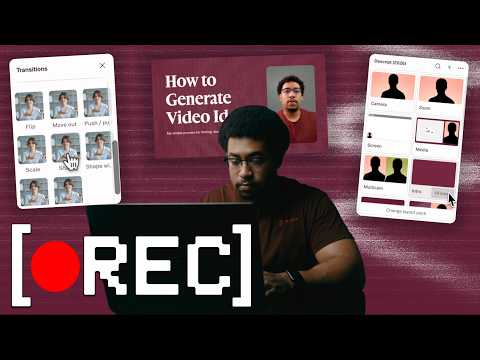
✨Try Descript: https://bit.ly/4fXd7jj Bad lighting. No script. AC blasting in the background. Doesn't matter — Descript fixes it in post. From recording to posting, everything you need to make a good video is already in one place. No studio. No gear. No editing degree. Just hit record and let Descript handle the rest. This is what that actually looks like. In this video: ✅ Fix your lighting without touching a light ✅ Color grade your footage without knowing how to color grade ✅ Make it sound like you recorded in a studio (you did not) ✅ Edit out the mistakes like they never happened ✅ Add transitions, layouts, and effects in a few clicks ✅ Go from raw footage to something you'd actually post Just hit record. Descript does the rest: https://www.descript.com/ai-video-enhancer ✨Try Descript: https://bit.ly/4fXd7jj ---------------------------------- 📺 Subscribe on YouTube @Descript 🆘 For help: http://help.descript.com 🫂 For community support: http://discord.gg/descript 𝕏 X: https://x.com/descript/ 📷 Instagram: https://www.instagram.com/descript_app/ 📘 Facebook: https://www.facebook.com/descriptapp/ ⌨️ Blog: http://descript.com/blog 🪵 Changelog: http://changelog.descript.com 🎥 Sign up for future live events: https://luma.com/descript?utm_source=ytdescription ---------------------------------- ✨Try Descript: https://bit.ly/4fXd7jj #descript #videoediting #ai #contentcreator #videomaker
Just Hit Record. Descript Does the Rest.
1:17
Tutorial1:17
Just Hit Record. Descript Does the Rest.
✨Try Descript: https://bit.ly/4fXd7jj You don't need a mic, lights, or a camera to make a video worth watching. Descript handles the parts you'd skip if you could — filler words, retakes, bad lighting, no eye contact — so the only hard part left is deciding what to say. What this video shows: ✅ Remove Filler Words — the ums, uhs, and likes, gone ✅ Remove Retakes — keep the good take, drop the false starts ✅ Regenerate — fix a misspoken word by editing the text; Descript's AI rebuilds it in your voice ✅ Layouts — drop raw footage into a preset layout instead of building one ✅ Eye Contact — AI adjusts your gaze so it looks like you're talking to the camera, not reading off to the side ✅ Uplighting and color adjustments — clean up the lighting and color you didn't nail while recording Just hit record. Descript does the rest: https://www.descript.com/ai-video-enhancer ✨Try Descript: https://bit.ly/4fXd7jj ---------------------------------- 📺 Subscribe on YouTube @Descript 🆘 For help: http://help.descript.com 🫂 For community support: http://discord.gg/descript 𝕏 X: https://x.com/descript/ 📷 Instagram: https://www.instagram.com/descript_app/ 📘 Facebook: https://www.facebook.com/descriptapp/ ⌨️ Blog: http://descript.com/blog 🪵 Changelog: http://changelog.descript.com 🎥 Sign up for future live events: https://luma.com/descript?utm_source=ytdescription ---------------------------------- ✨Try Descript: https://bit.ly/4fXd7jj #descript #videoediting #ai #contentcreator #videomaker
What's new in Descript (June 2026) | Telethon recap, tone tags, 11 new effects + DescriptMCP
3:23
Tutorial3:23
What's new in Descript (June 2026) | Telethon recap, tone tags, 11 new effects + DescriptMCP
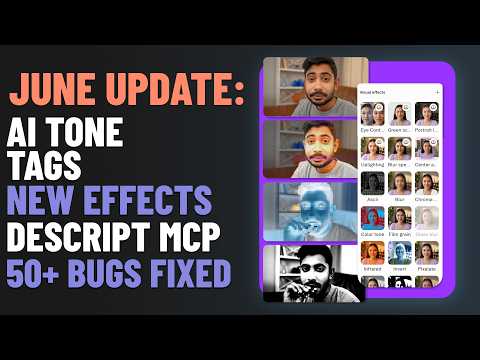
✨Try Descript: https://bit.ly/3SeZEJA Descript Changelog: Hackathon Telethon Updates, ElevenLabs V3 Tone Direction, Underlord Improvements & New Effects This Changelog roundup covers Descript’s two-day May hackathon “telethon,” where the team livestreamed builds, fulfilled 70 bugs and feature requests in 48 hours, and raised $14,000 for the Sierra Club, with more changes rolling out over the summer. Updates include transitions that remember last-used settings, an option to restore the classic color theme, an always-on credits and media minutes meter, and bullet points in text clips. ElevenLabs V3 speakers now support inline tone direction (e.g., whispers, laughs, pauses, or custom prompts) that regenerates the surrounding paragraph. Underlord adds persistent chat history per project, an automatic review step to rerun edits that miss the mark, and the Opus 4.8 model in the picker. Descript also redesigns the effects menu with 11 new effects, nine stylized looks, stackable effects, and gradient fills, and launches the Descript MCP connector in Claude and ChatGPT marketplaces plus a CLI update What's new: ✅ Telethon 2026 recap ✅ Tone tags for AI speakers ✅ New video effects ✅ Underlord upgrades ✅ DescriptMCP 🕰️ Chapters: 00:00 Intro 00:21 Telethon Recap 01:07 Tone tags for AI speech 01:38 Underlord Updates 02:07 11 new video effects 02:39 DescriptMCP Connector 02:56 Bug Fixes 03:06 Outro ✨Try Descript: https://bit.ly/3SeZEJA ---------------------------------- 📺 Subscribe on YouTube @Descript 🆘 For help: http://help.descript.com 🫂 For community support: http://discord.gg/descript 𝕏 X: https://x.com/descript/ 📷 Instagram: https://www.instagram.com/descript_app/ 📘 Facebook: https://www.facebook.com/descriptapp/ ⌨️ Blog: http://descript.com/blog 🪵 Changelog: http://changelog.descript.com 🎥 Sign up for future live events: https://luma.com/descript?utm_source=ytdescription ---------------------------------- ✨Try Descript: https://bit.ly/3SeZEJA #descript #ai #videoediting

Who uses it

Real use cases, no hype
Video Editing
Edit video by editing text; cut, trim, and rearrange footage as easily as a document.
Podcasting
Record and edit multitrack audio with text-based precision and AI enhancements.
Screen Recording
Capture screen for tutorials and demos with integrated transcription and editing.
Clip Creation
AI identifies key moments to create shareable clips from long-form content.
Transcription
Industry-leading automatic transcription with speaker detection in minutes.
Remote Recording
Record studio-quality podcasts and videos with participants anywhere via Rooms.
AI Enhancements
Apply Studio Sound, Eye Contact, Green Screen, and more with one click.
What's great
  • Text-based editing makes video cutting as fast as deleting words in a doc
  • Studio Sound delivers one-click studio-quality audio cleanup
  • Underlord AI co-editor automates rough cuts and scene layouts
  • Rooms allow remote recording with separate cloud backups
Technical strengths
  • Exports to Pro Tools, Final Cut, Premiere, and Logic
  • API + MCP enables programmatic video editing from code or assistants
  • Transcription detects 8+ speakers with high accuracy
Where it falls short
  • AI credits on Hobbyist plan are limited to 400 per month
  • Media hour caps throttle heavy workflows on lower plans
  • Advanced features like 4K export require Creator or higher
  • Timeline-based flexibility is limited for power editors
  • Offline editing is heavily restricted
Technical limitations
  • AI voice regeneration can sound unnatural on difficult passages
  • Desktop app is resource-intensive on larger projects
For technical folks

The deep-dive specs

Transcription Model
Fine-tuned Whisper-based model with speaker diarization
AI Voice Synthesis
Neural voice cloning using Lyrebird technology
AI Video Generation
Uses Stable Diffusion and proprietary models for video generation

FAQ

Includes technical Q&A
Descript is an AI video and audio editor that lets you edit by editing text. You record or upload, Descript's AI transcribes it, then you cut, trim, and rearrange the video by changing the transcript.

Traffic Insights

Monthly Visits

8.8M

September 2026

Growth Rate

0%

vs last month

Dominance

0,59%

in Video Generation

Top Country

India

11% of traffic

Top Countries Breakdown

India
11%
Bangladesh
5%
United Kingdom
5%
Brazil
4%

Growth Trend

Stable

Traffic has remained stable.

Honest pricing

No sneaky tiers, no “contact sales”

Here's who each plan is actually for — and where the hidden charges might hit.

Free
Free

Individual

  • Text-based editing
  • Transcription in 25 languages
  • 1 hour media minutes per month
  • 100 AI credits (one-time)
  • 720p video export
  • Limited Underlord access
Hobbyist
$24/mo

Individual

  • 10 media hours / month
  • 400 AI credits / month
  • 1080p export
  • watermark-free
  • Full Underlord access
  • AI tools: Studio Sound
  • Remove Filler Words
Creator
Most picked
$35/mo

Content Creator

  • 30 media hours / month
  • 800 AI credits / month
  • 4K export
  • watermark-free
  • Full Underlord + 20+ AI tools
  • Video generation with latest AI models
  • Unlimited royalty-free stock media library
Business
$65/mo

Team

  • 40 media hours / month
  • 1500 AI credits / month
  • Team-wide Brand Studio
  • Translate & dub video in 30+ languages with proofread
  • Generate custom avatars from photo or text
  • Priority support with SLA
  • Access to top ups
Enterprise
Custom

Enterprise

  • Advanced Security and SSO/SCIM
  • Granular brand controls
  • Custom AI credits and media minutes
  • Custom legal terms and AI controls
  • Flexible licensing and billing
Reviews

What the internet actually thinks

Data refreshed weekly. No paid placements.

Trustpilot
Not reviewed yet
G2
G2
Not reviewed yet
C
Capterra
Not reviewed yet
Product Hunt
Not reviewed yet
COMMUNITY COMMENTS

Leave a Comment

Help others make informed decisions. Your honest feedback shapes the community's understanding of this tool.

Tips for commenting

  • Be specific about features you used
  • Share real use cases and results
  • Mention both pros and cons
  • Keep it honest and constructive
Sign in to leave a comment

Your comment will be published after moderation

Filter by rating:
Sort by:

No comments yet

Be the first to share your experience with this tool.

Alternatives

Not quite the right fit?

Here's what else is out there.

Detail tags
Found via these searches
#VideoEditing#AI#Podcasting#TextBasedEditing#NoCode#ContentCreation#Transcription