HeyGen

HeyGen

HeyGen is an AI video generation platform that allows users to create professional videos using AI avatars, voices, and translation without needing a camera or production crew. It offers tools for text-to-video, image-to-video, audio-to-video, and video translation into over 175 languages, featuring highly realistic avatars (Avatar V) with accurate lip-sync and emotional expression. The platform targets individual creators, marketers, and enterprise teams for scalable video content creation, localization, and training.

Video Generation
Visit website
Added on
Sep 19, 2026
Monthly Visits
8.7M
AI AvatarsVideo TranslationText-to-VideoLip SyncVoice CloningTeam CollaborationCredit SystemAPI Access
Product information

Everything worth knowing about HeyGen

The complete picture — from everyday features to the technical detail builders and IT folks dig for.

Core features

What it actually does

Realistic AI Avatars
Generate talking-head videos with lifelike AI avatars (Avatar V) that maintain character consistency across angles, expressions, and scenes.
Multilingual Video Translation
Translate videos into 175+ languages and dialects with synchronized lip-sync and cloned voice preservation.
Text-to-Video Generation
Create complete videos from a text script, handling editing, voiceover, visuals, and avatar performance automatically.
Team Collaboration & Branding
Business and Enterprise plans offer shared workspaces, brand kits, comments, draft editing, and centralized billing.
Technical capabilities
Credit-Based Rendering System
Video generation consumes credits, with different plans offering varying monthly allotments (e.g., 600 for Creator, 1,000 for Pro).
Five-Stage Avatar Training Pipeline
Avatar V is built with a proprietary AI training pipeline that captures not just appearance but also movement, gestures, and expressions.
Must watch videos
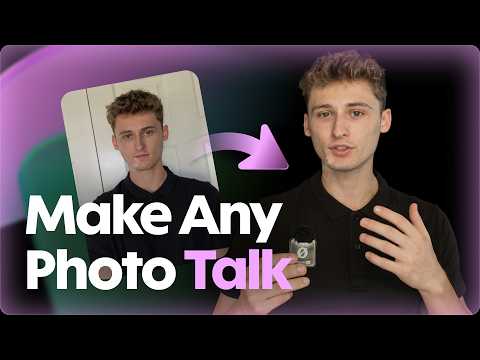
5 Ways to Make a Talking Photo With AI (Bring Any Picture to Life)
9:23
Tutorial9:23
5 Ways to Make a Talking Photo With AI (Bring Any Picture to Life)
Turn any picture into a talking AI avatar with HeyGen. In this tutorial, I’ll show you five different ways to bring a still photo to life... from a simple scripted presenter to an interactive LiveAvatar that can respond in real time. You’ll learn how to: • Make a photo deliver a typed script • Animate it using your real voice recording • Build a complete multi-scene video around it • Place it inside a cinematic AI-generated scene • Create an interactive LiveAvatar that can answer questions 👉 Try HeyGen: heygen.com/yt Explore LiveAvatar: https://www.liveavatar.com/ CHAPTERS 00:00 Introduction 00:49 What Is HeyGen? 01:16 Start With the Right Photo 02:29 Way 1 — Make a Simple Talking Presenter 03:37 Way 2 — Use Your Real Voice Recording 04:31 Way 3 — Build a Complete Video 05:51 Way 4 — Create a Cinematic Scene 07:01 Way 5 — Create an Interactive LiveAvatar 08:43 Which Method Should You Use? PROMPTS AND SCRIPTS USED IN THIS VIDEO WAY 1 — TALKING-PHOTO SCRIPT This entire video started with one photograph. No camera, no reshoot, and no new performance. CUSTOM MOTION PROMPT Speaks directly to the camera with a relaxed smile, subtle head movement, and a confident expression. WAY 3 — MULTI-SCENE VIDEO SCRIPT A better morning doesn’t need to be complicated. Start with a glass of water, a few minutes outside, and a simple breakfast. Try it tomorrow and see how you feel. WAY 4 — CINEMATIC MODE PROMPT The presenter looks directly into the camera, smiles, and steps confidently toward the viewer. The camera slowly pushes in from a medium shot to a close-up. Soft studio lighting, realistic movement, polished commercial style. For a strong Cinematic Mode prompt, describe: • What the person does • How the camera moves • What the lighting looks like • The overall visual style DISCLAIMER!!! Only upload photos, audio, and other media that you own or have permission to use. 🔔 Subscribe: https://www.youtube.com/@heygen_official?sub_confirmation=1 ⁣ Discord: https://discord.com/invite/czCNgN4yZe X: https://x.com/HeyGen Facebook: https://www.facebook.com/HeyGen.FB/ LinkedIn: https://www.linkedin.com/company/heygen/ Instagram: https://www.instagram.com/heygen_official/ TikTok: https://www.tiktok.com/@heygen.com
You're Explaining the Same Thing 3 Times a Week — Here's the Fix (AI Avatar for Doctors)
7:57
Tutorial7:57
You're Explaining the Same Thing 3 Times a Week — Here's the Fix (AI Avatar for Doctors)
Make an AI avatar for doctors and clinics in HeyGen. Record yourself once, and after that your patient videos start with typing: your face, your voice, your explanation, without finding a free afternoon and a camera every time. If you're a provider, there's probably one explanation you gave three times this week. How to prep for the scan, what to expect at a first visit, why the fasting window matters. A short video would save you from repeating it. → The photo. Good, even light, looking straight at the camera, just you in the frame. It decides how your avatar looks in every video. → About 45 seconds of footage. Sit centered, eyes on the lens, hands in frame, and pause between sentences. What you need is energy, not a studio. → Your voice. Read the script the way you talk, then keep going with the words you say all day, from the name of the practice to "call the front desk." → Verify your identity. A live clip of you reading a code. That's the consent step, and it's why no one else can build an avatar of your face. → Your first welcome clip, generated on screen, with fix pronunciation for clinical terms and your own name. → Who gets to press Generate. Clear rules on whose avatar it is, who can use it, and review before anything is published. Anything you publish with your avatar should be general education and information, not advice for an individual patient, and every video goes through your practice's own review. Quillhaven Family Care, the practice in the demo, is fictional. Make the BEST AI avatar of yourself (general walkthrough): https://youtu.be/yKhZb4Ny_I0 When yours is ready, tell me in the comments what your first video is going to be about. #HeyGen #AIAvatar #AIForDoctors #PatientEducation #MedicalPracticeMarketing #HealthcareMarketing 👉 Try HeyGen: www.heygen.com/yt 🔔 Subscribe: https://www.youtube.com/@heygen_official?sub_confirmation=1 Discord: https://discord.com/invite/heygen X: https://x.com/HeyGen LinkedIn: https://www.linkedin.com/company/heygen/ Instagram: https://www.instagram.com/heygen_official/ TikTok: https://www.tiktok.com/@heygen.com Content Creator @marieloumandl CHAPTERS 0:00 The explanation you give three times a week 0:22 An AI avatar for doctors and clinics 1:00 What you're making 1:12 A sample patient video 2:01 The ground rule: general education, not advice 2:28 Three things to get ready: first, the photo 3:10 45 seconds of footage (energy matters most) 3:56 Into HeyGen: Avatar → New Avatar 4:09 Appearance, motion, voice 4:32 Recording your voice clone 5:01 Pick the voice that sounds most like you 5:11 Verify your identity: the consent step 5:34 Make your first video 6:14 Your welcome clip 6:37 Who gets to press Generate 7:09 What you walk away with 7:20 Next: your first patient-education video
This Agent Reaches 770,000 People a Month — With 6,000 Followers
8:46
Tutorial8:46
This Agent Reaches 770,000 People a Month — With 6,000 Followers
Most agents think growing on social means posting more listings. It doesn't — and the numbers prove it. One Vancouver realtor reaches 770,000 accounts a month with a following of just 6,000, publishing twice a day without ever picking up a camera. It came down to six things, and none of them is the AI. This is the full system behind Craig Veroni's page — the positioning that makes one agent the default voice in their market, how to record training footage that produces an avatar people actually trust, the daily content engine built on hyper-local news, and the conversion layer that turns reach into listing appointments. We cover how to source local stories without burning your week, when and how to disclose AI, and the one habit that separates agents who compound from agents who quit in month three. 📌 Chapters: The 6 Things That Actually Did It - 00:00 Pick Your Position - 0:49 Build an Avatar People Trust - 2:01 Run the Daily Engine - 3:56 Protect the Trust - 5:09 Convert Attention Into Revenue - 6:26 Compound Into Market Ownership - 7:32 Start Building Your Own Page - 8:17 📌 Everything you need: Craig Veroni's full story → https://www.heygen.com/customer-stories/craig-veroni HeyGen AI Avatars → https://www.heygen.com/avatars AI Voice Cloning → https://www.heygen.com/tool/ai-voice-cloning 👉 Try HeyGen: heygen.com/yt 🔔 Subscribe: https://www.youtube.com/@heygen_official?sub_confirmation=1 ⁣ Discord: https://discord.com/invite/czCNgN4yZe X: https://x.com/HeyGen Facebook: https://www.facebook.com/HeyGen.FB/ LinkedIn: https://www.linkedin.com/company/heygen/ Instagram: https://www.instagram.com/heygen_official/ TikTok: https://www.tiktok.com/@heygen.com

Who uses it

Real use cases, no hype
Marketing & Sales Outreach
Scale personalized video messages for cold outreach and product demos without filming.
E-Learning & Training
Automate onboarding, compliance training, and course creation with multilingual avatars.
Content Localization
Translate existing videos into 175+ languages with synchronized lip movement.
Social Media Content
Rapidly produce talking-head videos and explainers for platforms like TikTok and LinkedIn.
Enterprise Internal Comms
Deliver consistent CEO messages and announcements across global teams.
What's great
  • Industry-leading Avatar V realism and consistency
  • Extremely fast video generation, often under a minute
  • Massive language support (175+ languages and dialects)
  • Full text-based editor for script, emotion, and gesture control
Technical strengths
  • Enterprise-grade features: SAML/SSO, team collaboration, SCORM export
  • Proprietary 5-stage Avatar V training pipeline for behavioral cloning
  • Deterministic rendering via HyperFrames (HTML/CSS/JS) for API users
Where it falls short
  • Free tier is heavily restricted (3 videos, 1 min max)
  • Credit-based system can be confusing to calculate for heavy use
  • Top-tier features require expensive Business/Enterprise plans
Technical limitations
  • Custom avatar creation requires identity verification and training data
  • Complex integrations may require API knowledge and development
For technical folks

The deep-dive specs

Core Avatar Tech
Proprietary Avatar IV/V models for hyper-realistic synthesis
Lip Sync Engine
AI-driven viseme matching for multilingual dubbing
Voice Synthesis
Integrates ElevenLabs and proprietary cloning for brand voice preservation
Pricing Model
Credit-based consumption, cost varies per model used (e.g., 3-20 credits/min)
Security & Compliance
SOC 2 Type II, GDPR, CCPA, AI Act, DPF certified

FAQ

Includes technical Q&A
Upload a short reference video or image. HeyGen's Avatar V model trains on your movements, gestures, and speech patterns to generate a digital twin that maintains character consistency across multiple videos.

Traffic Insights

Monthly Visits

8.7M

November 2026

Growth Rate

-18,7%

vs last month

Dominance

0,17%

in Video Generation

Top Country

United States

17% of traffic

Top Countries Breakdown

United States
17%
India
9%
Brazil
8%
Germany
4%
Pakistan
3%

Growth Trend

Declining

Traffic has decreased compared to last month.

Honest pricing

No sneaky tiers, no “contact sales”

Here's who each plan is actually for — and where the hidden charges might hit.

Free
$0 / bln

Individuals

  • 3 videos per month
  • Video up to 1 minute
  • Access to Avatar IV
  • Standard video processing
  • 500+ Stock Video Avatars
  • 1 Custom Video Avatar
  • 30+ languages
Creator
Most picked
$29 / bln

Individuals

  • 600 credits
  • Video up to 30 minutes
  • 1080p export
  • Long-form Avatar IV video creation
  • Fast video processing
  • Unlimited Photo Avatars
  • Watermark removal
Pro
$49 / bln

Individuals

  • 1000 credits
  • Video up to 30 minutes
  • 4K export
  • Long-form Avatar IV video creation
  • Faster video processing
  • Unlimited Photo Avatars
Business
$149 / bln

Teams

  • 1500 credits
  • Video up to 60 minutes
  • 4K export
  • Faster video processing
  • 2x concurrency vs Pro
  • 5 Custom Video Avatars
Enterprise
Contact Sales

Enterprise

  • Flexible video creation
  • No maximum video duration limit
  • 4K export
  • Fastest video processing
  • Highest concurrency
  • All Business features
  • Multi-workspace control
View Full Plans & Pricing on HeyGen

Official pricing, checkout, and plan upgrades are handled directly on heygen.com.

Reviews

What the internet actually thinks

Data refreshed weekly. No paid placements.

Trustpilot
Not reviewed yet
G2
G2
Not reviewed yet
C
Capterra
Not reviewed yet
Product Hunt
Not reviewed yet
COMMUNITY COMMENTS

Leave a Comment

Help others make informed decisions. Your honest feedback shapes the community's understanding of this tool.

Tips for commenting

  • •Be specific about features you used
  • •Share real use cases and results
  • •Mention both pros and cons
  • •Keep it honest and constructive
to leave a comment

Your comment is published immediately.

Filter:
Sort:

No comments yet

Be the first to share your experience with this tool.

Alternatives

Not quite the right fit?

Here's what else is out there.

Detail tags
Found via these searches
#VideoGen#AI#Avatar#Localization#NoCode#SyntheticMedia#TTS