ImgUpscaler

ImgUpscaler

ImgUpscaler is an online AI tool for increasing image resolution, fixing pixelation, sharpening details, and reducing noise. It uses deep learning models to analyze edges, textures, and colors to enlarge photos while preserving natural clarity. Key capabilities include upscaling to 16K, batch processing, face/portrait enhancement, and text sharpening. The tool targets photographers, ecommerce sellers, designers, social media managers, and AI art creators. It processes images securely in the browser with no software installation required. Output formats include PNG, JPG, and WebP.

Image Generation
Visit website
Added on
Sep 21, 2026
Monthly Visits
3.5M
AI Upscaling16K OutputBatch ProcessingFace EnhancementNo SignupBrowser-basedPNG/JPG/WebP
Product information

Everything worth knowing about ImgUpscaler

The complete picture — from everyday features to the technical detail builders and IT folks dig for.

Core features

What it actually does

AI Image Upscaling to 16K
Increase photo resolution up to 16K for printing, e-commerce, and large displays. Analyzes edges, colors, and textures for natural enlargement.
Fix Pixelated & Blurry Photos
Reduces blocky artifacts, sharpens fuzzy edges, and improves details in old downloads, mobile photos, screenshots, and low-resolution images.
Batch Processing
Process 2-20 images at once to save time when upscaling multiple files.
Face & Detail Enhancement
Naturally improve portrait clarity, recover soft details in hair, eyes, and skin texture without overprocessing.
No Signup or Software Required
Fully browser-based tool for Windows, Mac, iOS, and Android with instant access.
Technical capabilities
Secure & Private Processing
Images are processed securely in the browser with no permanent storage implied by the marketing, adhering to their privacy policy.
Multiple Output Formats
Supports output in PNG, JPG, and WebP formats.
Must watch videos
How to Enhance Low-Quality Images to HD for Free (ImgUpscaler.ai)
5:36
Tutorial5:36
How to Enhance Low-Quality Images to HD for Free (ImgUpscaler.ai)
👉 Try ImgUpscaler.ai here: - https://imgupscaler.ai/?utm_source=tech_Pro1_youtube Want to turn your blurry, pixelated, or low-resolution photos into clean, sharp HD images? In this video, I’ll show you how to enhance any image to 4K quality for FREE using ImgUpscaler.ai, one of the best AI image upscaling tools online. ImgUpscaler allows you to sharpen, restore, and increase image quality instantly—without creating any account. Whether you're improving old photos, product images, social media content, or website graphics, this AI tool delivers professional-level results with just one click. 🔍 What You’ll Learn in This Video: How to upscale photos to HD/4K for free How ImagUpscaler restores details and sharpens images How to remove blur and noise using AI Best features of ImagUpscaler (Old Photo Restoration, Sharpen Image, Video Enhancer) Step-by-step walkthrough: Upload → Enhance → Download 🚀 Key Features of ImgUpscaler.ai ✔ Free online AI image upscaler ✔ Upscale up to 4× resolution ✔ Fix blur, noise, and pixelation automatically ✔ No login required ✔ Supports JPG, PNG, WEBP, HEIC formats ✔ Restores old photos and enhances low-quality pictures ✔ Fast processing within seconds 👉 Subscribe for more AI tools & editing tutorials! #ImgUpscaler #AIImageUpscaler #ImageEnhancer #PhotoRestoration #UpscaleImage #EnhancePhotoQuality #MakeImageHD #AIPhotoTools #TechPro #AItoolsTutorial For Business: Email: ads.techpro1@gmail.com Telegram: https://t.me/Techpro02
2 FREE AI Tools to Upscale Image Free in 2026 ( No Watermark )
1:49
Tutorial1:49
2 FREE AI Tools to Upscale Image Free in 2026 ( No Watermark )
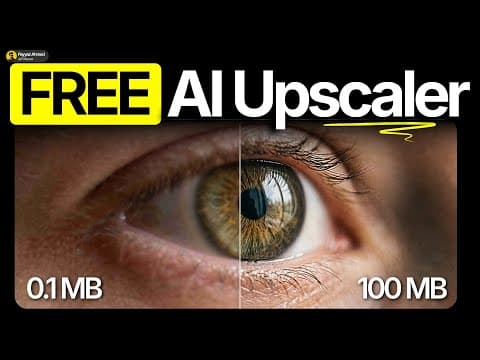
2 Free AI Tools to Upscale Image Free in 2026 (No Watermark). Transform blurry shots into sharp 4K masterpieces with pro-level AI image enhancement — try it free: https://event.wondershare.com/api/s/3VJ If you want a tool that combines top-tier AI image upscaling with video/audio processing, VideoProc Converter AI is the ultimate step up: https://tinyurl.com/yx5suzzw Try Best AI Image Upscaler Free (No Watermark, Up to 16K) with HitPaw FotorPea: https://bit.ly/4eH9o8j In today’s video, I’ll show you 2 free AI image upscaler tools that are personally my favorite. With these tools, you can easily enhance low-quality images and turn them into sharp, high-resolution photos in just a few clicks.” LINKS : Nordy.ai - https://nordy.ai/ Imagine.art - https://imagine.art/ For sponsorships & business inquiries: contact.fayax@gmail.com
Upscayl Tutorial - How to use Upscayl? | Best Free AI Image Upscaler for Linux, Mac and Windows
4:07
Tutorial4:07
Upscayl Tutorial - How to use Upscayl? | Best Free AI Image Upscaler for Linux, Mac and Windows
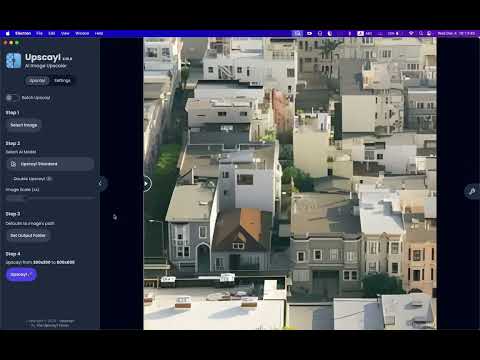
Welcome to our step-by-step tutorial on Upscayl, the best free AI-powered image upscaler for enhancing image quality effortlessly. 🚀 In this video, you'll learn: 📌 How to upscale your images using powerful AI models. 📌 Tips for choosing the best models for your needs. 📌 How to utilize the Double Upscayl feature for extreme resolutions. 📌 How to navigate the Settings tab. Upscayl is perfect for photographers, artists, and anyone looking to improve the quality of their images. The best part? It's completely open-source and free! 👉 Download Upscayl: https:// upscayl.org Don’t forget to like, comment, and subscribe if you found this tutorial helpful. #Upscayl #AIUpscaler #FreeImageUpscaler #Linux #Mac #Windows #ImageEnhancement #AI

Who uses it

Real use cases, no hype
Ecommerce Product Enhancement
Increase resolution and clarity of small product photos for Amazon, Shopify, or Etsy listings.
Print-Ready Image Preparation
Upscale images to 16K for posters, banners, and gallery prints without pixelation.
AI Art & Anime Uploading
Enlarge AI-generated images or anime art for high-quality sharing, printing, or display.
Social Media Content Creation
Sharpen and enhance photos before posting to Instagram, TikTok, or LinkedIn.
Old Photo Restoration
Fix faded, grainy, or small family photos by increasing resolution and enhancing details.
Text & Screenshot Clarity
Make text in screenshots, scans, or labels easier to read using dedicated text enhancement.
Logo & Graphic Enlargement
Increase size of logos, icons, or graphics while improving edge definition and clarity.
What's great
  • No signup required for basic use
  • Supports up to 16K resolution output
  • Free to start with no watermark
  • Works directly in browser on any device
  • Specialized tools for portraits, text, and AI art
Technical strengths
  • Multi-step enhancement pipeline (upscale, sharpen, restore)
  • Proprietary AI models for face recovery and artifact reduction
Where it falls short
  • Free tier credits refresh periodically, not unlimited
  • Batch processing is a paid/VIP feature
  • Best results require uploading the clearest original file
  • Output format choices (PNG/JPG/WEBP) may have trade-offs
Technical limitations
  • Advanced restoration (scratches, deep fading) requires separate tools
  • Models may over-smooth fine textures on extreme upscaling
  • API access not mentioned for integration into automated pipelines
For technical folks

The deep-dive specs

FAQ

Includes technical Q&A
Yes, it offers a free plan with periodic credit refreshes for light enhancement. You can test the workflow without signing up or paying.

Traffic Insights

Monthly Visits

3.5M

October 2026

Growth Rate

0%

vs last month

Dominance

0%

in Image Generation

Top Country

Bangladesh

15% of traffic

Top Countries Breakdown

Bangladesh
15%
United States
10%
India
9%
Indonesia
5%
Taiwan
4%

Growth Trend

Stable

Traffic has remained stable.

Honest pricing

No sneaky tiers, no “contact sales”

Here's who each plan is actually for — and where the hidden charges might hit.

Free
Free

Individuals

  • Free credits refresh periodically
  • Good for light image enhancement
  • Try the workflow before purchasing
Subscription - 50 credits
$3.90/mo

Individuals

  • 50 credits
Subscription - 200 credits
$8.90/mo

Individuals

  • 200 credits
Subscription - 500 credits
Most picked
$12.90/mo

Individuals

  • 500 credits
Subscription - 1,000 credits
$16.90/mo

Individuals

  • 1000 credits
View Full Plans & Pricing on ImgUpscaler

Official pricing, checkout, and plan upgrades are handled directly on imgupscaler.ai.

Reviews

What the internet actually thinks

Data refreshed weekly. No paid placements.

Trustpilot
Not reviewed yet
G2
G2
Not reviewed yet
C
Capterra
Not reviewed yet
Product Hunt
Not reviewed yet
COMMUNITY COMMENTS

Leave a Comment

Help others make informed decisions. Your honest feedback shapes the community's understanding of this tool.

Tips for commenting

  • •Be specific about features you used
  • •Share real use cases and results
  • •Mention both pros and cons
  • •Keep it honest and constructive
to leave a comment

Your comment is published immediately.

Filter:
Sort:

No comments yet

Be the first to share your experience with this tool.

Alternatives

Not quite the right fit?

Here's what else is out there.