Figma

Figma

Figma is a collaborative, browser-based design platform for product teams. It unifies design, prototyping, and developer handoff in one workspace, enabling real-time collaboration and component-based design systems. Key capabilities include vector design tools, interactive prototyping, Dev Mode for code generation, and AI-powered features like Weave for imagery and Motion for animation. Used by 95% of the Fortune 500, it targets designers, product managers, and engineers. The platform supports a vast ecosystem of community plugins, templates, and integrations, making it the de facto standard for UI/UX design and cross-functional product development.

Design & Creative
Visit website
Added on
Sep 21, 2026
Monthly Visits
184.9M
Collaborative CanvasAI PrototypingDev ModeDesign SystemsREST APIPlugin APIMCP Server
Product information

Everything worth knowing about Figma

The complete picture — from everyday features to the technical detail builders and IT folks dig for.

Core features

What it actually does

Collaborative Design Canvas
Multiplayer editing, real-time collaboration, and shared workspaces for teams to design, prototype, and iterate together in one place.
AI-Powered Prototyping & Generation
Use AI to generate functional prototypes from prompts (Figma Make), create UI designs, edit images, and automate busywork via an AI agent on the canvas.
Developer Handoff & Inspection
Dev Mode provides advanced inspection, code properties, design system component access, and tools for seamless developer handoff.
Design System Management
Create, publish, and manage shared component libraries, variables, styles, and branching/merging for organization-wide consistency.
Interactive Prototyping
Build advanced prototypes with variables, conditional logic, expressions, overlays, and video for realistic user flow testing.
Technical capabilities
REST API & Extensibility
Leverage REST APIs, webhooks, plugin/widget APIs, and MCP server for custom integrations, automation, and extending Figma's functionality.
Figma MCP Server
Allows AI agents to access Figma context to generate code and make edits to files, with tiered rate limits per plan.
Must watch videos
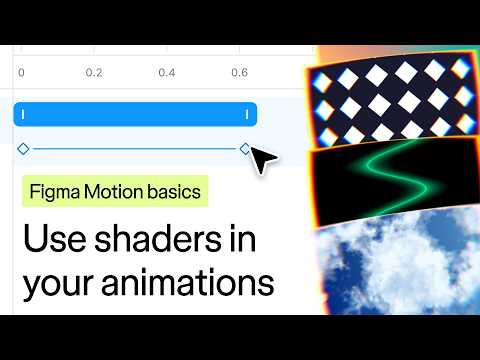
Figma Motion basics: Use shaders in your animations
1:41
Tutorial1:41
Figma Motion basics: Use shaders in your animations
Let’s learn how to animate shaders in Figma Motion. Shaders are visual effects you can apply to layers, either as fills that generate patterns, gradients, and textures, or as effects that modify how the layer looks. You can animate these fills and effects using keyframes in Figma Motion. Learn more about Figma Motion: https://www.figma.com/blog/introducing-figma-motion/ & https://help.figma.com/hc/en-us/articles/41274629073303 Learn more about motion design principles: https://help.figma.com/hc/en-us/sections/41236726027287-Motion-design-fundamentals-collection Chapters: 00:00 Intro 00:19 Add keyframes to shaders in Figma Motion 00:51 Animate objects below a shader effect 01:31 Use agent to apply shaders and keyframes #figma #motion #design #tutorial #animation #shaders ____________________________________________________ Find us on ⬇️ X (formerly Twitter): https://x.com/figma Instagram: https://www.instagram.com/figma LinkedIn: https://www.linkedin.com/company/figma TikTok: https://tiktok.com/@figma Figma forum: https://forum.figma.com/
How to Create Custom Weave Tools for Figma
5:10
Tutorial5:10
How to Create Custom Weave Tools for Figma
Weave tools turn creative workflows into simple tools anyone can run from the Figma canvas. In this video, you’ll learn how to create a Weave tool from a workflow and publish it to the Figma community. Learn more about Weave Tools in Figma: https://help.figma.com/hc/en-us/articles/40779260614935-Use-Weave-tools-in-Figma Learn more about Figma Weave: https://help.weavy.ai/en/ ____________________________________________________ Find us on ⬇️ X (formerly Twitter): https://x.com/figma Instagram: https://www.instagram.com/figma LinkedIn: https://www.linkedin.com/company/figma TikTok: https://tiktok.com/@figma Figma forum: https://forum.figma.com/
14 Designs That Inspired Digital Designer Aitana Picó's Unique Style I Source Material
8:27
Tutorial8:27
14 Designs That Inspired Digital Designer Aitana Picó's Unique Style I Source Material
Introducing Source Material — Figma's weekly series where the designers & creatives shaping culture share the references that shaped them. A look past the finished work and into the objects, books, ideas and oddities that actually inform how they think. Our next guest is Aitana Picó — The global graphic designer, visual artist and creative technologist takes us through a world of graphic humor, literature, music and play — from Yukio Mishima’s SED DE AMOR to Jockstrap’s I LOVE YOU JENNIFER B and the colorful chaos of KATAMARI DAMACY. An eclectic mix of references behind a practice fueled by curiosity and experimentation. Aitana Picó’s Source Material: 0:00 Intro 00:25 Tarot Cats (Ana Juan, 2020) 00:28 Tarot Mucha (Giulia F. Massaglia & Barbara Nosenzo, 2018) 00:31 El Gran Tarot Esoterico (Luis Peña Longa, 1978) 00:34 Tarot of the Witches (Fergus Hall, 1973) 01:07 Perdiz Magazine Issue 10 (Marc Romo & Marta Puigdemasa, 2019) 02:14 Pippi Longstocking (Astrid Lindgren & Lauren Child, 2007) 03:16 Selection of Artworks (Ima Picó, 2000) 03:53 ¿Te Acuerdas? (Inés Oliver, 2024) 04:47 Vitamin: Volume 16 (Ho-Kyong Yeo, 2006) 05:20 Sed de Amour (Yukio Mishima, 1983) 05:35 Humor Grafico Español del Siglo XX (Álvaro de Laiglesia, 1970) 06:01 I Love You Jennifer B (Jockstrap, 2022) 06:37 Si Abro los Ojos No Es Real (Amaia, 2025) 07:10 Custom Figurines (Aitana Picó, 2026) 07:50 Outro ____________________________________________________ Find us on ⬇️ X (formerly Twitter): https://x.com/figma Instagram: https://www.instagram.com/figma LinkedIn: https://www.linkedin.com/company/figma TikTok: https://tiktok.com/@figma Figma forum: https://forum.figma.com/

Who uses it

Real use cases, no hype
UI/UX Design & Prototyping
Create high-fidelity interfaces, wireframes, and interactive prototypes for web and mobile apps.
Design Systems Management
Build and maintain scalable component libraries with variables for consistent branding across products.
Developer Handoff & Code Generation
Use Dev Mode for precise inspection, code export, and integration with engineering workflows.
Cross-functional Brainstorming
Utilize FigJam for real-time whiteboarding, diagramming, and strategic planning sessions.
AI-Powered Rapid Prototyping
Leverage Figma Make to generate functional prototypes and app concepts from text prompts.
Brand Asset Production at Scale
Use Figma Buzz to create and manage on-brand marketing materials and templates.
Web Publishing & Deployment
Design and publish fully responsive websites directly from Figma with Figma Sites.
What's great
  • Industry-standard collaborative design platform
  • Massive community ecosystem of plugins, templates, and UI kits
  • Seamless real-time multiplayer editing for entire teams
  • Strong Dev Mode with detailed inspection and code generation
Technical strengths
  • Browser-based with zero installation, enabling instant access
  • Extensible platform with robust Plugin and Widget APIs
  • Advanced variable and component architecture for scalable design systems
Where it falls short
  • Steeper learning curve for complex features like Auto Layout and Variables
  • Performance can lag with very large, complex files or slow internet
  • AI features (Make, agent) consume a credit-based quota
  • Advanced features like branching and enterprise security require higher-tier plans
Technical limitations
  • Relies entirely on cloud storage, with no robust local file option
  • Custom font management can be inconsistent across platforms and browsers
  • REST API rate limits can be restrictive for high-volume automation
For technical folks

The deep-dive specs

FAQ

Includes technical Q&A
A Full seat provides complete access to all Figma products. A Dev seat includes Dev Mode, FigJam, Slides, and Buzz, plus view/comment in Design files. A Collab seat is for FigJam, Slides, and Buzz, with view/comment and basic inspection in Design files.

Traffic Insights

Monthly Visits

184.9M

November 2026

Growth Rate

0%

vs last month

Dominance

0%

in Design & Creative

Top Country

Bangladesh

36% of traffic

Top Countries Breakdown

Bangladesh
36%
United States
9%
India
5%
Japan
4%
Russia
4%

Growth Trend

Stable

Traffic has remained stable.

Honest pricing

No sneaky tiers, no “contact sales”

Here's who each plan is actually for — and where the hidden charges might hit.

Professional
$16/mo

Professionals & Teams

  • Unlimited files and projects
  • Team-wide design libraries
  • Advanced Dev Mode inspection and MCP Server
  • 3000 AI credits/mo (Full seat)
Organization
Most picked
$55/mo

Organizations

  • Publish resources across teams
  • Shared libraries and fonts
  • Centralized admin tools
  • 3500 AI credits/mo (Full seat)
  • Billed annually
Enterprise
$90/mo

Enterprise

  • Custom team workspaces
  • Design system theming and APIs
  • SCIM seat management
  • 4250 AI credits/mo (Full seat)
  • Billed annually
View Full Plans & Pricing on Figma

Official pricing, checkout, and plan upgrades are handled directly on figma.com.

Reviews

What the internet actually thinks

Data refreshed weekly. No paid placements.

Trustpilot
Not reviewed yet
G2
G2
Not reviewed yet
C
Capterra
Not reviewed yet
Product Hunt
Not reviewed yet
COMMUNITY COMMENTS

Leave a Comment

Help others make informed decisions. Your honest feedback shapes the community's understanding of this tool.

Tips for commenting

  • •Be specific about features you used
  • •Share real use cases and results
  • •Mention both pros and cons
  • •Keep it honest and constructive
to leave a comment

Your comment is published immediately.

Filter:
Sort:

No comments yet

Be the first to share your experience with this tool.

Alternatives

Not quite the right fit?

Here's what else is out there.