DomoAI

DomoAI

DomoAI is an AI-powered platform for generating and editing videos and images. It offers a wide range of creation tools, including text-to-video, image-to-video, video restyling, talking avatars, and character animation. The platform integrates multiple AI models like DomoAI 2.5, Seedance 2.5, and MiniMax H3, providing diverse style options from anime to realistic. It features advanced editing capabilities such as AI lip sync, video upscaling, and background removal, catering to creators who need quick, high-quality content production.

Video Generation
Visit website
Added on
Sep 21, 2026
Text-to-VideoImage-to-VideoVideo RestylingTalking AvatarLip SyncBackground RemoverVideo Upscaler
Product information

Everything worth knowing about DomoAI

The complete picture — from everyday features to the technical detail builders and IT folks dig for.

Core features

What it actually does

AI Video Generation
Create videos from text, images, or existing footage using multiple AI models like Seedance 2.5 and MiniMax H3.
Video & Image Editing Suite
Advanced tools for lip sync, background removal, upscaling, style transfer, and face swap.
Multi-Model Support
Access to 8+ integrated AI models for video and image generation, including proprietary DomoAI and GPT Image models.
Commercial Usage Rights
All generated content can be used for commercial purposes, marketing, and client projects.
Technical capabilities
Omni Reference System
Blend image, video, and audio references to guide AI and generate consistent video output.
Dual Generation Modes
Fast Mode for priority GPU processing (uses credits) and Relax Mode for free generation with queues.
Must watch videos
How to Make an Anime Short Film with AI Using DomoAI
9:45
Tutorial9:45
How to Make an Anime Short Film with AI Using DomoAI
Try DomoAI:https://domoai.app/?via=d4ea19 Want to create AI videos without cameras, actors, or complicated production? In this video, I’ll show you how to use DomoAI to create AI-generated videos and build a complete workflow from idea to final result. In this tutorial, you’ll learn how to: • Create AI videos with DomoAI • Generate and animate characters • Use reference images for better control • Use first and last frame controls • Work with images, videos, and audio • Use Relax Mode on supported plans • Build a complete AI video workflow • Explore DomoAI’s features and pricing plans 🔗 DomoAI 👉 Try DomoAI: https://domoai.app/?via=d4ea19 📚 Free Prompts & Resources 👉 Get all the prompts and resources from this video: https://app.notion.com/p/FULL-PROMPT-3d21258d7dff80459e8cc26a16eaf809?source=copy_link Disclosure: This video is sponsored by DomoAI. The DomoAI link above is my affiliate link, which means I may earn a commission if you sign up through it, at no additional cost to you. If you found this tutorial helpful, like the video and subscribe to MonetizeMind by Sam for more AI tools, automation workflows, and faceless YouTube tutorials. 💬 What AI video workflow should I test next? Let me know in the comments! #DomoAI #AIVideo #AIVideoGenerator #AI #ArtificialIntelligence #AIContentCreation #AITools #YouTubeAutomation
Create AI Videos, Talking Avatars & Anime in One Tool | DomoAI
5:05
Tutorial5:05
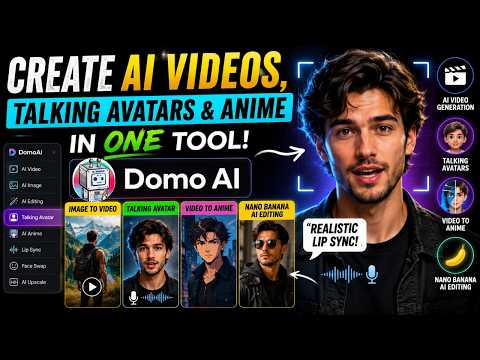
Create AI Videos, Talking Avatars & Anime in One Tool | DomoAI
🔗 Try DomoAI Here: https://www.domoai.app/home?via=05ff5f Create stunning AI videos, realistic talking avatars, anime transformations, and cinematic animations — all inside one powerful platform: DomoAI In this video, I tested some of the most impressive features of DomoAI, including AI talking avatars with realistic lip sync, Nano Banana AI image editing, image-to-video generation, video-to-anime transformation, and much more. Whether you're a content creator, freelancer, YouTuber, or just exploring AI tools, DomoAI makes content creation faster, easier, and more creative without needing advanced editing skills. If you enjoyed this video, make sure to like, subscribe, and turn on notifications for more AI tutorials, tools, and content creation tips. #DomoAI #AIVideoGenerator #TalkingAvatar #AIAnime #AIVideo #LipSyncAI #ImageToVideo #AITools #AIEditing #ContentCreation #AIExpert For business inquiries, feel free to contact us: Aiexpert.collab@gmail.com We look forward to collaborating with you! 🚀
DomoAI Review 2026: Create AI Videos with Seedance 2.0 & Talking Avatar (Full Tutorial)
4:09
Review4:09
DomoAI Review 2026: Create AI Videos with Seedance 2.0 & Talking Avatar (Full Tutorial)
🚀 Try DomoAI Here: https://domoai.app/?via=4acb18 Creating professional AI videos has never been easier! In this video, I test DomoAI, an all-in-one AI video generator that lets you create AI images, animate them with Seedance 2.0, generate realistic Talking Avatars, transform videos into different styles, and much more. In this complete DomoAI review and tutorial, you'll see how I created a magical fairy tale from scratch using AI. From generating storyboard images with GPT Image 2.0 to bringing them to life with Seedance 2.0 Image-to-Video and creating realistic AI avatars, everything is done inside one platform. 📌 What You'll Learn: AI Image Generation with GPT Image 2.0 Seedance 2.0 Image to Video Tutorial Talking Avatar with Realistic Lip Sync Video to Video AI Transformation Character to Video Feature Complete AI Video Creation Workflow If you're creating AI animations, YouTube videos, TikTok content, Instagram Reels, or short films, DomoAI is definitely worth checking out. 👍 If you enjoyed this video, don't forget to Like, Subscribe, and turn on notifications for more AI tool reviews and tutorials. #DomoAI #Seedance2 #TalkingAvatar #AIVideoGenerator #AITools #aianimation For business inquiries, collaborations, or sponsorship opportunities, please contact me at: aideskteam@gmail.com

Who uses it

Real use cases, no hype
Anime Video Creation
Transform footage into high-quality anime-style scenes for social media and content channels.
AI UGC Ad Generation
Produce dynamic user-generated content style ads for marketing campaigns at scale.
Character Animation
Animate static character images with specific motions like walking, jumping, or dancing.
Talking Avatar Videos
Create lifelike avatars that lip-sync to your script for explainer videos and vlogs.
Video Style Transfer
Apply custom art styles, from Ukiyo-e to realistic, to any existing video footage.
AI Storyboard Generation
Rapidly generate storyboard sequences from text concepts for film and video planning.
Commercial Content Creation
Generate watermark-free, licensable videos and images for client projects and advertising.
What's great
  • Unlimited relax generation for Standard/Pro subscribers
  • Seamless workflow: generate, restyle, upscale, lip sync all in one place
  • Active community (5M+ creators) and tons of viral templates
  • Commercial rights fully included for all generated content
Technical strengths
  • Massive library of 70+ specialized AI video models
  • Pro-only 20-30s character-to-video and 60s talking avatar
  • Enterprise API available for programmatic access and automation
Where it falls short
  • Relax mode has frequent queues and long waits
  • 20-second video generation locked behind Pro tier
  • Free plan is extremely limited and lacks Relax mode
  • No refunds for already paid subscription fees
Technical limitations
  • Some premium models (Seedance, MiniMax H3) are Fast Mode only
  • No self-hosting or private deployment option
For technical folks

The deep-dive specs

FAQ

Includes technical Q&A
Fast Mode provides instant GPU access for highest-priority, credit-consuming generation. Relax Mode is free (no credits) but has queues and is slower.

Traffic Insights

Monthly Visits

—

October 2026

Growth Rate

0%

vs last month

Dominance

0%

in Video Generation

Top Country

—

Top Countries Breakdown

—

Growth Trend

Stable

Traffic has remained stable.

Honest pricing

No sneaky tiers, no “contact sales”

Here's who each plan is actually for — and where the hidden charges might hit.

Basic
$13/mo

Individuals

  • 600 Monthly credits
  • Unlock 50+ Style Templates
  • Character to Video: 5s & 10s
  • Talking Avatar: 5s
  • 10s & 20s
  • 4K Video & 6K Image Upscaling
  • Advanced video controls
Standard
$42/mo

Teams

  • 2200 Monthly credits
  • Unlimited Relax generations on supported models
  • Unlock 50+ Style Templates
  • Character to Video: 5s & 10s
  • Talking Avatar: 5s
  • 10s & 20s
Pro
Most picked
$142/mo

Enterprise

  • 8000 Monthly credits
  • Unlimited Relax generations on supported models
  • Unlock 50+ Style Templates
  • Extended Character to Video: 20s & 30s
  • Talking Avatar: up to 60s
  • 4K Video & 6K Image Upscaling
View Full Plans & Pricing on DomoAI

Official pricing, checkout, and plan upgrades are handled directly on domoai.app.

Reviews

What the internet actually thinks

Data refreshed weekly. No paid placements.

Trustpilot
Not reviewed yet
G2
G2
Not reviewed yet
C
Capterra
Not reviewed yet
Product Hunt
Not reviewed yet
COMMUNITY COMMENTS

Leave a Comment

Help others make informed decisions. Your honest feedback shapes the community's understanding of this tool.

Tips for commenting

  • •Be specific about features you used
  • •Share real use cases and results
  • •Mention both pros and cons
  • •Keep it honest and constructive
to leave a comment

Your comment is published immediately.

Filter:
Sort:

No comments yet

Be the first to share your experience with this tool.

Alternatives

Not quite the right fit?

Here's what else is out there.