CapCut

CapCut

CapCut is a comprehensive AI-powered creative suite for video and photo editing, available across desktop, web, and mobile. It provides a full suite of AI tools for generating videos and images from text or reference media, along with essential editing features like background removal, image enhancement, auto-captions, text-to-speech, and noise reduction. The platform is designed for creators and marketers to produce content for YouTube, Instagram, TikTok, and other social media platforms, leveraging templates and AI automation to speed up the creative workflow. Target users include social media content creators, video editors, marketers, small business owners, and anyone looking to produce high-quality visual content without advanced technical skills.

Design & Creative
Visit website
Added on
Sep 16, 2026
Monthly Visits
81M
AI Video GenAI Image GenAuto CaptionsVideo EditorPhoto EditorText-to-SpeechTemplates
Product information

Everything worth knowing about CapCut

The complete picture — from everyday features to the technical detail builders and IT folks dig for.

Core features

What it actually does

AI Video & Image Generation
Generate stunning visuals, videos, and complete edits from text prompts or reference images using integrated AI models.
Smart Auto-Editing
Automatically trim clips, sync to music beats, and generate highlight reels from raw footage with a single click.
Cross-Platform Workspace
Edit seamlessly across Web, Desktop, Mobile, and iPad with a unified cloud-based project system.
Text-to-Speech & Voiceover
Convert scripts into natural-sounding narration using AI voices, with options for custom voice cloning and noise removal.
Integrated Asset Library
Access a vast, searchable library of trending templates, stock media, effects, and filters directly within the editor.
Technical capabilities
Latent Diffusion Models
Utilizes proprietary Seedance and Dreamina models for high-fidelity, stylized video and image generation from text/image inputs.
Real-Time Collaboration
Enables multi-user editing sessions on projects via cloud sync, with version history and commenting (Team plan feature).
Must watch videos
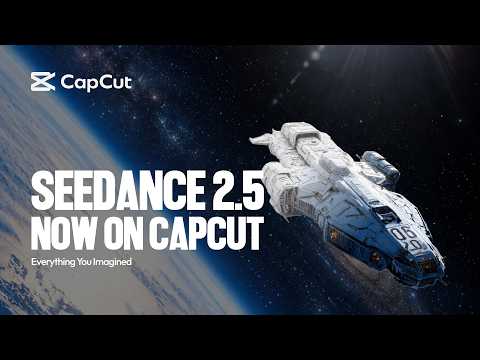
Dreamina Seedance 2.5 Is Now on CapCut | Create and Transform Videos with AI
0:41
Tutorial0:41
Dreamina Seedance 2.5 Is Now on CapCut | Create and Transform Videos with AI
CapCut is bringing Dreamina Seedance 2.5 to creators, taking video creation to the next level. Now available across Asia, the Middle East, Africa, Europe, and South America. ✨ Create from scratch Turn your ideas into videos with CapCut, giving you unprecedented creative controls with 30 second-long generation, interactive editing, and up to 50 reference materials. Available in: • App: AI Lab, AI Generator, AI Video • Web: Video Studio • Desktop: AI Video 🎬 Transform your videos Reimagine your videos with AI-powered generation through infinite scene extension, frame-precise editing, and visual transformation. Available in: • App and Desktop: AI Extend, AI Edit, Edit Pilot Create more for less. Get up to 60% off CapCut subscriptions for a limited time.
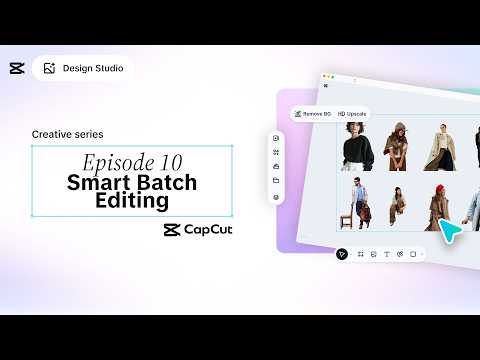
CapCut Design Studio Creative Series: Episode 10 - Batch Editing
0:40
Tutorial0:40
CapCut Design Studio Creative Series: Episode 10 - Batch Editing
CapCut Design Studio Creative Series: Episode 10 - Batch Editing. Creative momentum is hard to find and easy to lose. What if one edit could do the heavy lifting? Edit once, apply everywhere, and keep your creative flow moving without interruption. Want more tutorials? Let us know in the comments below what other tutorials you would like to see from us. Download CapCut from the app store! https://capcut.onelink.me/LwUJ/CapCut Visit our website for more info: https://bit.ly/423wPQ9 SUBSCRIBE NOW: https://bit.ly/463kltR About CapCut: CapCut is an easy-to-use, all-in-one video editing platform designed for mobile and desktop. It combines powerful editing features with advanced AI technology, offering tools like automated captions, AI voiceovers, intelligent video enhancements, and smart content generation. CapCut makes professional-quality, AI-driven editing accessible for creators and businesses around the world. Connect with CapCut: Follow CapCut on INSTAGRAM: https://www.instagram.com/capcutapp/ Follow CapCut on TIKTOK: https://www.tiktok.com/@capcut Like CapCut on FACEBOOK: https://www.facebook.com/capcutapp/ Follow CapCut on TWITTER: https://twitter.com/capcutapp
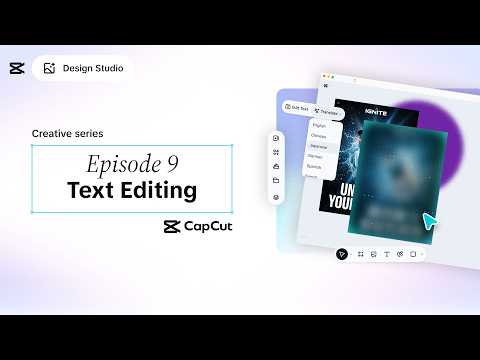
CapCut Design Studio Creative Series: Episode 9 - Text Editing
0:37
Tutorial0:37
CapCut Design Studio Creative Series: Episode 9 - Text Editing
CapCut Design Studio Creative Series: Episode 9 - Text Editing. Sometimes your message is ready for the world, but your words aren't. What if your designs could do the talking? Edit text directly in your visuals and shape your message as easily as you change your mind. Want more tutorials? Let us know in the comments below what other tutorials you would like to see from us. Download CapCut from the app store! https://capcut.onelink.me/LwUJ/CapCut Visit our website for more info: https://bit.ly/423wPQ9 SUBSCRIBE NOW: https://bit.ly/463kltR About CapCut: CapCut is an easy-to-use, all-in-one video editing platform designed for mobile and desktop. It combines powerful editing features with advanced AI technology, offering tools like automated captions, AI voiceovers, intelligent video enhancements, and smart content generation. CapCut makes professional-quality, AI-driven editing accessible for creators and businesses around the world. Connect with CapCut: Follow CapCut on INSTAGRAM: https://www.instagram.com/capcutapp/ Follow CapCut on TIKTOK: https://www.tiktok.com/@capcut Like CapCut on FACEBOOK: https://www.facebook.com/capcutapp/ Follow CapCut on TWITTER: https://twitter.com/capcutapp

Who uses it

Real use cases, no hype
Social Media Content Creation
Quickly generate and edit short-form videos for TikTok, Instagram Reels, and YouTube Shorts using templates and AI tools.
Marketing Video Production
Create professional promo videos, ads, and product showcases with auto captions, voiceovers, and brand-consistent templates.
Vlog & Lifestyle Editing
Assemble trip footage into polished vlogs with AI music sync, smooth transitions, and enhanced audio quality.
AI-Powered Design
Generate custom graphics, thumbnails, and social posts from text prompts for consistent branding.
Content Repurposing
Extract audio, auto-generate subtitles, and resize videos for cross-platform distribution from a single source.
Podcast & Voiceover Production
Convert scripts to natural-sounding voiceovers and clean up audio tracks with AI noise removal and enhancement.
Quick Meme & GIF Creation
Use dedicated templates and image tools to rapidly create and share viral visual content.
What's great
  • Extremely user-friendly interface, minimal learning curve
  • Powerful AI tools (auto captions, background removal, text-to-speech) that save time
  • Vast library of trendy, customizable templates for social media
  • Generous free tier with HD export and no watermark
Technical strengths
  • Cross-platform sync between mobile, web, and desktop apps
  • Leverages ByteDance's proprietary AI models for generation and editing
  • Integrated ecosystem with sibling AI tools like Dreamina and Hypic
Where it falls short
  • Advanced features often locked behind the 'Pro' subscription paywall
  • Desktop version lacks the full feature set of the mobile app
  • AI generation can produce inconsistent or 'garbled' text results
  • Template search functionality is unreliable or missing on certain platforms
Technical limitations
  • No direct project file import/export with professional NLEs like Premiere Pro
  • AI models can struggle with non-Latin script rendering and complex prompts
  • Aggressive auto-renewal policies for subscriptions can lead to unexpected charges
For technical folks

The deep-dive specs

AI Models
Seedance, Dreamina, Gemini Omni (integrated)
Supported Formats
MP4, MOV, AVI, MP3, WAV, PNG, JPG, and more.
Export Resolutions
Up to 4K (3840x2160), 60fps supported.
Platform Coverage
Web, Windows, macOS, iOS, Android.

FAQ

Includes technical Q&A
The core editor and many AI features are free. Pro unlocks advanced tools, more AI credits, and removes limitations. Free exports are HD quality without a watermark.

Traffic Insights

Monthly Visits

81M

October 2026

Growth Rate

0%

vs last month

Dominance

0%

in Design & Creative

Top Country

India

14% of traffic

Top Countries Breakdown

India
14%
United States
12%
Bangladesh
11%
Brazil
8%
Indonesia
6%

Growth Trend

Stable

Traffic has remained stable.

Honest pricing

No sneaky tiers, no “contact sales”

Here's who each plan is actually for — and where the hidden charges might hit.

Pro
$9.99/mo

Users

    Teams
    Custom

    Users

      View Full Plans & Pricing on CapCut

      Official pricing, checkout, and plan upgrades are handled directly on capcut.com.

      Reviews

      What the internet actually thinks

      Data refreshed weekly. No paid placements.

      Trustpilot
      Not reviewed yet
      G2
      G2
      Not reviewed yet
      C
      Capterra
      Not reviewed yet
      Product Hunt
      Not reviewed yet
      COMMUNITY COMMENTS

      Leave a Comment

      Help others make informed decisions. Your honest feedback shapes the community's understanding of this tool.

      Tips for commenting

      • •Be specific about features you used
      • •Share real use cases and results
      • •Mention both pros and cons
      • •Keep it honest and constructive
      to leave a comment

      Your comment is published immediately.

      Filter:
      Sort:

      No comments yet

      Be the first to share your experience with this tool.

      Alternatives

      Not quite the right fit?

      Here's what else is out there.