Beautiful.ai

Beautiful.ai

Beautiful.ai is an AI-powered presentation software that automates design, allowing users to create polished decks in minutes instead of hours. Its core 'Smart Slides' technology auto-aligns, resizes, and animates content as you edit, eliminating manual formatting. The platform includes a guided AI workflow for generating slides from prompts or outlines, over 300 customizable layouts, dynamic data visualization tools, and robust brand control features for team consistency. Targeted at individuals, consultants, teams, and enterprises, it's used for sales pitches, marketing reports, strategy decks, and internal communications. It integrates with other tools and offers viewer analytics for engagement tracking.

Design & Creative
Visit website
Added on
Sep 18, 2026
AI Presentation MakerSmart SlidesBrand ControlData VisualizationReal-time Collaboration300+ Layouts
Product information

Everything worth knowing about Beautiful.ai

The complete picture — from everyday features to the technical detail builders and IT folks dig for.

Core features

What it actually does

Smart Slides auto-alignment
Intelligent layouts that automatically adjust spacing, alignment, and hierarchy as you edit content, eliminating manual formatting.
Create with AI workflow
Context-aware AI that guides you from a prompt or outline to polished slides, allowing iteration and refinement without starting over.
Theme & Brand Control
Define and enforce brand colors, fonts, logos, and icons once; apply locked themes across teams for consistent visual identity.
Data Visualization
Instantly create animated charts and graphs with live data linking to spreadsheets for dynamic data storytelling.
300+ Smart Slide Layouts
A library of pre-built, auto-aligning slide layouts for various content types like data, timelines, and comparisons.
Real-time Collaborative Editing
Simultaneous editing, version control, and centralized asset libraries for team-based presentation workflows.
Technical capabilities
Enterprise Security & SSO
Top-tier security certifications (CCPA, PCI, SOC 2 Type II, GDPR) and secure single sign-on for organizational access control.
Must watch videos
Turn Any Sales Lead Into an On-Brand Pitch Deck With This Claude Connector
2:57
Tutorial2:57
Turn Any Sales Lead Into an On-Brand Pitch Deck With This Claude Connector
What happens when you give the a chatbot identical prompts, but swap out the tool doing the work for one? In this video, our live build shows demonstrates when a new sales lead comes in and the agent writes a fully tailored pitch deck for that exact lead, generating it through an Claude MCP-connected presentation tool. The real test isn’t one good deck. It’s holding quality and brand across a hundred leads. We ran the same prompt with the same three pseudo leads through two presentation connectors and put the results side by side: Meridian Freight Systems, a Series B raise Bloomwell Nutrition, a retail launch Ironclad Automation, an enterprise deal One tool rebuilds from scratch every time: new layout, new colors per lead. The other holds a locked theme, so the content changes but the brand stays steady. Line them up and only one looks like a single company sent all three. That consistency is the whole signal. Which connector kept every deck on-brand? Comment A or B below. Generate through the Beautiful.ai MCP connector in Claude. Set it up: Settings 👉 Connectors 👉 Add 👉 then search for Beautiful.ai. Get a Free 14-day trial: https://www.beautiful.ai/integrations/claude #beautifulai #claude #claudeconnector #aitools #aidesign
10 Team Meeting Icebreakers That Actually Work
6:03
Tutorial6:03
10 Team Meeting Icebreakers That Actually Work
Every team meeting starts the same way. Everyone’s on mute, half of the team’s cameras are off, and nobody’s talking. It’s awkward, but it doesn’t have to be. In this video, we’ll show you how to engage your team with 10 quick, low-pressure icebreakers you can run before your next meeting or presentation, whether your team is in the room together or spread across four time zones. Each one takes about three to five minutes, warms up the room, and sets a friendlier tone before you dive into the agenda. CHAPTERS 00:00 Intro 00:36 Why it matters 01:21 Icebreaker #1 - One Word 01:46 Icebreaker #2 - Show & Tell 02:08 - Icebreaker #3 - Themed Meetings 02:30 - Icebreaker #4 - Guess The Lie 02:57 - Icebreaker #5 - Meet My Pet 03:22 - Icebreaker #6 - Blind Pitches 04:05 - Icebreaker #7 - Online Trivia Quiz 04:23 - Icebreaker #8 - Virtual Background Challenge 04:44 - Icebreaker #9 - Would You Rather 05:03 - Icebreaker #10 - Peaks & Valleys 05:25 - Recap and Outro Need to build a quick deck for an icebreaker like blind pitches? With Beautiful.ai, you can describe your idea, kickstart with AI, and let Smart Slides handle the layout so you’re ready to present in just minutes. Try Beautiful.ai free for 14 days : https://www.beautiful.ai/onboarding For more ways you can try these icebreakers at your next team meeting, check out our blog: https://www.beautiful.ai/blog/10-icebreaker-ideas-for-your-next-team-presentation #beautifulai #teambuilding #aipresentation #aitools #aidesign
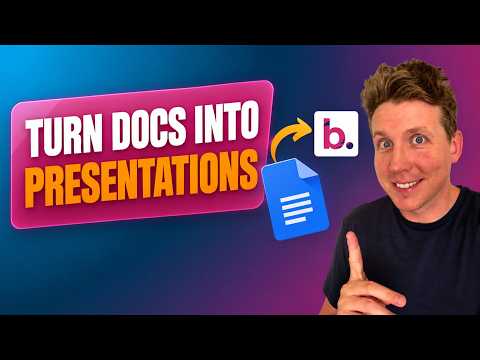
How to turn a doc into a polished presentation using AI
4:46
Tutorial4:46
How to turn a doc into a polished presentation using AI
What’s the fastest way to turn a document into a polished slide deck? In this video I paste a dense nine-page doc into Beautiful.ai, kickstart with AI, and make three quick refinements live. No template hunting. No dragging text boxes for an hour. Watch the generation happen in real time, and you’ll see the AI read the document structure, turn each section into its own slide, and pull a table of numbers straight into a chart. Then I refine three things on screen: swap a layout, adjust a chart, and apply Themes to make the whole deck consistent and on-brand in one click. We finish with a side-by-side of the original doc and the finished deck, delivered polished, ready to present slides in just minutes. If you build presentations from the documents you already have, this is the workflow that gives you your afternoon back. Ready to try it? Kickstart with AI and see how far you get in five minutes: https://www.beautiful.ai/aipresentationmakertool CHAPTERS 00:00 Intro 00:36 Uploading or pasting in your doc to Kickstart with AI 00:58 Generating your first draft of the presentation 01:46 Three refinements to finalize 01:56 Refinement #1 - choosing the right slide layout 02:30 Refinement #2 - choosing the right chart 03:03 Refinement #3 - choosing the right Theme 03:35 - Side by Side Comparison 03:52 - Outro Subscribe for more real presentation builds and helpful tips! #BeautifulAI #AIPresentations #SlideDeck #PresentationDesign #AItools #Productivity #WorkSmarter #PitchDeck

Who uses it

Real use cases, no hype
Sales Pitch Decks
Craft high-impact, persuasive presentations to win clients and close deals faster.
Marketing Campaigns
Design visually cohesive reports and strategy decks that align with brand identity.
Startup Fundraising
Build professional investor pitch decks with compelling data visualizations.
Internal Team Reporting
Create consistent business reviews, project updates, and analytics reports.
Client Proposals & Deliverables
Agencies and consultants can produce branded, work-ready proposals quickly.
Training & Educational Content
Develop engaging learning materials with interactive slides and narration.
Data Storytelling
Transform raw data into compelling, auto-formatted charts and graphs.
What's great
  • Intuitive auto-aligning layouts eliminate manual formatting
  • Creates polished, professional decks in minutes, not hours
  • Extensive library of Smart Slide layouts for any content type
Technical strengths
  • Guided AI workflow allows outline refinement before full generation
  • Real-time collaborative editing with centralized asset libraries
  • Dynamic data linking for live-updating charts and graphs
Where it falls short
  • Paid subscription required for full functionality after trial
  • Potential lock-in to proprietary Smart Slide format
  • Advanced AI features may incur additional costs on some plans
Technical limitations
  • Limited offline or desktop-first workflow compared to PowerPoint
  • Export options (PPTX/PDF) may not perfectly replicate complex animations
  • Brand control and permissions require Team or Enterprise tier
For technical folks

The deep-dive specs

FAQ

Includes technical Q&A
It's an iterative process: you start with an idea or outline, refine the story structure with AI assistance, then generate polished slides. This avoids the one-shot 'lottery' and keeps you in control of the final narrative.

Traffic Insights

Monthly Visits

—

October 2026

Growth Rate

0%

vs last month

Dominance

0%

in Design & Creative

Top Country

—

Top Countries Breakdown

—

Growth Trend

Stable

Traffic has remained stable.

Honest pricing

No sneaky tiers, no “contact sales”

Here's who each plan is actually for — and where the hidden charges might hit.

Pro
$12/mo

Users

    Team
    $50/mo

    Users

      View Full Plans & Pricing on Beautiful.ai

      Official pricing, checkout, and plan upgrades are handled directly on beautiful.ai.

      Reviews

      What the internet actually thinks

      Data refreshed weekly. No paid placements.

      Trustpilot
      Not reviewed yet
      G2
      G2
      Not reviewed yet
      C
      Capterra
      Not reviewed yet
      Product Hunt
      Not reviewed yet
      COMMUNITY COMMENTS

      Leave a Comment

      Help others make informed decisions. Your honest feedback shapes the community's understanding of this tool.

      Tips for commenting

      • •Be specific about features you used
      • •Share real use cases and results
      • •Mention both pros and cons
      • •Keep it honest and constructive
      to leave a comment

      Your comment is published immediately.

      Filter by rating:
      Sort by:

      No comments yet

      Be the first to share your experience with this tool.

      Alternatives

      Not quite the right fit?

      Here's what else is out there.