Quillbot

Quillbot

Quillbot is an AI-driven writing assistant that helps users paraphrase text, check grammar, correct spelling, and improve fluency. It includes a suite of tools for translation, summarization, citation generation, and AI content detection. The platform also offers AI image generation, PDF tools, and design features for creating presentations and visual content. It targets students, academics, professionals, job seekers, and content creators who need to produce polished, original work efficiently. The tool is available as a web app, browser extension, and mobile apps, integrating with popular writing platforms.

Copywriting
Visit website
Added on
Sep 18, 2026
Monthly Visits
57.6M
ParaphraserGrammar CheckerAI DetectorAI HumanizerAI ChatImage GeneratorPDF ToolsBrowser Extensions
Product information

Everything worth knowing about Quillbot

The complete picture — from everyday features to the technical detail builders and IT folks dig for.

Core features

What it actually does

Paraphraser
Rewrite text instantly to improve clarity, fluency, and tone while maintaining original meaning.
Grammar Checker
Fix grammar, spelling, and punctuation errors in your writing with AI-powered suggestions.
AI Detector
Identify AI-generated text to ensure originality and academic integrity.
AI Humanizer
Make AI-generated text sound more natural and human-like.
AI Chat
Brainstorm ideas, get answers, and generate content through conversational AI.
Technical capabilities
Browser Extensions & Native Apps
Access QuillBot tools directly within Chrome, Edge, Safari, Word, and native apps for Windows, macOS, iOS, and Android.
Must watch videos
How to use QuillBot AI in 2026 | Everything you need to know!
5:24
Tutorial5:24
How to use QuillBot AI in 2026 | Everything you need to know!
⭐ Click the link down below and enjoy effortless writing! ⭐ ✅ Get QuillBot AI subscription ➡️ https://cnews.link/quillbot-deal/pEDy9-FqsaA/ In this video, I’ll show you how to use QuillBot in 2026 and explore if it’s worth your time and money. ––––––––––––––––––––––––––––– 00:00 Intro 00:18 What is QuillBot? 01:17 Quillbot paraphraser 02:04 How to check grammar with AI 02:40 Quillbot AI summarizer 03:17 Quillbot citation generator 03:46 Other features 04:34 Quillbot pricing 04:05 Should you give QuillBot AI a shot? ––––––––––––––––––––––––––––– Keep up to date with the latest news: ➡️ Visit our site https://cybernews.com/ ➡️ Facebook https://www.facebook.com/cybernewscom/ ➡️ Twitter https://twitter.com/cybernews ➡️ #cybernews #cybernewsreview We are affiliated but not sponsored by any service provider. This means we may receive a small commission when you click on the provided links, however, our reviews are based on independent research and rigorous fact-checking. Cybernews is owned by Mediatech, whose investors are the founders of Nord Security, whose products and services we may review. Footage provided by Envato
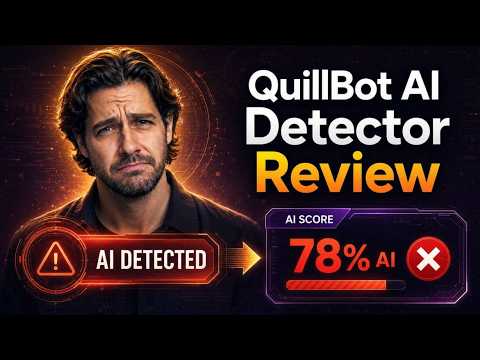
QuillBot AI Detector Review
2:19
Review2:19
QuillBot AI Detector Review
QuillBot AI Detector Review #QuillBotAIDetectorReview #QuillBotAIDetector #QuillBotAITest #QuillBotAIHumanizer #QuillBotAIReview #QuillBotAIBypass #AIDetectionTest #PassAIDetection #AIDetectionBypass #AIDetectionTools #AIDetectionToolsReview QuillBot AI Detector: https://quillbot.com/ai-content-detector Our article about tool: https://cleverhumanizer.ai/community/t/quillbot-ai-detector-review-accuracy-testing-with-real-world-content/46/2 I tested Quillbot AI Detector using content from ChatGPT, Claude, and Gemini plus a group of fully human-written articles published before modern AI tools even existed. The biggest surprise was ChatGPT detection. One sample about AI humanization came back as completely human-written with a 0% AI score. Another ChatGPT sample only scored 39% AI. As you can see on screen, the detector still struggled even with very obvious AI-generated writing. Claude performed a bit better, some samples stayed below 85% AI, which means the detector still treated large parts of fully AI-generated content as human-written. Gemini actually produced the strongest detection scores overall, with most samples landing above 90%. One thing QuillBot does differently is the way it breaks results into categories like AI-generated, human-written, or AI-refined. It also highlights individual sentences that supposedly look suspicious. But when a fully AI-written article gets labeled as 100% human-written, the extra breakdown doesn’t really help much. Now interestingly, the false positive results were much better. Most human-written articles scored 0% AI, including Wikipedia pages, archived news articles, academic papers and even classic literature. Compared to many other detectors, QuillBot was surprisingly careful about accusing human content. There was still one false positive from a 2019 UNDP article, but the score stayed fairly moderate. The detector itself is free to use. After a few scans, though, QuillBot starts limiting usage unless you sign in. Premium pricing starts around 20 dollars per month, or about 100 dollars yearly if billed annually. The paid plans mostly unlock the rest of QuillBot’s writing tools. But there’s another thing worth mentioning: according to QuillBot’s privacy policy, text submitted into the detector may be used to improve or train their AI systems unless you’re using certain business plans. So overall, QuillBot feels more cautious than aggressive. That’s good for avoiding false positives, but when it comes to reliably catching AI-written content, the results were definitely inconsistent.
How to Humanize AI Content Using QuillBot Quillbot AI (Updated 2025)
3:04
Tutorial3:04
How to Humanize AI Content Using QuillBot Quillbot AI (Updated 2025)
📖 Full written guide with copy-paste prompts → https://readyto.ai/tutorials/quillbot/humanize-ai-content-quillbot-ai-humanizer How to Humanize AI Content Using QuillBot Quillbot AI Video Tutorial In this video we discuss humanize ai content, quillbot ai, quillbot tutorial, ai content fix, natural writing quillbot, quillbot guide, improve ai text, writing tools, humanize text, quillbot features 0:00 Introduction 0:22 Navigate to Your Web Browser 0:33 Search for QuillBot on Google 0:51 Access the Official QuillBot Website 1:00 Locate and Select the AI Humanizer Tool 1:16 Prepare Your Content Before Pasting 1:40 Input Your Text into the Humanizer 1:50 Execute the Humanization Process 2:11 Review the Humanized Results Carefully 2:20 Refine and Edit the Output 2:43 Complete Your Workflow

Who uses it

Real use cases, no hype
Academic Writing & Research
Paraphrase sources to avoid plagiarism, check grammar, generate citations (APA/MLA/Chicago), and detect AI content.
Professional Content Creation
Draft polished emails, reports, and proposals with grammar checking and tone adjustment.
Job Application Crafting
Use specialized generators and templates for resumes and cover letters tailored to specific roles.
Social Media Management
Generate engaging posts and captions quickly with AI-powered writing tools and templates.
Document Processing & Analysis
Edit, merge, split, and interact with PDFs using ChatPDF for Q&A over documents.
Visual Content Design
Generate images, remove backgrounds, and edit visuals using integrated AI image tools.
Multi-Language Communication
Instantly translate text while maintaining context for global collaboration.
What's great
  • All-in-one writing, design, and AI suite.
  • Massive cross-platform integration (Chrome, Office, mobile).
  • Robust plagiarism and AI detection tools.
  • Specialized templates for resumes, cover letters, social media.
  • Strong PDF manipulation and conversion toolkit.
Technical strengths
  • Deep integration with Google Docs, Word, and browser.
  • Proprietary paraphrasing modes (Standard, Fluency, Formal, etc.).
Where it falls short
  • Free tier is heavily feature-gated and word-limited.
  • Premium pricing can feel steep for casual users.
  • AI output can sometimes be generic or miss nuanced context.
Technical limitations
  • Core paraphrasing model may struggle with highly technical jargon.
  • Dependency on external API services for core features.
For technical folks

The deep-dive specs

FAQ

Includes technical Q&A
The free version has word count limits per action, fewer paraphrasing modes, and limited access to advanced features like the full plagiarism checker, AI detection, and premium writing styles. Premium offers unlimited words, all modes, and the full tool suite.

Traffic Insights

Monthly Visits

57.6M

November 2026

Growth Rate

0%

vs last month

Dominance

0%

in Copywriting

Top Country

Bangladesh

28% of traffic

Top Countries Breakdown

Bangladesh
28%
United States
19%
India
7%
Philippines
7%
Brazil
3%

Growth Trend

Stable

Traffic has remained stable.

Honest pricing

No sneaky tiers, no “contact sales”

Here's who each plan is actually for — and where the hidden charges might hit.

Free
Free

Users

    Premium
    $9.95/mo

    Users

      View Full Plans & Pricing on Quillbot

      Official pricing, checkout, and plan upgrades are handled directly on quillbot.com.

      Reviews

      What the internet actually thinks

      Data refreshed weekly. No paid placements.

      Trustpilot
      Not reviewed yet
      G2
      G2
      Not reviewed yet
      C
      Capterra
      Not reviewed yet
      Product Hunt
      Not reviewed yet
      COMMUNITY COMMENTS

      Leave a Comment

      Help others make informed decisions. Your honest feedback shapes the community's understanding of this tool.

      Tips for commenting

      • •Be specific about features you used
      • •Share real use cases and results
      • •Mention both pros and cons
      • •Keep it honest and constructive
      to leave a comment

      Your comment is published immediately.

      Filter:
      Sort:

      No comments yet

      Be the first to share your experience with this tool.

      Alternatives

      Not quite the right fit?

      Here's what else is out there.