Architecture Helper

Architecture Helper

Architecture Helper is an AI tool for architecture analysis and design generation. Upload a photo or drop an address and it identifies building styles, historical context, and design details across a 49-style taxonomy. The generator lets you dream up new buildings from a prompt or reference, and the restyle feature re-renders your actual home or room in any architectural style while preserving layout and camera angle. Beyond generation, it ships a browsable building library, city-by-city architecture guides, an interactive map, and community creations. Pro users also get development potential estimations and unlimited analyses. Built for architects, interior designers, students, real estate developers, and curious homeowners who want fast visual and historical readouts without a research rabbit hole.

Design & Creative
Visit website
Added on
Nov 4, 2026
Architecture AIStyle analysisHome restyleDesign generation49 stylesCity guides
Product information

Everything worth knowing about Architecture Helper

The complete picture — from everyday features to the technical detail builders and IT folks dig for.

Core features

What it actually does

Building Analysis
Upload a photo or enter an address and get a full breakdown of architectural styles, history, and design details for any building.
AI Design Generation
Dream up new architecture from a starting point — pick influences and styles, and let the AI render original building concepts.
Home Restyle
Upload a photo of your house or a room, pick from 49 architecture styles, and the AI re-renders your actual space in that style while keeping the same layout and camera angle.
City Architecture Guides
Explore notable buildings, dominant styles, and design history for cities worldwide, from Savannah's Beaux-Arts to Kraków's Gothic.
Building Library & Community Creations
Browse thousands of analyzed buildings and AI designs shared by other users, plus leaderboards for top collectors.
Technical capabilities
Style Taxonomy of 49 Styles
A structured A–Z index of 49 architecture styles (Art Deco, Beaux-Arts, Gothic, Mediterranean Revival, etc.) used to classify analyses and drive generation prompts.
Credit-Based Metering
A single shared credit pool covers analyses, AI image renders, and restyles; free tier grants one credit with account, paid tiers remove limits entirely.
Must watch videos
I Built My Own AI Assistant from Scratch — Full Architecture
10:41
Tutorial10:41
I Built My Own AI Assistant from Scratch — Full Architecture
In this video, I walk you through exactly how I built a fully functional AI assistant from scratch — no black boxes, no hand-waving. You'll see the complete architecture: the LLM backbone, memory system, tool integrations, orchestration layer, and the front-end interface that ties it all together. This isn't a tutorial about wrapping ChatGPT in a chatbox. This is a real system with persistent memory, custom tool-calling, retrieval-augmented generation, and a modular design you can actually extend and own. Whether you're a developer who wants to build something similar, a founder exploring AI infrastructure, or just someone who's curious how these systems actually work under the hood — this video breaks it all down in plain language with real diagrams and real code decisions. I'll cover: - Why I decided to build instead of buy - The core components and how they talk to each other - How memory and context management actually works - Tool-calling and function routing - The retrieval layer using vector databases - Orchestration with LangChain and custom agents - The interface layer and deployment - Mistakes I made and what I'd do differently If you want to follow along and build your own version, I've been using the software linked below to manage my development environment and API integrations — it genuinely saved me hours of setup time: https://REPLACE_WITH_SOFTWARE_AFFILIATE_LINK And if you want a structured deep-dive into building production-ready AI systems, the course I recommend is here: https://REPLACE_WITH_COURSE_AFFILIATE_LINK — it covers the fundamentals I wish I had before starting this project. Timestamps: 0:00 - Hook: Why I built instead of bought 1:10 - The problem with off-the-shelf AI tools 2:30 - High-level architecture overview 3:45 - The LLM backbone and API layer 5:00 - Memory systems: short-term vs long-term 6:20 - Tool-calling and function routing 7:40 - RAG: The retrieval-augmented generation layer 8:55 - Orchestration with agents 10:10 - Interface, deployment, and what's next 11:20 - Mistakes I made and lessons learned Subscribe for more deep-dives into AI systems, developer tools, and practical tech builds.
Meet MNKI — Your AI Architecture Assistant
0:33
Tutorial0:33
Meet MNKI — Your AI Architecture Assistant
Every studio knows the 11pm version of itself. Deadline tomorrow, three schemes unresolved, nobody's eaten. That's where he shows up. MNKI turns the work you've already done — the sketch, the plan, the white model — into something you can show. No re-modelling. No render farm. No waiting. Design. Build. Solve. 🔗 Start free: https://mnki.ai 📷 Instagram: instagram.com/mnki.ai 🎵 TikTok: tiktok.com/@mnki.ai 📘 Facebook: facebook.com/MNKI.ai 💼 LinkedIn: linkedin.com/company/mnki-ai #MNKI #architecture #architectureai #designtools
Can AI Pass a System Design Interview? Mermaid Architecture Diagram Drawn Live by an AI Assistant
2:08
Tutorial2:08
Can AI Pass a System Design Interview? Mermaid Architecture Diagram Drawn Live by an AI Assistant
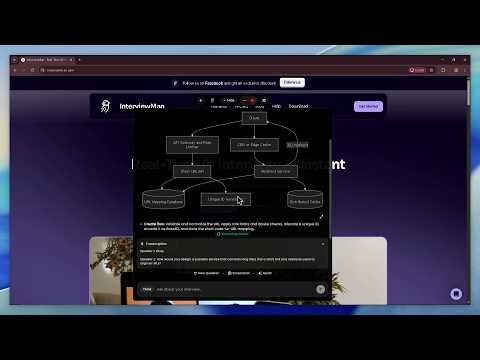
InterviewMan on a live system design round. The interviewer asks "design a URL shortener", the question lands in the transcription panel, the app detects it on its own, states the requirements and assumptions, then renders a real Mermaid architecture diagram for that exact system. Click it to open full screen, zoom and drag. A second question (posts, follows and feeds) shows the diagram changes with the prompt. Try it free on a practice round: https://interviewman.com How it works on the system design round: https://interviewman.com/blog/ai-system-design-interview-assistant Setup guide: https://interviewman.com/help/system-design-interview Playbook: https://interviewman.com/blog/how-to-use-ai-system-design-interview Chapters: 0:00 Live system design round 0:10 The interviewer's question, transcribed 0:28 Requirements and assumptions 0:34 A real architecture diagram (Mermaid) 0:48 Full screen, zoom and drag 1:13 Second question: posts and feeds 1:38 A different diagram for a different system 2:04 Try it on a practice round ❓ DOES INTERVIEWMAN DRAW SYSTEM DESIGN DIAGRAMS? Yes. For a system design question it generates a real architecture diagram of the system you were asked to design, rendered as a Mermaid diagram: the clients, the API layer, the queue, the data stores, the cache, with the arrows following the data flow. In this video you see one for a URL shortener and one for a news feed, and they are different, because they are built for the question, not from a template. ❓ IS IT A REAL DIAGRAM OR A GENERIC LIST OF STEPS? A real diagram. It is not "step 1: add a load balancer, step 2: add a cache, step 3: shard the database". That list is the same for a URL shortener, a chat app and a payment system, which is why it does not help. The diagram here has the specific components for this prompt, and you can open it full screen, zoom in and drag around it. ❓ HOW DOES AN AI SYSTEM DESIGN INTERVIEW ASSISTANT HEAR THE QUESTION? It listens to the interviewer through the microphone and turns the question into text in the transcription panel, with the speakers told apart. It detects the question on its own and starts answering. Nothing is typed in, nothing is clicked. ❓ DOES IT ASK CLARIFYING QUESTIONS FIRST? Yes. Before the architecture it surfaces the scoping questions a strong candidate asks first: daily active users, read-heavy or write-heavy, latency target, strong or eventual consistency, what is in and out of scope. It is already hearing the call, so the interviewer's answers shape the design it builds. ❓ WHAT ELSE IS IN THE ANSWER BESIDES THE DIAGRAM? The requirements and assumptions, the main flows (create and redirect for the URL shortener, publishing and feed for the news feed), the data model, scaling and reliability, and the trade-offs the interviewer is about to ask about. ❓ CAN I MAKE THE SYSTEM DESIGN ANSWERS LONGER OR SHORTER? Yes. Add one line to the extra instructions field in the app settings. The exact text for a full breakdown and for a 3 to 5 bullet version is in the setup guide linked above. ❓ DOES IT WORK WITH EXCALIDRAW, CODERPAD OR A GOOGLE DOC WHITEBOARD? Yes. It reads your screen when you ask for help, so it sees the diagram you are drawing and answers against that, on Zoom, Teams, Meet, HackerRank and CoderPad. ❓ DOES INTERVIEWMAN ALSO COVER CODING AND BEHAVIORAL INTERVIEWS? Yes. Coding, behavioral and system design rounds are on the same plan. Coding questions get a working solution with the explanation; behavioral questions get answers built from your own resume and the job description. ❓ IS INTERVIEWMAN FREE? There is a free trial. Run it on a practice system design round first, exactly as you would on interview day, and watch what it does with a real prompt before you pay. ❓ HOW SHOULD I USE THE DIAGRAM IN THE INTERVIEW? Redraw it on the whiteboard in your own words and defend every box. The interviewer grades how you reason out loud, so the diagram is the structure and the reasoning is yours.

Who uses it

Real use cases, no hype
Home Renovation Inspiration
See your house in different styles before committing to a remodel.
Architectural Style Learning
Analyze any building to learn its styles and history.
Real Estate Marketing
Restyle property photos to showcase potential to buyers.
City Exploration
Discover notable buildings and styles in cities worldwide.
Design Ideation
Generate new architectural concepts by mixing styles.
Style Discovery
Take the quiz to find architectural styles you love.
Community Inspiration
Browse community creations and leaderboards for ideas.
What's great
  • Free first analysis and restyle — no account needed
  • 49 architectural styles with detailed guides
  • Instant AI restyling of your actual home or room
  • Affordable unlimited Pro at $5/month
Technical strengths
  • Preserves room layout via structural conditioning
  • 49-style taxonomy with historical metadata
  • Address-based analysis augments photo data
Where it falls short
  • AI outputs are conceptual, not construction-ready
  • Free tier limited to one analysis and one restyle
  • Web-only, no native mobile app
  • Subscription required for regular use
Technical limitations
  • No CAD or BIM export formats
  • Restyle may hallucinate details not in original photo
  • Development potential scoring lacks transparency
For technical folks

The deep-dive specs

FAQ

Includes technical Q&A
Yes — your first building analysis and first home restyle are free without an account. A free account adds one more credit. Pro gives unlimited access for $5/month or $50/year.

Traffic Insights

Monthly Visits

—

November 2026

Growth Rate

0%

vs last month

Dominance

0%

in Design & Creative

Top Country

—

Top Countries Breakdown

—

Growth Trend

Stable

Traffic has remained stable.

Honest pricing

No sneaky tiers, no “contact sales”

Here's who each plan is actually for — and where the hidden charges might hit.

Free
Free

Individuals

  • features
View Full Plans & Pricing on Architecture Helper

Official pricing, checkout, and plan upgrades are handled directly on architecturehelper.com.

Reviews

What the internet actually thinks

Data refreshed weekly. No paid placements.

Trustpilot
Not reviewed yet
G2
G2
Not reviewed yet
C
Capterra
Not reviewed yet
Product Hunt
Not reviewed yet
COMMUNITY COMMENTS

Leave a Comment

Help others make informed decisions. Your honest feedback shapes the community's understanding of this tool.

Tips for commenting

  • •Be specific about features you used
  • •Share real use cases and results
  • •Mention both pros and cons
  • •Keep it honest and constructive
to leave a comment

Your comment is published immediately.

Filter:
Sort:

No comments yet

Be the first to share your experience with this tool.

Alternatives

Not quite the right fit?

Here's what else is out there.