WooCommerce

WooCommerce

WooCommerce is a free, open-source ecommerce platform built as a WordPress plugin. It provides a highly customizable foundation for building online stores, selling products, and managing payments, shipping, and inventory. It's designed for developers, agencies, and business owners who want full control over their store's functionality and data without being locked into a proprietary SaaS platform. Key capabilities include unlimited product and order management, support for physical, digital, and subscription products, flexible payment gateway integrations without penalties, and an extensive ecosystem of free and paid extensions for advanced features. It powers millions of stores, from small businesses to large enterprises, and is backed by the massive WordPress community.

Web Design
Visit website
Added on
Sep 22, 2026
Monthly Visits
6.8M
Open-sourceWordPress-basedNo platform feesSelf-hostedMarketplace extensions
Product information

Everything worth knowing about WooCommerce

The complete picture — from everyday features to the technical detail builders and IT folks dig for.

Core features

What it actually does

Free Core Platform
Download and use WooCommerce with no monthly subscription or platform fees. Includes unlimited products, orders, and APIs.
Pay-as-you-go Pricing
Only pay for added features you use, such as hosting and extensions. No revenue share or forced plan tiers.
Flexible Payment Processing
Choose any payment gateway or BNPL provider without penalty or forced bundles. Run multiple gateways to maximize conversion.
Extensible via Marketplace
Enhance your store with hundreds of free and paid extensions and themes from the WooCommerce Marketplace.
Technical capabilities
Open-Source WordPress Architecture
Built as a plugin for WordPress, allowing for full code customization and access to the broader WordPress ecosystem.
Must watch videos
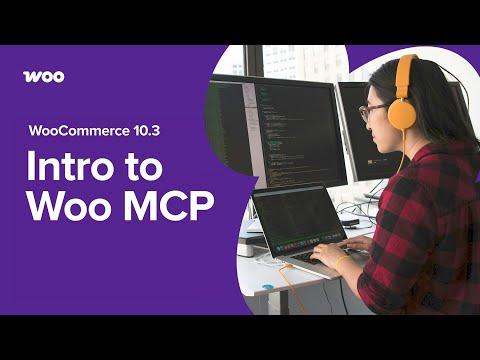
WooCommerce MCP Beta: AI Store Management with Model Context Protocol
6:14
Tutorial6:14
WooCommerce MCP Beta: AI Store Management with Model Context Protocol
WooCommerce 10.3 introduces Model Context Protocol (MCP) integration, enabling AI assistants like Claude to directly manage your store operations. Learn how to enable MCP, connect Claude, and use natural language to handle products, orders, and custom workflows. Resources: 🚀 WooCommerce 10.3 Release Notes: https://developer.woocommerce.com/2025/10/22/woocommerce-10-3-cogs-comes-to-core-and-mcp-beta/ 📄 MCP Integration Documentation: https://developer.woocommerce.com/docs/features/mcp/ 🔌 WooCommerce MCP Demo Plugin: https://github.com/woocommerce/wc-mcp-ability 💙 WordPress Abilities API: https://github.com/WordPress/abilities-api 🤖 Model Context Protocol Specification: https://modelcontextprotocol.io/specification/2025-06-18 💜 What is WooCommerce? Learn more: https://woocommerce.com/woocommerce/?utm_source=youtube&utm_medium=social&utm_campaign=youtube_woocommerce-mcp-beta 👩‍💻 WooCommerce Developer Blog: https://developer.woocommerce.com/ ⚠️ Developer Preview: This feature is in preview status and implementation details may change in future releases. Perfect for WooCommerce developers, agencies, and technical users exploring AI-native commerce experiences.
Claude AI Can Build WooCommerce Stores in ONE prompt 🤯
9:03
Tutorial9:03
Claude AI Can Build WooCommerce Stores in ONE prompt 🤯
🎁 Get the free prompt + demo images: https://wproads.com/novawoo 🚀 Try Novamira Pro: https://wproads.com/novamira-pro (use coupon WPROADS for 10% OFF) 🌐 Get Hostinger: https://wproads.com/hostinger Use coupon code WPROADS to save 10%. In this video, I’ll show you how I created a fully functioning WooCommerce store with AI using Claude, Novamira, WordPress, WooCommerce, and the free WordPress Site Editor. The entire website was generated from one prompt, directly inside WordPress, using Novamira to let Claude work as a WordPress AI agent. We’ll build a complete e-commerce website with a homepage, shop page, product pages, cart, checkout, mobile menu, contact page, and My Account dashboard — all styled with a coherent design system inside the block editor. If you are interested in AI website builders, Claude WordPress workflows, WooCommerce AI tutorials, or learning how to create a WordPress eCommerce website faster, this video will show you a practical workflow you can adapt for your own projects or client websites. In this tutorial, you’ll see: - How to prepare a blank WordPress website - How to connect Claude and WordPress with Novamira - How to use Claude Code for a WooCommerce website - How to generate a complete WooCommerce store in one prompt - How to work with the free WordPress Site Editor and Gutenberg blocks - How to review, fix, and improve the AI-generated website - How to make the final result easy to edit for you or your client Resources mentioned in the video: 👉 Download the prompt and demo assets: https://wproads.com/novawoo 👉 Try Novamira: https://wproads.com/novamira 👉 Get hosting for your WordPress website: https://wproads.com/hostinger Use coupon code WPROADS to save 10% on Hostinger. If you want to learn how to create beautiful, maintainable, and scalable WordPress websites using AI, I’m also preparing a dedicated course on this topic. You can join the waitlist here: 👉 Join the course waitlist: https://wproads.com/vibe *Chapters* 00:00 Building an ecommerce with Claude and WooCommerce 00:45 The final result: Claude built it in one prompt! 03:25 The step by step process to build ecommerce with AI 03:46 Free Resources to build the ecommerce with Claude AI 04:15 Create a blank website (I use Hostinger) 04:56 Novamira WordPress AI 06:01 The AI Plan phase: super important! 07:05 The AI Build process 08:29 Get notified when I launch the WordPress + AI course! Watch next: 👉 How to configure Novamira and Claude for WordPress: https://youtu.be/oVQ7hoX5DW8?si=ZT8H2g3XPPy5UIIa *Unlock the powerful tools I use daily to supercharge my WordPress business* 🚀 Click here & boost your now! 👉 https://wproads.com/tools *Let's connect!* 👋 Instagram 👉 https://wproads.com/instagram Telegram 👉 https://wproads.com/telegram *About me* 😎 Hi, my name is Pascal and I love sharing my passion, knowledge and enthusiasm to help you create and manage professional websites with WordPress in the AI era! *Affiliate disclosure* In the above description, you will find some affiliate links. If you choose to make a purchase by clicking on them, I may receive a commission. The price for you will remain the same, but your purchase will help support me and my channel. Thank you in advance! Wishing you a wellspring of inspiration for all your amazing projects! 🌟🎉 Pascal #WordPress #WooCommerce #ClaudeAI #Novamira #WPRoads
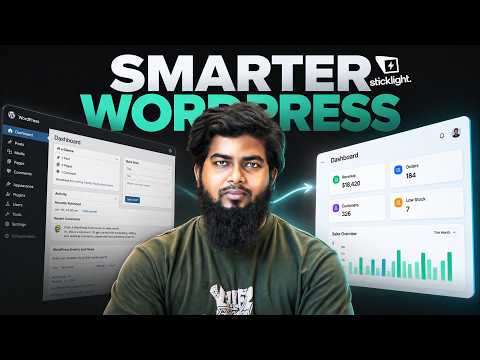
Build a Custom WooCommerce Dashboard With AI (No Developer Needed)
22:23
Tutorial22:23
Build a Custom WooCommerce Dashboard With AI (No Developer Needed)
Build a custom WooCommerce dashboard with AI and bring real store data directly into another WordPress website’s admin. ✅ *Try Sticklight AI:* https://jimfahaddigital.com/sticklight (Use coupon *JIMFAHAD30* & get additional 30% discount) ✅ *Get Free Domain & Web Hosting* (up to 78% OFF 💸) 🔥 https://jimfahaddigital.com/besthost 🔥 (Use coupon *JFD10* for an exclusive discount) ✅ *FREELANCING MASTERY is now LIVE!* 🔥 https://jimfahaddigital.com/freelancing21 🔥 (The wait is over — enroll in the full course now.) In this tutorial, we use Sticklight AI and WordPress to connect a WooCommerce website, access its real business data, and build a custom Business Overview dashboard that lives inside another WordPress site's wp-admin. Instead of treating AI-generated development as magic, you'll see the full workflow—from planning the dashboard and defining the data we need to generating and installing the custom WordPress plugin. *In this tutorial, you’ll learn how to:* ✔️ Connect a WooCommerce website to Sticklight AI ✔️ Understand Sticklight’s Ask, Plan and Build modes ✔️ Pull revenue, orders, products, customers and stock data ✔️ Plan a custom WooCommerce dashboard before building ✔️ Generate a custom WordPress Business Overview plugin ✔️ Install the dashboard directly inside WordPress wp-admin ✔️ Verify important dashboard numbers against WooCommerce ✔️ Test updates by changing real WooCommerce data and refreshing the dashboard Thanks for watching! About Jim Fahad Digital: Jim Fahad Digital creates practical step-by-step tutorials on WordPress, Elementor, WooCommerce, web design, AI tools and freelancing skills — especially for beginners who want real results.

Who uses it

Real use cases, no hype
Custom E-commerce Store
Build a fully branded, unique online store from scratch with complete design and functionality control.
Multi-channel Selling
Sell online, in-person with POS, and across social marketplaces from a single inventory hub.
Content-Driven Commerce
Combine powerful blogging and content marketing with a seamless shopping experience on a single platform.
Complex Product Catalogs
Manage stores with unlimited products, variants, subscriptions, or bookings without artificial limits.
Enterprise Scaling
Leverage open-source flexibility to build and scale custom solutions for high-traffic, enterprise-grade requirements.
B2B E-commerce
Implement complex B2B features like custom pricing, quote management, and gated catalogs via extensions.
Developer-Led Projects
Utilize robust APIs, hooks, and documentation to build custom extensions, themes, and headless frontends.
What's great
  • Free, open-source core with no platform fees or revenue share.
  • Complete ownership and control over your store, data, and checkout.
  • Massive ecosystem of extensions and themes for customization.
  • No forced payment gateway or restricts provider choice.
Technical strengths
  • Built on WordPress, leveraging its familiar CMS and vast plugin architecture.
  • REST API and webhooks enable deep headless and custom integrations.
  • Scales with your hosting provider; no artificial variant or product limits.
Where it falls short
  • Requires separate hosting, domain, and technical setup.
  • Steeper learning curve than all-in-one SaaS platforms.
  • Costs can add up with essential extensions and premium hosting.
  • You are responsible for updates, security, and maintenance.
Technical limitations
  • Core is plugin-based; performance can degrade with poor extension choices.
  • Dependency on the WordPress ecosystem means potential plugin conflicts.
For technical folks

The deep-dive specs

FAQ

Includes technical Q&A
The core plugin is 100% free. You only pay for hosting, your domain name, and any premium extensions or themes you choose to add.

Traffic Insights

Monthly Visits

6.8M

November 2026

Growth Rate

0%

vs last month

Dominance

0%

in Web Design

Top Country

Bangladesh

16% of traffic

Top Countries Breakdown

Bangladesh
16%
United States
9%
Germany
8%
United Kingdom
6%
Italy
6%

Growth Trend

Stable

Traffic has remained stable.

Honest pricing

No sneaky tiers, no “contact sales”

Here's who each plan is actually for — and where the hidden charges might hit.

Core Platform
Free

All Users

  • Free
  • open-source ecommerce platform with no monthly subscription
  • no platform fees
  • no revenue share. Includes unlimited products
  • orders
  • and APIs.
Hosting
$25/mo

All Users

  • Third-party hosting provider fees
  • variable based on traffic and performance needs.
Extensions
$29/yr

All Users

  • Add-ons purchased à la carte from the marketplace to enhance store functionality.
View Full Plans & Pricing on WooCommerce

Official pricing, checkout, and plan upgrades are handled directly on woocommerce.com.

Reviews

What the internet actually thinks

Data refreshed weekly. No paid placements.

Trustpilot
Not reviewed yet
G2
G2
Not reviewed yet
C
Capterra
Not reviewed yet
Product Hunt
Not reviewed yet
COMMUNITY COMMENTS

Leave a Comment

Help others make informed decisions. Your honest feedback shapes the community's understanding of this tool.

Tips for commenting

  • •Be specific about features you used
  • •Share real use cases and results
  • •Mention both pros and cons
  • •Keep it honest and constructive
to leave a comment

Your comment is published immediately.

Filter:
Sort:

No comments yet

Be the first to share your experience with this tool.

Alternatives

Not quite the right fit?

Here's what else is out there.