Rodin

Rodin

Rodin is an AI website builder that transforms ideas into functional websites quickly. It leverages AI to generate site layouts, content, and design elements, significantly reducing the time and technical skill required to launch a web presence. The tool is aimed at entrepreneurs, small business owners, and non-technical users who need a professional site fast. Its core capability is rapid site generation from minimal input.

Web Design
Visit website
Added on
Sep 18, 2026
Monthly Visits
9.7M
AI Website BuilderFree CreditsFast Deployment
Product information

Everything worth knowing about Rodin

The complete picture — from everyday features to the technical detail builders and IT folks dig for.

Core features

What it actually does

Instant Website Generation
Go from idea to a live website in minutes.
Free Trial Credits
Get 50 free credits to start building without payment.
Quick Setup
Start building your site for free immediately.
Technical capabilities
AI-Powered Builder
Leverages AI to construct your website from initial prompt.
Must watch videos
I tested Rodin AI... Honest Review in 4 minutes!
4:43
Review4:43
I tested Rodin AI... Honest Review in 4 minutes!
I tested Rodin AI and wanted to share my honest review after spending some time seeing what this AI 3D model generator can actually do. I quickly show how the tool works, what kind of models it produces, and whether the results are actually usable for 3D printing or projects. If you’ve been curious about Rodin AI, this quick review will give you a good idea of whether it’s worth trying. ► Tripo AI - https://3dprintdood.com/tripo ► Meshy AI - https://3dprintdood.com/meshy ► Rodin AI - https://3dprintdood.com/rodin Affiliate Disclaimer: Some of the links in this description may be affiliate links, which means I may earn a small commission at no extra cost to you if you make a purchase through them. This helps support the channel and allows me to continue creating valuable content. Thank you for your support!
Hyper3D Rodin Gen2.5 Review: Can AI Finally Make Great 3D Models?
7:46
Review7:46
Hyper3D Rodin Gen2.5 Review: Can AI Finally Make Great 3D Models?
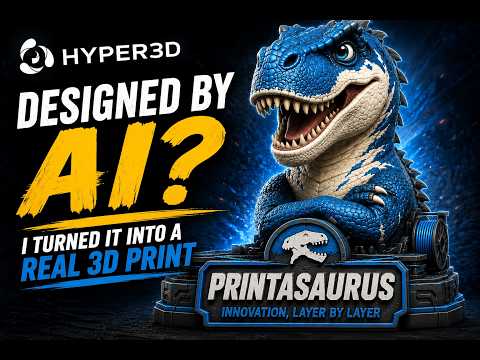
What happens when the designer is artificial intelligence? In this video, I'm using Hyper3D Rodin Gen2.5 to create something this channel has never had before—an official Printasaurus mascot. From testing the different generation modes to pushing a model all the way to 10 million polygons with 3D Native 12K PBR Materials, we're going to see just how far AI-generated 3D models have come... and whether they're actually good enough to become a real 3D print. A huge thank you to Hyper3D for sponsoring today's video! Try Hyper3D Rodin Gen-2.5 https://hyper3d.ai/?utm_source=YouTube&utm_medium=video&utm_campaign=RodinGen25&utm_id=ThePrintasaurus 🎁 14-Day Free Trial Code: TPSRodinGen25 Get updates from @DeemosTech https://linktr.ee/DeemosTech 🖨️ Products & Discounts Voxel PLA (Made in the USA) https://voxelpla.com/printasaurus BIQU http://shrsl.com/4sc06 Creality http://shrsl.com/4sc04 Sovol http://shrsl.com/4sc05 Co Print https://coprint3d.com/theprintasaurus Sunlu https://www.sunlu.com?sca_ref=7815360.xevt3lCdt9 PCBWay https://pcbway.com/g/23pb5f EIBOS http://shrsl.com/4sc09 If you enjoyed this video, don't forget to Like, Subscribe, and let me know in the comments: Would you use AI to design your next 3D print? Thanks for watching, and as always... Innovation, Layer by Layer. #3dmodeling #ai3d #RodinAI #Rodin #hyper3d #3dediting #3dnative #RodinGen25
Hyper3D Rodin Gen-2.5 Review: Image to 3D AI Models Tested
10:08
Review10:08
Hyper3D Rodin Gen-2.5 Review: Image to 3D AI Models Tested
🔗 Try Hyper3D Rodin Gen-2.5 here: 👉 https://hyper3d.ai/?utm_source=YouTube&utm_medium=video&utm_campaign=RodinGen25&utm_id=AiZen_Tools 🎁 14-day Free Trial code: AZRodinGen25 📢 Get updates @DeemosTech: 👉 https://linktr.ee/DeemosTech 📩 Business collaborations: contact@aizentool.com In this video, I test Hyper3D Rodin Gen-2.5 to see how much the generation mode actually changes the final 3D model. I use the same reference image across different generation settings, from fast draft modes to high-detail 3D output, and compare how the final asset changes in geometry, surface detail, texture quality, and real workflow usability. Rodin Gen-2.5 is not just about generating one quick 3D preview. It gives you different creation modes depending on what you need: fast ideation, balanced production assets, or high-detail hero models for close-up use. What is Hyper3D Rodin Gen-2.5? Hyper3D Rodin Gen-2.5 is an AI 3D model generator that helps turn reference images into usable 3D assets. You can generate quick drafts, create higher-detail models, inspect textures, export into 3D software like Blender, split models into editable sections, and optimize assets depending on your project. What you will see in this video: ✅ Testing one reference image across multiple Rodin Gen-2.5 modes ✅ Comparing Extreme-Low, Medium, and Extreme-High generation ✅ How fast drafts help with quick 3D ideation ✅ How high-detail generation improves surface definition ✅ How Rodin Gen-2.5 handles texture quality from different angles ✅ How 3D-Native texture workflow helps create more complete assets ✅ How to export the model into Blender ✅ How Bang-to-Parts can split a model into editable sections ✅ How Smart Low-Poly can create a lighter version for practical workflows Best for: ✅ 3D artists ✅ Game developers ✅ AI creators ✅ Product designers ✅ 3D printing creators ✅ Concept artists ✅ Blender users ✅ Collectible and character designers ✅ Anyone testing AI 3D modeling workflows What I like most about Rodin Gen-2.5 is that it gives you control over the level of effort. If you need quick ideas, you can generate fast drafts in seconds. If you need a more detailed asset, the higher modes give you stronger geometry, better texture fidelity, and more room to refine the model later. It also becomes more useful when you move beyond the preview window. You can inspect the asset in Blender, check the wireframe, refine individual parts with Bang-to-Parts, and use Smart Low-Poly when you need something lighter for game engines or faster scenes. What would you create first with Rodin Gen-2.5: a game prop, collectible figure, product model, character concept, or something for 3D printing? Let me know in the comments. #3dmodeling #ai3d #RodinAI #Rodin #hyper3d #3dediting #3dnative #RodinGen25 #AITools #AI3DGenerator #AiZenTools

Who uses it

Real use cases, no hype
Landing Page
Quickly deploy a simple promotional page for a product launch or event.
Small Business Site
Create a basic online presence with contact info and services.
Portfolio
Showcase work with a minimal, pre-designed template.
What's great
  • Fast initial website setup from a template
  • Integrated domain purchase and hosting
  • Low barrier to entry with free credits
Technical strengths
  • Backed by GoDaddy's infrastructure and support
Where it falls short
  • Extremely limited design customization without code
  • No clear path for advanced features or custom logic
  • Marketing-focused copy obscures technical limitations
Technical limitations
  • Likely a closed, proprietary system with vendor lock-in
For technical folks

The deep-dive specs

FAQ

Includes technical Q&A
It's a tool that uses AI to generate a basic website from a description or template, aimed at getting a site live quickly.

Traffic Insights

Monthly Visits

9.7M

October 2026

Growth Rate

0%

vs last month

Dominance

0%

in Web Design

Top Country

United States

42% of traffic

Top Countries Breakdown

United States
42%
United Kingdom
24%
Indonesia
12%
India
7%
China
2%

Growth Trend

Stable

Traffic has remained stable.

Pricing overview
Freemium Pricing

Rodin Pricing

Rodin uses a freemium pricing structure. Real-time rates, custom enterprise quotas, and plan details are managed directly on their official platform.

Check Pricing on Rodin
Reviews

What the internet actually thinks

Data refreshed weekly. No paid placements.

Trustpilot
Not reviewed yet
G2
G2
Not reviewed yet
C
Capterra
Not reviewed yet
Product Hunt
Not reviewed yet
COMMUNITY COMMENTS

Leave a Comment

Help others make informed decisions. Your honest feedback shapes the community's understanding of this tool.

Tips for commenting

  • •Be specific about features you used
  • •Share real use cases and results
  • •Mention both pros and cons
  • •Keep it honest and constructive
to leave a comment

Your comment is published immediately.

Filter:
Sort:

No comments yet

Be the first to share your experience with this tool.

Alternatives

Not quite the right fit?

Here's what else is out there.