Vibe

Vibe

Vibe is a free, open-source desktop app that transcribes audio and video entirely on your own hardware, built on whisper.cpp. Drop in a file or a whole folder — batch queueing is built in. Around 100 languages, no account, no cloud round trip, and audio never leaves the machine, online or offline. Output goes to SRT, VTT, TXT, HTML, JSON or PDF in one click. Subtitle work gets a stable-timestamp mode backed by Silero VAD (roughly 4x slower, but tighter timing on long-form video). English translation works with small/medium/large models but not large-v3-turbo. Optional summarization hooks into a local Ollama model like llama3.1. macOS users can bolt on Core ML models for 2-3x speed; Linux servers run headless via Xvfb and the CLI. Aimed at journalists, researchers, podcasters, accessibility workers and devs who won't ship confidential recordings to a SaaS API.

Audio Generation
Visit website
Added on
Nov 4, 2026
Whisper.cppOn-device100 languagesSRT/VTT/JSONBatch queueOllama summariesCLI & APIOpen source
Product information

Everything worth knowing about Vibe

The complete picture — from everyday features to the technical detail builders and IT folks dig for.

Core features

What it actually does

On-device transcription
Audio and video are transcribed locally by whisper.cpp — nothing is uploaded, and it works fully offline once models are downloaded.
~100 languages, Whisper tiny to large
Pick any Whisper model size for the speed/accuracy tradeoff you want, and translate non-English audio to English with small, medium, or large (not large-v3-turbo).
Batch queue and multi-format export
Drop a whole folder in and Vibe works through the queue on its own, then exports SRT, VTT, TXT, HTML, or JSON in one click.
Editable transcript with speaker labels
Click any line to fix a word, click a timestamp to replay that moment, and get speaker labels derived from the audio itself — no cloud round trip.
Local summarization via Ollama
Point Vibe at a local Ollama model (e.g. llama3.1) and enable Summarize to get transcripts condensed without sending data anywhere.
Technical capabilities
whisper.cpp GGML models + CoreML
Runs GGML Whisper binaries; dropping a matching .mlmodelc encoder next to the .bin on Apple Silicon gives a stated 2-3x speedup after the first compile.
Stable timestamps (Silero VAD) and CLI
A VAD-backed stable timestamp mode (ggml-silero-v6.2.0.bin) tightens subtitle timing at roughly 4x slower, and `vibe --model --file` drives it headless on Linux servers via xvfb.
Must watch videos
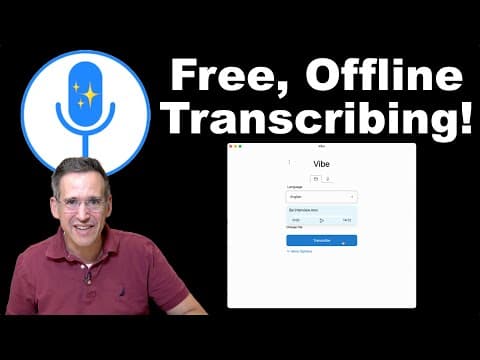
Vibe is a Free, Open Source, Offline Multi-Platform Transcription App!
8:09
Tutorial8:09
Vibe is a Free, Open Source, Offline Multi-Platform Transcription App!
I was looking for something simple and multi-platform to do audio transcriptions and found Vibe which checks all of those boxes! Give vibe an audio or video file and it will transcribe the text and format it in a number of different ways including SRT closed captioning. See more How Tos: https://www.youtube.com/playlist?list=PLCZHp4d1HnIsX4bR6Q7146Fcit8ediznm , my latest videos: http://lon.tv/latest and subscribe! http://lon.tv/s Find Vibe on Github: https://thewh1teagle.github.io/vibe/ VIDEO INDEX: 00:00 - Intro 01:12 - Vibe Demo 02:53 - Output Options 04:29 - More Formatting Options 05:30 - Using Other AI Tools with the Output 06:05 - AI Transcription Models 07:24 - Conclusion Visit my Blog! https://blog.lon.tv Subscribe to my email lists! Weekly Breakdown of Posted Videos: - https://lon.tv/email Daily Email From My Blog Posts! https://lon.tv/digest See my second channel for supplementary content : http://lon.tv/extras Follow me on Amazon too! http://lon.tv/amazonshop Join the Facebook group to connect with me and other viewers! http://lon.tv/facebookgroup Visit the Lon.TV store to purchase some of my previously reviewed items! http://lon.tv/store Read more about my transparency and disclaimers: http://lon.tv/disclosures Want to chat with other fans of the channel? Visit our Facebook Group! http://lon.tv/facebookgroup, our Discord: http://lon.tv/discord and our Telegram channel at http://lon.tv/telegram ! Want to help the channel? Start a Member subscription or give a one time tip! http://lon.tv/support or contribute via Venmo! lon@lon.tv Follow me on Facebook! http://facebook.com/lonreviewstech Follow me on Twitter! http://twitter.com/lonseidman Catch my longer interviews and wrap-ups in audio form on my podcast! http://lon.tv/itunes http://lon.tv/stitcher or the feed at http://lon.tv/podcast/feed.xml We are a participant in the Amazon Services LLC Associates Program, an affiliate advertising program designed to provide a means for us to earn fees by linking to Amazon.com and affiliated sites.
How to Transcribe ANY Audio/Video Locally – Free Tool Vibe Explained
8:19
Tutorial8:19
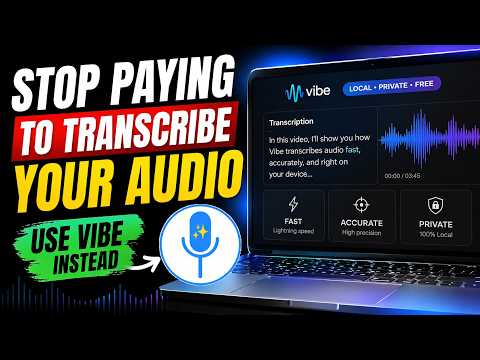
How to Transcribe ANY Audio/Video Locally – Free Tool Vibe Explained
🎥 Welcome back to Divine Tech! In today’s video we’re diving into one of the most underrated tools for video creators, content editors and anyone working with audio/video files: Vibe — a free, offline, privacy-first transcription/subtitle tool. If you’re tired of: Paying big monthly fees for software like Adobe Premiere Pro or other cloud-based services Getting locked into subscriptions or hidden terms that give away your rights Uploading your files to random servers and wondering “who’s reading this?” Then this is a video you’ll want to stick around for. Why this matters for content creators: Subtitles and accurate transcripts are huge for engagement, accessibility, SEO and viewer retention. But most tools either cost a lot or compromise privacy. Vibe gives you a viable alternative. (And yes – it’s truly offline, so your files stay on your machine.) 🛠️ Helpful Tools & Links: 🔹 Vibe (Download Link): 👉 https://thewh1teagle.github.io/vibe/ 🔹 Vibe (GitHub Page): 👉 https://github.com/thewh1teagle/vibe (Always make sure you’re downloading from the official repository to avoid fake builds.) Thanks for watching – let’s jump in and see Vibe in action! #transcription #videocreatortools #subtitles #creatortips #vibe #opensource #offline #freevideoediting
How to Transcribe Audio to Text for Free on PC
2:04
Tutorial2:04
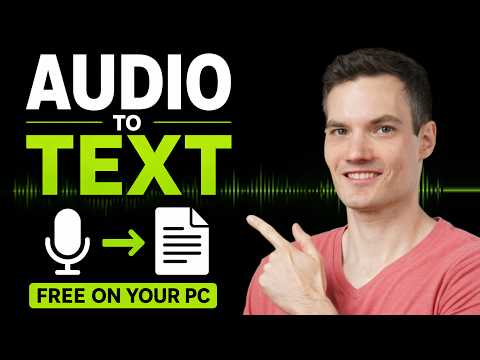
How to Transcribe Audio to Text for Free on PC
Want to transcribe audio to text for free on your PC with no uploads or subscriptions? In this step-by-step tutorial, I’ll show you how to use a free app called Vibe to convert audio or video into text instantly. This tool runs entirely on your computer, so your files stay private and you can transcribe unlimited content. It works on Windows, Mac, and Linux and uses one of the most accurate AI transcription models available. In this video, you’ll learn how to: - Install and set up Vibe - Transcribe audio and video files - Export transcripts in different formats - Automatically summarize transcripts - Detect multiple speakers - Translate audio into English Whether you're creating captions, transcribing meetings, or working with interviews, this is one of the easiest and most powerful free solutions available. Host: Kevin Stratvert 📚 RESOURCES - Download Vibe: https://vibe.kevinstratvert.com ⌚ TIMESTAMPS 0:00 - Introduction 0:19 - Download and install Vibe 0:39 - Transcribe file 1:28 - Advanced options 1:51 - Wrap up and final tips 📺 RELATED VIDEOS - Playlist with all my videos on Artificial Intelligence: https://www.youtube.com/playlist?list=PLlKpQrBME6xIARXD7aDFbQGAOHibBTqpe 📩 NEWSLETTER - Get the latest high-quality tutorial and tips and tricks videos emailed to your inbox each week: https://newsletter.kevinstratvert.com 🔽 CONNECT WITH ME - Official website: http://www.kevinstratvert.com - LinkedIn: https://www.linkedin.com/in/kevinstratvert/ - Discord: https://bit.ly/KevinStratvertDiscord - Twitter: https://twitter.com/kevstrat - Facebook: https://www.facebook.com/Kevin-Stratvert-101912218227818 - TikTok: https://www.tiktok.com/@kevinstratvert - Instagram: https://www.instagram.com/kevinstratvert/ 🎁 PARTNERS & DISCOUNTED OFFERS 💻 Hostinger | https://hostinger.kevinstratvert.com 📋 Notion | https://notion.kevinstratvert.com 💵 Quickbooks Online | https://qbo.kevinstratvert.com 🎙️ Voicemod AI Voice Changer | https://voicemod.kevinstratvert.com 🕵️ VidIQ | http://vidiq.kevinstratvert.com 🎒 MY COURSES - Go from Excel novice to data analysis ninja in just 2 hours: https://kevinstratvert.thinkific.com/ 🎓TRAINING - Take your skills, or your team’s, to the next level by partnering with us for expert training: https://kevinstratvert.com/training 🙏 REQUEST VIDEOS https://forms.gle/BDrTNUoxheEoMLGt5 🔔 SUBSCRIBE ON YOUTUBE https://www.youtube.com/user/kevlers?sub_confirmation=1 🙌 SUPPORT THE CHANNEL - Hit the THANKS button in any video! - Amazon affiliate link: https://amzn.to/3kCP2yz ⚖ DISCLOSURE Some links are affiliate links. Purchasing through these links gives me a small commission to support videos on this channel. The price to you is the same. #stratvert #vibe #audiototext

Who uses it

Real use cases, no hype
Private Transcription
Transcribe sensitive audio fully offline — nothing leaves your device.
Subtitle Generation
Produce tightly-timed SRT/VTT subtitles with stable-timestamp VAD mode.
Batch Folder Processing
Drop a whole folder and let the queue churn through every file.
Podcast & Interview Summaries
Transcribe then summarize locally using Ollama LLMs.
Accessibility Captions
Generate captions for hearing-impaired audiences at no cost.
Automated Pipelines
Drive transcription from scripts or the API with custom models.
Meeting Notes
Turn standup recordings into searchable, editable transcripts.
What's great
  • 100% offline — audio never leaves your machine
  • Free and open source, zero subscriptions
  • One-click export to SRT, VTT, TXT, HTML, JSON
  • Batch-queue entire folders automatically
Technical strengths
  • macOS CoreML speeds transcription 2–3x
  • Optional stable-timestamp mode via Silero VAD
  • Local Ollama LLM integration for summaries
Where it falls short
  • No audio playback on Linux
  • English translation broken on large-v3-turbo
  • Stable-timestamp mode is ~4x slower
  • GUI-first app, clunky for headless work
Technical limitations
  • Server use needs Xvfb fake display
  • Offline model setup is fully manual
  • Missing msvc140.dll breaks Windows installs
For technical folks

The deep-dive specs

Transcription engine
whisper.cpp with GGML model files
Supported models
Whisper tiny, base, small, medium, large (incl. large-v3-turbo)
VAD model
ggml-silero-v6.2.0.bin (ggml-org/whisper-vad)
Apple Silicon acceleration
Optional CoreML .mlmodelc encoder (2-3x faster on macOS)
Summarization backend
Ollama with locally installed models (e.g. llama3.1)
System requirements
Windows 8+, macOS 13.3+, Linux (tested on ubuntu-22.04+); no special hardware
CLI usage
vibe --model <ggml-model.bin> --file <audio>
Current version
v3.3.0

FAQ

Includes technical Q&A
No. Vibe runs Whisper entirely on your machine, so audio never leaves your device — works online or offline.

Traffic Insights

Monthly Visits

—

November 2026

Growth Rate

0%

vs last month

Dominance

0%

in Audio Generation

Top Country

—

Top Countries Breakdown

—

Growth Trend

Stable

Traffic has remained stable.

Pricing overview
Unknown Pricing

Vibe Pricing

Vibe uses a unknown pricing structure. Real-time rates, custom enterprise quotas, and plan details are managed directly on their official platform.

Check Pricing on Vibe
Reviews

What the internet actually thinks

Data refreshed weekly. No paid placements.

Trustpilot
Not reviewed yet
G2
G2
Not reviewed yet
C
Capterra
Not reviewed yet
Product Hunt
Not reviewed yet
COMMUNITY COMMENTS

Leave a Comment

Help others make informed decisions. Your honest feedback shapes the community's understanding of this tool.

Tips for commenting

  • •Be specific about features you used
  • •Share real use cases and results
  • •Mention both pros and cons
  • •Keep it honest and constructive
to leave a comment

Your comment is published immediately.

Filter:
Sort:

No comments yet

Be the first to share your experience with this tool.

Alternatives

Not quite the right fit?

Here's what else is out there.