TypingMind

TypingMind

TypingMind is a premium, privacy-first chat interface and workspace for interacting with multiple large language models (LLMs) like ChatGPT, Claude, Gemini, and others via their APIs. It replaces the standard vendor UIs with a powerful, single interface that prioritizes user control and data privacy by storing all data locally in your browser. Key capabilities include a comprehensive AI Agent builder with over 50 pre-built agents, a plugin ecosystem for extending functionality (web search, image generation, code execution, etc.), and advanced chat management features like project folders, artifacts, and a canvas editor. It supports multi-model parallel chats and Model Context Protocol (MCP) for tool integration. Targeted at developers, power users, and teams who need to interact with various AI models daily, TypingMind operates on a bring-your-own-API-key model with a one-time lifetime license purchase. It eliminates monthly subscription fees and usage caps, offering a self-hostable

Chatbots
Visit website
Added on
Sep 22, 2026
Monthly Visits
301.8K
BYOK (Bring Your Own Key)No Monthly FeeMulti-Model SupportAI Agent BuilderWeb SearchPrivacy-FirstSelf-Host OptionPlugin System
Product information

Everything worth knowing about TypingMind

The complete picture — from everyday features to the technical detail builders and IT folks dig for.

Core features

What it actually does

Multi-Model Chat UI
Unified interface for ChatGPT, Claude, Gemini, and 20+ other LLMs. Switch providers seamlessly.
Privacy-First Local Storage
All data and API keys stored locally on your device. Zero server-side data collection or transmission.
AI Agent Builder
Design custom agents with training files, dynamic API connections, plugins, and prompt chaining.
Web Search & Document Chat
Access real-time web information and analyze uploaded PDFs, images, and other documents directly in chat.
Multi-Model Parallel Chats
Compare responses from different models side-by-side in real-time for the same prompt.
Technical capabilities
MCP (Model Context Protocol) Integration
Connect LLMs to external tools and services (e.g., GitHub, Figma) via Anthropic's standard protocol.
Self-Hosted Deployment
Static web app package for teams to self-host on private infrastructure.
Must watch videos
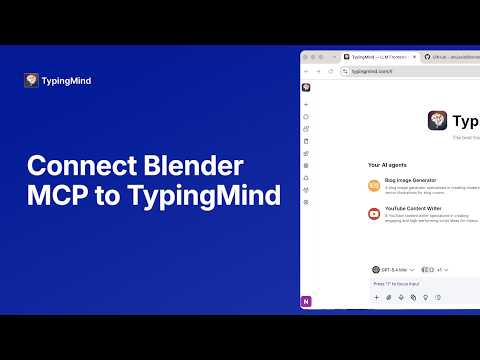
Connect Blender MCP to TypingMind in 2 Minutes
2:53
Tutorial2:53
Connect Blender MCP to TypingMind in 2 Minutes
In this quick tutorial, we will show you how to connect Blender MCP to TypingMind, allowing an AI model inside TypingMind to interact directly with Blender. Detailed guide: https://docs.typingmind.com/mcp/typingmind-mcp-blender With the setup complete, you can use TypingMind to access Blender tools, inspect your scene, create objects, modify scenes, and build animations using natural-language prompts. 0:00 Intro 0:10 Install Blender MCP 0:24 Enable MCP for Blender Add-on 0:38 Set Up MCP Connector in TypingMind 0:52 Run the MCP Connector 1:09 Configure the Blender MCP Server 1:20 Verify MCP Connection in TypingMind 1:34 Connect Blender to MCP 1:50 Confirm Blender Tools in TypingMind 2:02 Test Access to the Blender Scene 2:26 Create and Animate an Object with AI 2:42 View the Result in Blender Chat with any AI models at: https://www.typingmind.com/?ref=youtube TypingMind for teams: https://custom.typingmind.com/?ref=youtube TypingMind documents: https://docs.typingmind.com/?ref=youtube
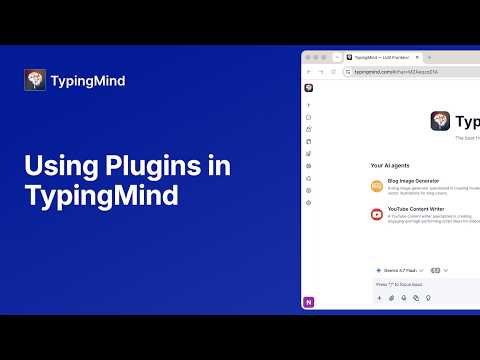
How to Use Plugins in TypingMind
3:31
Tutorial3:31
How to Use Plugins in TypingMind
Learn how to use Plugins in TypingMind to give your AI models more capabilities beyond regular chat. In this video, you'll see how to browse, install, and use plugins directly in your chats — from building web apps and reading webpages to browsing the web and running code. Timestamp: 0:00 Set up Plugins 0:13 Web App Builder 0:58 Read Web Page with Firecrawl 1:39 Create a Custom Plugin 2:08 Web Browser 2:35 Code Sandbox Chat with any AI models at: https://www.typingmind.com/?ref=youtube TypingMind for teams: https://custom.typingmind.com/?ref=youtube TypingMind documents: https://docs.typingmind.com/?ref=youtube
How to Connect a Knowledge Base to Your AI Agent
2:31
Tutorial2:31
How to Connect a Knowledge Base to Your AI Agent
Learn how to set up and use the Knowledge Base in TypingMind. This tutorial covers connecting a website, uploading documents, organizing content with tags, giving an AI agent access to selected knowledge, and testing it in a chat. Timestamps: 00:00 Introduction 00:08 Open the Knowledge Base 00:27 Add a data source 00:37 Connect a website with Web Scraping 00:54 Upload documents 01:18 Organize knowledge with tags 01:43 Connect the Knowledge Base to an AI agent 02:01 Test the agent in a chat 02:26 Thanks for watching Chat with any AI models at: https://www.typingmind.com/?ref=youtube TypingMind for teams: https://custom.typingmind.com/?ref=youtube TypingMind documents: https://docs.typingmind.com/?ref=youtube

Who uses it

Real use cases, no hype
Unified AI Workspace
Access and manage multiple LLMs (GPT-4, Claude, Gemini) from a single, organized interface.
Cost-Effective AI Usage
Pay per token with your own API key, avoiding expensive monthly subscriptions.
Advanced Prompt Engineering
Build, chain, and cache prompts using a comprehensive system with agents and plugins.
Secure Document Analysis
Chat privately with uploaded PDFs and files, with data staying on your device.
Developer Productivity
Use specialized coding agents, Canvas editor, and code execution plugins for faster development.
Enterprise AI Deployment
Self-host a branded instance for teams with custom workflows and knowledge bases.
Multi-Model Research
Compare responses from different AI models side-by-side for accuracy and insight.
What's great
  • One-time purchase, no monthly fees
  • Supports 20+ LLM providers in one UI
  • Strong privacy: data stored locally
  • Powerful agent builder and plugin ecosystem
  • Self-host option for teams
Technical strengths
  • Multi-model parallel chats and comparison
  • MCP (Model Context Protocol) for external tool integration
Where it falls short
  • Requires your own API keys (costs not included)
  • No free tier for premium features
  • Learning curve for advanced features
Technical limitations
  • Self-hosting is a static web app, not a full server
  • API key encryption is optional, not default
For technical folks

The deep-dive specs

FAQ

Includes technical Q&A
The basic version is free to use with your own OpenAI API key. Premium features require a one-time license purchase.

Traffic Insights

Monthly Visits

301.8K

November 2026

Growth Rate

0%

vs last month

Dominance

0%

in Chatbots

Top Country

United States

19% of traffic

Top Countries Breakdown

United States
19%
Bangladesh
18%
Brazil
5%
New Zealand
5%
India
4%

Growth Trend

Stable

Traffic has remained stable.

Honest pricing

No sneaky tiers, no “contact sales”

Here's who each plan is actually for — and where the hidden charges might hit.

Standard
$39/mo

Individuals

  • Remove ads/popups
  • Basic chat features
  • Unlock AI agents
  • Share chats & plugins
  • Voice input
Extended
$79/mo

Individuals

  • Everything from Standard
  • plus Web search
  • Vision/images
  • Image generation
  • Text-to-speech
  • Upload documents
Premium
Most picked
$99/mo

Individuals

  • Everything from Extended
  • plus Multi-model chats
  • Projects & folders
  • Artifacts & Canvas
  • Unlimited plugins & MCPs
  • Free updates
Bulk License
$395/mo

Teams

  • Shared License Key for up to 10 users on 50 devices. Premium plan benefits at half the price.
View Full Plans & Pricing on TypingMind

Official pricing, checkout, and plan upgrades are handled directly on typingmind.com.

Reviews

What the internet actually thinks

Data refreshed weekly. No paid placements.

Trustpilot
Not reviewed yet
G2
G2
Not reviewed yet
C
Capterra
Not reviewed yet
Product Hunt
Not reviewed yet
COMMUNITY COMMENTS

Leave a Comment

Help others make informed decisions. Your honest feedback shapes the community's understanding of this tool.

Tips for commenting

  • •Be specific about features you used
  • •Share real use cases and results
  • •Mention both pros and cons
  • •Keep it honest and constructive
to leave a comment

Your comment is published immediately.

Filter:
Sort:

No comments yet

Be the first to share your experience with this tool.

Alternatives

Not quite the right fit?

Here's what else is out there.