Eraser

Eraser

Eraser is an AI-powered diagramming tool that generates technical diagrams from text prompts, code, or files. It features an infinite canvas with a visual editor, AI chat for refinement, and supports architecture, flow, sequence, ERD, and BPMN diagrams. Key capabilities include diagram-as-code, AI presets, templates, custom styles, and integrations with GitHub, Notion, Confluence, and VS Code. Target users are software engineers, enterprise architects, DevOps engineers, and technology consultants who need to create and maintain consistent system diagrams efficiently.

Design & Creative
Visit website
Added on
Sep 21, 2026
AI DiagramsDiagram-as-CodeMCP ServerSAML SSOREST APIVersion ControlCloud Sync
Product information

Everything worth knowing about Eraser

The complete picture — from everyday features to the technical detail builders and IT folks dig for.

Core features

What it actually does

AI Diagram Generation
Create diagrams from text prompts, code (like Terraform), or uploaded files. The AI generates a clean, layouted diagram that can be refined manually.
Diagram-as-Code
Define diagrams using a text-based DSL, enabling version control and programmatic creation.
Team Collaboration
Real-time collaboration, commenting, tagging, and sharing with guests and team members.
MCP Server & Agent Integrations
Connect to AI clients like Claude, Cursor, or ChatGPT for full diagram CRUD, code/image inputs, and layout control.
Technical capabilities
Custom Styles & Templates
Define and enforce team-specific notation, colors, and layouts for consistent, on-brand diagrams.
REST API
Programmatic access for generating diagrams, exporting files, and managing resources via API tokens.
SAML SSO & Flexible Deployment
Enterprise security with SAML SSO and options for multi-tenant, single-tenant, or self-hosted deployment.
Must watch videos
Eraser AI — Generate AI diagrams and docs from prompts
1:36
Tutorial1:36
Eraser AI — Generate AI diagrams and docs from prompts
Eraser AI – The first copilot for technical design Learn more at eraser.io/ai
Eraser AI: Best AI Diagram Tool 🧠✨ | Generate Diagrams & Docs Instantly with AI!
8:39
Tutorial8:39
Eraser AI: Best AI Diagram Tool 🧠✨ | Generate Diagrams & Docs Instantly with AI!
🚀 Eraser AI: The Best AI Diagram Tool! 🧠✨ Looking for the ultimate AI-powered diagram tool? Meet Eraser IO, the best AI diagram generator that lets you create flowcharts, wireframes, system designs, and docs instantly using AI prompts! 🎨⚡ 👉 Try Eraser IO Now! 🔗 https://www.eraser.io 🔹 Features of Eraser IO: ✅ AI-powered diagram & doc generation 📄 ✅ Convert text prompts into flowcharts & wireframes ✍️ ✅ Perfect for developers, designers, and project managers 🚀 ✅ Collaboration-friendly for teams 👥 ✅ Supports Markdown, UML, and more! 🖥️ 🎯 Boost your productivity by generating diagrams and documentation in seconds! 🔥 Tubeguruji Pro: Tubeguruji.com 🚀 Build AI Short Video Generator Using NextJs, React, Tailwind, Convex | Full Stack SaaS App : https://youtu.be/uBgFPmieR6M Build & Deploy NextJs Eraser.io App Clone | Full Stack React App | Convex, Typescript, Tailwind Css: https://youtu.be/sxn2GPQjJgc 🔔 Subscribe for more AI tools & tutorials! ❤️ #AI #EraserIO #DiagramTool Join this channel to get access to perks: https://www.youtube.com/channel/UC33Tc4FCgd_to314_b2hNTg/join
DiagramGPT - Honest Review of Eraser AI
8:22
Review8:22
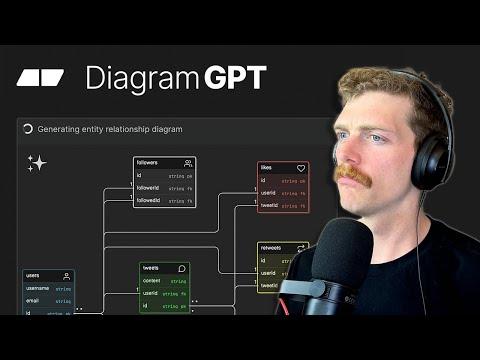
DiagramGPT - Honest Review of Eraser AI
This is my take on LLM tools and if they're useful for me. But I'd love to know your thoughts on this, especially if you have a chance to use the https://eraser.io/ai features for yourself

Who uses it

Real use cases, no hype
Architecture Diagrams
Rapidly create cloud infrastructure, microservice, and system architecture visuals from prompts or code.
Technical Documentation
Generate design docs and architectural decision records with embedded, auto-updating diagrams.
Codebase Visualization
Auto-generate and maintain dependency, sequence, or flow diagrams directly from Git repositories.
Process & Workflow Mapping
Diagram business processes, BPMN flows, and swimlane diagrams for team alignment.
Data Modeling
Create Entity-Relationship Diagrams (ERDs) from database schemas or natural language descriptions.
Agent & AI Tool Building
Integrate diagram generation and management into custom AI agents via MCP or REST API.
What's great
  • AI generates diagrams from text, code, or files in seconds.
  • Full visual editor for manual refinement after AI generation.
  • Deep integrations with Git, VS Code, Notion, and Confluence.
Technical strengths
  • Powerful diagram-as-code language (Eraser DSL) for version control.
  • MCP server allows full CRUD from AI agents like Claude and Cursor.
  • Enterprise-grade with SAML SSO, SOC 2, and flexible deployments.
Where it falls short
  • Free plan is severely limited (3 files, 3 AI diagrams).
  • AI credits are metered; costs can add up for heavy teams.
  • No true offline mode; requires internet for AI features.
Technical limitations
  • AI output still requires manual tweaking for perfect layouts.
  • Diagram-as-code DSL has a learning curve for non-developers.
  • MCP integration relies on OAuth tokens, adding setup complexity.
For technical folks

The deep-dive specs

FAQ

Includes technical Q&A
AI credits are consumed each time you generate a diagram or document outline via AI. The Free plan includes 3, while paid plans offer 40, 250, or unlimited credits per member per month.

Traffic Insights

Monthly Visits

—

October 2026

Growth Rate

0%

vs last month

Dominance

0%

in Design & Creative

Top Country

—

Top Countries Breakdown

—

Growth Trend

Stable

Traffic has remained stable.

Honest pricing

No sneaky tiers, no “contact sales”

Here's who each plan is actually for — and where the hidden charges might hit.

Free
Free

Individuals & Small Teams

  • 3 files
  • 3 AI diagrams
  • 7-day version history
  • Unlimited guests
  • Diagram-as-code
  • Markdown notes
  • GitHub
Starter
Most picked
$20/mo

Advanced Collaborators

  • Unlimited files
  • 40 AI diagrams
  • 90-day version history
  • Private files
  • 20 custom icons
  • API calls
  • Everything in Free
Business
$60/mo

Growing Teams

  • Unlimited files
  • 250 AI diagrams
  • Unlimited version history
  • SAML SSO
  • 100 custom icons
  • Reference diagrams
  • Everything in Starter
Enterprise
Custom

Enterprise

  • Unlimited files
  • Unlimited AI diagrams
  • Unlimited version history
  • Flexible deployments
  • Customer success manager
  • ACH and wire transfer
  • Usage reporting
View Full Plans & Pricing on Eraser

Official pricing, checkout, and plan upgrades are handled directly on eraser.io.

Reviews

What the internet actually thinks

Data refreshed weekly. No paid placements.

Trustpilot
Not reviewed yet
G2
G2
Not reviewed yet
C
Capterra
Not reviewed yet
Product Hunt
Not reviewed yet
COMMUNITY COMMENTS

Leave a Comment

Help others make informed decisions. Your honest feedback shapes the community's understanding of this tool.

Tips for commenting

  • •Be specific about features you used
  • •Share real use cases and results
  • •Mention both pros and cons
  • •Keep it honest and constructive
to leave a comment

Your comment is published immediately.

Filter by rating:
Sort by:

No comments yet

Be the first to share your experience with this tool.

Alternatives

Not quite the right fit?

Here's what else is out there.