SlidesAI

SlidesAI

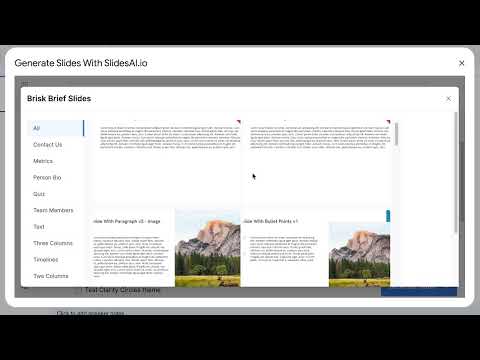
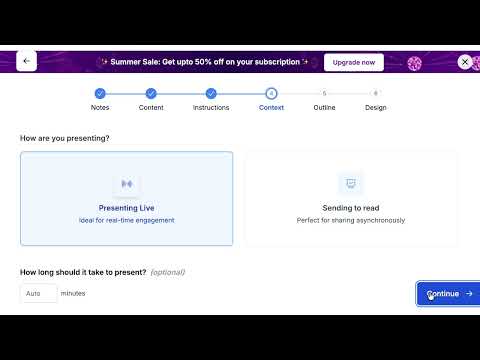
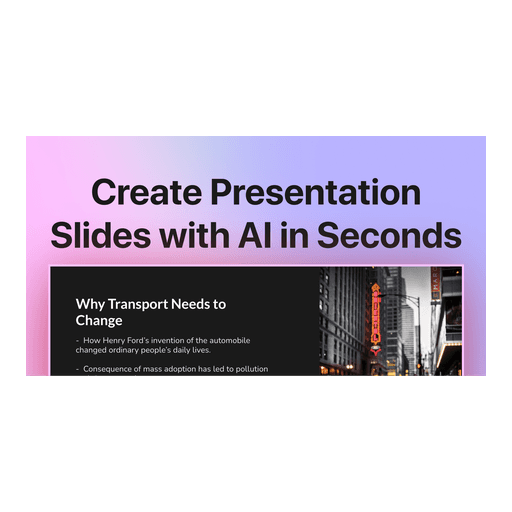
SlidesAI is an AI-powered presentation generator that transforms text prompts, notes, documents, PDFs, and existing content into fully editable professional presentations. It works directly within Google Slides, Microsoft PowerPoint, ChatGPT, and a dedicated web app, eliminating the need to switch tools or learn new design software. The platform automatically generates structured slides, layouts, visuals, and speaker-ready content. Key capabilities include generating presentations from various inputs (topic, notes, script, document), applying brand kits for consistency, editing slides with AI assistance, and exporting to native PPTX, Google Slides, or PDF files. It supports real-time collaboration and offers features like auto-animated diagrams, charts, and multi-language translation. Target users include educators, students, sales teams, founders, marketers, and any professional needing to create business decks, lesson plans, pitch decks, or reports quickly.

Design & Creative
Visit website
Added on
Sep 18, 2026
AI presentation makerGoogle Slides add-onPowerPoint add-inChatGPT GPTWeb appEditable outputDocument importStock/AI imagesMermaid diagrams
Product information

Everything worth knowing about SlidesAI

The complete picture — from everyday features to the technical detail builders and IT folks dig for.

Core features

What it actually does

Generate from Any Input
Turn text, prompts, notes, documents, PDFs, or even existing presentations into structured slides automatically.
Works Where You Work
Create and edit presentations directly inside Google Slides, PowerPoint, ChatGPT, or on the web app.
Full Editability
Every AI-generated slide is fully editable. Change content, layouts, themes, and images after generation.
Multi-Format Export
Export your final deck as a native PowerPoint file (PPTX), continue in Google Slides, or save as a PDF.
AI-Powered Refinement
Use AI to rewrite, rephrase, or shorten text directly within your slides.
Technical capabilities
Adaptive Layout Engine
The structure adapts to your content, rather than forcing content into fixed templates.
Integrated Generation Platform
Functions as a Google Slides add-on, PowerPoint add-in, ChatGPT GPT, and a standalone web application.
Must watch videos
How to Create a Good Presentation on Deforestation | Easy Student Project with AI (SlidesAI)
3:04
Tutorial3:04
How to Create a Good Presentation on Deforestation | Easy Student Project with AI (SlidesAI)
Need to create a presentation on deforestation for school, college, or a project? Instead of spending hours researching and designing slides, you can create a complete, well-structured presentation in minutes using SlidesAI. In this tutorial, I’ll show you step by step how to use SlidesAI inside Google Slides to generate a deforestation presentation that’s informative, original, and easy to customize. 🔹 What you’ll learn in this video: • How to generate a presentation on deforestation with AI • How to customize tone, audience, and style for student projects • How to edit, rephrase, and polish your slides • How to save time and avoid plagiarism when creating presentations Whether you’re preparing for a class project, workshop, or research assignment — this tutorial will help you make a clean, professional-looking deforestation slide deck in minutes. 💡 Want me to cover another topic? Comment below your subject, and I’ll create a SlidesAI tutorial for it. 👉 Subscribe to SlideCraft for more AI-powered presentation tutorials. #DeforestationPresentation #SlidesAI #PresentationTutorial #AItools
How to Make Morph Animations in PowerPoint | Step-by-Step Tutorial
2:31
Tutorial2:31
How to Make Morph Animations in PowerPoint | Step-by-Step Tutorial
Want to create smooth and professional animations in PowerPoint? In this tutorial, I’ll show you how to make morph animations in PowerPoint — from the basics to advanced tricks. We’ll cover: ✅ What is Morph Animation and how it works ✅ Step-by-step guide to using Morph in PowerPoint ✅ Motion, emphasis, and shape transformations ✅ Text morphing (words & characters) ✅ Cool tricks like !!Name for custom morph effects Whether you want to make a 2D morph animation, animate text, zoom into images, or transform shapes, this tutorial has you covered. Perfect for presentations, teaching, or creative storytelling! If you’ve ever wondered how to make morph animations in PowerPoint or even tried searching “how to make 2D morph with animations” — this is the complete guide you need. 🔔 Subscribe for more PowerPoint tips, animations, and presentation tricks!
How to Create a Motivational Quotes Presentation | Easy Tutorial with SlidesAI
2:45
Tutorial2:45
How to Create a Motivational Quotes Presentation | Easy Tutorial with SlidesAI
Want to create a stunning presentation with motivational quotes in minutes? In this video, I’ll show you step by step how to use SlidesAI inside Google Slides to transform your list of quotes into a professional, engaging slideshow. Whether you’re a teacher, student, content creator, or professional looking to inspire your audience, this tutorial will help you create a motivational quotes presentation that looks polished and powerful — without spending hours on design. 👉 What you’ll learn in this video: • How to open and use the SlidesAI extension in Google Slides • How to input motivational quotes and generate slides instantly • How to customize your deck (removing extra titles, adjusting themes) • Tips to make your motivational quotes presentation visually impactful Perfect for: ✔️ Class projects ✔️ Team meetings ✔️ Social media content ✔️ Inspirational talks With SlidesAI, creating professional presentations has never been easier. 🔔 Don’t forget to subscribe for more tutorials on Google Slides, SlidesAI, and presentation hacks! ⸻

Who uses it

Real use cases, no hype
Pitch Decks & Investor Updates
Generate polished pitch decks from notes or prompts in minutes, not days.
Business Reports & Proposals
Turn meeting notes, reports, or proposals into ready-to-present decks instantly.
Educational Lectures & Lessons
Build engaging lecture slides from lesson plans or textbook chapters.
Thesis Defenses & Research Presentations
Convert research notes and essays into structured academic presentations.
Sales & Marketing Campaigns
Create client proposals, product explainers, and campaign reports fast.
Quick Meeting Follow-ups
Transform call notes into a follow-up deck before the meeting ends.
What's great
  • Works natively in Google Slides, PowerPoint, ChatGPT, and the web.
  • Massive time savings: turns notes, docs, prompts into decks in seconds.
  • Full editability after generation; no locked-in AI templates.
  • Wide input support: text, notes, PDFs, Word docs, even existing presentations.
  • Exports to native PPTX and Google Slides files, preserving editability.
Technical strengths
  • Clean API integration via add-ons/GPT; no context-switching to a separate platform.
  • Adaptive layout engine structures content, not fixed templates.
Where it falls short
  • Free tier is severely limited: 12 presentations/year, 1000-char input cap.
  • Character input limits on paid plans can choke on long documents.
  • AI credit system adds complexity; you might run out mid-project.
  • Heavy reliance on Google ecosystem; PowerPoint add-in is less mature.
  • Pricing is confusing with multiple tiers and promotional offers.
Technical limitations
  • Styling and branding customization requires a separate Brand Kit feature.
For technical folks

The deep-dive specs

FAQ

Includes technical Q&A
It's an AI presentation maker that turns prompts, notes, documents, and text into editable slides. Works as an add-on in Google Slides, PowerPoint, and as a ChatGPT GPT.

Traffic Insights

Monthly Visits

—

October 2026

Growth Rate

0%

vs last month

Dominance

0%

in Design & Creative

Top Country

—

Top Countries Breakdown

—

Growth Trend

Stable

Traffic has remained stable.

Honest pricing

No sneaky tiers, no “contact sales”

Here's who each plan is actually for — and where the hidden charges might hit.

Basic
Free

Users

    Pro
    $10/mo

    Users

      View Full Plans & Pricing on SlidesAI

      Official pricing, checkout, and plan upgrades are handled directly on slidesai.io.

      Reviews

      What the internet actually thinks

      Data refreshed weekly. No paid placements.

      Trustpilot
      Not reviewed yet
      G2
      G2
      Not reviewed yet
      C
      Capterra
      Not reviewed yet
      Product Hunt
      Not reviewed yet
      COMMUNITY COMMENTS

      Leave a Comment

      Help others make informed decisions. Your honest feedback shapes the community's understanding of this tool.

      Tips for commenting

      • •Be specific about features you used
      • •Share real use cases and results
      • •Mention both pros and cons
      • •Keep it honest and constructive
      to leave a comment

      Your comment is published immediately.

      Filter by rating:
      Sort by:

      No comments yet

      Be the first to share your experience with this tool.

      Alternatives

      Not quite the right fit?

      Here's what else is out there.