Locofy.ai

Locofy.ai

Locofy.ai is a design-to-code platform that uses AI to convert UI designs from tools like Figma, Penpot, and Adobe XD into clean, production-ready frontend code. It supports a wide range of frameworks including React, React Native, Next.js, Flutter, Vue, Angular, and plain HTML/CSS, significantly accelerating the handoff from design to development. The platform offers multiple integration workflows: a Figma plugin for designers, a CLI for developers, an MCP (Model Context Protocol) integration for AI coding assistants like Cursor and Claude, and direct URL import. It uses proprietary 'Large Design Models' (LDMs) to interpret design structure, layouts, and constraints for pixel-perfect code generation, avoiding the inaccuracies of generic LLMs. It is enterprise-ready with SOC-2, ISO certifications, and options for private cloud or on-premise deployment.

Coding
Visit website
Added on
Sep 21, 2026
Monthly Visits
42.5K
Figma to CodeReact/Next.js/VueReact Native/FlutterAI LDM ModelsMCP IntegrationsEnterprise Security
Product information

Everything worth knowing about Locofy.ai

The complete picture — from everyday features to the technical detail builders and IT folks dig for.

Core features

What it actually does

Design-to-Code Conversion
Converts designs from Figma, Penpot, and Adobe XD into production-ready frontend code for web and mobile frameworks.
Multi-Framework Support
Generates code for React, React Native, Next.js, Vue, Angular, Flutter, SwiftUI, Compose, and HTML/CSS.
MCP for AI Code Editors
Provides an MCP integration for AI coding assistants like Cursor, GitHub Copilot, and Claude Desktop to work with converted designs.
Developer-Friendly Export
Exports clean, structured code with proper styling and component hierarchy, ready for review and integration.
Technical capabilities
Proprietary Large Design Models (LDM)
Employs specialized, non-general-purpose LLMs trained on design data to interpret layouts, constraints, and systems for accurate code generation.
LDMtoken Usage Metering
Uses a token-based system (LDMtokens) to meter and bill for design conversion operations.
Must watch videos
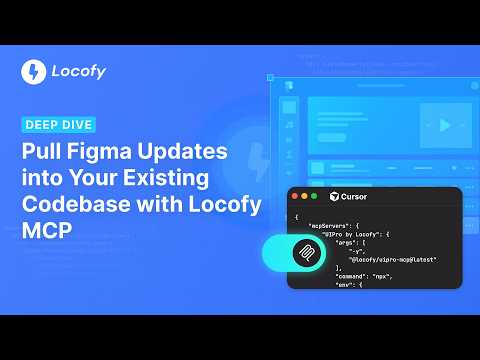
Pull Figma Updates into Your Existing Codebase with Locofy MCP
3:05
Tutorial3:05
Pull Figma Updates into Your Existing Codebase with Locofy MCP
Designs evolve—and keeping your frontend in sync shouldn't mean manually rebuilding every UI change. In this video, you'll learn how to use Locofy MCP to pull the latest updates from your Figma designs directly into your existing codebase. Locofy intelligently understands design changes, merges them into your project, and lets you continue refining the implementation using your favorite AI coding tool. You'll learn how to: 1. Set up Locofy MCP 2. Connect Locofy with Cursor and other MCP-compatible AI coding tools 3. Pull the latest changes from Figma into an existing project 4. Intelligently merge design updates into your codebase Whether you're using Cursor, Claude Code, GitHub Copilot, Windsurf, or another MCP-compatible AI coding assistant, Locofy helps bridge the gap between design and development. Try Locofy: https://www.locofy.ai Figma Community: https://www.figma.com/@locofy Documentation: https://www.locofy.ai/docs
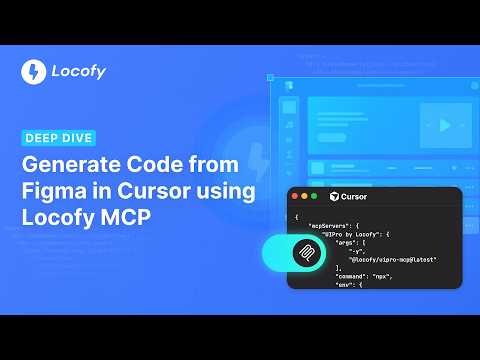
Generate Code from Figma using Locofy MCP
2:48
Tutorial2:48
Generate Code from Figma using Locofy MCP
In this video, we'll show you how to generate frontend code from Figma using Locofy MCP. Locofy MCP brings design-aware code generation directly into AI coding tools like Cursor, Claude Code, Windsurf, GitHub Copilot, and more. Simply connect Locofy, provide a Figma URL, and start generating developer-friendly frontend code without leaving your development environment. You'll learn how to: • Set up Locofy MCP • Connect your Figma account • Generate frontend code from a Figma design • Use AI to refine and customize the generated code • Continue building directly from your IDE Locofy acts as the missing frontend layer between Figma and AI coding agents, helping them understand design structure, layouts, components, and variables so they can generate higher-quality UI code. Try Locofy: https://www.locofy.ai Documentation: https://www.locofy.ai/docs Figma Community: https://www.figma.com/@locofy
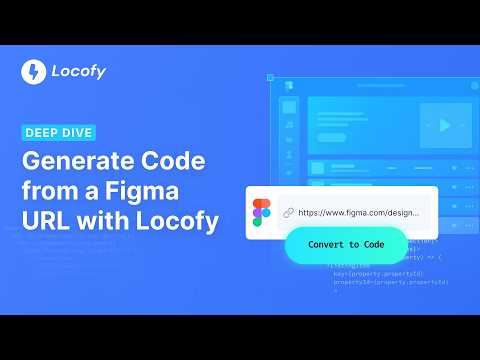
Generate Code from a Figma URL in Locofy
2:22
Tutorial2:22
Generate Code from a Figma URL in Locofy
In this video, we'll show you how to generate frontend code from a Figma URL using Locofy. Import from URL is the fastest way to get started with Locofy. Simply paste your Figma URL, connect your Figma account, and generate developer-friendly frontend code in minutes—no plugin or CLI setup required. You'll learn how to: • Import designs directly from a Figma URL • Generate frontend code from your designs • Refine and customize the generated code using Agent Mode • Preview changes in real time • Export code to your preferred workflow and framework Locofy combines design-aware models with LLMs to turn Figma designs into responsive, developer-friendly frontend code. Once generated, you can continue refining and extending the code with AI using simple prompts. Try Locofy: https://www.locofy.ai Documentation: https://www.locofy.ai/docs Figma Community: https://www.figma.com/@locofy

Who uses it

Real use cases, no hype
Rapid Prototyping
Turn Figma designs into interactive, deployable code in minutes for quick validation.
Full-stack App Development
Generate production-ready frontend components to integrate with your backend logic.
Design System Implementation
Convert design system components into code libraries, ensuring pixel-perfect consistency.
AI-Augmented Development
Use MCP to provide accurate design context to AI assistants like Cursor or Claude for smarter coding.
Responsive Web & Mobile Apps
Generate adaptive code for React, Vue, Flutter, React Native from a single design source.
Enterprise Frontend Migration
Batch-convert legacy or new designs into modern frameworks with enterprise security and support.
Freelancer Efficiency Boost
Drastically reduce manual coding time for client projects, allowing focus on complex logic.
What's great
  • Converts Figma, Penpot, Adobe XD designs to multiple frameworks (React, Next.js, Flutter, etc.)
  • Direct integration with AI code editors (Cursor, Claude) via MCP for extended workflows
  • Enterprise-grade security (ISO, SOC2) and flexible deployment (cloud, private, on-prem)
  • Outputs clean, developer-friendly code with explicit component structures
Technical strengths
  • Proprietary Large Design Models (LDMs) specialized for design-to-code translation
  • Token-based (LDMtokens) consumption model for granular usage tracking
  • Supports multiple workflows: Plugin, CLI, MCP, URL import
Where it falls short
  • LDMtokens are the core currency and expire after 1 year
  • Per-project frame limits on lower-tier plans (e.g., 10 frames on Hobby)
  • Design optimization (Auto Layout, layer naming) required for best results
  • Penpot support is partially 'Coming Soon' for some frameworks
Technical limitations
  • Generation quality is highly dependent on the source design's structure
  • No token transfers between user accounts
  • Single-frame conversion on non-enterprise plans
For technical folks

The deep-dive specs

FAQ

Includes technical Q&A
LDMtokens are the unit of consumption for conversions. Each action (like converting a frame) uses tokens. They are required for all paid plans.

Traffic Insights

Monthly Visits

42.5K

November 2026

Growth Rate

+7,5%

vs last month

Dominance

0%

in Coding

Top Country

Bangladesh

46% of traffic

Top Countries Breakdown

Bangladesh
46%
India
11%
United States
6%
China
3%
Germany
3%

Growth Trend

Steady

Consistent user growth over last 6 months.

Honest pricing

No sneaky tiers, no “contact sales”

Here's who each plan is actually for — and where the hidden charges might hit.

Free
Free

Individuals

  • All features of Hobby account for FREE for 7 days
  • 2000 LDMtokens
  • Auto-converts to Hobby plan after 7 days
Hobby
$40/mo

Individuals

  • Your content may be used to improve the platform
  • 2000 LDMtokens
  • 1 frame conversion at a time
  • 10 frames per project limit
  • Export developer friendly code
  • MCP for AI-assisted copilots
Pro
Most picked
$80/mo

Individuals

  • Your content is _never_ used to train or improve the platform
  • 4000 LDMtokens
  • FREE UIPro Pro Account
  • 1 frame conversion at a time
  • 25 frames per project limit
  • Export developer friendly code
Enterprises
Custom

Enterprise

  • Full data privacy
  • Custom LDMtoken Tiers with annual expiry
  • Multiple frames conversion at a time
  • Unlimited teams & collaboration
  • Unlimited frames per project
  • Export developer friendly code
  • MCP for AI-assisted copilots
View Full Plans & Pricing on Locofy.ai

Official pricing, checkout, and plan upgrades are handled directly on locofy.ai.

Reviews

What the internet actually thinks

Data refreshed weekly. No paid placements.

Trustpilot
Not reviewed yet
G2
G2
Not reviewed yet
C
Capterra
Not reviewed yet
Product Hunt
Not reviewed yet
COMMUNITY COMMENTS

Leave a Comment

Help others make informed decisions. Your honest feedback shapes the community's understanding of this tool.

Tips for commenting

  • •Be specific about features you used
  • •Share real use cases and results
  • •Mention both pros and cons
  • •Keep it honest and constructive
to leave a comment

Your comment is published immediately.

Filter:
Sort:

No comments yet

Be the first to share your experience with this tool.

Alternatives

Not quite the right fit?

Here's what else is out there.