Stainless

Stainless

Stainless is a developer platform that automates the creation of high-quality, idiomatic client SDKs, API documentation sites, and Model Context Protocol (MCP) servers directly from an OpenAPI specification. It is designed for API companies to deliver a world-class developer experience, with support for languages like TypeScript, Python, Go, Java, Kotlin, Ruby, C#, and PHP. The platform provides tools for configuration, testing, and publishing, including features like custom code injection, unit test generation, and preview builds in CI. It also offers a dedicated documentation platform with AI-powered features and a complete component library. Stainless is used by leading companies such as OpenAI, Anthropic, and Cloudflare.

Coding
Visit website
Added on
Sep 21, 2026
OpenAPI-basedSDK GenerationDocs PlatformMCP ServersCLI ToolCI/CD IntegrationMulti-language
Product information

Everything worth knowing about Stainless

The complete picture — from everyday features to the technical detail builders and IT folks dig for.

Core features

What it actually does

Multi-language SDK Generation
Generate production-ready client libraries in TypeScript, Python, Go, Java, Kotlin, Ruby, C#, PHP, and more from your OpenAPI spec.
Auto-synced API Documentation
Create a full docs site with AI-powered markdown rendering, custom branding, and Git as the source of truth. Updates automatically with your API.
MCP Server Generation
Generate Model Context Protocol (MCP) servers to make your API accessible to AI agents and tools.
CI/CD Integration & Preview Builds
Automate codegen and preview SDK changes in pull requests before merging, with rate limits for non-production use.
Technical capabilities
OpenAPI Spec Transformations
Transform and upgrade your OpenAPI spec with built-in extensions and filters before generation.
SDK Configuration & Customization
Configure client behavior, pagination, webhooks, streaming, auth, and add custom code to generated SDKs.
Must watch videos
Agent Experience (AX) Night with OpenAI, Google, Vercel, Keycard, Stainless
1:12:18
Tutorial1:12:18
Agent Experience (AX) Night with OpenAI, Google, Vercel, Keycard, Stainless
An evening of demos and Q&A on MCP, agent skills, and building production AI agents. ​🎤 Dominik Kundel, Developer Experience @ OpenAI 🔫 Codex-in-Doom demo showing a portable agent via a unified app server 🎤 Christina Zhu, Developer Advocate @ Google Cloud 🐉 D&D Dungeon Master built with ADK, tools, and subagents 🎤 Andrew Qu, Chief of Software @ Vercel 🤖 Internal D0 data agent using file system interfaces and skills ​🎤 Ian Livingstone, Co-founder/CEO @ Keycard 🔒 Keycard MCP that enables secure Gmail access via ephemeral, scoped credentials
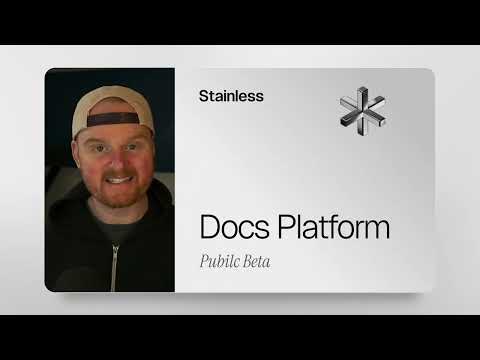
Stainless Docs Platform: now in public beta
5:17
Tutorial5:17
Stainless Docs Platform: now in public beta
Stainless Docs public beta: launch an API docs site from your OpenAPI spec in Minutes Stainless Docs is now in public beta, letting you upload an OpenAPI spec to launch a documentation site quickly, designed for both developer and LLM/agent experiences with up-to-date SDK-synced code samples and type signatures. We'll walk through creating a new project in Stainless, uploading an OpenAPI spec, and viewing the generated doc site, including an API reference with integrated SDK examples, request/response types, and LLM-friendly curated markdown. It also highlights features like AI chat, customization via a GitHub repo using simple CSS variables (fonts and colors), PR-based preview builds with deployment logs in the dashboard, and automatic OG image generation with branding and breadcrumbs. 00:00 Public Beta Launch 00:41 Create a Docs Project 01:10 Deploy and View Site 01:47 SDK Synced Reference 02:26 LLM Friendly Markdown 03:11 Chat With Docs 03:35 Customize Branding Locally 04:14 PR Previews and Checks 04:45 Auto OG Images 05:02 Roadmap and Call to Action Sign up today: https://app.stainless.com/login?utm_source=youtube&utm_medium=video&utm_campaign=stainless_docs_public_beta Read the blog post: https://www.stainless.com/blog/stainless-docs-public-beta?utm_source=youtube&utm_medium=video&utm_campaign=stainless_docs_public_beta The docs platform page: https://www.stainless.com/products/docs?utm_source=youtube&utm_medium=video&utm_campaign=stainless_docs_public_beta Documentation about the docs platform: https://www.stainless.com/docs/docs-platform/?utm_source=youtube&utm_medium=video&utm_campaign=stainless_docs_public_beta
How to setup a Code Mode MCP server for your API with Stainless
11:57
Tutorial11:57
How to setup a Code Mode MCP server for your API with Stainless
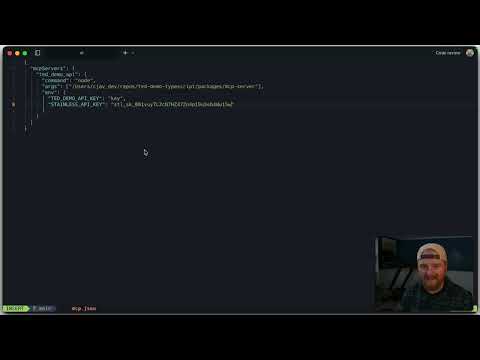
Code mode MCP servers are quickly becoming the standard way to connect APIs to AI coding tools. In this video, you’ll see how to generate a fully functional code mode MCP server for your API using Stainless, starting from nothing more than an OpenAPI spec. We walk through the entire process end to end: • Create a Stainless project from your OpenAPI spec • Generate a TypeScript SDK • Add a code mode MCP server target • Resolve diagnostics and configure pagination • Build and run the MCP server locally • Connect it to Claude Code • Execute multi endpoint workflows with search_docs and execute • Deploy a hosted MCP server with Stainless • Connect to the remote MCP endpoint You’ll see how code mode enables multi step API workflows inside a single execution, how it reduces context clutter, and why it is significantly more powerful than one endpoint per tool or dynamic tool patterns. By the end, you’ll know how to go from OpenAPI spec to a hosted MCP URL that your users can plug directly into Claude, Cursor, or any compatible MCP host. If you have questions, check out the documentation at stainless.com or reach out to the team. Sign up: https://app.stainless.com/ Read the docs: https://www.stainless.com/docs/mcp 00:00 Code Mode MCP overview 00:20 Create Stainless project and upload OpenAPI spec 01:54 Generate MCP Server 02:43 Studio diagnostics and auto-pagination 03:46 Clone build and run locally 04:38 Connect to Claude Code 06:20 Demo characters query 08:07 Needle in haystack requests 10:13 Host remote MCP server 11:23 Wrap up and next steps

Who uses it

Real use cases, no hype
Multi-Language SDK Generation
Create and maintain idiomatic SDKs for TypeScript, Python, Go, Java, and more from a single OpenAPI spec.
API Documentation Platform
Deploy beautiful, AI-enhanced documentation sites with custom branding and interactive examples.
MCP Server Deployment
Generate Model Context Protocol servers for AI agent integration with OAuth and permission controls.
Developer Experience Automation
Automate SDK versioning, testing, and publishing workflows with GitHub integration and CI preview builds.
Enterprise API Governance
Enforce breaking change detection, audit logging, and release management across API versions.
CLI & Terraform Provider Generation
Build command-line tools and infrastructure providers directly from your API specification.
What's great
  • Single OpenAPI source for multi-language SDKs, docs, and MCP servers
  • Trusted by top-tier API companies (OpenAI, Anthropic, Cloudflare)
  • Generates idiomatic, production-ready code with testing built-in
Technical strengths
  • Advanced OpenAPI transforms and custom code injection points
  • Git-native workflow with preview builds and AI commit messages
  • Enterprise-grade features: SSO/SCIM, audit logs, version pinning
Where it falls short
  • Steep learning curve for complex spec customization
  • Pricing scales quickly with generators; expensive for large APIs
  • Locked into Stainless's code generation philosophy
Technical limitations
  • Requires a well-structured OpenAPI spec as input
  • Preview build rate limits can bottleneck CI for large teams
  • Limited direct control over generated SDK's internal architecture
For technical folks

The deep-dive specs

FAQ

Includes technical Q&A
A generator is any single output: one SDK language, one docs site, or one MCP server counts as one generator towards your plan limit.

Traffic Insights

Monthly Visits

—

November 2026

Growth Rate

0%

vs last month

Dominance

0%

in Coding

Top Country

—

Top Countries Breakdown

—

Growth Trend

Stable

Traffic has remained stable.

Honest pricing

No sneaky tiers, no “contact sales”

Here's who each plan is actually for — and where the hidden charges might hit.

Free
Free

Individuals

  • Up to 5 generators (SDK
  • Docs site
  • or MCP server)
  • 5 seats
  • Private SDKs (Early Access
  • Free during early access)
  • Basic Docs (Custom domain
Starter
Free

Teams

  • Up to 5 generators (SDK
  • Docs site
  • or MCP server)
  • 5 seats
  • Private SDKs (Early Access
  • Free during early access)
  • Docs (Custom domain
Pro
Most picked
Free

Teams

  • Up to 5 SDKs
  • Up to 5 generators (SDK
  • Docs site
  • or MCP server)
  • 5 seats
  • Private SDKs (Early Access
  • Free during early access)
Enterprise
Free

Enterprise

  • Custom generator and SDK limits
  • Advanced seats and permissions
  • SSO and SCIM
  • Audit logs
  • Account manager and SLAs
  • Premium support
  • White glove onboarding
View Full Plans & Pricing on Stainless

Official pricing, checkout, and plan upgrades are handled directly on stainless.com.

Reviews

What the internet actually thinks

Data refreshed weekly. No paid placements.

Trustpilot
Not reviewed yet
G2
G2
Not reviewed yet
C
Capterra
Not reviewed yet
Product Hunt
Not reviewed yet
COMMUNITY COMMENTS

Leave a Comment

Help others make informed decisions. Your honest feedback shapes the community's understanding of this tool.

Tips for commenting

  • •Be specific about features you used
  • •Share real use cases and results
  • •Mention both pros and cons
  • •Keep it honest and constructive
to leave a comment

Your comment is published immediately.

Filter:
Sort:

No comments yet

Be the first to share your experience with this tool.

Alternatives

Not quite the right fit?

Here's what else is out there.