LM Studio

LM Studio

LM Studio is a desktop application and platform for running, exploring, and deploying open-source large language models (LLMs). It provides a unified interface to run models locally using optimized runtimes like llama.cpp and MLX, with optional access to cloud-hosted models. The core product, 'Bionic,' is an AI agent that combines local and cloud inference for tasks like coding, document creation, and real-time voice transcription. The platform features a built-in model browser, local server for API integration, and developer SDKs (Python, JavaScript, CLI). Privacy is central, with cloud services offering zero data retention (ZDR). It targets developers, researchers, and power users who need full control over their AI stack, from personal use to enterprise deployment.

Coding
Visit website
Added on
Sep 22, 2026
Monthly Visits
3.4M
Local LLMsAgentic AIVoice TranscriptionZero Data Retentionllama.cppMLX
Product information

Everything worth knowing about LM Studio

The complete picture — from everyday features to the technical detail builders and IT folks dig for.

Core features

What it actually does

Run Local LLMs
Download and run open-source language models locally on your machine using llama.cpp and MLX.
Agentic Work & Code
Use Bionic as an agent to create/edit documents, write code, and automate computer tasks.
Real-Time Voice Transcription
Speak to Bionic for natural, real-time transcription of your voice in multiple languages.
LM Link Device Sync
Connect and sync your work across up to 5 devices with LM Link.
Technical capabilities
Zero Data Retention Cloud
Optional US-hosted cloud inference with strict Zero Data Retention (ZDR) for prompts and responses.
Hybrid Runtime
Powered by the LM Studio runtime, which supports both local MLX/llama.cpp and cloud model execution.
Must watch videos
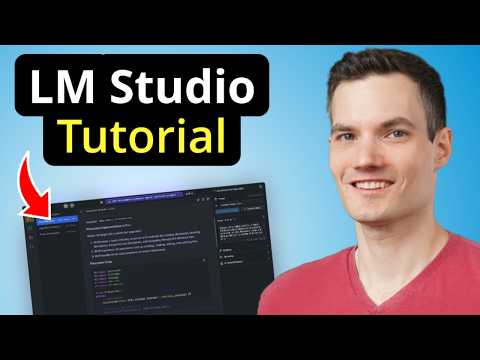
LM Studio Tutorial: Run Large Language Models (LLM) on Your Laptop
5:45
Tutorial5:45
LM Studio Tutorial: Run Large Language Models (LLM) on Your Laptop
In this video, I'll show you how to run large language models (LLMs) right on your laptop using LM Studio! LM Studio uses GPU offloading to break down complex AI models, allowing you to run them smoothly on almost any laptop. With LM Studio accelerated by NVIDIA RTX GPUs, you unlock faster performance and better handling of larger models, giving you power and speed for advanced workflows. Whether you're generating text, summarizing documents, or asking questions, I'll guide you through the installation process, how to load and use models like Llama and Gemma, and even how to upload files for analysis—all while keeping your data secure on your PC. Perfect for those who want to explore AI without relying on cloud services! Host: Kevin Stratvert 📚 RESOURCES - Learn more and download LM Studio here: https://nvda.ws/3YhC91P ⌚ TIMESTAMPS 0:00 - Introduce LM Studio 0:41 - Download and Install LM Studio 1:41 - Download and Load Your First LLM (Llama 3.2 1B) 2:48 - Interact with AI in LM Studio (Chocolate Chip Cookie Example) 3:18 - Upload Documents and Interact with Them 3:50 - Explore Other LLMs in LM Studio (Mistral, Gemma) 5:36 - Wrap Up 📩 NEWSLETTER - Get the latest high-quality tutorial and tips and tricks videos emailed to your inbox each week: https://kevinstratvert.com/newsletter/ 🔽 CONNECT WITH ME - Official website: http://www.kevinstratvert.com - LinkedIn: https://www.linkedin.com/in/kevinstratvert/ - Discord: https://bit.ly/KevinStratvertDiscord - Twitter: https://twitter.com/kevstrat - Facebook: https://www.facebook.com/Kevin-Stratvert-101912218227818 - TikTok: https://www.tiktok.com/@kevinstratvert - Instagram: https://www.instagram.com/kevinstratvert/ 🎁 TOOLS AND DISCOUNTS ✅ 🎙️ Voicemod AI Voice Changer | 5% off | https://link.xsolla.com/KZBi89AY ✅ 📺 Descript AI Video Editor | https://get.descript.com/sf22jb63w2tx ✅ 💵 QuickBooks Online: https://bit.ly/intuitquickbooksonline ✅ 🌐 Squarespace Websites | https://squarespace.syuh.net/XYaqYM ✅ 🔍 Grammarly | https://grammarly.go2cloud.org/SH3nL ✅ 📹 CapCut Video Editor | https://bit.ly/installcapcut ✅ 🛍️ Shopify | https://shopify.pxf.io/XY9rPa ✅ 📋 Notion | https://affiliate.notion.so/rffva4tr71ax ✅ 🤖 ElevenLabs Text-to-Speech | https://try.elevenlabs.io/taqepq60mptr 🎒 MY COURSES - Go from Excel novice to data analysis ninja in just 2 hours: https://kevinstratvert.thinkific.com/ 🙏 REQUEST VIDEOS https://forms.gle/BDrTNUoxheEoMLGt5 🔔 SUBSCRIBE ON YOUTUBE https://www.youtube.com/user/kevlers?sub_confirmation=1 🙌 SUPPORT THE CHANNEL - Hit the THANKS button in any video! - Amazon affiliate link: https://amzn.to/3kCP2yz ⚖ DISCLOSURE Some links are affiliate links. Purchasing through these links gives me a small commission to support videos on this channel. The price to you is the same. #stratvert #lmstudio
Local AI Explained: How to Run AI Models on Your Computer
24:27
Tutorial24:27
Local AI Explained: How to Run AI Models on Your Computer
Use the MindsHub Cowork agentic harness for free (open-source): https://mindshub.ai?utm_medium=influencers&utm_source=youtube&utm_campaign=26q3-tech-with-tim&utm_content=integration-2 Everyone's talking about running AI locally, but almost nobody explains what it actually is or how to get it working. In this video I cut through all the jargon — weights, quantization, VRAM, inference engines — and give you the honest, clear version. Then I show you four completely different ways to run a model on your own machine, from a simple desktop app all the way to pure Python code. Want to LEARN how to build useful AI agents that actually get things done? Go here: https://aiagentbuilders.co/yt 🚀 Tools I Use Get 10% off with code techwithtim Openclaw setup: https://www.hostinger.com/techwithtim VPS setup: https://www.hostinger.com/techwithtim10 Wispr Flow (Best AI Dictation): https://ref.wisprflow.ai/TechWithTim-aug26 ⏳ Timestamps ⏳ 00:00 | Overview 00:24 | What is Local AI 01:02 | Cloud vs Local AI 02:29 | BUILDING BLOCK 1: THE MODEL FILE 03:13 | BUILDING BLOCK 2: MODEL SIZES 03:51 | BUILDING BLOCK 3: QUANTIZATION 04:44 | BUILDING BLOCK 4: THE INFERENCE ENGINE 05:23 | BUILDING BLOCK 5: YOUR HARDWARE 09:43 | MindsHub Cowork 11:04 | THE FOUR WAYS 12:12 | #1 - LM Studio 15:52 | #2 - Ollama 19:00 | #3 - Docker Model Runner 21:05 | #4 - Full Code 23:04 | HOW TO PICK? Hashtags #LocalAI #OpenSourceAI #AIOffline UAE Media License Number: 3635141
LM Studio Is Getting Insane — Master Local AI Now
14:57
Tutorial14:57
LM Studio Is Getting Insane — Master Local AI Now
I run Claude Code, Obsidian, and MCP tools entirely on a free local model using LM Studio — no subscription, no data leaving my computer. Senior AI engineer (ex-Amazon, ex-Microsoft) walking you through the full setup end to end. Key takeaways: - Install LM Studio and load Gemma 4 E2B locally (4GB, runs on a 16GB MacBook Pro) - Use vision + RAG to chat with images and upload your own files - Plug LM Studio into Obsidian, Claude Code, and any MCP server like Firecrawl - Replace your Claude subscription by pointing Claude Code at the local server endpoint 🔗 Join our School community: https://www.skool.com/erictech/about 🔗 Check out bookzero.ai — AI-powered bookkeeping built entirely with Claude Code 📌 Mentioned tools: - LM Studio: https://lmstudio.ai - Firecrawl: https://firecrawl.dev - Obsidian + Copilot plugin Timestamps: 0:00 Intro 3:00 Install LM Studio 3:36 Run a Model 5:31 Chat with Images 6:00 Chat With Files (RAG) 7:13 Connect Obsidian 10:04 Add MCP Servers 11:53 Plug Into Claude Code 14:05 Wrap up #claudecode #aitools #softwaredevelopment

Who uses it

Real use cases, no hype
Private AI Assistant
Run a fully offline personal or work assistant without sending data to third parties.
Local Code Generation
Use local LLMs for code autocompletion, refactoring, and explanation in a private environment.
Document Drafting & Editing
Create and refine documents, research papers, or reports with the Bionic agent's real-time editing.
Voice-to-Text Transcription
Transcribe meeting notes or voice memos offline using the built-in speech recognition engine.
Experimental Model Prototyping
Quickly load and test various open-weight models locally before deploying to production.
Secure Enterprise Inference
Provide developers with a secure gateway to both local and ZDR cloud models for internal tools.
Educational AI Learning
Students and researchers can experiment with different LLM architectures and prompts without API costs.
What's great
  • True local-first operation with full data privacy.
  • Seamless hybrid local/cloud model access.
  • Powerful agentic UI for document editing and coding.
  • High-quality offline voice transcription.
Technical strengths
  • Native support for MLX and llama.cpp runtimes.
  • Direct API access via Python, JS, and CLI.
  • Zero Data Retention (ZDR) for all cloud services.
Where it falls short
  • Cloud inference requires paid subscription for full power.
  • Advanced features locked behind Bionic+ or Pro tiers.
  • Model selection dependent on hardware (GPU/RAM).
  • Team organization features are still in early rollout.
Technical limitations
  • Cloud models may lag behind latest releases in local Hubs.
  • No fine-tuning or training capabilities included.
  • Enterprise SLAs and custom deployments not self-serve.
For technical folks

The deep-dive specs

FAQ

Includes technical Q&A
LM Studio is the desktop app for downloading and running local models. Bionic is a specific agentic mode within that app focused on work, code, and real-time voice, with optional cloud inference.

Traffic Insights

Monthly Visits

3.4M

November 2026

Growth Rate

0%

vs last month

Dominance

0%

in Coding

Top Country

Bangladesh

17% of traffic

Top Countries Breakdown

Bangladesh
17%
United States
12%
Russia
7%
Germany
4%
Japan
4%

Growth Trend

Stable

Traffic has remained stable.

Honest pricing

No sneaky tiers, no “contact sales”

Here's who each plan is actually for — and where the hidden charges might hit.

Free
Free

Individuals

  • Bionic Agent
  • Run local LLMs using llama.cpp and MLX
  • State-of-the-art offline voice transcription
  • LM Link for up to 5 devices
  • Limited web search
Bionic+
Most picked
$20/mo

Individuals

  • Everything in Free
  • US-hosted open source models: Kimi K3
  • GLM 5.3
  • DeepSeek V4 Flash
  • and more
  • Discounted bulk tokens
  • Web search and page extraction
Pro
$100/mo

Individuals

  • Everything in Bionic+
  • 5× usage limits
  • Discounted bulk tokens
  • Early access to new features
View Full Plans & Pricing on LM Studio

Official pricing, checkout, and plan upgrades are handled directly on lmstudio.ai.

Reviews

What the internet actually thinks

Data refreshed weekly. No paid placements.

Trustpilot
Not reviewed yet
G2
G2
Not reviewed yet
C
Capterra
Not reviewed yet
Product Hunt
Not reviewed yet
COMMUNITY COMMENTS

Leave a Comment

Help others make informed decisions. Your honest feedback shapes the community's understanding of this tool.

Tips for commenting

  • •Be specific about features you used
  • •Share real use cases and results
  • •Mention both pros and cons
  • •Keep it honest and constructive
to leave a comment

Your comment is published immediately.

Filter:
Sort:

No comments yet

Be the first to share your experience with this tool.

Alternatives

Not quite the right fit?

Here's what else is out there.