Keploy

Keploy

Keploy is an open-source testing platform that records real API traffic and dependency calls via eBPF, then replays that behavior as deterministic regression and integration tests. It automatically generates mocks for databases, queues, caches, and third-party APIs, so tests run without code changes or brittle manual stubs. Teams can generate additional API tests from OpenAPI, Postman, cURL, or the Chrome extension, run them locally, in CI/CD, or across Kubernetes, and gate merges on coverage, contract drift, performance, security, and data-consistency checks. Built for developers, QA, and platform teams shipping microservices.

Automation
Visit website
Added on
Nov 4, 2026
Record & ReplayAI test geneBPF captureAuto mocksCI/CD gatesK8s recordingChrome extensionOpen source
Product information

Everything worth knowing about Keploy

The complete picture — from everyday features to the technical detail builders and IT folks dig for.

Core features

What it actually does

Record & Replay Traffic
Capture real API requests plus outgoing dependency calls and replay them deterministically in local dev or CI with auto-generated mocks.
AI Test Generation
Generate validated API test suites from OpenAPI schemas, Postman collections, cURL commands, or live endpoints, then replay across staging and QA.
Automatic Dependency Mocking
Auto-create mocks for databases, queues, caches, and third-party APIs so tests run without standing up real infrastructure.
CI/CD Quality Gates
Block merges on regressions in coverage, schema/contract drift, p95 latency, security checks, and data consistency.
Chrome Extension Recording
Turn browser actions into replayable API test flows without writing mocks by hand.
Technical capabilities
eBPF Traffic Capture
Kernel-level interception captures incoming requests and outgoing dependency calls without application code changes.
Multi-Protocol & Multi-Store Support
Handles HTTP(S) TLS, HTTP/2, gRPC, Protobuf, GraphQL, Kafka, RabbitMQ plus MySQL, MongoDB, Redis, DynamoDB, Postgres, and RDS.
Must watch videos
API Testing: Catch Regressions That Still Return 200 OK | Keploy
1:46
Tutorial1:46
API Testing: Catch Regressions That Still Return 200 OK | Keploy
Your API returns 200 OK. But what if a response field quietly changed? See how Keploy uses real API traffic for API testing, regression testing, and record and replay testing on Kubernetes. A passing status code doesn't always mean your API response is correct. Keploy turns the traffic your service already handles into API tests, then replays those tests against your next build. Here's what you'll see: 1. Record: Capture real API requests without changing application code. Keploy records outgoing database, queue, and service calls as mocks, removes duplicate requests, and marks changing fields as noise. 2. Replay: Run recorded tests against a new build in isolation. Compare expected and actual responses to catch changed values, types, and missing or renamed fields, even when the status code is 200 OK. 3. Coverage: Compare recorded traffic against your OpenAPI schema to find endpoints and fields your tests haven't covered. You can also hand the Kubernetes setup to your coding agent using `keploy k8s setup`. Chapters: 0:00 Keploy Record and Replay in 3 steps 0:12 Record real API traffic from a Kubernetes deployment 0:26 Duplicate requests removed, noisy fields marked 0:41 Replay recorded tests on a new build 0:59 Regressions caught, field-level diffs 1:16 API test coverage over your OpenAPI schema 1:33 Let your coding agent set it up Get started: https://keploy.io #APITesting #Kubernetes #regressiontesting Keploy, API testing, record and replay testing, Kubernetes API testing, regression testing, API test automation, microservices testing, testing with real traffic, traffic replay, API mocking, dependency mocking, API test coverage, OpenAPI coverage, integration testing, testing in isolation
Postman Coverage: 125 Missing Endpoints in Our Demo API
1:01
Tutorial1:01
Postman Coverage: 125 Missing Endpoints in Our Demo API
Your API tests are passing. But how much of your API does your Postman collection actually cover? In our demo API, a collection with 2,185 requests represented only 330 of 455 endpoints. That's 125 endpoints missing from the collection, plus gaps in optional fields and error responses. The Keploy API Coverage Checker compares your OpenAPI 3.x spec with your Postman collection to identify endpoint coverage, field coverage, and schema coverage gaps. It highlights missing parts of your spec line by line, without calling your API or running tests. Try it free with your own collection: https://app.keploy.io/api-coverage #APITesting #Postman #OpenAPI
Turn Real API Traffic Into Tests on Kubernetes | Keploy Demo
2:21
Tutorial2:21
Turn Real API Traffic Into Tests on Kubernetes | Keploy Demo
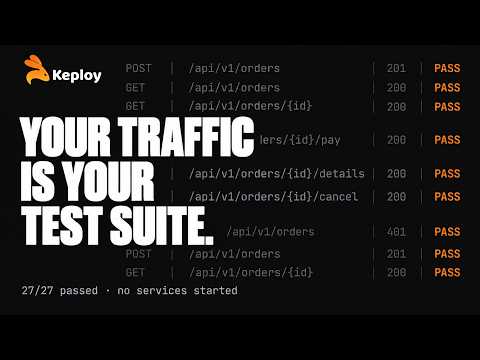
Test your whole backend without starting any of it. In this demo, Keploy records real API traffic from an order service running on Kubernetes and turns it into API tests and dependency mocks automatically: MySQL, HTTP and DNS calls included. Then it replays those tests against a digital twin of the backend, so nothing else needs to be running. What you'll see: → Recording live traffic from a Postman collection: 27 tests and 194 mocks captured, 37 duplicates dropped automatically → Auto-replay right after recording: 23 passed, 4 marked noisy, 0 failed → A full test report: every request, response and mocked call (even a 401, captured as it happened) → Schema coverage: 17 of 35 endpoints covered → Replaying the whole suite locally from the terminal: 27/27 passed in under 9 seconds → Keploy's AI test generator: 6 new suites plus a 7-step lifecycle flow → Custom assertions and global JavaScript functions → Running it all in CI with a ready-made GitHub Actions workflow, from the dashboard, or against sandboxes Chapters 0:00 Test your backend without running it 0:07 Recording real traffic on Kubernetes 0:28 Auto-replay against mocked dependencies 0:50 Test report, mocks & schema coverage 1:14 Replay the suite locally 1:29 AI test generation & custom assertions 2:01 Run it in CI: GitHub Actions, dashboard, sandboxes Get started → https://keploy.io/docs Keploy on GitHub → https://github.com/keploy/keploy #Keploy #APITesting #Kubernetes

Who uses it

Real use cases, no hype
Regression Testing in CI
Record once, replay every PR to catch behavior regressions before merge.
AI Test Generation
Spin validated API suites from OpenAPI, Postman, cURL, or live endpoints.
Integration Testing
Exercise real DB, queue, and service dependencies with auto-generated mocks.
Contract Drift Detection
Flag breaking schema changes against your OpenAPI contract on each build.
Verifying AI-Written Code
Gate Claude Code or agent output against recorded app behavior before merge.
Kubernetes Traffic Capture
Record staging or production flows and replay deterministically anywhere.
Legacy & SAP Migrations
Snapshot existing behavior, then prove parity after the rewrite.
What's great
  • Zero code changes — eBPF sniffs traffic
  • Auto-mocks DBs, queues, and third-party APIs
  • Real traffic becomes replayable regression tests
  • Free open-source core under Apache 2.0
Technical strengths
  • eBPF + network interception at kernel level, no SDK or proxy setup
  • Tests and mocks emitted as human-editable YAML
  • CI replay with time freezing and selective mocks
Where it falls short
  • K8s and prod capture locked behind Enterprise
  • OSS CI replay needs a Keploy API key
  • AI credits and test runs capped hard on free/Pro
  • eBPF capture needs Linux kernel privileges
Technical limitations
  • Noise filtering and dedup are basic or paid-gated in OSS
  • Replays break on unrecorded non-determinism (timestamps, IDs)
  • OSS language coverage limited to Node, Go, Java, Python
For technical folks

The deep-dive specs

Capture Method
eBPF and network-level interception
Core License
Apache 2.0
Languages (Open Source)
Node, Go, Java, Python
Languages (Pro/Enterprise)
50+ including Rust, C, C++, .NET
Protocols
HTTP(S) TLS, HTTP/2, gRPC, Protobuf, GraphQL, Kafka, RabbitMQ
Databases
MySQL, MongoDB, Redis, DynamoDB, Postgres, RDS
CI/CD Integrations
GitHub, GitLab, Jenkins, Argo
AI Model Support
OpenAI, Gemini; Custom + BYO key on Enterprise
Hosting Options
Cloud, Self-Hosted, Air-gapped
Compliance
SOC 2, ISO 27001, GDPR, HIPAA

FAQ

Includes technical Q&A
Both. It generates API tests from traffic, specs, and app context, while the record-and-replay engine builds integration and regression tests with virtualized databases, queues, and external APIs.

Traffic Insights

Monthly Visits

—

November 2026

Growth Rate

0%

vs last month

Dominance

0%

in Automation

Top Country

—

Top Countries Breakdown

—

Growth Trend

Stable

Traffic has remained stable.

Honest pricing

No sneaky tiers, no “contact sales”

Here's who each plan is actually for — and where the hidden charges might hit.

Open Source
Free

Self-hosters

  • Self-hosted under Apache 2.0
  • Local recording (macOS
  • Windows
  • Linux
  • Docker)
  • Node
  • Go
Playground
Free

Individuals

  • Generate API tests from OpenAPI/Postman
  • AI expands edge cases automatically
  • Run locally or in CI
  • Human-editable YAML
  • 30 test suites generation/mo
  • 100 test runs/mo
  • 5
Pro
Most picked
$19/mo

Small engineering teams

  • All Playground features
  • $19 of included usage credit
  • Advanced spend management
  • Team collaboration + free viewer seats
  • Faster generation + no queues
  • Contract testing + load testing
  • Email & chat support
Enterprise
Custom

Regulated engineering teams

  • All Pro features
  • Record traffic inside Kubernetes
  • Production traffic capture
  • Mock Registry
  • Team dashboards & org analytics
  • SSO & RBAC
  • SOC2 / GDPR / HIPAA compliance
View Full Plans & Pricing on Keploy

Official pricing, checkout, and plan upgrades are handled directly on keploy.io.

Reviews

What the internet actually thinks

Data refreshed weekly. No paid placements.

Trustpilot
Not reviewed yet
G2
G2
Not reviewed yet
C
Capterra
Not reviewed yet
Product Hunt
Not reviewed yet
COMMUNITY COMMENTS

Leave a Comment

Help others make informed decisions. Your honest feedback shapes the community's understanding of this tool.

Tips for commenting

  • •Be specific about features you used
  • •Share real use cases and results
  • •Mention both pros and cons
  • •Keep it honest and constructive
to leave a comment

Your comment is published immediately.

Filter:
Sort:

No comments yet

Be the first to share your experience with this tool.

Alternatives

Not quite the right fit?

Here's what else is out there.