Trigger Dev

Trigger Dev

Trigger.dev is an open-source platform for developers to build and run background jobs, workflows, and automation tasks. It provides a robust infrastructure for handling asynchronous operations with built-in reliability and scalability features. Key capabilities include code-first workflow definitions in TypeScript and Node.js, automatic retries, scheduling, monitoring, and integrations with popular services. It simplifies complex task orchestration without the need for manual infrastructure management. Targeted at backend developers, full-stack engineers, and DevOps teams, Trigger.dev enables efficient management of asynchronous tasks in modern applications.

Automation
Visit website
Added on
Sep 18, 2026
Background JobsSchedulingWebhooksServerlessTypeScript
Product information

Everything worth knowing about Trigger Dev

The complete picture — from everyday features to the technical detail builders and IT folks dig for.

Core features

What it actually does

Background Job Execution
Reliably run background tasks and long-running processes without blocking the main thread.
Scheduled Tasks
Schedule jobs to execute at specific times, intervals, or cron patterns.
Webhook Integration
Trigger jobs automatically from incoming HTTP webhooks from external services.
Retry and Error Handling
Configurable retry strategies and error management for robust job execution.
Technical capabilities
Serverless Architecture
Runs on serverless platforms like AWS Lambda for scalable and cost-effective execution.
TypeScript First
Built with TypeScript for enhanced type safety and developer experience.
Must watch videos
How to Build GPT-6 Astra Automations (that don’t eat your usage limit)
35:25
Tutorial35:25
How to Build GPT-6 Astra Automations (that don’t eat your usage limit)
Get FREE Hyperagent credits here: https://www.hyperagent.com/nate100 FREE First Client SOP: https://app.aiautomationsociety.ai/optin/first-client-SOP/ My Tools💻 FREE MONTH voice to text: https://get.glaido.com/nate Code NATEHERK for 10% off VPS (annual plan): https://www.hostinger.com/vps/claude-code-hosting Codex can build scheduled and event-triggered automations, but keeping every job inside a Codex thread can use your subscription allowance. In this video, I walk through moving a morning brief and a webhook automation into Trigger.dev, then explain when a deterministic workflow is enough and when a Codex SDK agentic loop makes sense. We also test hosted runs, debug configuration, and verify delivery before enabling anything. Sponsorship Inquiries: 📧 nate@smoothmedia.co Connect with me: https://www.linkedin.com/in/nateherkelman/ https://x.com/nateherk https://www.instagram.com/nateherk/ TIMESTAMPS 0:00 Why Host Outside Codex 1:36 Three Automation Types 2:04 Planning A Morning Brief 4:44 Deterministic Vs Agentic 7:53 Build And Validate Locally 11:54 Deploy To Trigger.dev 16:45 Test Hosted Delivery 20:13 Webhook Automations 25:54 Codex SDK Automations 29:16 Moving An Agentic Routine 32:07 Testing The SDK Workflow 35:02 Final Takeaways
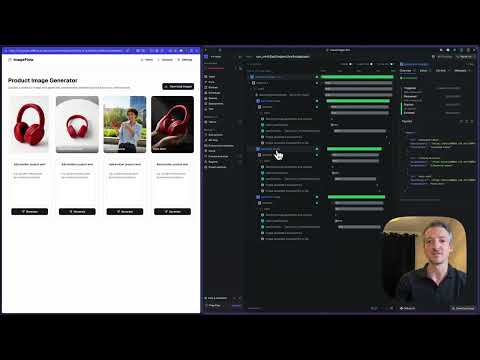
Introducing Trigger.dev – build and deploy fully‑managed AI agents and workflows
1:54
Tutorial1:54
Introducing Trigger.dev – build and deploy fully‑managed AI agents and workflows
Trigger.dev is a developer platform for building and running AI agents and workflows. We provide everything needed to create production-grade agents: an SDK, deploying, scaling, monitoring, and debugging them without needing to manage any infrastructure. Get started today: https://trigger.dev
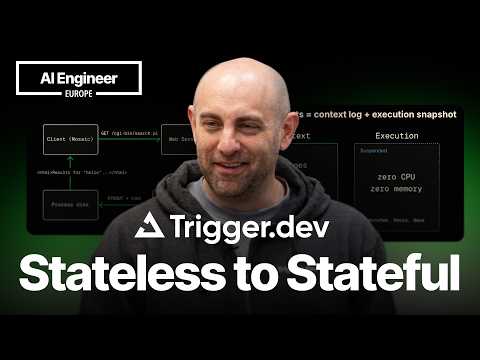
Two Roads to Durable Agents: Replay vs. Snapshot — Eric Allam, CEO, Trigger.dev
16:36
Comparison16:36
Two Roads to Durable Agents: Replay vs. Snapshot — Eric Allam, CEO, Trigger.dev
Replay-based durability — wrapping every step in a journal, replaying on recovery, requiring deterministic code — is how everyone makes agents durable today. It works until it doesn't: the journal grows with every turn, the structure starts constraining how you write code, and an agent that needs to run for hours starts looking less like a transaction and more like a session. This talk separates the problem in two: context durability (the append-only log of everything the LLM saw, which already fits in a database) and execution durability (the files, memory, and subprocesses that live in the compute layer, which don't). The answer to the second half isn't a smarter log — it's OS-level snapshot and restore. Eric Allam walks through how Trigger.dev built this on Firecracker microVMs, getting snapshots down to 14 megabytes compressed with sub-second save and hundred-millisecond restore times, and why IBM mainframes in 1966 got there first. Speaker info: - https://x.com/maverickdotdev - https://www.linkedin.com/in/eric-allam/ - https://github.com/ericallam

Who uses it

Real use cases, no hype
Webhook Processing
Handle incoming webhooks from services like Stripe or GitHub asynchronously
Scheduled Tasks
Run recurring jobs such as report generation or cleanup
Data Synchronization
Sync data between databases or APIs in the background
Email Sending
Send transactional emails without blocking the main app
Image Processing
Resize or transform images upon upload to optimize storage
What's great
  • Easy deployment and management of background jobs
  • Built-in webhook support for event-driven tasks
  • Seamless integration with Node.js ecosystem
Technical strengths
  • TypeScript-first design for enhanced type safety
  • Self-hosting option for improved data privacy control
Where it falls short
  • Limited to Node.js runtime only
  • May have a learning curve for beginners
  • Dependency on external services for full feature set
Technical limitations
  • Lacks advanced built-in retry and backoff mechanisms
For technical folks

The deep-dive specs

FAQ

Includes technical Q&A
Trigger.dev is an open-source platform for building and hosting background jobs in Node.js.

Traffic Insights

Monthly Visits

—

October 2026

Growth Rate

0%

vs last month

Dominance

0%

in Automation

Top Country

—

Top Countries Breakdown

—

Growth Trend

Stable

Traffic has remained stable.

Honest pricing

No sneaky tiers, no “contact sales”

Here's who each plan is actually for — and where the hidden charges might hit.

Free
$0/mo

Individuals

  • $5 / month free credits
Hobby
$10/mo

Individuals

  • $10 / month credits included
  • 50 concurrent runs
  • Unlimited tasks
  • 5 team members
  • Dev
  • Preview and Prod environments
  • 5 preview branches
Pro
Most picked
$50/mo

Developers & Startups

  • $50 / month credits included
  • 200+ concurrent runs
  • Unlimited tasks
  • 25+ team members
  • Dev
  • Preview and Prod environments
  • 20+ preview branches
Custom
Custom

Enterprise

  • All Pro plan features +
  • Custom discounts
  • Custom log retention
  • Priority support
  • Role-based access control (RBAC)
  • SOC 2 report
  • Penetration test report
View Full Plans & Pricing on Trigger Dev

Official pricing, checkout, and plan upgrades are handled directly on trigger.dev.

Reviews

What the internet actually thinks

Data refreshed weekly. No paid placements.

Trustpilot
Not reviewed yet
G2
G2
Not reviewed yet
C
Capterra
Not reviewed yet
Product Hunt
Not reviewed yet
COMMUNITY COMMENTS

Leave a Comment

Help others make informed decisions. Your honest feedback shapes the community's understanding of this tool.

Tips for commenting

  • •Be specific about features you used
  • •Share real use cases and results
  • •Mention both pros and cons
  • •Keep it honest and constructive
to leave a comment

Your comment is published immediately.

Filter:
Sort:

No comments yet

Be the first to share your experience with this tool.

Alternatives

Not quite the right fit?

Here's what else is out there.