Gemini CLI

Gemini CLI

Gemini CLI is an open-source AI agent that brings Gemini models directly into your terminal. It lets developers query and edit large codebases, generate apps from images or PDFs, automate complex workflows, and execute shell commands—all from the command line. Powered by Gemini 3, it supports MCP servers, extensions, agent skills, sandboxing, and IDE integration. Ideal for software engineers, DevOps, and power users. Note: Google has announced that Gemini CLI will be replaced by Antigravity CLI on June 18, 2026.

Coding
Visit website
Added on
Nov 4, 2026
Gemini 3Terminal agentMCP supportIDE integrationWeb searchHeadless modeSandboxingAgent Skills
Product information

Everything worth knowing about Gemini CLI

The complete picture — from everyday features to the technical detail builders and IT folks dig for.

Core features

What it actually does

Terminal-native coding agent
Query and edit large codebases directly from your shell. Point it at a repo, ask for changes, and it performs multi-file reads and edits without leaving the terminal.
Generate apps from images or PDFs
Feed it a screenshot, mockup, or design PDF and have it scaffold a working app. Multimodal input goes straight into code generation.
Extensions and Agent Skills
Install extensions from a browsable directory and use Agent Skills to give the CLI specialized expertise for specific tasks instead of re-prompting every session.
IDE integration
Connect the CLI to your editor via ACP mode so the agent works against the same project context you're editing in.
Technical capabilities
MCP servers and remote subagents
Attach Model Context Protocol servers for external tools and resources, and delegate work to local or remote subagents for parallel, specialized task execution.
Plan mode, sandboxing, and policy engine
Run a read-only plan mode for safe change planning, isolate tool execution in a sandbox, and enforce fine-grained execution control through the policy engine and trusted-folders logic.
Headless mode, hooks, and automation
Script the CLI programmatically via headless mode, intercept behavior with hooks, and wire in custom commands. Includes token caching, telemetry, and model routing with automatic fallback.
Must watch videos
GEMINI-CLI [PRO] Terminal AI Cocok Buat PC Low End?
19:21
Tutorial19:21
GEMINI-CLI [PRO] Terminal AI Cocok Buat PC Low End?
Transfer DONASI: https://saweria.co/deaafrizal Instagram: https://www.instagram.com/dea.afrizal/ membership youtube: https://www.youtube.com/channel/UCU7YluxOYon-yofPxfGHVog/join #programming #tutorial #coding Github: https://github.com/deaafrizal backsound: https://youtu.be/eoFXLBKGU44?si=NZMttkbg8u-Fgte1 ================= 💌 Email (for business) 💌 deascript@icloud.com ================== 🔻🔻🔻 SUBSCRIBE 🔻🔻🔻 For More Update 🔺🔺🔺LONCENGNYA 🔺🔺🔺
Gemini CLI: The AI agent that lives in your terminal
5:32
Tutorial5:32
Gemini CLI: The AI agent that lives in your terminal
Install Gemini CLI here. → https://goo.gle/4tk0ing Complete the free course here. → https://goo.gle/LearnGeminiCLI Unlock the full potential of your command line with Gemini CLI. In this video, we provide a comprehensive overview of what Gemini CLI is, how it works, and why it's a game changer for developers, content creators, and data analysts. Discover how this open source, conversational AI agent lives in your terminal, giving you powerful advantages over traditional web interfaces. From automating software development tasks and generating social media content to analyzing large datasets, learn how Gemini CLI can streamline your workflow and help you build faster. This video is part of a series—you can enjoy the first 3 lessons here on YouTube and continue the free course on DeepLearning.AI. ⏰ Timestamps 0:00 Introduction: What's possible with Gemini CLI 0:20 Top use cases for Gemini CLI 0:35 ↳ Software development & CI/CD 0:47 ↳ Content creation & automation 1:00 ↳ Data analysis & visualization 1:15 ↳ Your personal study buddy 1:26 What is Gemini CLI? 2:10 Under the hood: How Gemini CLI works 2:48 Key advantages of a terminal based agent 3:49 Exploring Gemini CLI's built in tools Watch more Gemini CLI Course: Code & create with an open source agent → https://goo.gle/GeminiCLI 🔔 Subscribe to Google Cloud Tech → https://goo.gle/GoogleCloudTech #GeminiCLI #OpenSource #AIAgent Speaker: Jack Wotherspoon Products Mentioned: Gemini CLI
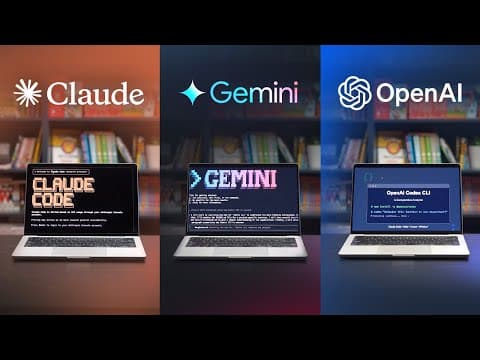
Gemini CLI vs Claude Code vs Codex Compared! Should You Use an AI CLI?
8:34
Comparison8:34
Gemini CLI vs Claude Code vs Codex Compared! Should You Use an AI CLI?
The latest Coding CLI currently available including Gemini CLI, Claude Code and OpenAI Codex CLI. Even Qwen Coding was recently released and the code cli landscape is only growing much like the AI chat generation did. I'm going to test how they perform for coding tasks inside VS Code, Cursor and with MCP to see what you should use and why. ⛌ Wix Studio - Want to design websites with no-code / low-code (connected to MCP) https://wix.com/studio/?utm_campaign=pa_influencers_community_adrian^social&experiment_id=^youtube_channel 📘 Try my Web Design Course: https://www.enhanceui.com/ #AI #Coding #Gemini #Claude #Codex #developertools Title Ideas: Should You Use an AI CLI? Gemini CLI vs Claude Code vs Codex Compared! AI CLIs Explained – Should You Use Gemini CLI, Claude Code, or Codex? Which AI CLI Should You Use? Gemini CLI vs Claude Code vs Codex AI Coding CLIs – Are They Worth It? (Gemini vs Claude vs Codex) Gemini CLI vs Claude Code vs Codex – Which AI CLI Should You Pick? Are AI CLIs the Future of Coding? Gemini vs Claude vs Codex Should Developers Switch to AI CLIs? Gemini CLI vs Claude Code vs Codex AI CLI Tools Are Changing Coding – But Which One Should You Use? Gemini vs Claude vs Codex CLI – Is AI Coding Worth It? Should You Trust AI to Code? Gemini CLI vs Claude Code vs Codex

Who uses it

Real use cases, no hype
Large Codebase Q&A
Query and edit sprawling repos without opening an IDE.
App Generation from Assets
Turn images or PDFs into working app scaffolds.
Shell Command Automation
Let the agent run and chain system commands safely.
CI/CD & Headless Scripting
Wire the CLI into pipelines via headless mode.
MCP Tool Integration
Connect external services and data through MCP servers.
Refactoring & Migrations
Apply multi-file changes with checkpoints and rewind.
Custom Extensions
Package team workflows as reusable skills and commands.
What's great
  • Free tier with generous limits, just sign in with Google
  • Fully open source under Apache 2.0
  • Lives in your terminal — no IDE lock-in
  • Extensions and Agent Skills ecosystem built in
Technical strengths
  • 1M+ token context window handles monorepo-scale queries
  • First-class MCP server support for external tools
  • Headless mode enables real CI/CD automation
Where it falls short
  • Free and Google One usage is being retired in favor of Antigravity CLI
  • Not optimized for the newest Gemini models
  • Quotas throttle long agentic runs mid-task
  • Free-tier prompts can be used to improve Google products
Technical limitations
  • Config sprawl: GEMINI.md hierarchy, settings, policy engine, hooks
  • Requires Node.js and a global npm install
  • Large repos bloat context unless you curate .geminiignore
For technical folks

The deep-dive specs

Underlying model
Gemini 3
Installation
npm install -g @google/gemini-cli
Distribution
NPM package (@google/gemini-cli)
Interface
Terminal CLI, with ACP mode for IDE integration
Authentication
Google Account, AI Studio API key, Google Cloud credentials (Vertex AI), or Google Developer Program / Code Assist credentials
Extensibility
Extensions, Agent Skills, MCP servers, hooks, custom commands

FAQ

Includes technical Q&A
The free tier historically gave you a generous quota just for signing in with a Google account. Note the caveat: the unpaid tier and Google One access were replaced by Antigravity CLI on June 18th, 2026. For continued use, plan on Google AI Pro/Ultra, a Google Developer Program seat, an AI Studio API key, or Vertex AI.

Traffic Insights

Monthly Visits

—

November 2026

Growth Rate

0%

vs last month

Dominance

0%

in Coding

Top Country

—

Top Countries Breakdown

—

Growth Trend

Stable

Traffic has remained stable.

Pricing overview
Freemium Pricing

Gemini CLI Pricing

Gemini CLI uses a freemium pricing structure. Real-time rates, custom enterprise quotas, and plan details are managed directly on their official platform.

Check Pricing on Gemini CLI
Reviews

What the internet actually thinks

Data refreshed weekly. No paid placements.

Trustpilot
Not reviewed yet
G2
G2
Not reviewed yet
C
Capterra
Not reviewed yet
Product Hunt
Not reviewed yet
COMMUNITY COMMENTS

Leave a Comment

Help others make informed decisions. Your honest feedback shapes the community's understanding of this tool.

Tips for commenting

  • •Be specific about features you used
  • •Share real use cases and results
  • •Mention both pros and cons
  • •Keep it honest and constructive
to leave a comment

Your comment is published immediately.

Filter:
Sort:

No comments yet

Be the first to share your experience with this tool.

Alternatives

Not quite the right fit?

Here's what else is out there.