Roo Code

Roo Code

Roomote is a source-available, model-agnostic cloud coding agent that runs in your own infrastructure (or their cloud). It connects to your repositories, issue trackers, and observability tools to investigate code, answer questions, and open real pull requests with live previews. The agent works in isolated sandboxes, reviews its own changes, and supports parallel tasks for entire teams. It is designed for engineering teams and individual developers who want autonomous coding while maintaining full control, transparency, and reviewability over their workflow. It integrates directly with GitHub, GitLab, Slack, Jira, and many other tools, operating as a shared teammate rather than just a copilot.

Coding
Visit website
Added on
Sep 21, 2026
Self-hostedSource-availableModel-agnosticSingle-tenantCloud agentsParallel tasksLive previewsBYOK
Product information

Everything worth knowing about Roo Code

The complete picture — from everyday features to the technical detail builders and IT folks dig for.

Core features

What it actually does

Cloud Agents
Run AI coding agents in isolated sandboxes that work on your actual development environment, verify their own work, and hand back pull requests with live previews.
Model Agnostic BYOK
Use any model from any provider (OpenAI, Anthropic, open-weight, etc.) by bringing your own API key. Optimize for performance, cost, or latency per task.
Automated Workflows
Configure automations to schedule tasks, monitor systems, and proactively find/fix issues on your behalf, including in non-coding applications.
Parallel Task Orchestration
Run unlimited tasks simultaneously across repositories and environments while maintaining conversation context.
Live Previews & Review Loops
Agents run the actual app before calling work done, self-review changes, and provide live URLs or screenshots for human inspection.
Technical capabilities
Self-Hosted & Single-Tenant Deployment
Full source-available code (FCL-1.0) deployable on your own infrastructure via Docker images or one-command installer, ensuring data isolation.
Isolated Sandboxes
Agent execution occurs in secure, isolated environments (including Docker-in-Docker) connected to your repos, tools, and secrets.
Must watch videos
Roo Code is AMAZING - AI VSCode Extension (better than Cursor?)
12:06
Comparison12:06
Roo Code is AMAZING - AI VSCode Extension (better than Cursor?)
Roo Code is an open-source VS Code extension that transforms your coding workflow with AI. Unlike other AI-powered coding assistants, Roo Code lets you bring your own API key, giving you full control over your AI models and costs. It supports models like OpenAI's GPT, Claude, Gemini, and more via OpenRouter. With customizable AI modes—including Code, Architect, and Ask—you can generate code, design system architectures, and get deep insights into your projects. It even features auto-approve actions, enhanced AI prompting, cost tracking, and live browser debugging! In this video, we explore how Roo Code: ✅ Automates development workflows ✅ Supports multiple AI models ✅ Enhances AI prompts for better results ✅ Auto-approves files and commands ✅ Integrates browser-based debugging ✅ Helps you create full-stack applications effortlessly If you're looking for an AI-powered alternative to Copilot, Cursor, or Codeium, Roo Code might just be your new favorite tool. 🔗 Relevant Links Github: https://github.com/RooVetGit/Roo-Code OpenRouter: https://openrouter.ai/ ❤️ More about us Radically better observability stack: https://betterstack.com/ Written tutorials: https://betterstack.com/community/ Example projects: https://github.com/BetterStackHQ 📱 Socials Twitter: https://twitter.com/betterstackhq Instagram: https://www.instagram.com/betterstackhq/ TikTok: https://www.tiktok.com/@betterstack LinkedIn: https://www.linkedin.com/company/betterstack 📌 Chapters: 00:00 Intro 00:21 Install & Setup 00:57 Showcase 02:08 HackerNews clone 04:32 Browser Automation 06:46 Cost downside 07:00 Inline Editing 07:27 Custom Settings 08:40 Prompt Settings 09:59 Creating a Mode 10:54 Custom Support Prompts 11:20 MCP Servers
What is Roo Code?
1:14
Tutorial1:14
What is Roo Code?
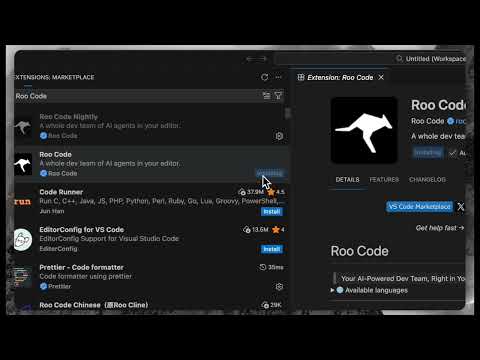
Roo Code is the autonomous AI coding agent designed for those who demand total control over their development environment. It lives directly inside VS Code, acting as a digital partner that handles the heavy lifting—from building new features to autonomous debugging and testing. Get started: https://roocode.com Install the extension: https://www.google.com/search?q=https://marketplace.visualstudio.com/items%3FitemName%3DRooVeterinaryInc.roo-code Sovereignty and Control Unlike standard AI tools that lock you into specific models or subscription markups, Roo Code is built on the principle of sovereignty. You bring your own API keys from providers like Anthropic, OpenAI, or OpenRouter. You only pay for what you use, with no hidden fees or interference. Agentic Capabilities Roo goes beyond simple code suggestions. It is a fully agentic partner capable of: Executing terminal commands and managing your local environment. Reading, writing, and refactoring files across your entire codebase. Utilizing a browser to test and debug web applications autonomously. Adapting to your specific workflow through a simple interface that lets you rewire its internal logic. Roo Code Cloud With Roo Code Cloud, your agent is no longer tied to a single machine. Access your coding partner and your project context remotely from any device and from anywhere. Official Links GitHub: https:https://github.com/RooVeterinaryInc/Roo-Code Discord: https://discord.gg/roocode Documentation: https://docs.roocode.com How to Get Started Open VS Code and navigate to the Extensions view (Ctrl+Shift+X). Search for "Roo Code" and click Install. Configure your preferred AI provider with your API key. Start coding with a partner that reasons through problems exactly the way you do.
Your Ultimate AI Coding Agent: Roo Code + Visual Studio Code 🚀
17:04
Tutorial17:04
Your Ultimate AI Coding Agent: Roo Code + Visual Studio Code 🚀
In this tutorial, I’ll show you how to get started with Roo Code inside Visual Studio Code by building a simple Time-Tracking-App using OpenAI’s GPT-3.0 model. 🚀 This video walks through the basics of Roo Code, an AI-powered development extension that helps you design and build applications visually, without needing to write every line of code yourself. Perfect for both beginners and experienced developers, Roo Code makes it easy to go from idea to working app in just a few steps. 🔧 What You’ll Learn in This Tutorial: 👉 How to install and set up Roo Code in Visual Studio Code 👉 Step-by-step walkthrough of creating a Time Tracking App 👉 How to use the visual UI to define layouts and app logic 👉 How OpenAI GPT-3.0 helps Roo Code generate clean, working code 👉 Testing and previewing your app directly in the VS Code environment 🔗 Links from the video: VSC: https://code.visualstudio.com/ OpenRouter: https://openrouter.ai/ 💡 Roo Code works by combining your app ideas with the reasoning power of AI, turning high-level input into fully functional frontend and backend code. In this tutorial, we keep it simple and focus on the fundamentals—so you can understand exactly how the process works and start creating your own apps. #RooCode #VSC #aiagents *********************** Work with me 👇 👉 Let's Work Together: https://datacrypt.io/work-with-me/ 👉 Book A 60 Min. One-On-One Coaching Call: https://tidycal.com/tim83/60-minutes-consultation *********************** 😊 Support Me On Patreon: https://patreon.com/DigitalInsight 👍 If you liked the video, I would be very happy if you give the video a "Like". I would also be very happy if you subscribe to my channel, so you won't miss any more videos from me! ❤️ *Some links published here may be affiliate links. As an Amazon Associate, I earn from qualifying purchases. When you click on links to various merchants on this channel and make a purchase, this can result in this channel earning a commission. Affiliate programs and affiliations include, but are not limited to, the eBay Partner Network.

Who uses it

Real use cases, no hype
Autonomous Code Migration
Handle large-scale codebase migrations with a prompt, letting Roomote execute and return reviewable PRs.
Automated Bug Triage & Fix
Configure automations to monitor systems, detect issues, and push fixes without human intervention.
Cross-Repository Changes
Make coherent, parallel changes across multiple repositories while maintaining conversation context.
Non-Eng Feature Prototyping
Allow product or business users to generate working prototypes via chat without local setup.
On-Call Incident Response
Automatically respond to production alerts by investigating logs and suggesting or implementing fixes.
Codebase Investigation & Q&A
Ask complex questions about repo architecture, dependencies, or logs and get grounded answers with context.
Continuous Code Improvement
Proactively scan for code smells, tech debt, or performance issues and submit improvement PRs.
What's great
  • True ownership: single-tenant, source-available deployment
  • Model-agnostic BYOK: use any LLM provider (OpenAI, Anthropic, open-weight)
  • Deep integrations with dev tools: GitHub, Linear, Jira, Slack, etc.
  • Built-in cost analytics and usage tracking
Technical strengths
  • Automated PR generation with self-review and live app previews
  • Isolated sandboxes for secure, parallel task execution
  • Fair Core License converts to Apache 2.0 after 2 years
Where it falls short
  • Self-hosted pricing scales quickly for larger teams
  • License limits commercial competing services
  • Requires managing your own inference keys and infrastructure
  • Not a traditional IDE plugin, requires workflow adjustment
  • Cloud version locks you to their hosting for convenience
Technical limitations
  • Uses OpenCode harness, not customizable for all use cases
  • License key required beyond 10 users (even self-hosted)
For technical folks

The deep-dive specs

FAQ

Includes technical Q&A
A source-available, self-hosted cloud coding agent that runs in isolated sandboxes. It connects to your repos and tools, executes tasks, self-reviews, and opens PRs with live previews for human approval.

Traffic Insights

Monthly Visits

—

November 2026

Growth Rate

0%

vs last month

Dominance

0%

in Coding

Top Country

—

Top Countries Breakdown

—

Growth Trend

Stable

Traffic has remained stable.

Honest pricing

No sneaky tiers, no “contact sales”

Here's who each plan is actually for — and where the hidden charges might hit.

Up to 10 users
$49/mo

Teams

  • All features included
11–50 users
Most picked
$249/mo

Teams

  • All features included
51–100 users
$499/mo

Teams

  • All features included
View Full Plans & Pricing on Roo Code

Official pricing, checkout, and plan upgrades are handled directly on roocode.com.

Reviews

What the internet actually thinks

Data refreshed weekly. No paid placements.

Trustpilot
Not reviewed yet
G2
G2
Not reviewed yet
C
Capterra
Not reviewed yet
Product Hunt
Not reviewed yet
COMMUNITY COMMENTS

Leave a Comment

Help others make informed decisions. Your honest feedback shapes the community's understanding of this tool.

Tips for commenting

  • •Be specific about features you used
  • •Share real use cases and results
  • •Mention both pros and cons
  • •Keep it honest and constructive
to leave a comment

Your comment is published immediately.

Filter:
Sort:

No comments yet

Be the first to share your experience with this tool.

Alternatives

Not quite the right fit?

Here's what else is out there.