Flowise

Flowise

Flowise is an open-source, low-code platform for building agentic systems and LLM workflows using a visual drag-and-drop interface. It enables developers to create single and multi-agent systems, RAG chatbots, and complex orchestrations with tools like LangChain, vector databases, and over 100 integrations. Key capabilities include a visual builder (Assistant, Chatflow, Agentflow), execution tracing, human-in-the-loop support, and deployment via API, SDK, or embedded widgets. Target users are developers, AI engineers, and non-technical builders who want to prototype and productionize AI applications without extensive coding. The platform supports enterprise features like RBAC, SSO, and horizontal scaling, with both cloud and self-hosted options.

Chatbots
Visit website
Added on
Sep 18, 2026
Monthly Visits
131.8K
Open SourceVisual BuilderNo-CodeRAGMulti-AgentLangChainAPI/SDKSelf-Hosted
Product information

Everything worth knowing about Flowise

The complete picture — from everyday features to the technical detail builders and IT folks dig for.

Core features

What it actually does

Visual Builder
Drag-and-drop interface for building AI agents and LLM workflows, including Assistant, Chatflow, and Agentflow builders.
Multi-Agent Orchestration
Build complex multi-agent systems with workflow orchestration distributed across multiple coordinated agents.
Knowledge Retrieval (RAG)
Ingest data from 100+ sources (TXT, PDF, DOC, etc.) and retrieve knowledge base information to enhance agent responses.
Human-in-the-Loop (HITL)
Allow human review and intervention in tasks performed by agents within the feedback loop for control and accuracy.
API & SDK Access
Extend and integrate flows into applications using REST APIs, TypeScript & Python SDKs, and an embeddable chat widget.
Technical capabilities
Enterprise-Grade Deployment
Supports self-hosted, air-gapped, and cloud deployment with horizontal scaling via message queues and workers.
Advanced Data Processing
Includes data transforms, filters, aggregates, custom code nodes, and RAG indexing pipelines for sophisticated data handling.
Must watch videos
Flowise v3 Complete Tutorial: Build AI Agents WITHOUT Coding
22:33
Tutorial22:33
Flowise v3 Complete Tutorial: Build AI Agents WITHOUT Coding
🚀 Access ALL video resources & get personalized help in my community: https://www.skool.com/agentic-labs/about?ref=3fd61190e13d426dbf4f3b38adc7de69 Discover everything you need to know about Flowise v3, the open-source no-code platform for building powerful AI-driven solutions. In this video, we cover Agent Flows v2, seamless LLM integration (including OpenAI), and advanced features like human-in-the-loop, custom knowledge bases, and document store functionality. Learn how Flowise puts AI capabilities front and center—unlike N8N, Zapier, or MEG.com—and find out how to install it locally, use Flowise Cloud’s free tier, and self-host for unlimited flows. We walk through the Flowise dashboard, demonstrate creating your first AI agent, and explore state management, conversation memory, and debugging tools to optimize performance. Whether you’re a developer, no-code enthusiast, or AI hobbyist, this tutorial will help you leverage Flowise’s robust features to build multi-agent AI systems, automate workflows, and integrate external APIs with ease. 🙏 Support My Channel: Buy me a coffee ☕ : https://www.buymeacoffee.com/leonvanzyl PayPal Donation: https://www.paypal.com/ncp/payment/EKRQ8QSGV6CWW 📑 Useful Links: Sign up for Flowise Cloud: https://cloud.flowiseai.com/register?via=leonvanzyl Flowise v3 Playlist: https://www.youtube.com/playlist?list=PL4HikwTaYE0FFKifDJcgnP23LjGAZjzL8 Create OpenAI API Key: https://youtu.be/gBSh9JI28UQ 🕒 TIMESTAMPS: 00:00 - Intro to Flowise v3 00:16 - Key Features Overview 00:55 - Flowise vs N8N, Zapier, MEG.com 01:39 - Flowise Open Source & Licensing 02:28 - Flowise Cloud Free Tier & Pricing 03:40 - Installing Flowise Locally 05:00 - Flowise Dashboard Walkthrough 05:45 - Chat Flows vs Agent Flows v2 07:31 - Building AI Agents with Flowise 09:16 - Custom API & Integrations 10:15 - Document Store & Knowledge Bases 11:18 - Creating Your First Agent Flow 13:33 - Adding LLM Nodes (OpenAI) 16:46 - Conversation Memory & State Management 18:33 - Executing & Testing Flows 20:22 - Advanced Node Configurations 22:04 - Debugging & Execution Logs 22:30 - Next Steps & Outro #flowise #aiagents
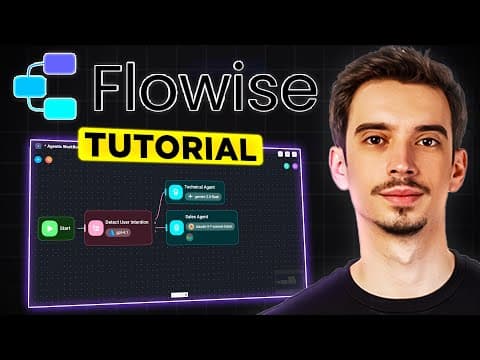
Flowise AI Tutorial (2026) - Everything You Need To Know!
4:11
Tutorial4:11
Flowise AI Tutorial (2026) - Everything You Need To Know!
Flowise AI Tutorial (2026) - Everything You Need To Know! In today's video, I show you how to use the Flowise AI Tutorial. For more problem-solving solutions, make sure to subscribe! 👉 Subscribe: www.youtube.com/@Review-Radar-Official/featured?sub_confirmation=1 If you found this video helpful, please show your support by giving it a thumbs-up and sharing your results in the comments below. Thank you!
Flowise 3.0
1:29
Tutorial1:29
Flowise 3.0
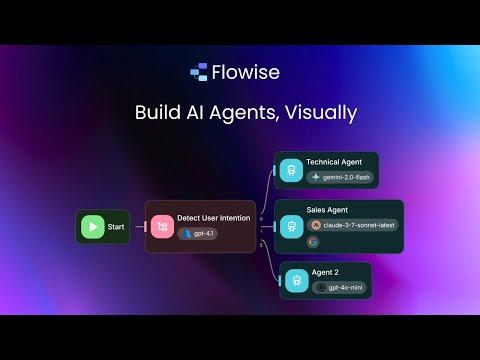
Introducing Flowise 3.0 For the first time, anyone can build AI agents from just an idea. Simply describe what you want to create, and a draft will be generated for you. Flowise provides modular building blocks for you to build any agentic systems, from simple compositional workflows to autonomous agents. Some common patterns are: - Chaining - Routing - Parallelization - Hierarchy - Looping - Iteration Each LLM/Agent has the following augmentations to enable flexible multi agents architecture: - Memory - Retrieval(RAG) - Tool - Centralized State - Structured Output 🙋‍♂️ Human in the Loop: This is a core aspect of an agentic system, allowing humans to review tasks performed by agents, or to approve/reject tool calls by agents. For example, reviewing actions before sending an email or booking an appointment. 📝 Form Input: In addition to the standard chat interface, workflows can also be triggered through a form-based interface. This is ideal for workflows that don't require back-and-forth communication between the user and agents. 🔍 Observability: Gain full visibility into execution traces to debug issues and optimize performance. You can share traces publicly, allowing others to review, approve, or provide feedback. ✅ Flow Validation: Designing complex workflows can be challenging. Flow validation helps minimize misconfigurations and human errors by automatically checking for common issues. And the best part? Everything is open source: https://github.com/FlowiseAI/Flowise Or try it out for free on cloud: https://cloud.flowiseai.com

Who uses it

Real use cases, no hype
RAG Chatbots
Build conversational agents that answer questions from uploaded documents (PDF, TXT, etc.) using retrieval-augmented generation.
Multi-Agent Systems
Orchestrate complex workflows with multiple coordinated agents for tasks like research, analysis, and automation.
Customer Support Automation
Create AI assistants that handle common queries, escalate to humans (HITL), and integrate with existing support tools.
Internal Copilots
Develop company-specific AI helpers for employees to access knowledge bases, generate reports, or automate tasks.
Prototyping & MVPs
Rapidly test AI ideas and build functional prototypes without deep ML engineering, using pre-built templates.
API Integration
Embed AI capabilities into existing applications via REST API, Python/JS SDK, or a customizable chat widget.
Data Analysis Workflows
Connect to various data sources, transform data, and run LLM-powered analysis or reporting pipelines.
What's great
  • Open source with active community and GitHub presence
  • Visual drag-and-drop builder for rapid prototyping
  • Supports 100+ LLMs, vector DBs, and data sources
  • Built-in RAG, memory, and tool calling for chatbots
Technical strengths
  • Multi-agent orchestration with Agentflow for complex workflows
  • Enterprise features: RBAC, SSO, encrypted creds, horizontal scaling
  • API, JS/Python SDK, CLI, and embedded chat widget for integration
Where it falls short
  • Sunsetting project; future development uncertain
  • Free tier severely limited (2 flows, 100 predictions/mo)
  • Vendor lock-in if using Flowise Cloud for hosting
Technical limitations
  • Complex workflows can become visually cluttered in the editor
  • Self-hosted deployment requires Node.js and database setup
  • Advanced debugging relies on external tools (OpenTelemetry, Prometheus)
  • Documentation can be sparse for cutting-edge Agentflow V2 features
For technical folks

The deep-dive specs

FAQ

Includes technical Q&A
Yes, Flowise is open source and free to self-host. There's also a cloud service with a free tier (limited to 2 flows and 100 predictions/month) and paid plans starting at $35/month for more resources and users.

Traffic Insights

Monthly Visits

131.8K

November 2026

Growth Rate

0%

vs last month

Dominance

0%

in Chatbots

Top Country

Bangladesh

23% of traffic

Top Countries Breakdown

Bangladesh
23%
United States
16%
India
9%
Spain
5%
United Kingdom
5%

Growth Trend

Stable

Traffic has remained stable.

Honest pricing

No sneaky tiers, no “contact sales”

Here's who each plan is actually for — and where the hidden charges might hit.

Free
Free

Users

    Starter
    $35/mo

    Users

      Pro
      $65/mo

      Users

        View Full Plans & Pricing on Flowise

        Official pricing, checkout, and plan upgrades are handled directly on flowiseai.com.

        Reviews

        What the internet actually thinks

        Data refreshed weekly. No paid placements.

        Trustpilot
        Not reviewed yet
        G2
        G2
        Not reviewed yet
        C
        Capterra
        Not reviewed yet
        Product Hunt
        Not reviewed yet
        COMMUNITY COMMENTS

        Leave a Comment

        Help others make informed decisions. Your honest feedback shapes the community's understanding of this tool.

        Tips for commenting

        • •Be specific about features you used
        • •Share real use cases and results
        • •Mention both pros and cons
        • •Keep it honest and constructive
        to leave a comment

        Your comment is published immediately.

        Filter:
        Sort:

        No comments yet

        Be the first to share your experience with this tool.

        Alternatives

        Not quite the right fit?

        Here's what else is out there.