Directory/Coding/AI IDE/Devin Desktop
Devin Desktop

Devin Desktop

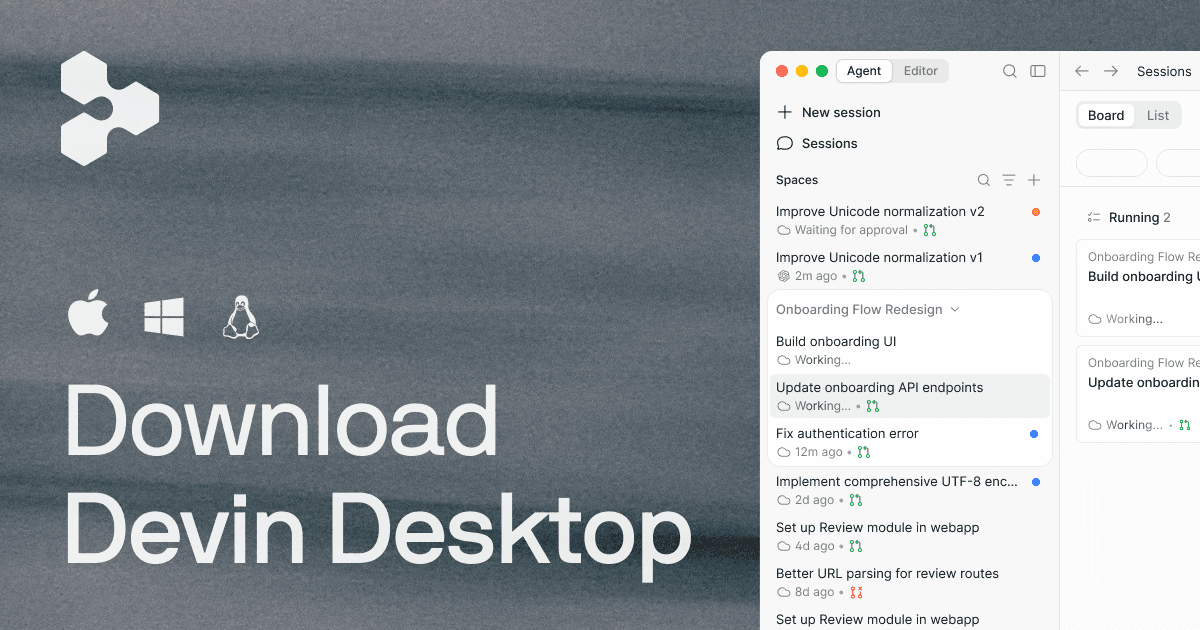
Devin Desktop is an AI-powered integrated development environment (IDE) serving as a command center for managing fleets of local and cloud coding agents. It enables developers to plan, delegate tasks to agents, review code changes, and ship updates without leaving the editor. Key capabilities include a full IDE with syntax highlighting and debugging, multi-agent coordination via Agent Client Protocol (ACP), support for various AI models, and integrations with tools like Slack, GitHub, and Linear. Targeted at software developers and engineering teams seeking to boost productivity with AI assistance.

Coding
Visit website
Added on
Sep 16, 2026
Monthly Visits
3.6M
Agent ManagementAI IDEMulti-modelFast ContextCloud AgentsSWE-2 ModelACP ProtocolIntegrationsCode ReviewEnterprise
Product information

Everything worth knowing about Devin Desktop

The complete picture — from everyday features to the technical detail builders and IT folks dig for.

Core features

What it actually does

Agent Command Center
Manage fleets of local and cloud agents from one surface, planning, delegating, reviewing, and shipping without leaving your editor.
Full IDE Experience
Complete IDE with syntax highlighting, autocomplete, debugging tools, and integrated code editor for staying in flow.
Fast Context Retrieval
Instantly find exact files and lines your agent needs in milliseconds for efficient task handling.
Diff Review Interface
Rapidly review every agent diff before pushing changes to ensure accuracy and quality.
Free SWE-2 Access
Unlimited access to SWE-2, an advanced coding model, free in Devin Desktop and CLI through October 10, 2026.
Cloud Handoff
Effortlessly hand off work to the cloud for continued progress, designed for closing your laptop.
Technical capabilities
Agent Client Protocol (ACP)
Protocol enabling work across multiple models and agents for seamless collaboration.
Must watch videos
GitHub Copilot vs Cursor AI vs Codeium — Best AI Coding Assistant 2025?
2:18
Comparison2:18
GitHub Copilot vs Cursor AI vs Codeium — Best AI Coding Assistant 2025?
GitHub Copilot vs Cursor AI vs Codeium: Which AI Coding Tool is Best in 2025? Choosing between GitHub Copilot, Cursor AI, and Codeium for AI-powered coding? In this comparison, we test all three across code quality, speed, features, and pricing to help you pick the best AI coding assistant for your workflow. 🎯 What We Cover: ✅ GitHub Copilot vs Cursor AI vs Codeium features ✅ Code completion quality and accuracy ✅ IDE integration and user experience ✅ AI chat and codebase understanding ✅ Pricing comparison: Free vs Paid ✅ Best choice for students, indie developers, and professional teams ⚡ Quick Summary: GitHub Copilot offers the most polished experience with deep VS Code integration. Cursor AI is a full IDE with powerful codebase-aware chat and the best overall AI experience. Codeium is completely free with solid performance—perfect for budget-conscious developers. 🔍 Keywords: GitHub Copilot vs Cursor, Codeium comparison, best AI coding assistant 2025, AI code completion, Cursor AI review, Copilot alternative, free AI coding tool, AI programming assistant, VS Code AI extensions, developer productivity tools 💬 Which AI coding tool are you using? Share your experience! 👍 Like if AI helps you code faster 🔔 Subscribe for more developer tool reviews 📢 Share with your dev team #GitHubCopilot #CursorAI #Codeium #AICoding #DeveloperTools #CodeCompletion #AIAssistant #Programming #VSCode #SoftwareDevelopment
Codeium AI Tutorial| How to Use Codeium
4:29
Tutorial4:29
Codeium AI Tutorial| How to Use Codeium
In this video, you will learn about Codeium, your AI assistant for writing code, from providing autocomplete suggestions to the ability to search through code effectively. Codeium https://codeium.com/ ​​Welcome to tech-tuned! Your AI-focused YouTube channel! Where we unravel the latest trends and provide insightful tutorials on the fascinating world of artificial intelligence. Fliki AI Tutorial | How to Use Fliki TechTuned Tech Tuned tech technology AI artificial intelligence prompt engineering AI tools generative AI machine learning natural language processing nlp codeium codeium tutorial codeium chat code code generation autocode programming coding Python JavaScript Go Java C++ APL Assembly Astro Blade C C++ C# Clojure CMake COBOL CoffeeScript Crystal CSS CUDA Dart Delphi Dockerfile Elixir Erlang F# Fortran GDScript Go Gradle Groovy Hack Haskell HCL HTML Java JavaScript Julia JSON Kotlin LISP Less Lua Makefile MATLAB MUMPS Nim Objective-C OCaml pbtxt PHP Protobuf Python Perl Powershell Prolog R Ruby Rust SAS Sass Scala SCSS shell Solidity SQL Starlark Swift Svelte Typescript TeX TSX VBA Vimscript Vue YAML Zig
Codeium- AI Tool for Coders
1:09
Tutorial1:09
Codeium- AI Tool for Coders
URL: https://codeium.com/ #coding #codemasters #coders

Who uses it

Real use cases, no hype
Agent Orchestration
Manage fleets of local and cloud agents to automate coding tasks.
Collaborative Development
Share context and worktrees across team members using Spaces.
Code Review and Debugging
Review agent-generated diffs and debug code within the IDE.
Multi-Model Experiments
Switch between different AI models for various coding tasks via ACP.
Continuous Integration
Automate testing and deployment workflows with agent support.
Context-Aware Code Generation
Leverage Fast Context for precise code completions based on codebase.
Enterprise Workflow Automation
Integrate with enterprise tools like Jira, Slack for seamless operations.
What's great
  • Unified command center for managing multiple AI agents.
  • Full IDE integration with debugging tools for seamless coding.
  • Supports multiple models via Agent Client Protocol (ACP).
  • Free access to advanced SWE-2 coding model.
Technical strengths
  • Agent Client Protocol enables cross-model agent interoperability.
  • Supercomplete provides predictive code suggestions beyond simple edits.
  • Fast Context feature for millisecond-level codebase indexing.
Where it falls short
  • Usage quotas on free and paid plans may limit heavy usage.
  • Desktop application might not integrate well with all dev environments.
  • Documentation appears incomplete or broken based on scraped content.
  • Learning curve for new users transitioning from other IDEs.
Technical limitations
  • Cloud agent features require internet connectivity, impacting offline use.
  • Multi-agent support might introduce complexity in context management.
For technical folks

The deep-dive specs

Protocol
Agent Client Protocol (ACP) for multi-agent support
Model Support
Multi-provider: OpenAI, Claude, Gemini, SpaceXAI, and leading open-source models
Featured Model
SWE-2 (proprietary advanced coding model)
Deployment
Hybrid local + cloud agent execution

FAQ

Includes technical Q&A
It's the rebranded Windsurf, serving as a command center for managing AI agents.

Traffic Insights

Monthly Visits

3.6M

November 2026

Growth Rate

-23,5%

vs last month

Dominance

0,53%

in Coding

Top Country

Bangladesh

26% of traffic

Top Countries Breakdown

Bangladesh
26%
United States
13%
United Kingdom
6%
India
4%
Japan
4%

Growth Trend

Declining

Traffic has decreased compared to last month.

Honest pricing

No sneaky tiers, no “contact sales”

Here's who each plan is actually for — and where the hidden charges might hit.

Free
Free

Individuals

  • Light quota to code with agents
  • Limited model availability
  • Unlimited inline edits
  • Unlimited Tab completions
Pro
Most picked
$20/mo

Individuals

  • Everything in Free
  • plus
  • Increased quotas
  • including access to frontier models
  • Full model availability
  • Free use of SWE-2 Free in Devin Desktop and CLI through October 10
  • 2026
Max
$200/mo

Individuals

  • Everything in Pro
  • plus
  • Significantly higher quotas
Teams
$80 / mo + $40/mo per full seat

Teams

  • Everything in Pro
  • plus
  • Unlimited team members
  • Share and collaborate
  • Centralized billing
  • Admin dashboard with analytics
  • Priority support
View Full Plans & Pricing on Devin Desktop

Official pricing, checkout, and plan upgrades are handled directly on devin.ai.

Reviews

What the internet actually thinks

Data refreshed weekly. No paid placements.

Trustpilot
Not reviewed yet
G2
G2
Not reviewed yet
C
Capterra
Not reviewed yet
Product Hunt
Not reviewed yet
COMMUNITY COMMENTS

Leave a Comment

Help others make informed decisions. Your honest feedback shapes the community's understanding of this tool.

Tips for commenting

  • •Be specific about features you used
  • •Share real use cases and results
  • •Mention both pros and cons
  • •Keep it honest and constructive
to leave a comment

Your comment is published immediately.

Filter:
Sort:

No comments yet

Be the first to share your experience with this tool.

Alternatives

Not quite the right fit?

Here's what else is out there.

Detail tags
Found via these searches
#AIIDE#CodingAgents#LLM#Automation#Development#AgentOrchestration#NoCode