Reclaim.ai

Reclaim.ai

Reclaim.ai is an AI-powered calendar assistant that automates work scheduling to protect focus time, optimize meetings, and manage tasks across teams and organizations. It uses AI agents to intelligently schedule events around priorities and existing commitments. Key capabilities include AI Focus Time for deep work protection, AI Habits for recurring routines, AI Tasks for task scheduling, AI Smart Meetings for conflict resolution, and calendar sync across multiple accounts. It integrates with tools like Google Calendar, Outlook, Slack, and task managers. Target users range from individuals seeking better time management to enterprises needing company-wide productivity insights and automation. It provides analytics and workforce data to reduce burnout and improve efficiency.

Productivity
Visit website
Added on
Sep 30, 2026
Monthly Visits
435.1K
AI CalendarFocus TimeSmart MeetingsTask SyncBuffer TimeCalendar SyncTeam OOOWorkforce AnalyticsFree PlanIntegrations
Product information

Everything worth knowing about Reclaim.ai

The complete picture — from everyday features to the technical detail builders and IT folks dig for.

Core features

What it actually does

AI Focus Time
Set a weekly Focus Time goal, and automatically defend time to get stuff done.
AI Habits
AI-powered recurring events that automatically find the best time within your smart schedule windows.
AI Tasks
Auto-sync and schedule Tasks to your calendar, by priority.
AI Smart Meetings
Convert recurring meetings to Smart Meetings to monitor and resolve scheduling conflicts.
AI Scheduling Links
Share your availability using smart meeting controls.
AI Buffer Time
Auto-schedule breaks & travel across your meetings & work sessions.
AI Calendar Sync
Automatically defend time for events across all of your schedules.
Must watch videos
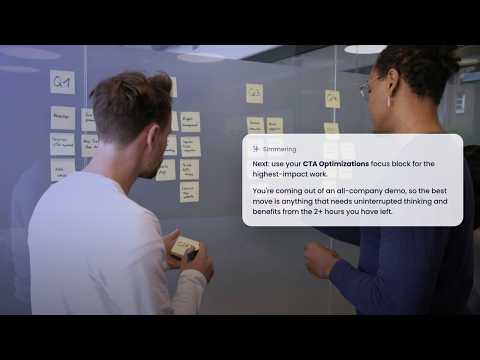
Decide what tasks to do next | Reclaim 2.0 AI Agents
1:12
Tutorial1:12
Decide what tasks to do next | Reclaim 2.0 AI Agents
Reduce decision paralysis by surfacing the most important work next. In this video, learn how to use Reclaim to recommend what to work on next based on your meetings, deadlines, workload, priorities, Focus Time, and calendar availability—helping you stay focused on what matters most. Perfect for executives, founders, operators, managers, product teams, and busy professionals juggling competing priorities. Set up task recommendations: https://reclaim.ai/ai-agent-library/what-should-i-do-now-guidance Browse the AI Agent Library: https://reclaim.ai/ai-agent-library Learn more about Reclaim 2.0 in the overview doc: https://help.reclaim.ai/en/articles/14846468 🚀 Get started with Reclaim FREE: https://app.reclaim.ai/signup 💬 Questions or feedback? Drop them in the comments. Get social with us: https://x.com/reclaimai https://www.instagram.com/reclaimai/ https://www.linkedin.com/company/reclaim-ai/ FAQs What is Reclaim? ► Reclaim.ai is an AI scheduling app for Google Calendar and Outlook Calendar that automatically protects your focus time, tasks, routines, meetings, and breaks — helping you stay available, balanced, and productive every week. Who is Reclaim for? ► Reclaim is for anyone with a busy calendar, from individuals to entire organizations. Whether you’re managing meetings, projects, or personal routines and goals, Reclaim helps you get your time back with AI by automatically defending Focus Time, scheduling habits, managing tasks, and protecting breaks so your schedule always reflects what matters most. How much does Reclaim cost? ► Reclaim offers a free Lite plan along with premium paid plans designed to fit different needs and team sizes. Learn more about all available options here: https://reclaim.ai/pricing
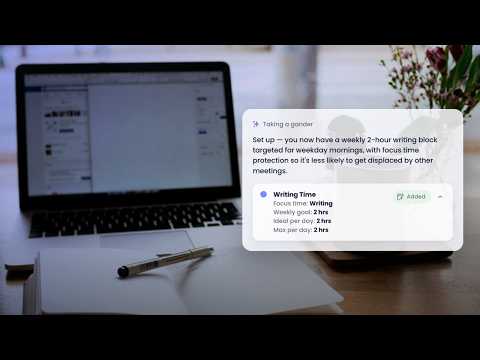
Block consistent time for writing | Reclaim 2.0 AI Agents
1:16
Tutorial1:16
Block consistent time for writing | Reclaim 2.0 AI Agents
Protect creative time for writing, journaling, and strategic drafting. In this video, learn how to create a Habit agent that automatically reserves time for writing each week, adapting around your schedule so you can build a more consistent creative routine with fewer interruptions. Perfect for writers, creators, founders, marketers, strategists, and knowledge workers. Set up a Writing Habit agent: https://reclaim.ai/ai-agent-library/block-time-for-writing Browse the AI Agent Library: https://reclaim.ai/ai-agent-library Learn more about Reclaim 2.0 in the overview doc: https://help.reclaim.ai/en/articles/14846468 🚀 Get started with Reclaim FREE: https://app.reclaim.ai/signup 💬 Questions or feedback? Drop them in the comments. Get social with us: https://x.com/reclaimai https://www.instagram.com/reclaimai/ https://www.linkedin.com/company/reclaim-ai/ FAQs What is Reclaim? ► Reclaim.ai is an AI scheduling app for Google Calendar and Outlook Calendar that automatically protects your focus time, tasks, routines, meetings, and breaks — helping you stay available, balanced, and productive every week. Who is Reclaim for? ► Reclaim is for anyone with a busy calendar, from individuals to entire organizations. Whether you’re managing meetings, projects, or personal routines and goals, Reclaim helps you get your time back with AI by automatically defending Focus Time, scheduling habits, managing tasks, and protecting breaks so your schedule always reflects what matters most. How much does Reclaim cost? ► Reclaim offers a free Lite plan along with premium paid plans designed to fit different needs and team sizes. Learn more about all available options here: https://reclaim.ai/pricing
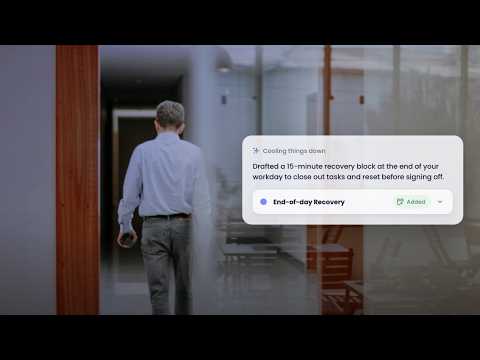
Defend end-of-day wrap-up time| Reclaim 2.0 AI Agents
1:09
Tutorial1:09
Defend end-of-day wrap-up time| Reclaim 2.0 AI Agents
Create healthier end-of-day routines that separate work from personal time. In this video, learn how to create a Habit agent that automatically reserves time at the end of each workday to wrap up tasks, review priorities, and plan for tomorrow—making it easier to disconnect before the day ends. Perfect for remote workers, executives, managers, founders, and busy professionals with demanding schedules. Set up an End-of-Day Wrap-Up agent: https://reclaim.ai/ai-agent-library/protect-end-of-day-recovery-time Browse the AI Agent Library: https://reclaim.ai/ai-agent-library Learn more about Reclaim 2.0 in the overview doc: https://help.reclaim.ai/en/articles/14846468 🚀 Get started with Reclaim FREE: https://app.reclaim.ai/signup 💬 Questions or feedback? Drop them in the comments. Get social with us: https://x.com/reclaimai https://www.instagram.com/reclaimai/ https://www.linkedin.com/company/reclaim-ai/ FAQs What is Reclaim? ► Reclaim.ai is an AI scheduling app for Google Calendar and Outlook Calendar that automatically protects your focus time, tasks, routines, meetings, and breaks — helping you stay available, balanced, and productive every week. Who is Reclaim for? ► Reclaim is for anyone with a busy calendar, from individuals to entire organizations. Whether you’re managing meetings, projects, or personal routines and goals, Reclaim helps you get your time back with AI by automatically defending Focus Time, scheduling habits, managing tasks, and protecting breaks so your schedule always reflects what matters most. How much does Reclaim cost? ► Reclaim offers a free Lite plan along with premium paid plans designed to fit different needs and team sizes. Learn more about all available options here: https://reclaim.ai/pricing

Who uses it

Real use cases, no hype
Focus Time Protection
Automatically schedule and defend uninterrupted deep work sessions.
Smart Meeting Scheduling
Find optimal times for meetings across all attendees' calendars.
Habit Optimization
AI-schedule recurring routines at the best times within your schedule.
Buffer Time Management
Auto-schedule breaks and travel time between events.
Calendar Sync
Defend availability across multiple calendar accounts to avoid conflicts.
Team Workload Analytics
Analyze time allocation and productivity metrics across teams.
AI-Powered Task Scheduling
Sync tasks from integrations and schedule them by priority in your calendar.
What's great
  • Powerful free plan with 5 AI agents.
  • Seamless Google Calendar and Outlook integration.
  • Proven results: +7.6h focus time/week.
  • AI agents automate scheduling optimizations.
  • Intuitive chat interface for scheduling assistance.
Technical strengths
  • Dynamic calendar adaptation based on real-time changes.
  • Advanced conflict resolution with preview controls.
Where it falls short
  • Enterprise features require paid plans.
  • Setup complexity for team-wide AI policies.
  • Limited integrations in free tier.
  • May not suit users preferring manual scheduling.
  • Requires calendar access, raising privacy considerations.
Technical limitations
  • Dependent on calendar API updates and changes.
  • Potential performance issues with large team analytics.
For technical folks

The deep-dive specs

FAQ

Includes technical Q&A
An AI calendar assistant that optimizes scheduling for focus time, meetings, and priorities.

Traffic Insights

Monthly Visits

435.1K

November 2026

Growth Rate

-12,1%

vs last month

Dominance

0%

in Productivity

Top Country

United States

31% of traffic

Top Countries Breakdown

United States
31%
Bangladesh
16%
Germany
8%
India
6%
United Kingdom
3%

Growth Trend

Declining

Traffic has decreased compared to last month.

Honest pricing

No sneaky tiers, no “contact sales”

Here's who each plan is actually for — and where the hidden charges might hit.

Starter
$10/mo

Small teams

  • 10 AI Agents/seat
  • Focus Time
  • Habits
  • Buffer Time
  • Smart Meetings
  • Meeting Quality
  • Up to 10 seats
Business
Most picked
$15/mo

Large teams

  • 100 AI Agents/seat
  • Focus Time
  • Habits
  • Buffer Time
  • Smart Meetings
  • Meeting Quality
  • Up to 100 seats
Enterprise
$22/mo

Enterprise-grade support

  • Unlimited AI Agents/seat
  • Focus Time
  • Habits
  • Buffer Time
  • Smart Meetings
View Full Plans & Pricing on Reclaim.ai

Official pricing, checkout, and plan upgrades are handled directly on reclaim.ai.

Reviews

What the internet actually thinks

Data refreshed weekly. No paid placements.

Trustpilot
Not reviewed yet
G2
G2
Not reviewed yet
C
Capterra
Not reviewed yet
Product Hunt
Not reviewed yet
COMMUNITY COMMENTS

Leave a Comment

Help others make informed decisions. Your honest feedback shapes the community's understanding of this tool.

Tips for commenting

  • •Be specific about features you used
  • •Share real use cases and results
  • •Mention both pros and cons
  • •Keep it honest and constructive
to leave a comment

Your comment is published immediately.

Filter:
Sort:

No comments yet

Be the first to share your experience with this tool.

Alternatives

Not quite the right fit?

Here's what else is out there.