Bing Image Creator

Bing Image Creator

Bing Image Creator is a free AI tool from Microsoft that generates images and videos from text prompts or uploaded images. It uses proprietary models like MAI-Image-2.5-Flash (detailed, dynamic) and MAI-Image-2e (quick, stylized art) for creation. Key features include prompt-to-image/video generation, image editing (restore, remove background, retouch, expand, enhance), and various style templates. Targeted at general users, creators, and Microsoft account holders, it offers free daily creation limits with optional Microsoft Rewards points for faster generation. The platform provides control over aspect ratio, generation mode, and speed (Fast vs. Standard). It supports over 100 languages and includes safety content policies. Uploaded images are stored temporarily for processing. It's accessible via web or the Bing mobile app, requiring a personal Microsoft Account (MSA) for full access.

Image Generation
Visit website
Added on
Sep 21, 2026
AI Image GenAI Video GenImage EditingFree TierMultiple ModelsMicrosoft Rewards
Product information

Everything worth knowing about Bing Image Creator

The complete picture — from everyday features to the technical detail builders and IT folks dig for.

Core features

What it actually does

AI Image Generation from Text
Transform detailed text prompts into AI-generated images using models like MAI-Image-2.5-Flash and MAI-Image-2e.
AI-Powered Image Editing
Upload an image to enhance, remix, or reimagine it with AI. Features include restore old photo, background remover, retouch, expand, and enhance.
Free Tier with Daily Fast Creations
Get 15 free fast-creation credits per day, replenishing daily. Unlimited standard-speed creations are also free.
Multiple Creation Modes & Aspect Ratios
Choose between 'Vivid and natural' and 'Stylized illustration' modes, and select from various aspect ratios for images or videos.
AI Video Generation
Create short AI videos from text prompts, with options for fast or standard generation speed (8-second duration).
Technical capabilities
Dual AI Model Architecture
Offers two distinct generation models: MAI-Image-2.5-Flash (detailed & dynamic) and MAI-Image-2e (stylized art). Image editing defaults to MAI-Image-2.5-Flash.
Microsoft Rewards Integration
Use Microsoft Rewards points to purchase additional fast-creation credits after exhausting the daily free allotment.
Must watch videos
How to Use Bing AI Image Generator: Step by Step Tutorial
9:28
Tutorial9:28
How to Use Bing AI Image Generator: Step by Step Tutorial
In this tutorial, we will show you how to use Bing AI Image Creator to create captivating visuals from your words. By following these steps, you can create stunning digital art using Microsoft Bing's AI Image Generator. Enjoy the process and let your creativity shine! Subscribe for more informative content! #howtousebingai #usebingaiimagemaker #bingaiimagegenrater
How To Use Bing AI Image Generator (Step By Step)
1:57
Tutorial1:57
How To Use Bing AI Image Generator (Step By Step)
In this video, I show you how to use Bing AI image generator. This is a free AI tool you can use to create high-quality AI images. Follow this video and learn how to use it to create the best possible generated images. - EARNINGS DISCLAIMER: This video is for educational purposes only. There is no guarantee that you will earn any money using the techniques and ideas mentioned in this video. I am not a financial advisor and anything that I say on this YouTube channel should not be seen as financial advice. Your level of success in attaining the results claimed in this video will require hard work, experience, and knowledge. Note: Some links are affiliate links that help the channel at no cost to you. Business Inquiries: contactknowledgebase@gmail.com
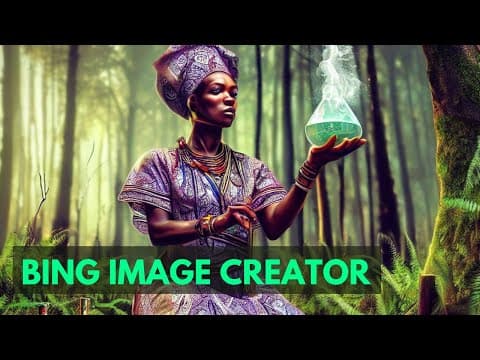
Microsoft's Bing Image creator - beginners tutorial | New Bing AI image generator
12:07
Tutorial12:07
Microsoft's Bing Image creator - beginners tutorial | New Bing AI image generator
Subscribe to my newsletter - https://creative-toolkit.com/newsletter ------------------------------------------------------------------------------------------------------------------- - Microsoft revealed its Bing Image Creator last Tuesday, which uses an updated version of OpenAI's DALL-E model. In this ai art tutorial I show how you can generate an image simply by typing a few words on the Image Creator tool. Links from today’s video : ______________________________________ ➜ bing.com/create Timestamps : ______________________________________ ➜ 1:19 Credit structure ➜ 3:04 Surprise me ➜ 4:32 Female alchemist ➜ 6:00 Alchemist emotions ➜ 7:05 Alchemist actions ➜ 9:00 Slow generation ➜ 10:50 Boost redemption If you want to support me ______________________________________ ➜ https://ko-fi.com/testingai Watch more of my content: ______________________________________ ➜ Browser extensions - https://tinyurl.com/gptextensions ➜ AI for Coding - https://tinyurl.com/gptcoding ➜ AI Art - https://tinyurl.com/testingaiart ➜ AI Video - https://tinyurl.com/testingaivideo ➜ AI Audio - https://tinyurl.com/testingaiaudio ➜ AI for Business - https://tinyurl.com/testingaibusiness Follow me on Twitter: https://twitter.com/_testingai Contact me for Business Enquiries : https://www.linkedin.com/in/sukantghosh/ Email - travelgorithm@gmail.com Affiliate Disclaimer: Some of these links in this description are affiliate links. I'll earn a small commission if you make a purchase at no additional cost to you. #testingai #artificialintelligence #ai

Who uses it

Real use cases, no hype
Creative Concept Art
Generate unique fantasy, sci-fi, or abstract visuals from text prompts for personal or mood board inspiration.
Social Media Content
Quickly produce eye-catching, themed graphics for posts, stories, and covers without design skills.
Product Mockups
Visualize product ideas or create stylized marketing shots from rough descriptions or reference images.
Photo Editing & Enhancement
Restore old photos, remove backgrounds, expand canvases, or retouch images using AI-powered tools.
Personalized Artwork
Create custom wallpapers, phone backgrounds, or digital prints tailored to your aesthetic.
Educational Illustrations
Generate clear, stylized diagrams or scenes to help explain concepts in presentations or materials.
What's great
  • 100% free for all Microsoft account holders.
  • Multiple AI models (MAI-Image-2.5-Flash, MAI-Image-2e) and styles.
  • Integrated with Bing and Microsoft ecosystem.
  • Excellent prompt suggestions and template library.
Technical strengths
  • Daily free fast creation quota (15 images) with standard speed fallback.
  • Supports image-to-image editing and inpainting via uploaded images.
  • Content policy with biometric data processing notice for face detection.
Where it falls short
  • Strict content policy can lead to suspensions.
  • Requires a Microsoft account; no anonymous use.
  • Fast creation limit is low (15/day) before paying with Rewards.
Technical limitations
  • MAI-Image-2e model unavailable for image editing/upload tasks.
  • Regional availability restrictions exist.
  • Uploaded images are stored for 30 days (faces) or 18 months (no faces).
For technical folks

The deep-dive specs

FAQ

Includes technical Q&A
It's a free AI tool from Microsoft that generates and edits images from text prompts and uploaded pictures.

Traffic Insights

Monthly Visits

—

October 2026

Growth Rate

0%

vs last month

Dominance

0%

in Image Generation

Top Country

—

Top Countries Breakdown

—

Growth Trend

Stable

Traffic has remained stable.

Pricing overview
Freemium Pricing

Bing Image Creator Pricing

Bing Image Creator uses a freemium pricing structure. Real-time rates, custom enterprise quotas, and plan details are managed directly on their official platform.

Check Pricing on Bing Image Creator
Reviews

What the internet actually thinks

Data refreshed weekly. No paid placements.

Trustpilot
Not reviewed yet
G2
G2
Not reviewed yet
C
Capterra
Not reviewed yet
Product Hunt
Not reviewed yet
COMMUNITY COMMENTS

Leave a Comment

Help others make informed decisions. Your honest feedback shapes the community's understanding of this tool.

Tips for commenting

  • •Be specific about features you used
  • •Share real use cases and results
  • •Mention both pros and cons
  • •Keep it honest and constructive
to leave a comment

Your comment is published immediately.

Filter:
Sort:

No comments yet

Be the first to share your experience with this tool.

Alternatives

Not quite the right fit?

Here's what else is out there.