Artbreeder

Artbreeder

Artbreeder is an AI-powered collaborative art platform that uses generative adversarial networks (GANs) and other models to allow users to create, remix, and edit images. Key tools include Splicer for mixing image genes, Collage for assembling images from shapes/text, and a Composer for generation. It targets artists, designers, game developers, and hobbyists looking for a unique, community-driven creative interface. The platform hosts over 14 million users and 300 million generated images, with features for exploring, following creators, and participating in contests.

Image Generation
Visit website
Added on
Sep 21, 2026
AI image generatorCredit-based systemImage mixing & editingCommunity contestsHigh-res downloads
Product information

Everything worth knowing about Artbreeder

The complete picture — from everyday features to the technical detail builders and IT folks dig for.

Core features

What it actually does

AI-Powered Image Generation
Generate unique characters, artworks, and images using various AI models (e.g., SDXL, BigGAN) from text prompts or existing images.
Splicer & Collage Tools
Mix, branch, and edit images with a specialized creative interface. Create new images from simple shapes, other images, and text.
Gene Editing for Images
Fine-tune visual attributes (e.g., age, gender, artistic style) of generated images using intuitive gene sliders.
Community & Collaboration
Follow creators, share work, enter daily theme contests, and remix images with others in community events.
Technical capabilities
Credit-Based System
Uses a credit system for generation, with different costs per credit depending on the plan. Credits reset monthly or yearly.
Cloud-Based Rendering
All generation is performed server-side on high-end GPUs (implied by 'running many graphics cards 24/7'). Pro plans get faster rendering.
Must watch videos
We Need to Delete Artbreeder Before It's Too Late
17:13
Tutorial17:13
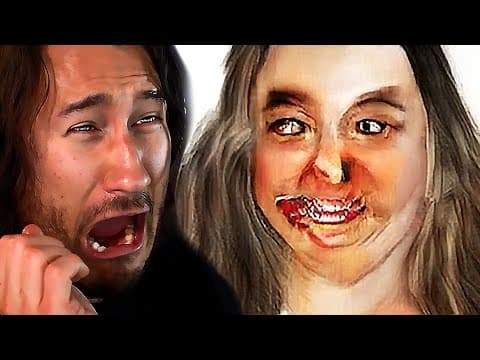
We Need to Delete Artbreeder Before It's Too Late
Artbreeder is a fantastic website that helps you create THE WORST NIGHTMARES KNOWN TO MAN all through the power of AI gone wrong! EDITED BY ► LIXIAN https://www.youtube.com/user/LixianTV Try Artbreeder ► https://www.artbreeder.com/ Awesome Games Playlist ► https://www.youtube.com/playlist?list=PL3tRBEVW0hiDAf0LeFLFH8S83JWBjvtqE Scary Games Playlist ► https://www.youtube.com/playlist?list=PL3tRBEVW0hiBSFOFhTC5wt75P2BES0rAo Happy Outro ► https://soundcloud.com/hielia/minimusicman-crazy-la-paint
AI to the rescue, creating AI animations with ArtBreeder
20:42
Tutorial20:42
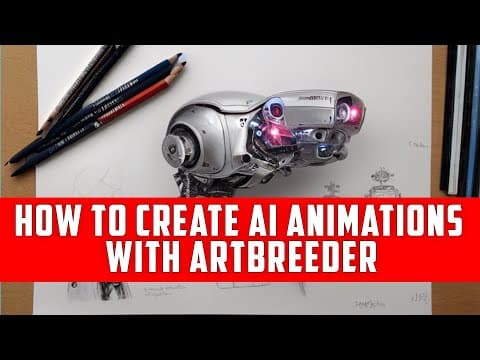
AI to the rescue, creating AI animations with ArtBreeder
How to create AI-powered animation of the still images with ArtBreeder service. What technology does it use, and how it is different from a standard video editor. Step-by-step guide. Uploading images and creating an animation timeline. Thank you for your support! Please subscribe and leave your comments. [00:00] Intro [00:51] Animation overview [02:46] Type of AI animations [04:06] Creating landscape animation [09:48] Creating Portrait animation [14:03] View created animations [17:54] View one more ... just to be sure. What do I use: Canon camera - https://amzn.to/2P48ZxB 24-70 mm lens (everyday use) - https://amzn.to/2P0uW0t Zhiyun Crane V2 3-Axis Handheld Gimbal Stabilizer - https://amzn.to/2r6wFI7 One of my favorite modifiers from Fotodiox - https://amzn.to/2Rfr1Px Another modifier, that helps with fill light - https://amzn.to/2ReC2jX Adobe Photoshop CC - https://amzn.to/2TNrLwL Photokey 8 Pro - https://amzn.to/2re4UO9 My Vue book - https://amzn.to/2TGUkvQ 3D Art essentials - https://amzn.to/2RfqPjh My Patreon webpage - https://www.patreon.com/geekatplay Tutorials and packs - https://gumroad.com/geekatplay Tutorials website - https://www.geekatplay.com Photography - https://www.chopinephotography.com Subscribe to my channel for fast notifications on new tutorials - https://www.youtube.com/channel/UCXClq3pt-M2_uiEvicCs7mQ
Artbreeder & Collage Amazing Machine Learning Generative Art
12:20
Tutorial12:20
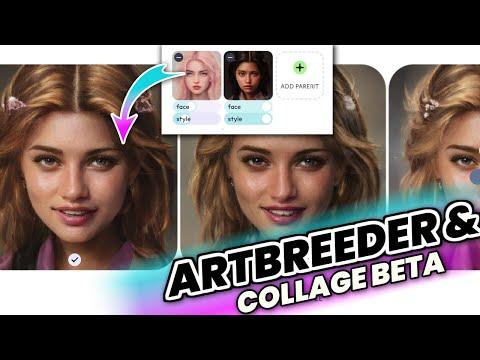
Artbreeder & Collage Amazing Machine Learning Generative Art
I've been experimenting with the Collage beta app with the generative art program Artbreeder (formerly known as "ganbreeder"). The first use machine learning to produce generative art by altering the image's "genes" (for portraits, for example: age, gender, eye color, and facial expressions), and with Collage, you may draw shapes, arrange photos, and incorporate text to produce one-of-a-kind AI art. You can combine different photographs, such as two people, to observe how their "genes" combine to create a new portrait image. Allow other members of the community to derive from your photographs, and do the same for their artwork and "genes", so that everyone can view the entire "family tree" of hierarchy that led to that particular image. Try it yourself at artbreeder.com. SUBSCRIBE FOR MORE! #machinelearning #artbreeder #aiart

Who uses it

Real use cases, no hype
Concept Art Generation
Rapidly prototype character designs, landscapes, and sci-fi/fantasy scenes for projects.
Game Asset Creation
Generate unique textures, sprites, and environment art for indie game development.
Social Media Content
Create eye-catching, unique visuals for posts, thumbnails, and branding.
AI Art Exploration
Experiment with neural network outputs and discover new artistic styles.
Character Design & Refinement
Use the 'Splicer' tool to mix and tweak facial features, ages, and styles.
Creative Collaboration
Participate in community contests and remix parties for inspiration.
Educational Experimentation
Learn about generative AI and image synthesis through interactive tools.
What's great
  • Massive, active community of 14M users
  • Powerful, unique tools like Splicer for image gene editing
  • Fun, collaborative features like Remix Parties
  • Unlimited image generation in Composer tool with Pro
Technical strengths
  • Generates SDXL model images at scale
  • Integrated Google Drive sync for asset management
  • Clear credit-based system for compute-intensive tasks
Where it falls short
  • Credits do not roll over monthly
  • High-resolution downloads are Pro-only
  • Generations are slow on the free tier
  • Core tools like Collager have usage caps on free
Technical limitations
  • Locked behind credit system; no pay-per-image option
  • Advanced models like SDXL are credit-gated
For technical folks

The deep-dive specs

Core Technology
Generative AI with genetic parameter editing and diffusion models (e.g., SDXL)
Image Resolution
Standard generation at 512px; up to 2048px for Pro subscribers
Credit System
Credits consumed per generation; cost per credit decreases with higher-tier plans

FAQ

Includes technical Q&A
You retain access to free features like basic Splicer images and slow Collager generations. To get more, you must renew your plan early or upgrade your subscription tier.

Traffic Insights

Monthly Visits

—

October 2026

Growth Rate

0%

vs last month

Dominance

0%

in Image Generation

Top Country

—

Top Countries Breakdown

—

Growth Trend

Stable

Traffic has remained stable.

Honest pricing

No sneaky tiers, no “contact sales”

Here's who each plan is actually for — and where the hidden charges might hit.

Starter
$7.49/mo

Individuals

  • 1200 credits per year
  • $0.07 per credit
  • ~12
  • 000 SDXL images
Advanced
Most picked
$15.99/mo

Individuals

  • 3300 credits per year
  • $0.06 per credit
  • ~33
  • 000 SDXL images
Champion
$30.99/mo

Individuals

  • 8400 credits per year
  • $0.04 per credit
  • ~84
  • 000 SDXL images
View Full Plans & Pricing on Artbreeder

Official pricing, checkout, and plan upgrades are handled directly on artbreeder.com.

Reviews

What the internet actually thinks

Data refreshed weekly. No paid placements.

Trustpilot
Not reviewed yet
G2
G2
Not reviewed yet
C
Capterra
Not reviewed yet
Product Hunt
Not reviewed yet
COMMUNITY COMMENTS

Leave a Comment

Help others make informed decisions. Your honest feedback shapes the community's understanding of this tool.

Tips for commenting

  • •Be specific about features you used
  • •Share real use cases and results
  • •Mention both pros and cons
  • •Keep it honest and constructive
to leave a comment

Your comment is published immediately.

Filter by rating:
Sort by:

No comments yet

Be the first to share your experience with this tool.

Alternatives

Not quite the right fit?

Here's what else is out there.