AI2SQL

AI2SQL

AI2SQL turns plain English into SQL that runs against your real database. Connect Postgres, MySQL, SQL Server, Oracle, Snowflake, BigQuery, Redshift, MongoDB, SQLite or Firebird with read-only credentials, and it builds a semantic layer from your tables and joins so generated queries use real column names and the correct dialect. Beyond generation it explains queries clause by clause, rewrites slow ones with reasoning, fixes broken syntax, formats code, and executes read-only so you actually see the rows. sqlGuard classifies every statement and blocks writes, DDL and multi-statement input; every query is logged and metered per agent. It ships as an MCP server for Claude, ChatGPT, Cursor and VS Code, a REST API for your own agents and n8n, and a Windows/macOS desktop connector for localhost databases. Built for engineers, analysts and learners who want trusted answers, not textbook SQL.

Coding
Visit website
Added on
Nov 4, 2026
Text to SQL10 databasesMCP serverRead-only queriesSQL fixerQuery optimizerSchema-awareREST APIDesktop app
Product information

Everything worth knowing about AI2SQL

The complete picture — from everyday features to the technical detail builders and IT folks dig for.

Core features

What it actually does

Text to SQL on Your Real Schema
Describe the result you want in plain English (or your own language) and get SQL written against your actual tables, columns and joins — in the dialect of the database you connected.
Explain Any Query
Paste a query nobody remembers writing and get a clause-by-clause plain-language walkthrough before you trust it enough to run it.
Optimize Slow Queries
Get a rewritten version plus the reasoning — the join that should have been a filter, the missing index, the 40-second query that should be fast.
Fix Broken SQL
Paste the query that will not run. Syntax errors, dialect mismatches and wrong column names get corrected with an explanation of what broke.
Run It Read-Only and See the Rows
Execute against a live read-only connection and read the result set without leaving the page. Format and cleanup of casing/indentation included.
Use It From Claude, ChatGPT and Cursor
AI2SQL runs as an MCP server, so you can ask your database from the chat client you already use, or hit the REST API from your own agent and n8n workflows.
Technical capabilities
sqlGuard Write-Blocking
Every statement is classified before it reaches your database; INSERT, UPDATE, DELETE, DROP and other DDL, multi-statement input, and server-file-reading functions are blocked. Credentials encrypted at rest, every query logged, keys revocable.
Must watch videos
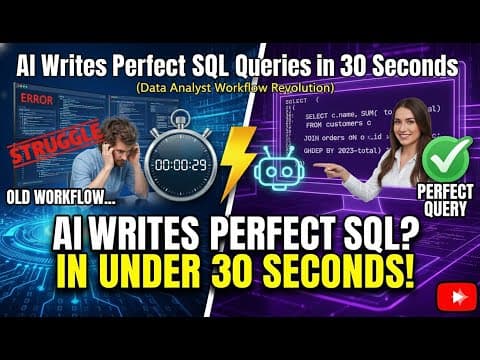
AI Write Perfect SQL Queries in 30 Seconds (Data Analyst Workflow Revolution)
8:20
Tutorial8:20
AI Write Perfect SQL Queries in 30 Seconds (Data Analyst Workflow Revolution)
My boss gave me a complex SQL problem—the kind that normally requires multiple joins, nested subqueries, and hours of debugging. It was a real-world analytics nightmare: Find customers who purchased in the last 90 days but have NOT logged into our app in the last 60 days. I was skeptical, but I put several AI tools (including AI2sql, Chat2DB, and Claude 3.5 Sonnet) to the ultimate test. Could they handle a query that forces us to look at three different tables with three different timelines? The results were astonishing. We saw tools generate highly readable, production-ready queries—including solutions using advanced techniques like Common Table Expressions (CTEs) and LEFT JOIN logic—all in under 30 seconds. This task would typically take me two hours to write, test, and validate manually. In the bonus round, I fed the AI a piece of horribly inefficient legacy code, and it flattened nested subqueries into a clean CTE and even suggested adding an index for better performance—acting like a senior DBA. This isn't about AI replacing data analysts; it’s about AI acting as a ridiculously fast co-pilot, shifting our role from "SQL-writer" to "data-strategist". It automates the most tedious part of the job, freeing us up to find insights. Pro Tip: Remember to always review and validate the AI's work, treating it like a brilliant junior analyst that needs your expert oversight. If you’re a data professional, this technology is a force multiplier. Hit like if this changed your perspective, and subscribe for more deep dives into how AI is transforming data analysis! Can an `sql ai tool` truly generate perfect `sql queries` from complex business questions in minutes? We put various `ai tools` to the test, exploring how `ai for sql` can act as a powerful `sql assistant` in your workflow. This video shares practical tips for leveraging these assistants to boost your data work.
How to Use AI2SQL: Complete Beginner Tutorial | Step-by-Step Guide
1:16
Tutorial1:16
How to Use AI2SQL: Complete Beginner Tutorial | Step-by-Step Guide
Learn how to write SQL queries using plain English with AI2SQL. Perfect for beginners with zero coding experience! What you'll learn in this tutorial: 📖 Step 1: Setting up your database connection 📖 Step 2: Writing your first simple query 📖 Step 3: Creating complex analytics queries 📖 Step 4: Understanding generated SQL code 📖 Step 5: Exporting and saving results
AI2SQL: Generate SQL from Plain English & Fix Broken Queries Instantly (No Syntax Needed)
5:10
Tutorial5:10
AI2SQL: Generate SQL from Plain English & Fix Broken Queries Instantly (No Syntax Needed)
Welcome! In this session, we explore the powerful features of **AI2SQL**. This tool is designed to make your data work smarter and allows you to explore your business metrics, analyze performance, or create quick reports all **without writing a single line of SQL**. If you are a beginner or an experienced analyst, this feature will feel like a lifesaver. Generate SQL Feature AI2SQL’s "generate SQL" feature lets you write what you want in **plain English** and instantly converts your words into a working SQL query. You simply describe your intent, and the AI takes care of the logic. There is **no need to memorize syntax** or even know any table names. When you click generate, AI2SQL interprets your description and builds the SQL query step by step, identifying relevant data sources, relationships, and how to group or filter results. The AI translates your intent into structured language automatically, handling everything from recent activity to trends over a certain time period. If the generated SQL does not exactly match your intent, you can simply rephrase your request, and the AI adjusts instantly. You can also ask the AI to **explain what the generated SQL does**, which is perfect for learning while you work. Fix SQL Feature The "fix SQL" option allows you to paste any CQL that is causing trouble. AI2SQL can identify what’s wrong and **correct it automatically**. It handles small typos, missing clauses, or more complex structural issues. The idea is simple: you focus on your goal, and the AI takes care of the technical cleanup. The tool scans your query for logical or syntactical problems and understands SQL across multiple databases, recognizing different dialects and applying the right fixes. This makes it a great learning tool, as you get insight into better SQL practices. The fix SQL feature is useful for developers, analysts, or anyone reviewing old scripts. Think of it as your **SQL proof reader, always on call**, ensuring consistency and correctness. Just describe what you want, click generate, or paste your faulty query, click fix, and watch as the AI writes the logic for you. You get accurate working SQL you can trust.

Who uses it

Real use cases, no hype
Text-to-SQL on Your Schema
Describe the result in plain English and get SQL written against your live tables, in the right dialect.
Debug Broken Queries
Paste the query that won't run and get the fix plus an explanation of what actually broke.
Query Optimization
Turn a 40-second query into a fast one, with the reasoning and the missing index spelled out.
Agent Database Access via MCP
Let Claude, ChatGPT, Cursor or your own agent query the database through one governed, read-only endpoint.
Learning SQL by Doing
See your own question mapped to SELECT, JOIN and GROUP BY — a practical way to pick up SQL.
Clean Up Before the PR
Consistent casing, indentation and line breaks in one pass so reviewers don't nitpick formatting.
Team Agent Gateway
Five seats, a shared workspace, data masking and a single audit log for every teammate's agent.
What's great
  • Writes SQL from your real table and column names, not made-up ones
  • Read-only by default — it cannot drop or delete anything
  • Runs inside Claude, ChatGPT, Cursor and VS Code via MCP
  • Explain, Fix and Optimize work on any query you paste
Technical strengths
  • sqlGuard classifies every statement and blocks DDL, multi-statement input and file-read functions before execution
  • Semantic layer built from schema — tables, joins and business terms — grounds generation in your actual data model
  • Per-agent scoped API keys with metered, audited calls and one activity log per team
Where it falls short
  • Free plan is a demo: 3 queries a day, no real database
  • '$0 today' still demands a credit card up front
  • Live DB connections limited to PostgreSQL, MySQL and SQL Server
  • Desktop app paywalled behind Pro
Technical limitations
  • Accuracy collapses on thin schemas — no keys or relationships means sloppy joins
  • No offline mode; every generation round-trips to their cloud API
  • No dbt or LookML import — the semantic layer has to be built by hand
For technical folks

The deep-dive specs

Supported Databases
PostgreSQL, MySQL, SQL Server, Oracle, Snowflake, BigQuery, Amazon Redshift, MongoDB, SQLite, Firebird
Security Layer
sqlGuard classifies every statement before execution; blocks INSERT, UPDATE, DELETE, DROP and other DDL, multi-statement input, and functions that read server files
Credential Handling
Read-only credentials by default, encrypted at rest, revocable keys, every query logged
Schema Grounding
Semantic layer built from your tables, joins and business terms
Integration Surfaces
MCP server (governed endpoint), REST API, Gateway with per-agent scoped keys and metering
Desktop App
Windows & macOS, runs next to your database so credentials never leave your machine (Pro plan)

FAQ

Includes technical Q&A
Yes, but it's a demo tier: 3 queries a day against a demo database. You can connect one database of your own and get 3 answers from it. Real usage starts at $9/month (Start), $19 (Pro) and $39 (Team), or $29 once for the Lifetime plan with 500 queries a month.

Traffic Insights

Monthly Visits

—

November 2026

Growth Rate

0%

vs last month

Dominance

0%

in Coding

Top Country

—

Top Countries Breakdown

—

Growth Trend

Stable

Traffic has remained stable.

Honest pricing

No sneaky tiers, no “contact sales”

Here's who each plan is actually for — and where the hidden charges might hit.

Free
Free

Individuals

  • 3 SQL queries a day on a demo database; Demo database only; Read-only by default
Start
$9/mo

Individuals

  • 100 SQL queries/month; Basic SQL generation; Explain SQL queries; Fix syntax errors; Write SQL from Claude
  • ChatGPT & your editor (MCP); MySQL & PostgreSQL dialects; Chat support; 7-day free trial
Pro
Most picked
$19/mo

Individuals

  • Everything in Start
  • plus; Unlimited SQL queries; Advanced AI model; Query optimization & explanation; Connect your own database (PostgreSQL
  • MySQL
  • SQL Server); Live read-only queries from Claude
  • ChatGPT
  • Cursor
  • VS Code & Gemini CLI; API keys for your own agents & n8n; All dialects; Priority support; Desktop App (Windows & Mac); 7-day free trial
Team
$39/mo

Teams

  • Everything in Pro
  • plus; 5 users included; Shared workspace — teammates query your connected databases; Data masking for AI agents; One activity log for every teammate's agent; 7-day free trial
Lifetime
$29/mo

Individuals

  • One-time $29 payment; Full access forever; 500 AI queries/month; All databases; No recurring charge
View Full Plans & Pricing on AI2SQL

Official pricing, checkout, and plan upgrades are handled directly on ai2sql.io.

Reviews

What the internet actually thinks

Data refreshed weekly. No paid placements.

Trustpilot
Not reviewed yet
G2
G2
Not reviewed yet
C
Capterra
Not reviewed yet
Product Hunt
Not reviewed yet
COMMUNITY COMMENTS

Leave a Comment

Help others make informed decisions. Your honest feedback shapes the community's understanding of this tool.

Tips for commenting

  • •Be specific about features you used
  • •Share real use cases and results
  • •Mention both pros and cons
  • •Keep it honest and constructive
to leave a comment

Your comment is published immediately.

Filter:
Sort:

No comments yet

Be the first to share your experience with this tool.

Alternatives

Not quite the right fit?

Here's what else is out there.