AI-Flow

AI-Flow

AI-Flow is a node-based canvas for chaining AI models — GPT, Claude, Gemini, Flux, Veo, Seedance, Kling and hundreds more — into a single repeatable workflow. Bring your own API keys and pay providers at cost, or run on platform credits with zero setup. Any flow can be exposed as a REST API, a webhook, or a stripped-down form app your teammates can run without ever seeing the canvas. Templates cover product mockups, batch image and video generation, storyboards, OCR and copy pipelines. Built for developers, indie founders and content ops teams who need multi-model automation without wiring the plumbing themselves.

Automation
Visit website
Added on
Nov 4, 2026
732 modelsBYOK keysVisual canvasREST APIWebhooksApp sharingTemplatesImage genVideo gen3D gen
Product information

Everything worth knowing about AI-Flow

The complete picture — from everyday features to the technical detail builders and IT folks dig for.

Core features

What it actually does

Multi-Model Workflows on One Canvas
Chain models from OpenAI, Anthropic, Google, Replicate and xAI inside a single visual flow to build end-to-end content pipelines instead of juggling five tabs and a spreadsheet.
Flow-to-App Publishing
Design a workflow once, choose which inputs are exposed, and hand it to your team as a simple form-based app via a share link. No canvas, no setup for the people running it.
Ready-Made Workflow Templates
Start from curated templates for product mockups, batch image generation, product video, storyboard-to-video, 3D asset generation and more — then adapt them to your own use case.
Bring Your Own API Keys (BYOK)
Plug in your own OpenAI, Anthropic, Replicate, Google or xAI keys and pay providers directly at their published rates. Or skip keys entirely and run on platform credits.
Image, Video and 3D Generation
Generate and edit images, video, speech, music and 3D assets from the same workflow — Flux, Seedream, Nano Banana, Veo, Kling, Seedance, Grok Imagine and others are wired in as nodes.
Technical capabilities
API Builder with Subflows and Webhooks
Expose any workflow as a REST endpoint, extract reusable subflows, and trigger flows from external systems via webhooks so the automation runs inside your own product.
Native Integration Nodes
Dedicated nodes for Notion, Airtable, Zapier and Make webhooks let you push generated output straight into the tools your team already lives in.
Must watch videos
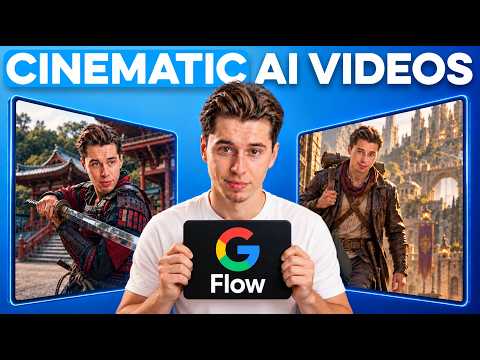
How to Use Google Flow to Create Cinematic AI Videos (Step by Step)
11:42
Tutorial11:42
How to Use Google Flow to Create Cinematic AI Videos (Step by Step)
Watch Next 👉 https://www.youtube.com/watch?v=mKUVH610_3s&pp=ygUJcm9ib3ZlcnNl In this video, I show how to use Google Flow to build a cinematic AI video from consistent character and environment references, a six-shot storyboard, and individually animated scenes. The Google Flow Workflow: https://drive.google.com/file/d/1zDmWWCUhTA99KXkDoRK6HoT4FVurHum4/view?usp=sharing for inquiries: roboverse at youripartnerships.com #Roboverse
Create with Flow | How to use Google’s AI Creative Studio
3:10
Tutorial3:10
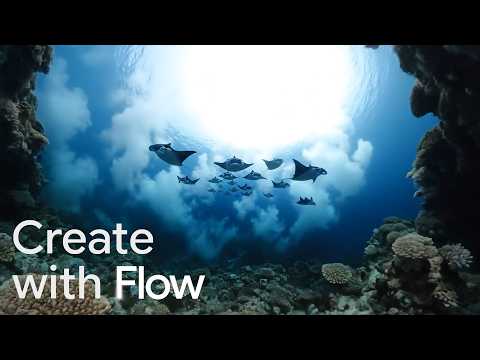
Create with Flow | How to use Google’s AI Creative Studio
Built with and for creatives, Flow is your AI creative studio powered by Google DeepMind’s most advanced models: Veo, Nano Banana, and Gemini. In this tutorial, you will learn to seamlessly create, refine, and compose your stories. With Flow, you can generate and edit images and videos in a single workflow, allowing you to build cohesive narratives with consistency. #Flow #AIFilmmaking #GenerativeAI We are so excited to see what you create. Create with Flow at https://flow.google/ See our Flow playlist on YouTube: https://www.youtube.com/playlist?list=PL590L5WQmH8cZy80Ko7dzpH2MyvNJFE-p #Flow #AIFilmmaking #GenerativeAI #GoogleDeepMind Subscribe to our Channel: https://www.youtube.com/google Find us on X: https://twitter.com/google Watch us on TikTok: https://tiktok.com/@google Follow us on Instagram: https://www.instagram.com/google Join us on Facebook: https://www.facebook.com/Google
Google Flow AI Filmmaking: Everything You Need to Know
20:53
Tutorial20:53
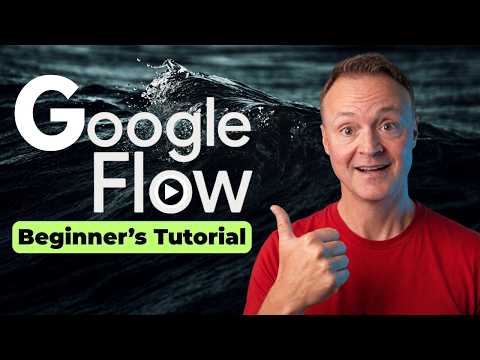
Google Flow AI Filmmaking: Everything You Need to Know
How to use Google Flow. Google Flow is Google's AI filmmaking tool, and the agent inside it will storyboard your entire project with you before you spend a single credit on video. In this video, you'll learn how to plan a video with AI, generate images and clips, keep a character consistent across every scene, and edit it all into a finished piece you can export. We go from a blank prompt to a finished 30 second ad, and I show you what each step costs along the way. You'll see how credits actually work, where the settings live that decide what you spend, and the one agent instruction trick that stops the AI from putting wrong text on your product. We also cover image editing with Nano Banana 2, frame to video, pulling new camera angles out of a clip you already have, building a reusable character, and fixing one small detail in a clip without regenerating the whole thing. If you're brand new to AI video, this is the walkthrough to start with. Timestamps: 0:00 Intro 0:29 Flow homepage tour 0:54 How credits work (and school or work accounts) 1:38 The workspace layout 2:15 Settings: image and video defaults 3:13 Agent instructions (brand rules that stick) 3:47 Your first prompt and the agent's questions 4:52 Adding a character and building the storyboard 6:56 Generating and editing images in Flow 8:07 Why AI still gets small text wrong 9:52 Generating clips and the cost approval step 11:18 Reviewing clips and catching continuity slips 12:04 Frame to video: start and end frames 13:25 New angles, new people, new styles from one clip 14:55 Characters and avatars for consistency 16:19 Fixing one detail without regenerating the clip 17:04 Editing your ad in Scenes 18:12 Exporting, downloading, and sharing 19:02 Tools and Storyboard Studio 20:31 Final thoughts Google Flow: https://flow.google Subscribe: https://www.youtube.com/@TeachersTech?sub_confirmation=1 Instagram: https://www.instagram.com/teacherstechlab LinkedIn: https://www.linkedin.com/in/teacherstech

Who uses it

Real use cases, no hype
Product Photo Generation
Batch-generate branded product shots and mockups from a single photo input using ready-made templates.
Multi-Model Content Pipelines
Chain Claude for copy, Flux for visuals, and Veo for video in one automated flow.
Image & Video Generation
Run text-to-image, image-to-video, and upscaling nodes from one canvas with any provider.
Internal Team Apps
Wrap a workflow in a form and hand it to non-technical colleagues via a simple link.
API Automation
Expose flows as REST endpoints and trigger them from your own product or backend.
Content Ops & Webhooks
Pipe generated assets into Notion, Airtable, Zapier, or Make automatically.
Storyboarding to Video
Turn script beats into cinematic video clips with consistent characters using Seedance/Kling.
What's great
  • Free tier, no subscription — pay providers directly with BYOK
  • 700+ models in one canvas: GPT, Claude, Gemini, Flux, Kling, Veo
  • Drag-and-drop node editor, zero code to start
  • Turn any flow into a shareable form-based mini app
Technical strengths
  • REST API builder plus webhooks on every workflow
  • Subflows let you modularize and reuse pipeline logic
  • Open source on GitHub — self-host if you don't trust the cloud
Where it falls short
  • Not a coding agent — no codebase-aware generation
  • Generated media wiped after 7 days on free tier
  • Platform credits burn fast on video models
  • Canvas becomes spaghetti on 20+ node workflows
Technical limitations
  • No native git-style version control or flow diffing
  • BYOK buckets capped at 20 free runs/day
  • Weak retry/error-handling primitives on failed nodes
For technical folks

The deep-dive specs

Architecture
Node-based visual workflow canvas, cloud-hosted web application
Model library
732 models available
Supported providers
OpenAI, Anthropic, Google, Replicate, xAI
API access
REST API endpoints and webhooks per workflow, plus reusable subflows
Integrations
Notion, Airtable, Zapier, Make
Media retention
Generated media stored 7 days on free tier, 30 days on higher tiers
Source code
GitHub repository (DahnM20/ai-flow)

FAQ

Includes technical Q&A
Yes. You can plug in your own provider keys and pay them directly at their published rates. Each day you get a set number of free runs; beyond that you pay a small platform fee for storage and compute.

Traffic Insights

Monthly Visits

—

November 2026

Growth Rate

0%

vs last month

Dominance

0%

in Automation

Top Country

—

Top Countries Breakdown

—

Growth Trend

Stable

Traffic has remained stable.

Honest pricing

No sneaky tiers, no “contact sales”

Here's who each plan is actually for — and where the hidden charges might hit.

Free
Most picked
Not available

Individuals

  • ['25 welcome credits'
  • '20 free runs/day for BYOK nodes
  • inputs and tools'
  • 'No credit card required'
  • 'Connect your own OpenAI
  • Anthropic
  • Replicate
View Full Plans & Pricing on AI-Flow

Official pricing, checkout, and plan upgrades are handled directly on ai-flow.net.

Reviews

What the internet actually thinks

Data refreshed weekly. No paid placements.

Trustpilot
Not reviewed yet
G2
G2
Not reviewed yet
C
Capterra
Not reviewed yet
Product Hunt
Not reviewed yet
COMMUNITY COMMENTS

Leave a Comment

Help others make informed decisions. Your honest feedback shapes the community's understanding of this tool.

Tips for commenting

  • •Be specific about features you used
  • •Share real use cases and results
  • •Mention both pros and cons
  • •Keep it honest and constructive
to leave a comment

Your comment is published immediately.

Filter:
Sort:

No comments yet

Be the first to share your experience with this tool.

Alternatives

Not quite the right fit?

Here's what else is out there.