Yomu AI

Yomu AI

Yomu AI is an academic writing assistant built around a document editor with autocomplete, AI edit commands, and citation support across 700+ styles via Sourcely. It drafts outlines and full researched sections, then paraphrases, expands, shortens, summarizes, and manages figures and tables with captions and references. Outside the editor, a chat mode handles PDFs, images, web and academic search, and your saved source library. A plagiarism checker plus grammar and originality checks target academic integrity. It runs on frontier models from OpenAI, Anthropic, Google, and xAI, with usage metered in AI actions. Built for students, grad researchers, and academics fighting deadlines on essays, literature reviews, and theses.

Copywriting
Visit website
Added on
Nov 4, 2026
700+ citation stylesAI autocompletePlagiarism checkerChat with PDFsDocument assistantMulti-modelSource library
Product information

Everything worth knowing about Yomu AI

The complete picture — from everyday features to the technical detail builders and IT folks dig for.

Core features

What it actually does

Document Assistant
An AI copilot that drafts entire sections, expands outlines, and returns feedback on your essay, literature review, or thesis so you never stare at a blank page.
AI Autocomplete
Sentence- and paragraph-level autocomplete that continues your academic prose inline while you type, keeping your voice and your argument moving.
Inline Editing Commands
Select any text and paraphrase, expand, shorten, summarize, or turn bullet points into full paragraphs without leaving the document.
Citation Find & Format
Search real sources, drop them in, and auto-format references in 700+ citation styles via a Sourcely-powered citation tool.
Plagiarism & Originality Checks
Run your draft through a plagiarism checker with guidance on fixing flagged passages, plus originality review built for academic integrity.
Technical capabilities
Multi-Model Routing
Chat, editor, and Full Text generation run on selectable frontier models — GPT-6.1 Sol, Claude 5.5 Sonnet/Opus, Grok 4.7, Gemini 3.8 Flash, DeepSeek V4, Kimi K3 — with model picks carrying over between sessions.
Credit-Based Action Metering
AI actions are metered by credits: Pro caps at 1,000 actions/month, Ultra is unlimited. The default chat model (Gemini 3.8 Flash) and document editing never consume credits; extra credits never expire.
Must watch videos
Jenni AI vs Yomu AI for Academic Writing: Don’t Use the Wrong One
17:58
Comparison17:58
Jenni AI vs Yomu AI for Academic Writing: Don’t Use the Wrong One
▶ FREE 10-minute AI setup for researchers (stops fake citations): https://academiainsider.com/free-ai-setup/ ▶ Use AI in your research without the slop. Course + community: https://academiainsider.com Links and Codes: Paperpal: https://paperpal.com/?linkId=lp_726731&sourceId=andy&tenantId=paperpal (PAP20 - 20% off) Thesify: https://thesify.ai?fpr=andy60 Thesis AI: https://www.thesisai.io/?via=andrew, ANDY20 - 20% off Elicit: https://elicit.com/?via=andrew Elicit: https://elicit.com/?via=andrew UndetectableAI: https://undetectable.ai?fpr=andy Jenni AI: https://jenni.ai/?via=andy-stapleton (Use codes: andy30, ANDY20) Julius AI: https://julius.ai/?via=andrew-stapleton (ANDY20 — offers 20% off) AnswerThis: https://answerthis.io?deal=andy42 (STAPLETON10 - 10% off) Unriddle: https://www.unriddle.ai/?ref=andrew (ANDY20 - 20 % off) In this video, I explore the comparison between two leading AI tools for research: Jenni AI vs Yomu AI. As someone who regularly tests emerging academic technologies, I wanted to see how these two platforms perform side by side when it comes to helping researchers write faster, stay organized, and maintain academic integrity. Both tools market themselves as intelligent assistants for students, academics, and early career researchers—but how do they actually stack up? Rather than simply walking through each feature, I look at real-world usability, interface responsiveness, citation handling, and text generation quality. What I find is that while they share a lot of surface similarities, the user experience diverges in subtle but important ways—especially in how they balance automation with control. If you're deciding between Yomu AI vs Jenni AI, small details like autocomplete reliability, citation integration, and the ability to export to LaTeX or Word may be the deciding factor for your workflow. For instance, Yomu vs Jenni AI raises some critical questions about trade-offs between price, citation accuracy, and writing support. Jenni AI offers seamless in-text citation and structured academic writing prompts, making it feel more like a writing assistant. On the other hand, Yomu offers more flexibility in terms of output styles and gives users greater control over the text generation process—along with feedback tools like plagiarism detection that reinforce academic responsibility. This isn’t about choosing the “best” tool in a vacuum. Instead, I focus on what kind of user each platform suits—whether you're someone who needs ideas to get started, or someone looking to fine-tune the final draft. If you're considering adding new AI tools to your academic workflow, or you're simply curious how different AI tools for research compare in terms of real utility, this deep dive into Jenni AI vs Yomu AI will help you make a more informed choice. ................................................ ▼ ▽ TIMESTAMPS 00:00 Intro 00:12 Overview 00:47 Pricing Comparison 03:04 Starting a new document 06:39 Auto-Complete Feature 11:14 Citing on Yomu 12:24 Modifying Settings 14:51 Document Drafting Process 17:09 The Verdict 17:30 Outro
Yomu AI vs Jenni AI: Which Is Best For Writing Academic Research Articles?
25:10
Comparison25:10
Yomu AI vs Jenni AI: Which Is Best For Writing Academic Research Articles?
Use AI to write and cite your research articles with Jenni AI or Yomu AI Check Out Yomu AI: https://www.yomu.ai/?via=scigradcoach/ Use Discount Code SGCMONTHLY20 for 20% off monthly or SGCYEARLY40 for 40% off the yearly plan For Ultra Plans Use discount code SGCYEARLYULTRA40 for 40% off the yearly plan and SGCMONTHLYULTRA20 for 20 % off the monthly plan Check Out Jenni AI: https://jenni.ai/?via=SciGradCoach Use Discount Code GRADSCHOOL for 20% off! Get the Scientific Research Paper Checklist: https://www.sciencegradschoolcoach.com/scientificpaperchecklist 📔Write Your Research Article: https://www.sciencegradschoolcoach.com/Write-Your-Research-Article AI can be a helpful resource to help you overcome writer's block to complete your research articles or literature reviews. With the explosion of AI, there are now multiple AI research writers that are worth considering for academics and researchers. Therefore, in this video, I am directly comparing two AI writing tools: Yomu AI and Jenni AI. I am specifically comparing these tools on their ability to generate text to help you overcome writer's block, make your writing sound more academic and appropriate for journals, and then how you can add citations in each of these tools. While both of these tools are evolving, I hope this video gives you a better idea of which tool might be best for you! --------------------------------------------------------------------------------------------------------------------------- Follow me: Twitter: https://twitter.com/scigradcoach Instagram: https://www.instagram.com/scigradcoach/ TikTok: https://www.tiktok.com/@scigradcoach Buy Me A Coffee: https://www.buymeacoffee.com/scigradcoach Courses: 📔Research Accelerator: https://www.sciencegradschoolcoach.com/research-accelerator 📔Write Your Research Article: https://www.sciencegradschoolcoach.com/Write-Your-Research-Article 📔Scientific Dissertation Academy: https://www.sciencegradschoolcoach.com/scientific-dissertation-academy My Notion Templates: 📝 Literature Organization: https://www.sciencegradschoolcoach.com/lit-organization-template 📝 Task and Project Management: https://www.sciencegradschoolcoach.com/task-management-template My Filming Setup: Video Editing: https://www.alanalrister.com/descript DISCLAIMER: Links and codes included in this description might be affiliate links. If you purchase a product or service with the links that I provide I may receive a small commission. There is no additional charge to you. Timestamps 00:00 YOmu AI vs. Jenni AI 01:26 Generate Academic Text 12:17 Paraphrase Writing Academically 16:11 Citations
How to Write & Cite a Research Paper with Yomu AI #YomuAI #AcademicWriting #AIForResearch #PhD
13:21
Tutorial13:21
How to Write & Cite a Research Paper with Yomu AI #YomuAI #AcademicWriting #AIForResearch #PhD
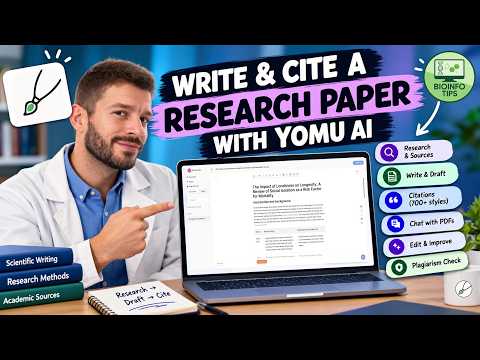
Can AI actually help with the academic writing process? In this video, I use Yomu AI to go from a research question to a structured, citation-backed research document. Yomu is an academic research and writing workspace that combines AI-assisted writing, literature research, citation management, document editing, PDF chat, and originality checking. ⏱️ Chapters 00:00 Intro 00:30 Yomu.AI demo 04:52 Inserting Citations 07:10 Generating a Figure 08:40 Generating a Table 10:17 Changing the Tone 11:13 Exporting to Word 11:57 Final Thoughts 📸 Follow BioInfo Tips on Instagram 👉 https://www.instagram.com/bioinfotips 🎓 Follow BioInfo Tips on X 👉 https://x.com/BioinfoTips 💬 Support & feedback If you found this video helpful, please like, comment, and subscribe! 📌 About Bioinfo Tips Bioinfo Tips is a YouTube channel dedicated to helping researchers and students work smarter with scientific software, AI tools, data analysis, and research workflows. Here, you'll find practical tutorials covering tools and topics such as GraphPad Prism, citation management software, scientific writing, AI for research, bioinformatics, and more. Support this channel if you want to see other tutorials and get access to joint chat rooms: https://www.youtube.com/channel/UCDq2xfuqS3bGxWBShew7l9A/join #YomuAI #AcademicWriting #AIForResearch #ResearchTips #PhD #BioInfoTips

Who uses it

Real use cases, no hype
Essay Drafting
Generate outlines and full sections with inline citations instead of staring at a blank page.
Literature Reviews
Pull credible academic sources fast and keep them organized in a reusable library.
Citation Formatting
Apply APA, MLA, IEEE, Chicago and 700+ other styles without hand-formatting references.
Paraphrasing & Rewriting
Shorten, expand, or rephrase passages while keeping your argument intact.
Originality Checks
Run a plagiarism scan before submission and catch copied phrasing early.
Thesis & Dissertations
Handle long documents with figures, tables, captions, and cross-references.
Chat With PDFs
Interrogate uploaded papers and images, or pull answers from academic and web search.
What's great
  • Citation-backed writing, not just generic text generation
  • 700+ citation styles built in
  • Runs inside a real document editor, not a chat box
  • Cheap compared to other academic AI tools ($10/mo Pro)
  • Personal source library reusable across documents
Technical strengths
  • Citation finding powered by Sourcely's academic source index
  • Model routing across GPT-6.1, Claude 5.5, Gemini, Grok, DeepSeek
Where it falls short
  • No permanent free tier, only paid Pro/Ultra plans
  • Pro caps you at 1,000 AI actions per month
  • Universities may flag AI-assisted drafts regardless of tool quality
  • Plagiarism check is a self-check, not a Turnitin substitute
Technical limitations
  • Generated citations can still point to wrong or mismatched sources
  • Best models locked behind the $17/mo Ultra tier
  • No public API, so no workflow automation or bulk pipelines
For technical folks

The deep-dive specs

Models (Pro tier)
GPT-6 Luna, Claude 5.5 Haiku, Gemini 3.8 Flash, Muse Spark
Models (Ultra tier)
GPT-6.1 Sol, Claude 5.5 Sonnet & Opus, Grok 4.7, DeepSeek V4, Kimi K3
Default chat model
Gemini 3.8 Flash (never consumes credits)
Citation engine
Powered by Sourcely, 700+ citation styles
Usage metering
AI actions / credits; 1,000/month on Pro, unlimited on Ultra

FAQ

Includes technical Q&A
You write in a document editor that behaves like Google Docs. As you type, Yomu autocompletes sentences and paragraphs, and you can invoke AI commands to draft entire sections, paraphrase, shorten, expand, or summarize. Sourcing runs alongside drafting: it finds academic references, inserts them in your chosen citation style, and you can run a plagiarism check before submitting.

Traffic Insights

Monthly Visits

—

November 2026

Growth Rate

0%

vs last month

Dominance

0%

in Copywriting

Top Country

—

Top Countries Breakdown

—

Growth Trend

Stable

Traffic has remained stable.

Honest pricing

No sneaky tiers, no “contact sales”

Here's who each plan is actually for — and where the hidden charges might hit.

Pro
$21/mo

Individuals

    View Full Plans & Pricing on Yomu AI

    Official pricing, checkout, and plan upgrades are handled directly on yomu.ai.

    Reviews

    What the internet actually thinks

    Data refreshed weekly. No paid placements.

    Trustpilot
    Not reviewed yet
    G2
    G2
    Not reviewed yet
    C
    Capterra
    Not reviewed yet
    Product Hunt
    Not reviewed yet
    COMMUNITY COMMENTS

    Leave a Comment

    Help others make informed decisions. Your honest feedback shapes the community's understanding of this tool.

    Tips for commenting

    • •Be specific about features you used
    • •Share real use cases and results
    • •Mention both pros and cons
    • •Keep it honest and constructive
    to leave a comment

    Your comment is published immediately.

    Filter:
    Sort:

    No comments yet

    Be the first to share your experience with this tool.

    Alternatives

    Not quite the right fit?

    Here's what else is out there.