Softr

Softr

Softr is an AI-native platform for building custom business applications, portals, and internal tools without code. Users describe their app in plain language, and the AI Co-Builder generates the database, interface, user roles, and business logic, all ready for deployment. It integrates with existing data sources like Airtable, Notion, Google Sheets, and SQL databases. Key capabilities include built-in databases, workflow automation, granular user permissions, and a wide range of pre-built components for creating secure client portals, CRMs, knowledge bases, and dashboards. It targets non-technical business teams (Operations, HR, Sales) who need to replace spreadsheets and expensive off-the-shelf software with custom-fit solutions, without relying on developers.

Productivity
Visit website
Added on
Sep 21, 2026
AI Co-BuilderNo-CodeClient PortalsInternal ToolsWorkflow AutomationBuilt-in Database21+ IntegrationsMobile Apps (PWA)
Product information

Everything worth knowing about Softr

The complete picture — from everyday features to the technical detail builders and IT folks dig for.

Core features

What it actually does

AI App Co-Builder
Describe your app in natural language and the AI generates the complete structure, including database, pages, user roles, and business logic.
Visual App Building
Use a drag-and-drop editor with pre-built components like lists, tables, forms, and charts to build and iterate on your app visually.
Granular Permissions & User Groups
Control exactly what each user or user group can see and do within an app, down to specific pages, blocks, and data records.
Workflow Automation
Build multi-step workflows to automate tasks like approvals, notifications, and data updates across your tools.
Technical capabilities
Built-in Database & Integrations
Use Softr's native database or connect directly to 21+ external data sources like Airtable, Notion, and SQL databases.
Must watch videos
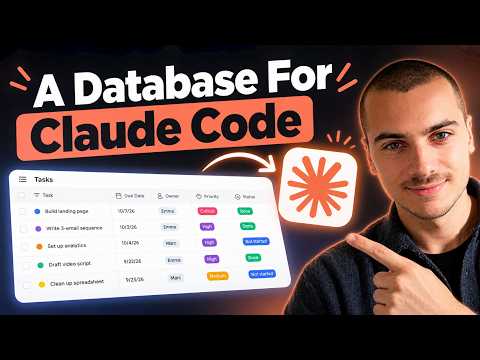
How to Give Claude Code a Powerful Database (Softr MCP Tutorial)
3:43
Tutorial3:43
How to Give Claude Code a Powerful Database (Softr MCP Tutorial)
In this video, Guillaume Duvernay (Growth Marketer at Softr) shows you how to give Claude Code a real database to work with, through the Softr MCP server. Claude Code reads and writes files well, but a file is not a place to keep business data. There is no structure your team can share, no permissions, and no interface for the people who never open a terminal. Connecting it to a Softr Database solves all three at once. The agent creates the tables, fills them with records, and edits them on request, and the data lands somewhere your colleagues can actually open. The example runs end to end in under four minutes. We start from the transcript of a team meeting, and Claude Code turns it into a working project tracker: two linked tables, one record per task, a rollup that counts each person's open tasks, and status changes made by asking in plain English. In this tutorial, we cover: - Why an agent needs a database: structure, permissions, and a place your team can open - Schema design: how Claude Code works out which tables and fields the data needs, and links Tasks to Owners - Creating records: turning a meeting transcript into one record per task, with owners and statuses - Rollup fields: counting each owner's tasks across the link, then narrowing the count to open tasks - Editing in plain English: finding every task assigned to one person and setting its status to Done - Reading the data back: asking for a prioritization email built from the records - Three ways in: the database itself, a Softr app built on top of it, or a colleague's own AI agent over the same MCP server Resources: Connect Claude Code to Softr: https://docs.softr.io/mcp/connect What the Softr MCP server can do: https://docs.softr.io/mcp/overview Database tools in the MCP server: https://docs.softr.io/mcp/databases Rollup and lookup fields: https://docs.softr.io/softr-databases/related-record-lookup-and-rollup-fields 👉 Try Softr for free: https://www.softr.io ⏰ TIMESTAMPS: 00:00 - Why a real database 00:17 - The meeting transcript 00:40 - Designing the schema 01:09 - Owners and Tasks tables 01:27 - Rollup fields 01:55 - Counting open tasks 02:09 - Editing by prompt 02:32 - Checking the records 02:48 - Generating an email 03:02 - Three ways in 03:29 - The next meeting Learn more: Website: https://www.softr.io Help Docs: https://docs.softr.io/ Softr Community: https://community.softr.io/ Softr Blog: https://www.softr.io/blog About Softr: Softr is the AI app builder for creating real business software without code, like client portals, internal tools, and CRMs. Everything is full-stack and in one place: describe what you need and the AI Co-Builder builds the app, the database, and the workflows together, already connected, secure, and ready for real users. Over 1 million builders use Softr, including teams at Netflix, Google, Stripe, and UPS.
Apify + Softr: Build apps with live web data
2:28
Tutorial2:28
Apify + Softr: Build apps with live web data
Apify is a web scraping platform with thousands of ready-made scrapers (called Actors) for pulling live data from YouTube, Google, Amazon, LinkedIn, and more. Connect it to Softr Workflows to automatically collect data on a schedule, store it in a Softr Database, and build apps on top of it. In this example, we walk through building a YouTube brand mentions tracker to show you the three-step process: - Configure an Apify scraper and save it as a task - Build a Softr Workflow to collect and store Apify data - Build a Softr app on top of your scraped data Want to see a full build? Watch our step-by-step tutorial: https://www.youtube.com/watch?v=f7Eb4Kflpag And check out our Apify doc: https://docs.softr.io/workflows/integrations/apify Learn more: Website: https://www.softr.io Help Docs: https://docs.softr.io/ Softr Community: https://community.softr.io/ Softr Blog: https://www.softr.io/blog About Softr: Softr is the AI app builder for creating real business software without code, like client portals, internal tools, and CRMs. Everything is full-stack and in one place: describe what you need and the AI Co-Builder builds the app, the database, and the workflows together, already connected, secure, and ready for real users. Over 1 million builders use Softr, including teams at Netflix, Google, Stripe, and UPS.
How to easily monitor and track news [step-by-step demo]
13:44
Tutorial13:44
How to easily monitor and track news [step-by-step demo]
Learn how to use Linkup's real-time web search API to pull structured news data on any topic, store it in a Softr database, and display it on a clean internal interface — all without writing a single line of code. What's covered: - What Linkup is and how it works as a search API for AI workflows - Using Softr's AI co-builder (with voice!) to scaffold your app in minutes - Structuring search queries with JSON schema output for clean database mapping - Building a recurring daily workflow that auto-fetches and saves news articles - Adding AI classification to tag each article by severity or business impact - Setting up a manual URL scraper using Linkup's fetch endpoint - Real-world use cases: CRM lead enrichment, supplier monitoring, automated newsletters Whether you're building internal tools, automating research, or enriching your CRM, this walkthrough shows you exactly how to connect live web data to a no-code interface. 🔗 Try Softr and Linkup: https://softr.io/ Learn more: Website: https://www.softr.io Help Docs: https://docs.softr.io/ Softr Community: https://community.softr.io/ Softr Blog: https://www.softr.io/blog About Softr: Softr is the AI app builder for creating real business software without code, like client portals, internal tools, and CRMs. Everything is full-stack and in one place: describe what you need and the AI Co-Builder builds the app, the database, and the workflows together, already connected, secure, and ready for real users. Over 1 million builders use Softr, including teams at Netflix, Google, Stripe, and UPS.

Who uses it

Real use cases, no hype
Client Portals
Build secure, branded portals for clients, vendors, or partners to access specific data and tools.
Internal Tools & ERPs
Replace spreadsheets and legacy systems with custom internal tools, inventory trackers, and ERP modules.
Dashboards & Reporting
Turn raw data into interactive, permission-controlled dashboards for real-time insights.
CRM Systems
Create a custom CRM tailored to your sales pipeline and customer interaction workflows.
Team Intranets & Knowledge Bases
Centralize company information, procedures, and documentation for internal team access.
Automated Workflows
Automate multi-step business processes like onboarding, approvals, and notifications without code.
Public Directories & Apps
Launch public-facing directories, membership sites, or simple web applications.
What's great
  • True no-code platform for business apps, no developer needed.
  • AI app builder generates full apps from a prompt.
  • Built-in database, workflows, and user permissions.
  • Deep integrations with Airtable, Notion, Supabase, etc.
Technical strengths
  • SOC 2 Type II compliance and GDPR-ready hosting.
  • Server-side database connections keep API keys off the browser.
  • App MCP server allows AI agents to operate with inherited permissions.
Where it falls short
  • Pricing can escalate for large external user bases on lower plans.
  • Advanced SSO (SAML/OpenID) and SCIM only on Enterprise plan.
  • Not ideal for complex, highly custom UI beyond pre-built blocks.
Technical limitations
  • Native database lacks the flexibility of raw SQL for complex joins.
  • Workflow execution can have slight delays on some triggers.
  • Custom code execution is limited to specific hooks and contexts.
For technical folks

The deep-dive specs

FAQ

Includes technical Q&A
Softr is an AI-powered, no-code platform for building secure business apps, portals, and internal tools. It connects to your existing data sources (like Airtable or SQL databases) and lets you generate apps from a description, configure permissions, and automate workflows.

Traffic Insights

Monthly Visits

—

October 2026

Growth Rate

0%

vs last month

Dominance

0%

in Productivity

Top Country

—

Top Countries Breakdown

—

Growth Trend

Stable

Traffic has remained stable.

Honest pricing

No sneaky tiers, no “contact sales”

Here's who each plan is actually for — and where the hidden charges might hit.

Free
Free

Individuals

  • Unlimited apps
  • unlimited databases
  • unlimited workflows
  • unlimited forms
  • all building blocks.
Basic
$19/mo

Small Teams

  • Everything in Free
  • plus custom domains
  • 3 custom user groups
  • and basic integrations.
Pro
Most picked
$99/mo

Growing Businesses

  • Everything in Basic
  • plus 10 custom user groups
  • advanced integrations
  • and priority support.
Business
$329/mo

Large Teams

  • Everything in Pro
  • plus SAML SSO
  • SCIM provisioning
  • and access to all data sources including SQL databases.
Enterprise
Custom

Enterprise

  • Custom pricing
  • dedicated support
  • advanced security features like SOC 2 Type II
  • and custom integrations.
View Full Plans & Pricing on Softr

Official pricing, checkout, and plan upgrades are handled directly on softr.io.

Reviews

What the internet actually thinks

Data refreshed weekly. No paid placements.

Trustpilot
Not reviewed yet
G2
G2
Not reviewed yet
C
Capterra
Not reviewed yet
Product Hunt
Not reviewed yet
COMMUNITY COMMENTS

Leave a Comment

Help others make informed decisions. Your honest feedback shapes the community's understanding of this tool.

Tips for commenting

  • •Be specific about features you used
  • •Share real use cases and results
  • •Mention both pros and cons
  • •Keep it honest and constructive
to leave a comment

Your comment is published immediately.

Filter by rating:
Sort by:

No comments yet

Be the first to share your experience with this tool.

Alternatives

Not quite the right fit?

Here's what else is out there.