Serpstat

Serpstat

Serpstat is a comprehensive search marketing platform for SEO and PPC professionals. It provides tools for keyword research, competitor analysis, rank tracking, site audits, and backlink analysis across 230 countries. The platform includes a powerful API for programmatic access to its vast database of 1.5B+ domains and 8.6B+ keywords, allowing for custom data integration and automation. Key capabilities include identifying search competitors, uncovering keyword opportunities, monitoring rankings, and diagnosing on-site technical SEO issues. Its target users are digital marketers, SEO specialists, PPC managers, and agencies needing scalable, data-driven insights to optimize search visibility and campaign performance.

Search
Visit website
Added on
Sep 21, 2026
SEO PlatformKeyword ResearchCompetitor AnalysisSite AuditRank TrackingAPI Access230 Countries
Product information

Everything worth knowing about Serpstat

The complete picture — from everyday features to the technical detail builders and IT folks dig for.

Core features

What it actually does

Keyword Research
Fast keyword research on any topic with data from 230 countries, including difficulty, search volume, and PPC cost per click.
Competitors Analysis
Analyze competitors' SEO and PPC strategies, including traffic, visibility, backlinks, and ad insights.
Site Audit
Find and fix on-site technical SEO issues with prioritized recommendations, scheduling, and monitoring.
Rank Tracker
Monitor website rankings on mobile and desktop across 230 countries with flexible tracking and competitor comparison.
Keyword Clustering
Organize keywords by thematic similarity for more targeted campaign planning.
Technical capabilities
API & Data Solutions
Access SEO data via a cost-effective API with JSON-RPC 2.0, custom methods, and data re-selling options.
Must watch videos
Full Website SEO Analysis in 2 Minutes — Serpstat Overview (2026)
2:28
Tutorial2:28
Full Website SEO Analysis in 2 Minutes — Serpstat Overview (2026)
6 Serpstat reports to answer the 4 questions every website audit should ask: - what a site ranks for, - where its traffic comes from, - who's outranking it, - what's broken. ⏱ Timestamps: 0:00 Four questions to understand any site 0:17 Domain analytics and market position 0:31 Keyword rankings and difficulty filters 0:48 SEO competitor analysis 1:12 Backlink profile and SDR score 1:34 Site audit for technical SEO 1:59 AI visibility and brand mentions 🔗 Links & resources: Start with a free trial: https://bit.ly/4y5ABcb Site Audit tool: https://bit.ly/4hcE3KR Keyword research: https://bit.ly/4xt3RZ7 AI Opportunities report: https://bit.ly/3TEkXW3 💬 Have questions about a specific report? Drop them in the comments — we read every one. Like and subscribe for more short walkthroughs of Serpstat features. #SEO #Serpstat #SEOTools #CompetitorAnalysis #SiteAudit #Backlinks #AIVisibility
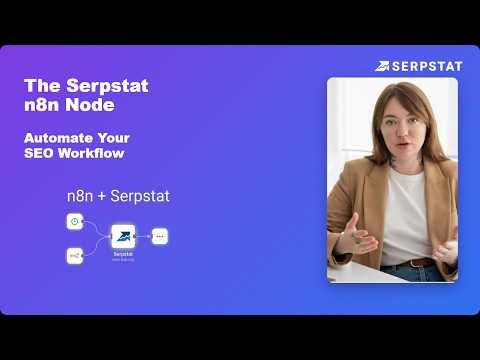
SEO Automation in n8n: Serpstat Node Tutorial (Setup + Use Cases)
3:05
Tutorial3:05
SEO Automation in n8n: Serpstat Node Tutorial (Setup + Use Cases)
In this n8n tutorial, we set up the new n8n-nodes-serpstat community node and build an automated SEO workflow — competitor research, keyword rankings, backlinks, and site audits flowing straight into Slack or Google Sheets, no code required. You'll learn how to install the Serpstat node in n8n, connect your Serpstat API token, configure resources and operations, and route live SEO data anywhere in your automation pipeline. ⏱️ TIMESTAMPS 0:00 – Why manual SEO reporting wastes hours every week 0:14 – What is n8n + the new Serpstat node 0:36 – Who this integration is for 0:53 – Installing n8n-nodes-serpstat (Community Nodes) 1:08 – Connecting your Serpstat API token 1:22 – Adding the Serpstat node to a workflow 1:26 – Settings: resources & operations (Domain Analysis → Organic Competitors) 1:34 – Domain, search engine, Page & Size settings (save API credits) 1:47 – Running the node: competitors, traffic & visibility data 2:01 – Use case: Filter → Slack / Google Sheets automation 2:14 – 12 resource types: Backlinks, Rank Tracker, SERP Crawling & more 2:26 – Use case: pulling any domain's keywords automatically 2:49 – Summary 🔗 LINKS ▸ Serpstat: https://bit.ly/4eSg83o ▸ Serpstat API token: https://bit.ly/44Ge5tr ▸ n8n-nodes-serpstat on npm: n8n-nodes-serpstat ▸ Docs: https://github.com/alex-danilin/n8n-nodes-serpstat#installation The Serpstat node covers 12 resource types — Domain Analysis, Keyword Research, Backlink Analysis, Rank Tracker, SERP Crawling, Site Audit and more — so this same pattern works for almost any SEO data you need. Share this video with your team so everyone skips the manual work. #n8n #SEOautomation #Serpstat #workflowautomation #SEOtools #n8ntutorial
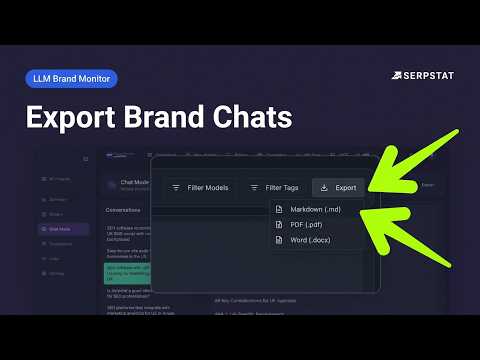
Monitor Brand in LLM and Export Chat Conversations
0:17
Tutorial0:17
Monitor Brand in LLM and Export Chat Conversations
You can now export conversations from LLM Brand Monitor's chat mode directly to a file — no screenshots or manual copy-pasting required. Each export includes the complete conversation, along with key metadata: - Conversation date - LLM model name - Brand or project name Supported formats: PDF, DOCX, MD It's now much easier to save AI visibility insights, share findings with clients, and include conversations in reports. 🔗Link: https://bit.ly/442GSry

Who uses it

Real use cases, no hype
SEO Campaign Management
Plan, execute, and track SEO campaigns with keyword research, site audits, and rank monitoring.
Competitor Intelligence
Analyze competitors' organic and paid search strategies, keywords, and backlinks.
Technical SEO Auditing
Identify and prioritize on-site technical issues to improve crawlability and rankings.
PPC Keyword Research
Discover cost-effective keywords and analyze competitor ad strategies for PPC campaigns.
Backlink Profile Analysis
Monitor your backlink profile and compare it against competitors.
Custom Data Pipelines
Build custom tools or automate reporting using the comprehensive SEO data API.
Team Collaboration
Manage projects and SEO tasks across multiple team members and clients.
What's great
  • Comprehensive all-in-one SEO platform (keyword research, audit, rank tracking, competitor analysis)
  • Excellent competitor analysis and keyword opportunity discovery
  • User-friendly and intuitive interface
Technical strengths
  • Strong API for custom data integration and automation
  • Multi-user and team collaboration features
Where it falls short
  • Free trial requires credit card and is time-limited
  • API requires a paid subscription (middle/top tier)
  • Data accuracy can vary compared to other premium tools
Technical limitations
  • No sandbox/test environment for API development
  • Reporting and data visualization could be more advanced
For technical folks

The deep-dive specs

FAQ

Includes technical Q&A
Yes, there is a 7-day free trial that gives full access to all paid features. A credit card is required for signup.

Traffic Insights

Monthly Visits

—

November 2026

Growth Rate

0%

vs last month

Dominance

0%

in Search

Top Country

—

Top Countries Breakdown

—

Growth Trend

Stable

Traffic has remained stable.

Honest pricing

No sneaky tiers, no “contact sales”

Here's who each plan is actually for — and where the hidden charges might hit.

Individual
$59/mo

Users

    Team
    $119/mo

    Users

      View Full Plans & Pricing on Serpstat

      Official pricing, checkout, and plan upgrades are handled directly on serpstat.com.

      Reviews

      What the internet actually thinks

      Data refreshed weekly. No paid placements.

      Trustpilot
      Not reviewed yet
      G2
      G2
      Not reviewed yet
      C
      Capterra
      Not reviewed yet
      Product Hunt
      Not reviewed yet
      COMMUNITY COMMENTS

      Leave a Comment

      Help others make informed decisions. Your honest feedback shapes the community's understanding of this tool.

      Tips for commenting

      • •Be specific about features you used
      • •Share real use cases and results
      • •Mention both pros and cons
      • •Keep it honest and constructive
      to leave a comment

      Your comment is published immediately.

      Filter:
      Sort:

      No comments yet

      Be the first to share your experience with this tool.

      Alternatives

      Not quite the right fit?

      Here's what else is out there.