Scribbl

Scribbl

Scribbl is an AI notetaker for Google Meet, Zoom and Microsoft Teams that records without a bot ever joining the participant list. Google Meet runs through a Chrome extension; Zoom and Teams use the Scribbl Desktop app for Mac and Windows. Every meeting comes back with AI notes, action items, a speaker-attributed transcript, the video, plus Smart Collections that auto-file meetings by a one-sentence rule. The real differentiator is what happens after the call. Connect Scribbl to Claude or ChatGPT and query every transcript at once, or set Automations to draft follow-up emails, log notes in HubSpot/Pipedrive, post to Slack, save to Notion/Drive/Confluence or open Jira/Linear/Asana tickets — all gated behind an approval step by default. Team tier adds plain-language instructions executed by your own Claude instance. Built for founders, sales teams, PMs and agencies drowning in calls. Free plan covers 10 meetings/month; Pro at $13/user/mo unlocks unlimited meetings, unlimited chat and i

Productivity
Visit website
Added on
Nov 4, 2026
No-bot recordingGoogle MeetZoom & TeamsClaude/ChatGPTSmart CollectionsAutomations85+ languages
Product information

Everything worth knowing about Scribbl

The complete picture — from everyday features to the technical detail builders and IT folks dig for.

Core features

What it actually does

Botless meeting recording
Records Google Meet, Zoom and Microsoft Teams without a bot joining the call. Nothing shows up in the participant list, and guests get no surprise emails or setup requests.
AI notes, action items, transcript and video
Every meeting comes back with AI-written notes, action items, a searchable transcript and the video recording. No limit on meeting length, even on the free plan.
Ask Claude or ChatGPT about every meeting
Connect Scribbl once and your own Claude or ChatGPT can search the transcripts and notes of every meeting you have recorded. Ask about a whole week of calls in one question instead of rewatching them. Read-only access; included in Pro.
Smart Collections
Describe a collection in one sentence and Scribbl files each new meeting that fits into it automatically. Works for sales calls, hiring, client projects or 1:1s, and each collection can be opened in Claude to query the whole set at once.
Automations with human approval
When a meeting lands in a Smart Collection, Scribbl drafts follow-up emails in your format, logs notes to HubSpot or Pipedrive, posts summaries to Slack or Teams, saves to Drive, Notion or Confluence, opens tickets in Linear, Jira, Asana or Monday, or adds a Google Sheet row. By default it asks before changing anything.
Technical capabilities
Chrome extension and desktop capture
Google Meet runs through a Chrome extension; Zoom and Microsoft Teams run through Scribbl Desktop for Mac (Apple silicon) and Windows. All meetings land in one account regardless of platform.
Privacy and language handling
Transcribes more than 85 languages and can write notes in a language different from the spoken meeting. Recordings are private by default, sharing is opt-in, and meetings are not used to train AI for anyone other than you.
Must watch videos
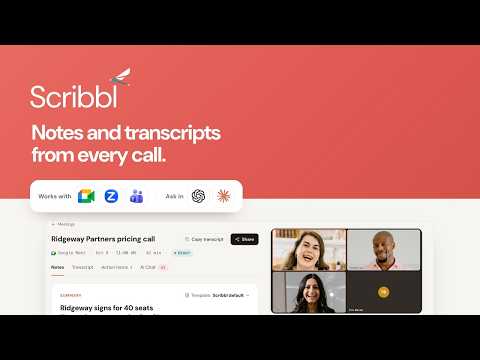
Scribbl: AI Meeting Notes & Transcription for Google Meet
2:26
Tutorial2:26
Scribbl: AI Meeting Notes & Transcription for Google Meet
Automate note-taking during your Google Meet meetings. Scribbl transcribes, or video records your Google Meet meeting and generates AI meeting notes at the conclusion of your meeting. Simply download the Chrome extension and sign in with Google to begin automatically receiving Google Meet transcripts and ChatGPT AI meeting notes for free.
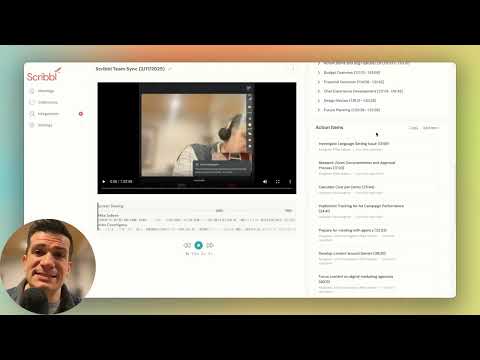
Scribbl - The AI Notetaker for Agencies
1:12
Tutorial1:12
Scribbl - The AI Notetaker for Agencies
Scribbl is the AI notetaker for modern agencies. In this video we'll discuss how Scribbl enhances note taking and post meeting workflows to make your agency team more efficient.
Scribbl - An Agency Note-Taking App Demo Overview | Use AI Apps To Simplify And Organize Projects
47:15
Tutorial47:15
Scribbl - An Agency Note-Taking App Demo Overview | Use AI Apps To Simplify And Organize Projects
8/20/2024 Project Management AI Apps #AIApps #scribbl #ProjectManagementProductivity #Productivity #notetakingapp *** 𝐘𝐨𝐮 𝐜𝐚𝐧 𝐬𝐢𝐠𝐧-𝐔𝐩 𝐮𝐬𝐢𝐧𝐠 𝐭𝐡𝐢𝐬 𝐥𝐢𝐧𝐤 𝐛𝐞𝐥𝐨𝐰: **** https://www.scribbl.co/?via=projectlevation 𝐑𝐞𝐦𝐞𝐦𝐛𝐞𝐫 𝐭𝐨 𝐒𝐮𝐛𝐬𝐜𝐫𝐢𝐛𝐞 𝐭𝐨 𝐭𝐡𝐞 𝐂𝐡𝐚𝐧𝐧𝐞𝐥 Please And Give a *Like* if the Walk Through Video was helpful Welcome to my Channel where I share tips, and strategies about any of these topics in the Context of Project Management | Healthcare IT/Tech | Healthcare Project Management | Leadership | Lifestyle: AI Workflow Integration AI To revolutionize Project Management and Work AI For Innovation in Healthcare, Healthcare Project Management and & Project Management (Innovation in afew Other Industries) AI For Business Leaders AI For Productivity Leadership: How to transition Into Leadership Work-life Some Life Lessons, Findings, Predictions, and topics that give insights ******************************* 𝐈𝐧 𝐭𝐡𝐢𝐬 𝐕𝐢𝐝𝐞𝐨: I share - Who this App best services - How the Note-taking App is different from some of the others I have Demo-ed - Its Features - What the AI Does for you as a Team Manager/Project Manager and a Business Owner with Client-Calls - Or as an Agency Owner If you like this Simple yet powerful and Organization of Calls For Your Clients Note-taking AI App *** 𝐘𝐨𝐮 𝐜𝐚𝐧 𝐬𝐢𝐠𝐧-𝐔𝐩 𝐮𝐬𝐢𝐧𝐠 𝐭𝐡𝐢𝐬 𝐥𝐢𝐧𝐤 𝐛𝐞𝐥𝐨𝐰: **** https://www.scribbl.co/?via=projectlevation ******************************* *** Promo: I am also an Affiliate of this App and might get a small percentage from Scribbl that is of No cost to you ************************************* 𝐃𝐢𝐬𝐜𝐨𝐯𝐞𝐫 𝐌𝐨𝐫𝐞 𝐅𝐫𝐨𝐦 𝐌𝐞: Follow My YouTube Channel here: @rachelm.keyser4902 Let's connect on LinkedIn: /@rachelmkeyser Let's connect on Twitter/X: /@rachelmkeyser Let's connect on Facebook page: /@rachel.m.keyser.12382 Join my Healthcare Project Management Free FB Group: / 432412258479395 Follow Facebook Page: /projectelevationpartners Free Resources: https://projectelevationpartners.com/... Website: https://projectelevationpartners.com/... Partnership or Collab Inquiries: https://projectelevationpartners.com/... #productivity #AIEmailReader #AINoteTakingApp #AIForProjectManagement #AIHealthcareProjectManagement #HealthcareAIInnovations #AINews #HealthcareProjectManagement #ProjectManagementTraining #ProjectManagementCoach #HealthcareTraining #ProjectManagementAI #HealthcareAI #innovations #GetUnstuck #LifeTransformation #CareerTransformation #LifePivot #CareerPivot

Who uses it

Real use cases, no hype
Sales Call Follow-Up
Every discovery call gets notes, then a draft follow-up email in your format plus HubSpot logging — waiting for your yes.
Client Calls for Agencies
Auto-file each client's calls into a Smart Collection, then ask Claude what was promised across the last month.
Hiring & Interviews
Record interviews bot-free, keep transcripts searchable, and compare candidates without rewatching anything.
Bug Triage to Tickets
When a customer mentions a bug, an automation opens a Linear or Jira ticket — after you approve it.
Project Sync Write-Ups
Post decisions into Notion, Confluence or a Google Sheet after each weekly check-in without touching a keyboard.
Manager 1:1s & Reviews
Keep a running collection of 1:1s so you can ask 'what did we agree three months ago?' and get a real answer.
Cross-Meeting Research
Ask ChatGPT about a full week of calls at once instead of scrubbing through recordings.
What's great
  • No bot ever joins the call — nobody sees a guest in the participant list
  • Free tier is genuinely usable: 10 meetings/month, no length cap
  • Meet, Zoom and Teams all land in one account
  • 85+ languages transcribed, notes can be written in a different language
Technical strengths
  • Native Claude/ChatGPT connector queries your whole meeting archive, not one call
  • Smart Collections auto-file meetings from a one-sentence description — no manual tagging
  • Automations are human-in-the-loop by default: nothing writes to HubSpot/Jira/Slack until you approve
Where it falls short
  • No mobile app — capture is Chrome extension or desktop only
  • Team plan punishes small crews: 1–2 people pay $50/person, not $20
  • Automations are metered — 3 runs on Free, 50 on Pro
  • Plain-English custom jobs are locked behind the Team plan
Technical limitations
  • Desktop app is Windows + Apple silicon Mac only — no Linux, no Intel Mac build stated
  • Google Meet capture depends on a Chrome extension, so browser-only workflows
  • Recording consent is entirely your legal problem, not the tool's
For technical folks

The deep-dive specs

Platforms
Google Meet, Zoom, Microsoft Teams
Google Meet capture
Chrome extension
Zoom / Teams capture
Scribbl Desktop for Mac (Apple silicon) and Windows
Transcription languages
85+ languages, notes can be written in a different language
AI execution
Team automations run on your own Claude instance
Data handling
Recordings private by default, opt-in sharing, no third-party model training on your meetings

FAQ

Includes technical Q&A
No. Google Meet is captured via the Scribbl Chrome extension, and Zoom/Teams via Scribbl Desktop recording locally on your machine. Nothing appears in the participant list.

Traffic Insights

Monthly Visits

—

November 2026

Growth Rate

0%

vs last month

Dominance

0%

in Productivity

Top Country

—

Top Countries Breakdown

—

Growth Trend

Stable

Traffic has remained stable.

Honest pricing

No sneaky tiers, no “contact sales”

Here's who each plan is actually for — and where the hidden charges might hit.

Free
Free

Individuals

  • free forever
  • no credit card
View Full Plans & Pricing on Scribbl

Official pricing, checkout, and plan upgrades are handled directly on scribbl.co.

Reviews

What the internet actually thinks

Data refreshed weekly. No paid placements.

Trustpilot
Not reviewed yet
G2
G2
Not reviewed yet
C
Capterra
Not reviewed yet
Product Hunt
Not reviewed yet
COMMUNITY COMMENTS

Leave a Comment

Help others make informed decisions. Your honest feedback shapes the community's understanding of this tool.

Tips for commenting

  • •Be specific about features you used
  • •Share real use cases and results
  • •Mention both pros and cons
  • •Keep it honest and constructive
to leave a comment

Your comment is published immediately.

Filter:
Sort:

No comments yet

Be the first to share your experience with this tool.

Alternatives

Not quite the right fit?

Here's what else is out there.