Retool

Retool

Retool is a low-code platform for building internal tools and applications. It provides an AI-powered app builder with a drag-and-drop interface, enabling rapid development of web and mobile apps. Key features include database and API integrations, workflow automation, and enterprise-grade security with audit logging and SSO. Targeted at engineering, data, and operations teams, it supports businesses from startups to enterprises in creating efficient, secure applications.

Productivity
Visit website
Added on
Sep 18, 2026
Web app builderMobile appsWorkflowsAI AgentsDatabaseIntegrationsSSOSelf-hosted
Product information

Everything worth knowing about Retool

The complete picture — from everyday features to the technical detail builders and IT folks dig for.

Core features

What it actually does

Web Apps
Build and deploy unlimited web applications with drag-and-drop or AI-assisted builders.
Mobile Apps
Create native mobile apps for iOS and Android with offline mode and push notifications.
Workflows
Automate business processes with scheduled and event-triggered workflows.
AI Agents
Deploy AI agents with observability, tuning, and access controls for automation.
Database Management
Use built-in database with editor UI, connection strings, and schema migrations.
Technical capabilities
Environment Separation
Manage staging, production, and custom environments with resource isolation.
Must watch videos
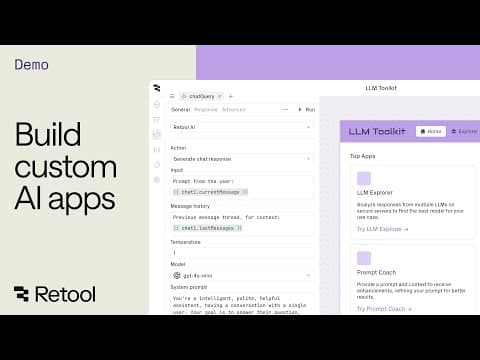
Retool AI Apps |  Build custom AI apps
1:44
Tutorial1:44
Retool AI Apps | Build custom AI apps
Go from idea to production fast and safely — without being an AI expert. Consolidate your data, seamlessly add AI actions, and automate manual tasks all while keeping your data safe. Check out how you can start shipping AI apps faster than you think: https://retool.com/ai
What is Retool? Low-Code Internal App Builder Review & Tutorial
23:38
Review23:38
What is Retool? Low-Code Internal App Builder Review & Tutorial
Retool is a powerful low-code platform for building internal applications for your team. In this video, we discuss some of the advantages Retool has, despite the additional learning curve, since it has fewer limitations than no-code platforms do. We'll also dive into a tutorial to show you how to start setting up your first application. ➖➖➖➖➖➖➖➖➖➖➖➖➖➖➖➖➖➖➖➖➖ Need help with your own Low-Code, No-Code or Automation Project? Reach out to us at 👉 https://www.automationhelpers.com/contact for a FREE 30 minute consultation! ➖➖➖➖➖➖➖➖➖➖➖➖➖➖➖➖➖➖➖➖➖ Like what you're seeing? 📮 Subscribe to our channel and stay ahead with the latest Software, no-code, and App building content to grow your business! https://a2m8.help/yt-subscribe Timestamps: 00:00 Introduction to Retool 01:56 Retool pricing and positioning 4:43 Setting up initial data 05:27 Retool navigation 06:39 Retool database 08:44 Creating an app 09:47 Editing grid and building queries 15:48 Retool workflows 21:34 Refreshing UI and queries 22:14 Creating "formulas" or computed fields
Turn spreadsheets into AI-generated apps in Retool
1:02:47
Tutorial1:02:47
Turn spreadsheets into AI-generated apps in Retool
AI Build Week #2 — Day 3 of 4 Today Keanan shows you how to turn a spreadsheet into a real app. 📂 Resources: https://drive.google.com/drive/folders/1qnkaQ8JsJhoahw1T9MOlaVD2AOfewUjB?usp=sharing 💬 Q&A + Discussion: Drop questions in Q&A or chat. We will follow up live and in the Community thread: https://community.retool.com/t/ai-build-week-day-3-from-data-to-dashboards/62857 📅 Full week schedule + RSVP for remaining sessions https://events.retool.com/aibuildweek2 00:00 Waiting room 01:26 Welcome & Introduction 03:49 The limitations of spreadsheets 04:33 What is Enterprise AppGen in Retool? 05:24 How does Retool differ from other AI building tools? 06:42 Turning Our Airports CSV data into an App 10:12 What is RetoolDB? 12:01 What integrations work with Retool? 12:45 Tips and tricks for Retool's AI AppGen capabilities 14:50 How building with AI works in Retool 22:12 Inspecting the finished application 25:09 How to create a release in Retool 26:16 Adding filters above a table 29:44 When should you cache results of queries? 31:14 Editing drawers in Retool 37:44 Can you change events in Retool? 39:31 How do you handle large CSV files in Retool? 41:19 Can Retool write data back to the database? 42:26 Can you ask Retool to specify rules? 43:36 Changing a text component into an input 45:18 How can you update CSV data in Retool? 46:45 What are the usage limits on Retool's AI Assistant? 48:09 Is there a way to see how many tokens have been used? 49:38 Are there context window or memory limits in Retool? 51:23 Can you turn a spreadsheet with formatting, formulas, and logic into a Retool app? 52:22 If you connect Snowflake/BigQuery tables, will Assist understand the request? 53:51 Roles and permissions in Retool explained 55:24 Can you import more data via CSV import from Retool? 56:26 How does AI handle rolling back changes in Retool? 57:41 How does the size limit apply if you use Google Sheets? 58:27 How to modify a dataset in Retool 59:22 Can you use AI to visually modify your Retool app? 01:01:05 Closing notes

Who uses it

Real use cases, no hype
Internal Dashboards
Build real-time dashboards for business metrics and KPIs.
Admin Panels
Create admin interfaces for user management and system controls.
Workflow Automation
Automate repetitive tasks and business processes.
Customer Support Tools
Develop portals for handling customer queries and tickets.
Data Entry Applications
Build CRUD apps for data collection and management.
Monitoring Tools
Set up systems for real-time monitoring and alerts.
Mobile Field Apps
Deploy native mobile apps for field operations and data capture.
What's great
  • Rapid app development with drag-and-drop interface
  • Extensive pre-built components and templates
  • Seamless integration with databases and APIs
Technical strengths
  • Custom JavaScript for advanced logic
  • Built-in version control and deployment pipelines
Where it falls short
  • Can be expensive for small teams or startups
  • Learning curve for complex customizations
  • Vendor lock-in due to proprietary platform
Technical limitations
  • Limited infrastructure control in cloud-hosted version
  • Performance issues with very large datasets
For technical folks

The deep-dive specs

FAQ

Includes technical Q&A
Retool is a low-code platform for building internal tools like dashboards, admin panels, and workflows quickly.

Traffic Insights

Monthly Visits

—

October 2026

Growth Rate

0%

vs last month

Dominance

0%

in Productivity

Top Country

—

Top Countries Breakdown

—

Growth Trend

Stable

Traffic has remained stable.

Honest pricing

No sneaky tiers, no “contact sales”

Here's who each plan is actually for — and where the hidden charges might hit.

Free
$0 / builder, $0 per internal user

Developers and early exploration

  • ['Unlimited web & mobile apps'
  • '500 workflow runs/month'
  • '5GB of database capacity'
  • '5GB of file storage'
  • 'Up to 5 users'
  • 'Up to 20 hours/month of Agents'
  • '250 AI credits/month']
Team
$10 / builder, $5 per internal user

Growing, collaborative teams

  • ['Everything in Free
  • plus...'
  • '5
  • 000 workflow runs/month'
  • 'Staging resource environment'
  • 'App release versions'
  • '>5 users'
Business
$50 / builder, $15 per internal user

Teams who need more control

  • ['Everything in Team
  • plus...'
  • 'Audit logging'
  • 'Rich permission controls'
  • 'Portals and embedded apps'
  • 'Unlimited resource environments'
  • 'Unlimited modules'
Enterprise
Custom pricing

Organizations running Retool as a platform

  • ['Everything in Business
  • plus...'
  • 'SAML/OpenID Connect SSO
  • SCIM provisioning'
  • '2FA enforcement'
  • 'Audit logs with streaming'
  • 'Source control (Git)'
View Full Plans & Pricing on Retool

Official pricing, checkout, and plan upgrades are handled directly on retool.com.

Reviews

What the internet actually thinks

Data refreshed weekly. No paid placements.

Trustpilot
Not reviewed yet
G2
G2
Not reviewed yet
C
Capterra
Not reviewed yet
Product Hunt
Not reviewed yet
COMMUNITY COMMENTS

Leave a Comment

Help others make informed decisions. Your honest feedback shapes the community's understanding of this tool.

Tips for commenting

  • •Be specific about features you used
  • •Share real use cases and results
  • •Mention both pros and cons
  • •Keep it honest and constructive
to leave a comment

Your comment is published immediately.

Filter:
Sort:

No comments yet

Be the first to share your experience with this tool.

Alternatives

Not quite the right fit?

Here's what else is out there.