Read AI

Read AI

Read AI is an automation platform that acts as a real-time meeting assistant and productivity copilot. It automatically joins video calls on Zoom, Google Meet, and Microsoft Teams to provide live transcription, generate summaries, identify action items, and analyze meeting dynamics. Its core capabilities extend beyond transcription to include 'Ask Read,' an AI-powered search engine that surfaces insights from across your meetings, emails, and connected documents. Targeted at professionals and teams drowning in meetings, the tool centralizes conversational intelligence. It offers real-time metrics (like speaker time and sentiment), post-meeting reports, and integrates with major CRMs and productivity suites. A key feature is 'Ada,' a digital twin agent that can manage workflows and handle tasks based on your communication patterns. It’s designed for users who need to capture, recall, and act on information discussed in any conversation.

Productivity
Visit website
Added on
Jul 9, 2026
Monthly Visits
3.8M
Meeting summariesTranscriptionAsk Read AILive notesSpeaker coachFile uploadCross-platformDigital twin
Product information

Everything worth knowing about Read AI

The complete picture — from everyday features to the technical detail builders and IT folks dig for.

Core features

What it actually does

Meeting Summarization
Auto-generated recaps, action items, and highlights from meetings across Google Meet, Zoom, and Teams.
AI Search
Ask Read queries across meetings, emails, and messages with citations.
Knowledge Sharing
Seamlessly share summaries and decisions via Slack, email, or integrated workspace.
Digital Twin Ada
AI executive assistant that learns your workflow, handles tasks, and manages your schedule.
Multi-Platform Support
Works on Windows, MacOS, Android, iOS, and as a Chrome extension for Gmail and Meet.
Technical capabilities
LLM Integration
Direct access to native LLMs from Anthropic Claude and OpenAI GPT in Search Copilot.
Privacy & Compliance
SOC 2 Type 2 certified, GDPR compliant, HIPAA available on enterprise plans.
Must watch videos
Intro to Read AI
1:29
Tutorial1:29
Intro to Read AI
Meet Read AI — Your AI assistant and meeting notetaker 📌 Try Read AI for free: https://read.ai Read AI is an AI assistant and notetaker tool that sits in on your meetings, connects with your emails and software, and learns what’s important to you so that you save time and are more focused every day. What you can do with Read AI: • Auto-capture notes and summaries, and natively connect with the tools you use every day • Chat with your meetings, email, messages, documents, CRM, and more • Get an AI assistant trained on your work Ready to get started? https://read.ai Trusted by 90% of the Fortune 500 and Leading Companies • Top 10 AI Apps for Enterprises – Brex • Top 50 AI Apps for Startups – a16z #AIassistant #productivity #meetings
Introduction to Read
3:32
Tutorial3:32
Introduction to Read
Read joins your meetings to make them more efficient and effective. Available on Zoom, Google Meet, Microsoft Teams, and Webex. Features include: Real-Time * Engagement + Sentiment Scores: Interest and emotions metrics * Immersive Mode: AR applied to participants * Meeting Timer: Start and end meetings on time * Talk Time: Ensure an inclusive conversation * Words Per Minute + Filler Words: Coaching to improve the conversation in the moment * Notepad: Add your own notes to the meeting for your eyes only with time stamps Post-Meeting * Meeting Recaps: After every meeting receive a written meeting summary, list of topics, action items, and key questions. * Meeting Report: A robust set of meeting metrics and analytics * Transcription: Automated summary, topics, notes, action items, questions * For You: Summary and topic discovery across your meetings * Meeting Playback: Audio and video playback w/ navigation based on metrics * Coaching: AI generated tips for better pacing, fewer filler words, and less interruptions * Recommendations: AI recommendations for fewer, better meetings Learn more at https://www.read.ai
Read AI Review - Best AI Meeting Assistant for Businesses!
6:06
Review6:06
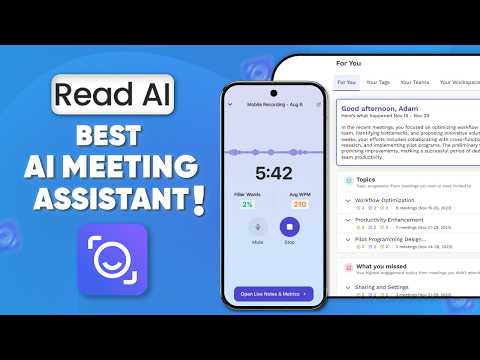
Read AI Review - Best AI Meeting Assistant for Businesses!
We’re taking a deep dive into Read AI, the AI meeting assistant that’s changing how we handle meetings in 2026. From automated scheduling and sentiment analysis to the powerful Search Copilot, we’ll show you how it organizes your workspace. If you’re looking to save hours every week and actually stay present during calls, this review covers everything you need to know. Try Read AI: https://www.read.ai/ 00:00 - Intro 00:47 - Meeting Scheduling 02:02 - Meeting Reports 04:11 - Additional Features 05:26 - Verdict ------------------------------------------------------------------------------------- Business mail: mailbeproductive@gmail.com ------------------------------------------------------------------------------------- * Music Source: YouTube Audio Library ------------------------------------------------------------------------------------- Videos you may also like: *https://youtu.be/YuBlv2z_0Pk?si=mBw2fsxqqgbucRRY *https://youtu.be/fFyutDuqZlA?si=LDMHTgYZg1Z4RWR9 *https://youtu.be/xkmrYk8InCA?si=z7VSYIPoZdUVSJEG ------------------------------------------------------------------------------------- Read AI is an advanced AI meeting assistant designed to boost meeting productivity and streamline team collaboration. With intelligent calendar scheduling and meeting automation, it ensures every session is organized efficiently, saving time for participants. The software goes beyond simple note-taking, offering sentiment analysis, engagement tracking, and detailed meeting reports that highlight key action items and provide a complete meeting recap. Its Search Copilot and AI workspace tools make it easy to access past discussions, while meeting coaching and recommendations help improve communication and optimize workflows. As a smart meeting assistant and remote work assistant, Read AI integrates productivity tools and time management AI to enhance workplace automation. By providing a comprehensive meeting overview and acting as an AI notes assistant, it turns conversations into actionable insights, making it one of the most effective business AI tools for 2026. Disclaimer: * The following video abides by the YouTube Community Guideline. Footage used in this video is for educational purposes and all the information covered in this video was collected from unofficial sources and assumptions. * Footage, music, images, and graphics used in the video falls under the YouTube Fair Usage Policy Under Section 107 of the Copyright Act 1976. If you have any copyright issues, please contact us. * All Affiliated links in the video description help us support this channel. #readai #aimeetingassistant #aitool

Who uses it

Real use cases, no hype
Meeting Notes & Playback
AI-generated notes, topics, action items, and full video/audio playback.
Search Across Conversations
Ask questions across meetings, emails, and messages with citations.
Team Knowledge Sharing
Distribute summarized insights to Slack, email, or workspace to break silos.
Email Summaries
Key points from long email threads delivered in one concise recap.
Speaker Coach
Personal feedback on pacing, filler words, bias, and engagement metrics.
In-Person Meeting Capture
Mobile recording that generates summaries and transcripts for offline conversations.
Education & Lectures
Discounted plans for students and faculty with unlimited transcripts and video playback.
What's great
  • Auto-generates meeting summaries & action items
  • Works across Zoom, Teams, Google Meet
  • Free plan includes 5 meeting transcripts/month
  • Supports 20+ languages
Technical strengths
  • Multi-LLM search powered by Claude and GPT
  • Unified insights across meetings, email, and chat
  • SOC 2, HIPAA, GDPR compliance baked in
Where it falls short
  • Only 5 free meetings per month
  • 1-hour max recording on Free, 4h on Pro/Enterprise
  • HIPAA/SAML/SCIM locked to Enterprise+ tier
  • EDU plans require annual subscription
Technical limitations
  • Cannot mix Pro and Enterprise licenses in same workspace
  • No admin-only license; each user must be paid
  • Premium integrations (Zapier, CRM) require paid plan
For technical folks

The deep-dive specs

AI Models
Anthropic Claude, OpenAI GPT
Privacy Compliance
SOC 2 Type 2, GDPR, HIPAA (Enterprise+)
Supported Platforms
Zoom, Google Meet, Microsoft Teams, Slack, Gmail, Outlook, iOS, Android, Windows, MacOS
API Access
MCP Server and API available

FAQ

Includes technical Q&A
Credit card only (monthly or yearly). PayPal is not supported.

Traffic Insights

Monthly Visits

3.8M

September 2026

Growth Rate

0%

vs last month

Dominance

0,56%

in Productivity

Top Country

United States

25% of traffic

Top Countries Breakdown

United States
25%
India
9%
Brazil
7%
Colombia
5%
Mexico
4%

Growth Trend

Stable

Traffic has remained stable.

Honest pricing

No sneaky tiers, no “contact sales”

Here's who each plan is actually for — and where the hidden charges might hit.

Free
Free

Individuals starting out

  • 5 meeting transcripts per month
  • Unlimited enterprise search
  • Best-in-class summaries for meetings
  • email
  • and messaging
  • Personalized meeting coach
  • Basic integrations
Pro
$19/mo

Individuals and small teams

  • All Free features
  • Priority report processing
  • Unlimited meeting transcripts
  • 100 file upload credits per month
  • Premium integrations (Notion
  • Salesforce
  • HubSpot
Enterprise
Most picked
$29/mo

Individuals and teams

  • All Pro features
  • Audio & video playback
  • Video highlights
  • 200 file upload credits per month
  • Premium support
  • Unlimited meeting reports
  • Unlimited storage
Enterprise+
$39/mo

Large teams and organizations

  • All Enterprise features
  • HIPAA compliance
  • SAML & SCIM
  • Domain capture
  • Custom data retention policy
  • 300 file upload credits per month
  • Workspace onboarding
Reviews

What the internet actually thinks

Data refreshed weekly. No paid placements.

Trustpilot
Not reviewed yet
G2
G2
Not reviewed yet
C
Capterra
Not reviewed yet
Product Hunt
Not reviewed yet
COMMUNITY COMMENTS

Leave a Comment

Help others make informed decisions. Your honest feedback shapes the community's understanding of this tool.

Tips for commenting

  • Be specific about features you used
  • Share real use cases and results
  • Mention both pros and cons
  • Keep it honest and constructive
Sign in to leave a comment

Your comment will be published after moderation

Filter by rating:
Sort by:

No comments yet

Be the first to share your experience with this tool.

Alternatives

Not quite the right fit?

Here's what else is out there.

Detail tags
Found via these searches
#MeetingNotes#AIAssistant#Transcription#Productivity#NoCode#LLM#Automation